Codex vs Cursor vs Claude Code: A Hands-On Comparison — Which One Should You Choose?
A practical comparison of Codex, Cursor, and Claude Code to help developers choose the right AI coding tool.
This article provides a hands-on comparison of the three leading AI coding tools: Codex, Cursor, and Claude Code. It covers Codex's new standalone APP, pricing differences, stability issues with Claude Code's rate limiting, and a key finding — Codex excels at frontend/UI work while Claude Code is stronger for backend logic. The practical advice: learn all three and switch based on project needs.
The Big Three of AI Coding Tools Have Emerged
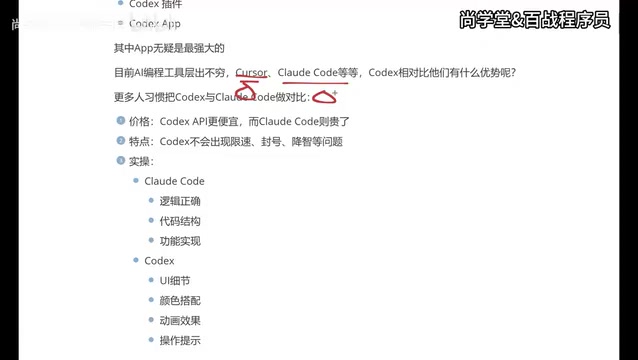
The AI coding tools race has reached a fever pitch, with Cursor, Claude Code, and Codex forming a clear three-way rivalry. Each represents a distinct technical approach to AI-assisted programming: Cursor takes the AI-native IDE route, deeply embedding AI capabilities into the code editor; Claude Code adopts a CLI-first strategy targeting experienced developers comfortable with terminal operations; and Codex, building on OpenAI's API capabilities, has gradually expanded into a versatile product covering multiple interaction modes.
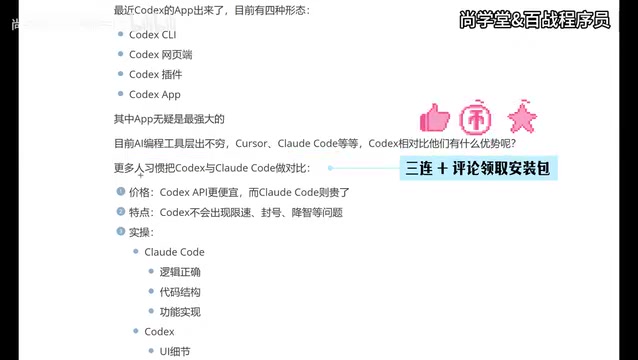
Recently, OpenAI's Codex received a major update — the standalone APP officially launched. This means Codex now offers four usage modes: terminal (CLI), web interface, IDE plugin, and standalone APP. This lineup makes Codex the most complete AI coding tool on the market in terms of product form, covering everything from lightweight code completion to heavy-duty Agent-style autonomous programming.
With so many options available, which one should developers actually use? This article breaks down the strengths and weaknesses of these three mainstream AI coding tools based on real-world usage experience, helping you find the best fit.
Codex's Four Usage Modes and the Best Choice
Codex currently offers four ways to use it:
- Terminal (CLI): Command-line interaction mode where developers communicate with AI by typing natural language commands in the terminal. Ideal for Linux/Mac users who prefer command-line workflows, allowing code generation and refactoring directly within project directories.
- Web Interface: Accessible directly through a browser with no software installation required. Suitable for ad-hoc code consultations and quick prototype validation.
- IDE Plugin: Integrated into development tools like VS Code, providing AI assistance through inline completions and sidebar conversations that seamlessly fit into existing development workflows.
- Standalone APP: The newly launched desktop application with its own window and full project management capabilities. It can read the local file system and execute terminal commands — essentially an AI programming environment with Agent capabilities.
Previously, most developers used Codex as a plugin within IDEs like VS Code, but with the standalone APP's release, things have changed significantly. The APP form is considered the most powerful usage mode — it not only retains the ability to work alongside code editors (as in plugin mode) but also provides a more complete interaction interface and richer feature support. The core advantage of the standalone APP is its full system permissions: it can autonomously create files, run tests, install dependencies, and even launch local servers to preview results — all things that are difficult to achieve in plugin mode due to IDE sandbox restrictions.
Of course, the APP isn't meant to replace the IDE plugin. The two work best together: the APP handles complex conversational programming tasks while traditional development tools like VS Code handle fine-grained code editing and debugging — clear division of labor, higher efficiency.
Codex vs Claude Code: Head-to-Head
Many developers naturally compare Codex and Claude Code, and these two tools are indeed the most competitive AI coding assistants available today. Let's compare them across three core dimensions.
Price Comparison: Codex Offers Better Value
In terms of cost, Codex's APP pricing is relatively more affordable, while Claude Code tends to be expensive. Currently, AI coding tools use two main pricing models: fixed monthly subscriptions (e.g., Cursor Pro at $20/month) and pay-per-token billing based on actual consumption (e.g., Claude Code charges per API call). Claude Code uses the latter approach, and since Anthropic's Claude models are priced relatively high — combined with the fact that coding scenarios often require massive context input (entire codebases) — the token consumption per conversation can be enormous, making costs easy to lose control of. Codex's standalone APP offers more competitive subscription plans. For individual developers or small teams, the price difference is a significant consideration. With long-term, high-frequency usage, the cost gap widens further.
Stability Comparison: Codex Runs More Smoothly
Claude Code has a frustrating real-world issue — rate limiting and account bans. Many developers report encountering rate limits during high-frequency usage, and even temporary account suspensions that seriously disrupt development flow. "Rate Limiting" refers to the request frequency caps that API providers set to protect system stability. When users send too many requests in a short period, the system returns a 429 error code and temporarily refuses service. Anthropic's rate limiting policies for the Claude API are relatively strict, especially during peak usage periods — even paying users may frequently trigger these limits. In contrast, OpenAI has larger-scale GPU clusters and more mature load-balancing architecture, making Codex significantly more stable in this regard, with virtually no rate limiting or account ban issues.
As for "quality degradation" (where models reduce output quality under high load), this is a widely discussed phenomenon in the AI community. When server load is too high, platforms may route requests to smaller model versions or reduce inference steps to speed up responses, resulting in lower output quality. While some users have reported similar issues with Codex, this problem is not noticeable in most usage scenarios.
Capability Differences: Codex for Frontend, Claude Code for Backend
This is an extremely valuable practical takeaway:
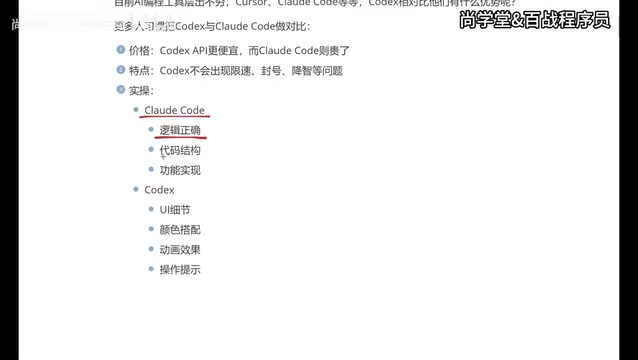
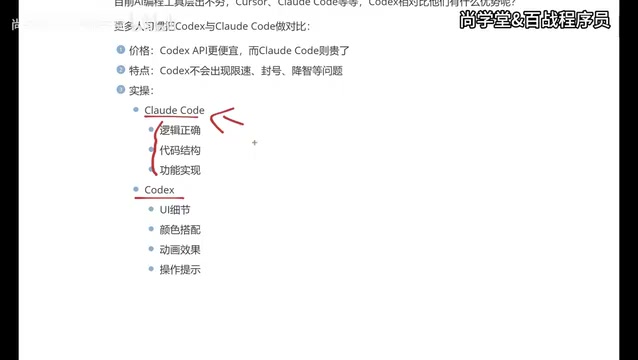
Where Claude Code excels:
- Logical reasoning and algorithm implementation
- Code architecture design
- Feature completeness assurance
- Backend development scenarios
Where Codex excels:
- UI detail precision
- Color matching and visual design
- Animation effects
- Interaction hints and UX
- Frontend and APP development scenarios
This capability differentiation isn't coincidental — it's closely tied to the underlying models' training strategies. Claude models particularly emphasize Chain of Thought reasoning and long-context understanding during training, making them excellent at handling complex backend logic, database design, API architecture, and other tasks requiring rigorous reasoning. OpenAI's models, on the other hand, have invested more resources in multimodal understanding (including images and design mockups). Models like GPT-4o have outstanding visual comprehension abilities, and this advantage directly translates to Codex's superior performance in frontend UI reproduction — it better understands design intent and converts it into precise CSS styles and animation code.
Put simply: backend developers who prioritize rigorous logic and robust architecture may prefer Claude Code; frontend developers or APP developers who focus on visual presentation and user experience will find Codex the better choice. This differentiated capability profile also explains why both tools have large, loyal user bases.
How to Choose Between Cursor, Claude Code, and Codex
While AI coding tools keep proliferating, the core players who've truly established themselves are just three: Cursor, Claude Code, and Codex.
It's worth noting that Cursor's product positioning differs from the other two. Cursor is essentially an AI-native IDE — a deeply modified version of VS Code that integrates AI capabilities into every aspect of code editing, from intelligent completion and multi-line editing to cross-file refactoring, all within the editor. Claude Code and Codex lean more toward Agent mode, where AI acts as an autonomous "coding agent" capable of independently completing the entire workflow from understanding requirements to writing code and running tests. This represents the technological evolution of AI coding tools from "assisted completion" to "autonomous programming."
Looking at experienced developers' tool adoption trajectories, the industry trend becomes clear:
-
Cursor Phase: As one of the earliest mature AI coding tools, Cursor built a large user base through excellent code completion and editing experiences. Its Tab completion (pressing Tab to accept AI-suggested code) and Cmd+K inline editing were revolutionary at the time. However, its pricing strategy runs high — Pro costs $20/month with usage caps, and exceeding them requires additional payment, making long-term use expensive.
-
Claude Code Phase: Claude Code offered a new option, especially after supporting domestic models (e.g., using Chinese LLMs through API relay services as alternatives), which significantly reduced costs. However, the terminal (CLI) interaction mode isn't for everyone — users need to type natural language commands in the command line, and AI responses appear as text in the terminal, lacking the intuitiveness of a graphical interface. For developers accustomed to GUI operations, there's still room for improvement.
-
Codex Phase: The standalone APP's launch gave Codex a quantum leap in usability. Combined with more reasonable pricing and stable service, it's becoming the go-to choice for an increasing number of developers. The APP provides a graphical project management interface, real-time code diff previews, one-click change application, and other features that significantly lower the barrier to using AI coding tools.
Practical Advice: Learn All Three
Here's a very practical suggestion: learn to use all three tools rather than betting on just one. The reason is straightforward — different companies may provide accounts for different tools, and different project scenarios suit different tools. Mastering multiple AI coding tools is itself a competitive advantage. Just as a skilled craftsman doesn't rely on a single hammer, in the AI coding era, the ability to flexibly switch between tools will become a core competency for developers.
Who Benefits Most from Codex
Based on the analysis above, the following groups are especially well-suited to using Codex as their primary tool:
- Frontend Developers: Codex excels at UI reproduction, animation effects, and interaction details — it can precisely generate Tailwind CSS class names, complex CSS animation keyframes, and responsive layout code.
- APP Developers: In mobile application development scenarios, Codex's visual comprehension ability is a clear advantage. Whether it's React Native, Flutter, or SwiftUI, it can effectively translate design intent into runnable interface code.
- Programming Beginners or Non-Technical Users: Codex's output is more visually intuitive. The standalone APP provides real-time preview functionality, allowing users to instantly see the visual effects of code changes — much friendlier for zero-experience users.
- Cost-Conscious Individual Developers: Compared to Cursor and Claude Code, Codex has lower usage costs, making it especially suitable for indie developers and side project scenarios.
Conclusion: Don't Overthink It — Switch Flexibly Based on Context
The competitive landscape of AI coding tools is still evolving rapidly, but Codex has become an important contender that can't be ignored — thanks to its standalone APP launch, better value proposition, stable service, and outstanding frontend performance.
For developers, rather than agonizing over "which one is best," it's better to switch flexibly based on project needs — use Claude Code for backend logic, Codex for frontend interfaces, and Cursor for everyday coding, letting each tool shine in its area of strength. This "multi-tool collaboration" workflow is becoming standard practice for efficient developers. As these tools continue to iterate, their capability boundaries may blur further. But for now, understanding each tool's core strengths and combining them intelligently is the most pragmatic strategy.
Related articles

Three Forms of AI: From Chat Windows to Collaborative Work to Command Line
AI isn't just a chat window. This article explains AI's three forms: Chatbox, Cowork, and CLI, with selection advice for Claude, Codex, Kimi, and DeepSeek.

AI Agent Hands-On Learning Path: A Complete Guide from Beginner to Enterprise-Level Development
A systematic AI Agent development learning roadmap covering prompt engineering, RAG, multi-Agent collaboration, tool calling, and more—with phased learning advice and 28 hands-on project references.
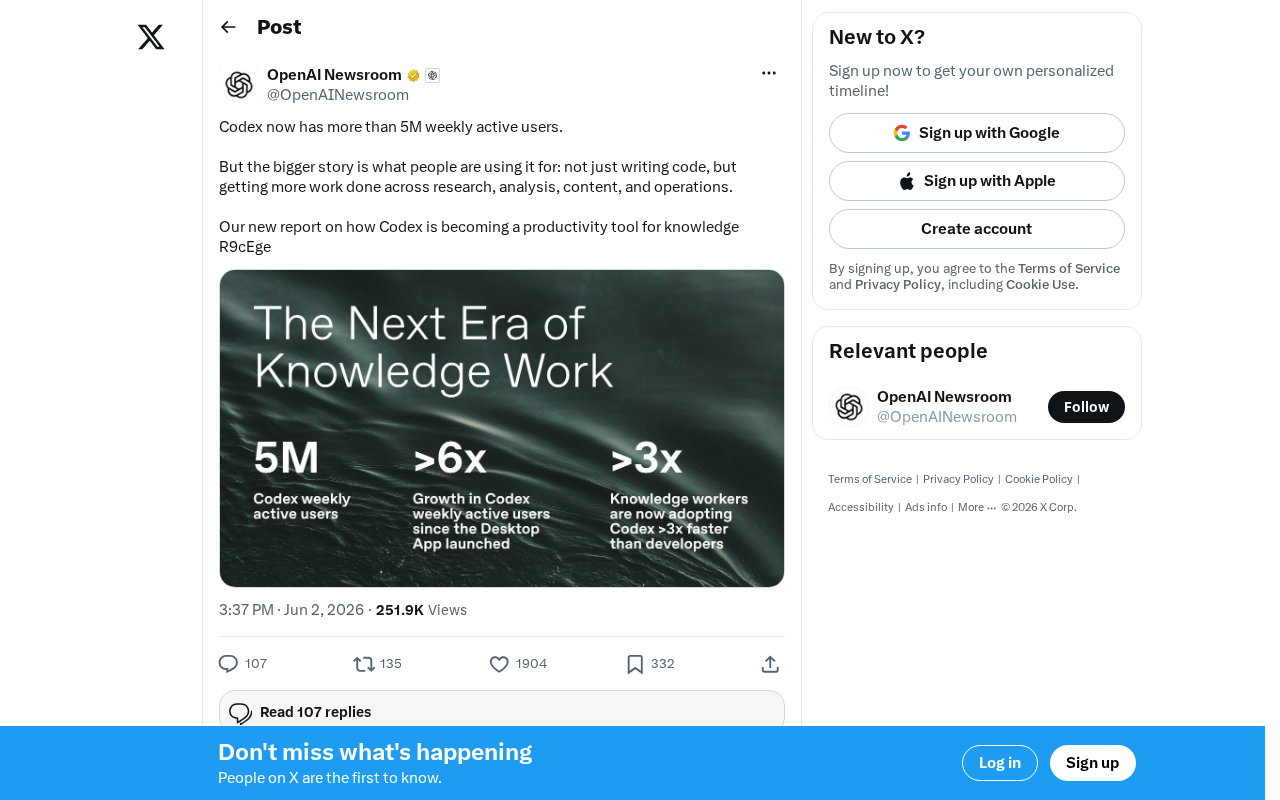
OpenAI Codex Surpasses 5 Million Weekly Active Users: The Transformation from Code Tool to Knowledge Work Platform
OpenAI Codex hits 5M weekly active users, expanding beyond code generation into research, content creation, and operations — evolving into a full knowledge work platform.