Codex++ with Free API: A Complete Guide to Using Codex at Zero Cost
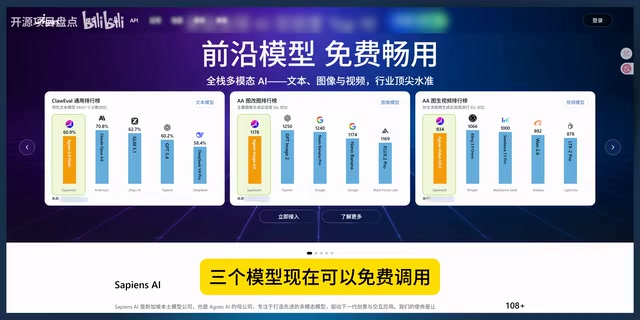
Use Codex at zero cost by combining the open-source Codex++ proxy with free APIs for text, image, and video.
This guide shows how to use OpenAI's Codex for free by combining the open-source Codex++ proxy tool with free APIs from the Agnes platform. Codex++ intercepts and redirects Codex's requests to third-party models without modifying any files. The tutorial covers complete setup steps, common pitfalls, and a real-world case of batch-generating Chinese-style wallpapers and dynamic videos — all at zero cost.
Using Codex for Free Is No Longer a Dream
OpenAI's Codex is a powerful AI programming and creative tool beloved by developers and creators alike. Originally fine-tuned from GPT-3, Codex was specifically optimized for code understanding and generation, trained on billions of lines of public code from GitHub, and serves as the core engine behind GitHub Copilot. In 2025, OpenAI upgraded Codex into a comprehensive AI development platform integrating code generation, image creation, and multimodal interaction. However, the steep API costs have deterred many — GPT-4-level models cost several dollars per million input tokens, and for high-frequency users, monthly expenses can easily reach hundreds or even thousands of dollars.
Recently, a Bilibili creator shared a complete solution for using Codex for free indefinitely — by combining the open-source tool Codex++ with free domestic APIs to cover text, image, and video generation capabilities.
This isn't a temporary hack that stops working after a few days — it's a workflow designed for long-term, stable operation. Below, we'll break down the entire configuration process and walk through a real-world use case.
Core Tools: Codex++ and Free APIs
Codex++: A Non-Invasive Model Replacement Proxy
Codex++ is an open-source tool specifically designed to replace the underlying model in Codex. Its working principle is quite clever — it uses a classic Local Proxy man-in-the-middle architecture:
- Without modifying any Codex files, it launches a local HTTP/HTTPS proxy server in the background
- It intercepts and forwards Codex's requests to a third-party model you specify — when Codex sends a request to OpenAI's endpoint, the proxy server intercepts it, modifies the target address (Base URL) and authentication credentials (API Key), then forwards the request to a third-party compatible API
- Codex itself is completely unaware that the model has been replaced
This non-invasive design means Codex upgrades won't affect the proxy functionality, and there's no risk of corrupting original files. This seamless replacement is possible because OpenAI's API follows standard RESTful design, and the Chat Completions interface format has become the de facto industry standard. Numerous third-party model providers have implemented compatible interface specifications, making it possible to complete model replacement through network-layer request redirection alone.
Free API: Text + Image + Video All-in-One
The solution uses free APIs provided by the Agnes platform, which currently supports free access to three types of models:
- Text model: Agnes 2.0 Flash, for code generation, conversations, etc.
- Image model: Supports generating high-quality images from keywords
- Video model: Supports image-to-video generation, producing 720P/1080P dynamic videos with audio
Codex++ Configuration Tutorial (Step-by-Step Guide)
Step 1: Configure Provider Information
After opening Codex++, follow these steps:
- Click "Provider Configuration" in the left menu
- Click "Add Provider"
- Enter the name: Agnes
- Select connection mode: Pure API
- Enter the model name: Agnes 2.0 Flash
- Click "More Options" and enter the Base URL (Agnes's API address, ending with V1)
- Get the API Key from the Agnes developer platform (create a key and copy-paste it)
Step 2: Critical Configuration Settings (Common Pitfalls)
⚠️ The most common mistake: The upstream protocol must be set to Chat Completions — do NOT select Responses API. Choosing the wrong one will break the entire pipeline.
It's worth explaining the difference between the two: The Chat Completions API is OpenAI's original conversational interface standard, using a messages array to pass conversation history. Its format is clean and straightforward, and it has been implemented as a compatible standard by virtually every major model provider. The Responses API, introduced by OpenAI in 2025, is a next-generation interface that integrates tool calling, file search, code execution, and other advanced features, supporting more complex multi-step task orchestration. The two have significantly different request formats and response structures. Since third-party free APIs typically only support the Chat Completions standard, selecting Responses API will cause request format mismatches — the proxy server won't be able to correctly parse and forward requests, causing the entire call chain to fail.
It's recommended to copy-paste the Base URL directly, as manual input is error-prone. After filling in all the information, click Save.
Step 3: Launch Codex++ and Verify the Connection
- Click "Installation & Maintenance" on the left
- Scroll to the bottom and click "Launch Codex++"
- Codex will open automatically
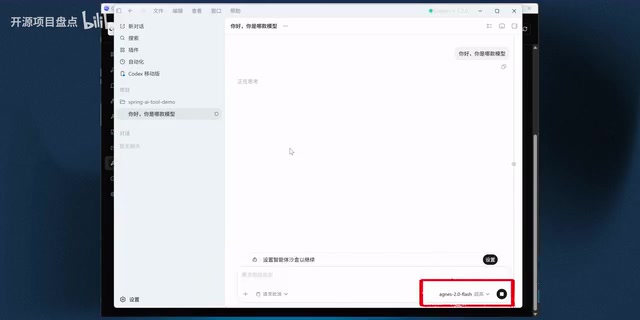
- Type "What model are you?" to verify
If it responds with "I am Agnes 2.0 Flash," the model replacement was successful.
Real-World Case: Batch Generating Chinese-Style Wallpapers and Dynamic Videos with Codex
With the configuration complete, let's look at a full creative workflow — batch generating Chinese ink-painting-style wallpapers with a "Chang'e Flying to the Moon" theme, then turning them into dynamic videos.
Teaching Codex to Learn the Image Generation API
Since the underlying model has been replaced, Codex's built-in ImageGen skill can't be used directly (it still tries to call OpenAI's image model). The solution is to let Codex learn the new API on its own and write a custom skill.
This showcases one of the most cutting-edge capabilities in the AI field today — Agent capabilities, where an AI model autonomously completes complex multi-step tasks. A model with Agent capabilities can not only answer questions but also proactively plan task steps, call external tools (such as browsers, terminals, and file systems), adjust strategies based on intermediate results, and ultimately achieve the goal.
Here's how:
- Create a new project folder and open it in Codex
- Type
/to invoke the Browser skill - Ask Codex to use the browser to search for Agnes's image generation API documentation
- Codex automatically opens the browser, finds the documentation, reads it, and summarizes it
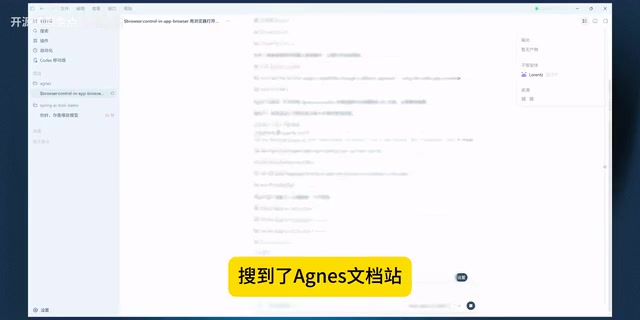
After reading the documentation, Codex accurately summarized the endpoint address, request format, and required parameters — the entire process was precise and on-target. This "search-read-understand-extract" closed-loop capability fully demonstrates Agnes model's solid Agent capabilities, and shows that even free models have reached a highly practical level in tool calling and information integration.
Creating a Custom Image Generation Skill
After learning the API, use / to invoke the Skill Creator and have Codex create an image generation skill based on what it just learned. Codex's Skill system is one of its core differentiators from ordinary AI chat tools — a Skill is essentially a set of predefined instruction templates and execution scripts that encapsulate the complete workflow for a specific task. The Skill Creator allows users to create new skills through natural language descriptions, and Codex automatically generates a complete skill package containing documentation, API reference files, and execution scripts. Created skills can be called repeatedly, effectively extending Codex with new "capability plugins."
The skill created in this case includes the following features:
- Accepts theme keywords as input
- Batch generates images and saves them locally
- Automatically generates an HTML gallery page
- Reads the API Key from environment variables
The generated skill files are well-structured, containing documentation, API references, and execution scripts. After setting up environment variables in PowerShell, Codex was instructed to generate five wallpapers with the theme "Chang'e Flying to the Moon."
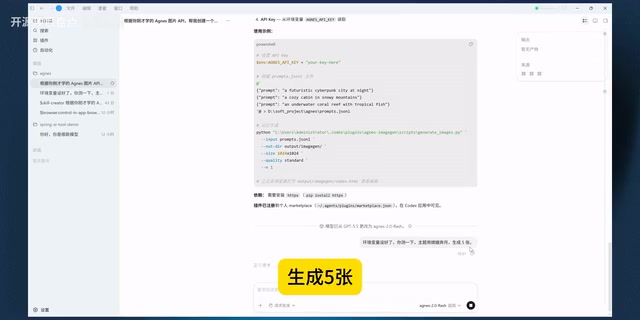
Five Chinese ink-painting-style wallpapers were generated one after another. Opening the HTML gallery page reveals a consistent style and solid quality — everything ran smoothly without errors. By creating a custom skill to replace the unusable built-in ImageGen function, this flexible extension mechanism showcases the elegant design of the Codex platform.
Advanced: Converting Static Wallpapers to Dynamic Videos
After generating the wallpapers, the same approach was used to have Codex create a video generation skill:
- Call Agnes's video API
- Use the wallpapers as the first frame
- Generate dynamic videos (720P, with audio)
The final result: the static "Chang'e Flying to the Moon" wallpapers were transformed into flowing dynamic videos with impressive visual effects. The entire pipeline — from text instructions to image generation to video production — forms a complete AI content creation assembly line, all at zero cost.
Free Solution vs. Traditional Paid Solutions
| Capability | Traditional Approach | Codex++ Free Solution |
|---|---|---|
| Text Generation | Paid OpenAI API | Free |
| Image Generation | Paid DALL-E | Free |
| Video Generation | Paid third-party tools | Free |
Previously, this complete text + image + video workflow came at a significant cost. Now it can essentially run at zero cost. It's worth noting that the free solution does have some capability gaps compared to OpenAI's native models, especially in complex code reasoning and long-context processing, but it's more than adequate for everyday development and content creation scenarios.
Ideal Use Cases for the Codex++ Free Solution
- Daily development: Code generation, debugging, refactoring, and other programming tasks
- Content creation: Batch generating themed images and creating dynamic video assets
- Prototyping: Quickly generating UI assets and showcase pages
- Learning and exploration: Experience Codex's full capabilities at zero cost and understand how Agent workflows actually operate
- Automated workflow building: Leverage the custom skill system to package repetitive creative tasks into reusable automated processes
Conclusion
The Codex++ + Free API combination provides domestic users with a long-term, stable, zero-cost path to using Codex. The core idea behind this solution is: use an open-source proxy tool for request forwarding (leveraging the industry trend toward API standardization), replace paid models with free APIs, and harness Codex's powerful Agent capabilities to automatically learn new APIs and create custom skills (automating the "learn-understand-create" closed loop).
For developers and creators with limited budgets who still want to make deep use of AI programming tools, this solution is worth trying. The only thing to watch out for is the stability and rate limits of free APIs — free services typically impose caps on requests per minute (RPM) and daily token usage, and peak hours may bring response delays or service unavailability. It's recommended to have a fallback plan for production projects, such as configuring multiple backup API providers or retaining the ability to switch back to paid models for critical tasks.
Related articles

AITS Hands-On Review: API + Web + App Automated Testing All in One Platform
In-depth review of AITS: an AI testing platform covering API automation, Web automation, App real-device cloud testing, and performance testing end-to-end.
Codex vs Claude Code vs Cursor: How to Choose the Right AI Coding Tool
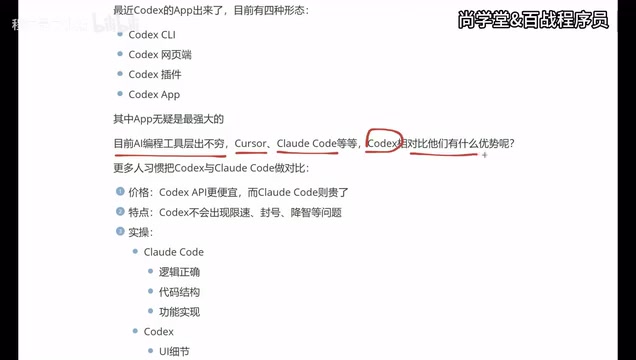
In-depth comparison of Codex, Claude Code, and Cursor: pricing, stability, and capabilities. Codex excels at frontend UI, Claude Code at backend logic, Cursor remains a stable veteran. Find your best AI coding tool.
Hermes Jarvis Deep Dive: The Voice-Driven All-in-One AI Assistant
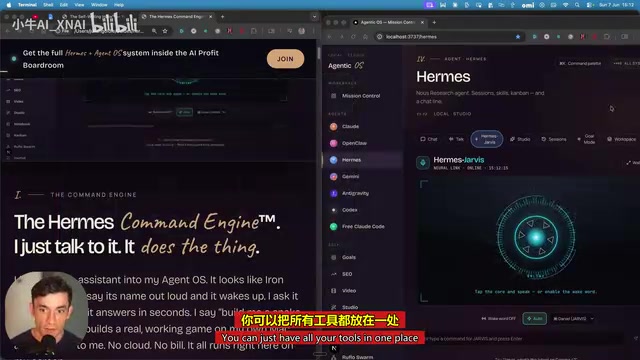
Deep dive into Hermes Jarvis voice AI assistant: its core features, five-layer architecture, multi-model integration, system-level control, and the future of voice-driven AI development.