Complete Guide to Connecting Codex with DeepSeek: Low-Cost AI Programming with Codex++
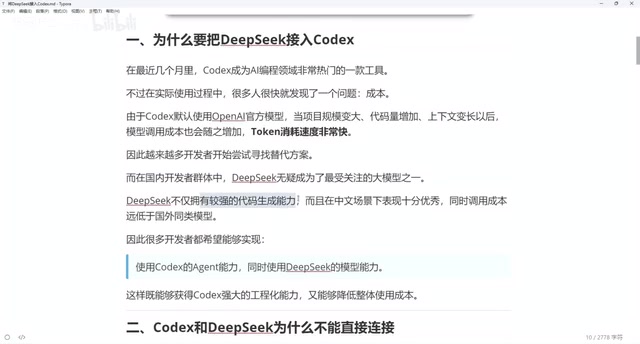
Use Codex++ to bridge DeepSeek into Codex for dramatically cheaper AI-assisted programming.
This guide explains how to integrate DeepSeek models into OpenAI's Codex using Codex++, an open-source protocol bridging tool. Since Codex and DeepSeek use incompatible API protocols, Codex++ acts as a local proxy that converts between formats in real-time. The setup involves configuring the provider with the correct API endpoint and Chat protocol, testing the connection, and always launching Codex through Codex++. The result is AI coding assistance at a fraction of OpenAI's cost.
Why Connect DeepSeek to Codex?
As an AI programming tool launched by OpenAI, Codex has become an essential daily tool for many developers thanks to its excellent code generation and comprehension capabilities. OpenAI Codex was originally fine-tuned from GPT-3, specifically optimized for code generation tasks, with training data that includes billions of lines of public code from GitHub. Codex is the core engine behind GitHub Copilot, supporting over a dozen mainstream programming languages including Python, JavaScript, TypeScript, and Go. With the release of GPT-4, Codex's capabilities were further enhanced, enabling it to understand more complex contexts, generate longer code snippets, and perform certain code review and refactoring tasks.
However, in actual use, there's one unavoidable pain point: Codex defaults to calling OpenAI's official models, which are expensive and consume tokens extremely fast. GPT-4-level API calls are quite costly, with input token prices around $30-60 per million tokens. For developers who make frequent calls, monthly expenses can easily exceed several hundred dollars.
For high-frequency users, this cost is substantial. Finding a more cost-effective alternative has become a real necessity. DeepSeek, a Chinese AI model, has emerged as the best candidate thanks to its low API pricing and impressive code generation capabilities. Developed by DeepSeek AI, its V3/V4 series models employ a Mixture of Experts (MoE) architecture that activates only a subset of parameters during inference, dramatically reducing computational costs while maintaining model performance. This architectural advantage is directly reflected in API pricing — DeepSeek's API prices are typically 1/10 to 1/50 of OpenAI's comparable models. In code generation benchmarks (such as HumanEval and MBPP), DeepSeek's code models perform on par with the GPT-4 series, with particular advantages in Chinese programming scenarios and code generation for domestic frameworks.
Why Can't Codex Connect Directly to DeepSeek?
Many people's first reaction is: why not just configure DeepSeek's API directly in Codex? Unfortunately, Codex and DeepSeek use different interface protocols, making direct integration impossible.
From a technical perspective, LLM APIs generally follow two mainstream protocol paradigms: one is the Chat Completions API format defined by OpenAI (conversation-style requests based on a messages array), and the other is custom protocol formats defined by individual vendors. Codex internally uses OpenAI's proprietary Responses API protocol, which adds extended fields for tool calling (Function Calling), streaming output control, context management, and more on top of the standard Chat Completions format. This differs from DeepSeek's standard Chat protocol in request structure, parameter naming, response format, and other aspects. These differences are not limited to the JSON structure of HTTP request bodies — they also involve SSE (Server-Sent Events) event formats, error code definitions, and other details, making it impossible to simply swap API endpoints for integration.
If you open DeepSeek's official documentation and check its list of supported Agent tools, you'll find integration methods for Cursor, Cline, and various other tools — but Codex is notably absent. Protocol-level incompatibility means we need a "middle layer" to handle protocol conversion.
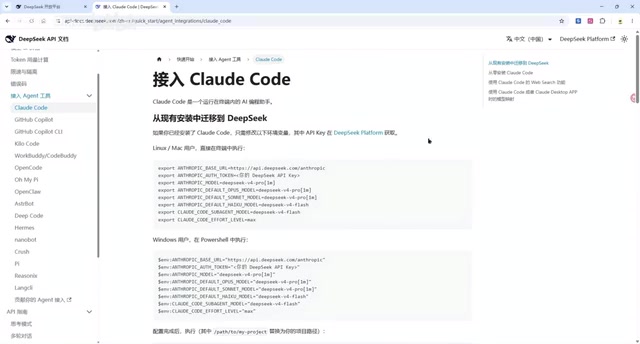
This brings us to today's core tool — Codex++, an open-source project on GitHub specifically designed to solve the protocol bridging problem between Codex and third-party models.
Codex++: An Open-Source Protocol Bridging Tool
Tool Overview
Codex++ is an open-source third-party tool whose core function is to act as a protocol conversion layer between Codex and third-party LLM APIs. It works by running a local Proxy Server that intercepts all API requests from Codex, converting them in real-time from OpenAI's Responses API format to the Chat Completions API format supported by the target model, then reverse-converting the target model's responses back into a format Codex can parse. This pattern is known in software architecture as the "Adapter Pattern" or "API Gateway." Specifically, the proxy server handles request header rewriting, authentication information replacement, message format mapping, streaming data frame conversion, and other processes to ensure both the Codex side and the model side believe they're communicating with a natively compatible counterpart.
Through Codex++, developers can seamlessly integrate DeepSeek and other Chat-protocol-compatible models into Codex, enjoying a low-cost AI programming experience.
Installation and Configuration Steps
After installing Codex++, a dedicated management interface will appear. Here's the detailed configuration process:
Step 1: Add Provider Configuration
Codex++ supports two methods: directly importing SysService configurations or manually adding providers. Using DeepSeek as an example, manual configuration requires attention to the following key parameters:
- Access Mode: Must select "Store API" (i.e., API proxy mode). The "Store API" mode means Codex++ won't cache or process model inference locally — instead, it transparently forwards all requests to DeepSeek's remote API servers, only performing protocol format conversion at the middle layer. This means actual model inference still runs on DeepSeek's cloud GPU clusters, requiring no local GPU resources. Network latency primarily depends on the network quality between the user and DeepSeek's servers.
- Model Selection: Choose either DeepSeek V4 Pro or DeepSeek V4 Plus
- URL Path: Enter the API endpoint for the corresponding DeepSeek model
- API Key: Enter the API key you obtained from the DeepSeek platform
- Upstream Protocol: Make sure to select "Chat" — this is the most critical step. Selecting the Chat protocol tells Codex++ to convert Codex's Responses API requests into the standard Chat Completions format, which is a prerequisite for DeepSeek's API to correctly parse the requests.
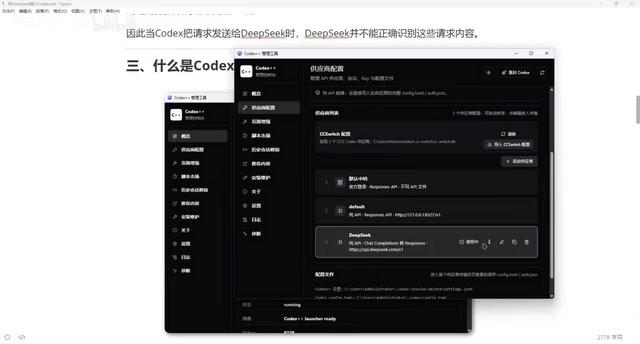
Click save after completing the configuration.
Step 2: Test the Connection
Return to the main interface and click the test button. If it returns status code 200, the connection is working properly and DeepSeek's API has been successfully bridged to Codex. HTTP status code 200 indicates a successful request, meaning the entire chain from Codex++ to DeepSeek's API — including protocol conversion, network connectivity, and API Key authentication — is functioning correctly.
Step 3: Launch Codex Through Codex++
This step is crucial and a common pitfall: you must launch Codex through Codex++'s management interface, rather than opening Codex directly. This is because Codex++ needs to inject proxy configurations before Codex starts, redirecting Codex's API requests to the local proxy server. If you launch Codex directly, it will bypass the proxy layer and connect directly to OpenAI's official servers — the protocol conversion won't take effect, and you'll only be able to use OpenAI's native models.
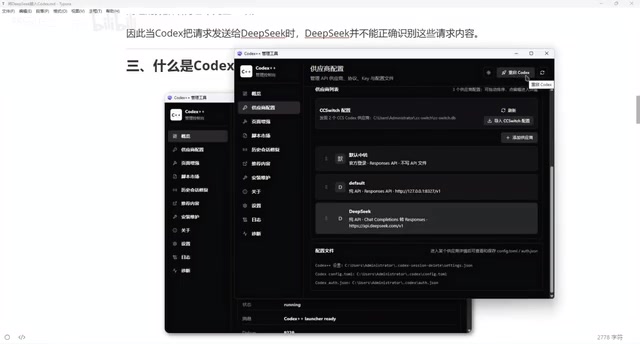
Verifying Successful Integration
After launching through Codex++, enter the Codex interface and look for the following changes:
- Version Identifier: The interface will display "Codex++ 1.1.7", confirming the plugin is active
- Plugin Unlock: Some previously restricted plugin features are now unlocked
- Expanded Model List: In addition to the original GPT series models, DeepSeek V4 Plus and DeepSeek V4 Pro now appear as new options
Select a DeepSeek model and start coding. In our testing, response speed was quite fast and had virtually no impact on the daily development experience.
Cost Comparison and Practical Recommendations
Why Recommend the DeepSeek V4 Series?
Both DeepSeek V4 Pro and V4 Plus offer strong code generation capabilities, with API call prices far below OpenAI's GPT-4 series. In concrete numbers, DeepSeek API input token prices are approximately ¥1-4 per million tokens, while GPT-4 input token prices are around $30-60 per million tokens — an order-of-magnitude difference. For everyday programming assistance, code completion, and bug fixing, DeepSeek is more than capable, potentially costing one-tenth or even less than the original solution. For developers in China especially, DeepSeek's servers are deployed domestically, offering lower network latency and RMB settlement for a smoother user experience.
Usage Notes
- Launch Method: You must always launch Codex through Codex++; otherwise, the configuration won't take effect
- Protocol Selection: The upstream protocol must be set to Chat — selecting the wrong option will cause request failures
- Flexible Model Switching: Codex++ doesn't affect the use of original GPT models, allowing you to switch flexibly based on task complexity. For example, use DeepSeek for simple code completion and everyday programming tasks to save costs, and switch back to GPT-4 for complex architectural design or multi-file refactoring to get the best results
- Security Reminder: As a third-party open-source tool, Codex++ requires attention to several security considerations. First, your API Key passes through Codex++'s local proxy server — although it runs locally, you should verify that the tool's code doesn't upload keys to external servers. Second, code context (including the source code you're editing) is also forwarded through the proxy, so projects involving trade secrets require a data leakage risk assessment. It's recommended to regularly check the GitHub repository's Issues and Commit history, watch for reports of known vulnerabilities or malicious code injection, and stay updated on its releases and security announcements
Conclusion
Through the open-source tool Codex++, developers can bypass the protocol barrier between Codex and DeepSeek, gaining AI programming assistance at minimal cost. The entire configuration process isn't complicated — it boils down to three core steps: configure provider parameters, test the connection, and launch Codex through Codex++.
From a broader perspective, Codex++ represents an important trend: as the LLM ecosystem diversifies, developers are no longer locked into a single model provider. Through middleware technologies like protocol bridging and API gateways, users can freely choose the most suitable model based on multidimensional needs including cost, performance, and privacy — truly achieving "model freedom." If you're looking for a cost-effective AI programming solution, the Codex + DeepSeek + Codex++ combination is well worth trying.
Related articles
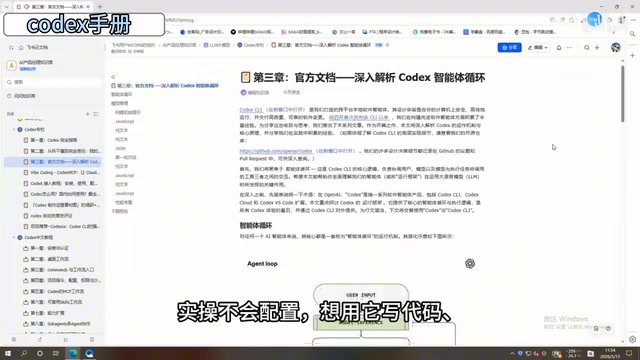
In-Depth Guide to the Codex Chinese Manual: A Complete Walkthrough from Beginner to Advanced
In-depth breakdown of ByteDance's 198-page Codex Chinese manual covering installation, Commands, MCP workflows, Skills templates, and multi-Agent collaboration.
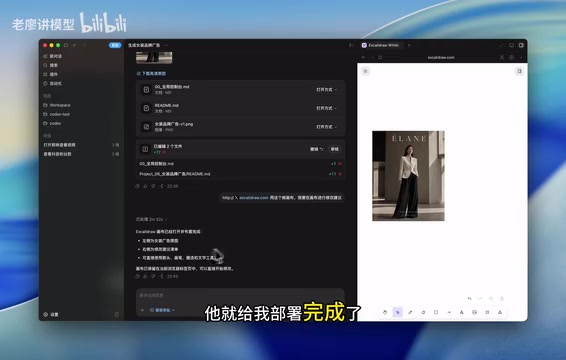
Codex Infinite Canvas Workflow: A New Approach to Precise AI Image Editing
A detailed guide on combining Codex with online canvas tools for precise AI image editing. A four-step workflow—generate, deploy canvas, annotate visually, regenerate—solves imprecise text-only editing.
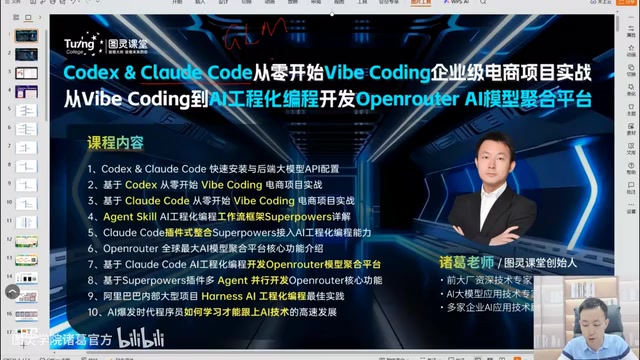
From Vibe Coding to AI-Engineered Programming: A Practical Guide to Three Levels of Mastery
A deep dive into three levels of AI programming: Vibe Coding for rapid prototyping, Plan Mode for structured development, and AI-engineered programming for enterprise-grade projects with SDD and Claude Code SuperPower.