Complete Guide to Pi Coding Agent: Building Customized AI Programming with Minimalist Four Tools + Extension System
A complete guide to Pi Coding Agent's minimalist design, powerful extension system, and how it compares to Claude Code.
This article provides a comprehensive analysis of Pi Coding Agent—an open-source AI programming tool built on minimalist philosophy with only four core tools (Read, Bash, Edit, Write) and a sub-1000-token system prompt. It covers installation, model configuration, the powerful TypeScript extension system for custom workflows, the Skills system for reusable procedures, and a detailed feature comparison with Claude Code.
Introduction: A Minimalist AI Programming Agent
In an era where AI programming tools like Claude Code and Codex are flourishing, an open-source coding agent called Pi has broken through with its "minimalist" philosophy. It ships with only four built-in tools, a system prompt under 1000 tokens, yet through a powerful extension system lets developers customize everything. This article, based on a comprehensive Pi Coding Agent course, provides an in-depth analysis of the tool's core philosophy, daily usage, extension development, and comparison with Claude Code.
Pi Coding Agent Installation and Model Configuration
One-Click Installation and Model Selection
Installing Pi is extremely simple—visit pi.dev, copy the one-line installation command, and paste it into your terminal. Once installed, just type pi to launch the agent.
On first use, you'll need to select a model provider. Pi supports multiple OAuth login methods, including OpenAI ChatGPT subscriptions, Google Cloud, GitHub Copilot, and Anthropic. OAuth (Open Authorization) is an open-standard authorization protocol that allows users to authenticate through third-party services without directly providing passwords to the application. In the context of AI tools, OAuth login typically means users can leverage existing subscriptions (such as ChatGPT Plus at $20/month) to gain model access, with costs being relatively fixed and predictable.
You may not have noticed, but Anthropic recently blocked direct access via paid subscriptions, meaning using Anthropic models now requires API Key billing, which costs significantly more than subscription mode. API Key billing charges based on actual usage (typically per token), and for high-frequency coding agents, costs can far exceed fixed subscription fees. This is why this change has such a major impact on Pi users—it forces them from a predictable monthly fee model to an uncertain pay-per-use cost model.
After selecting a provider, type /model to choose a specific model. The course author uses the GPT 5.3 Codex model with high reasoning level enabled.
OpenRouter: One API to Access All Models
OpenRouter is another noteworthy option, providing a unified API to access virtually all mainstream AI models—GLM5, Qwen series, Google open-source models, and more. Configuration is straightforward, requiring only an environment variable export:
export OPENROUTER_API_KEY=your_api_key
However, be wary of costs. The course author mentioned that using top-tier models burned through approximately $15 in credits in a single day—unless you opt for cheaper models, this approach isn't sustainable.
Four Core Tools and the Minimalist Design Philosophy
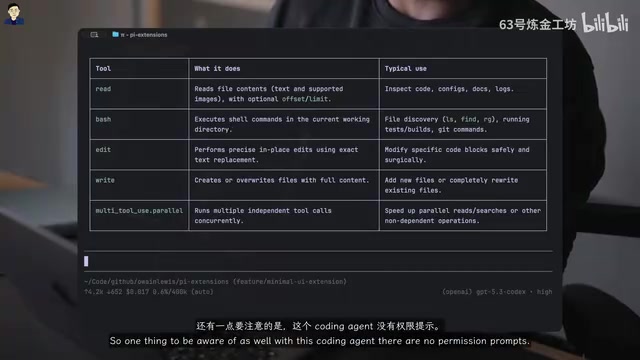
Pi's design philosophy is fundamentally different from other coding agents. It ships with only four built-in tools:
- Read: Read files
- Bash: Execute commands
- Edit: Edit code
- Write: Write files
The logic behind this minimalist design is: most programming tasks can be accomplished through Bash commands, and AI models have become highly proficient at using Bash tools through reinforcement learning. Reinforcement Learning is a machine learning paradigm where an agent learns optimal strategies by interacting with an environment and receiving rewards or penalties. Modern large language models extensively use RLHF (Reinforcement Learning from Human Feedback) and RLEF (Reinforcement Learning from Environment Feedback) during post-training. Particularly for programming tasks, models learn to combine command-line tools for complex operations by repeatedly attempting Bash commands and observing outputs. This means a simple Bash tool interface, paired with a sufficiently powerful model, can cover file searching, code compilation, test execution, package management, and virtually all development operations—this is the technical foundation that makes Pi's minimalist design viable.
Another bold design decision is completely eliminating permission prompts. Pi runs with full access by default, based on the philosophy that most users facing permission prompts in tools like Claude Code simply click "Accept" mechanically, making the permission system effectively useless. Of course, if this makes you uncomfortable, you can build your own permission interception mechanism through the extension system.
Session Management Highlights
Pi supports session import and export (HTML format), plus a highly practical session fork feature. When a message in a long conversation steers the agent in the wrong direction, you don't need to repeatedly correct it—instead, you can jump back to any node in the conversation and fork a new branch from there.
The session fork concept directly borrows from the branch concept in Git version control. In Git, developers can create new branches from any commit point to explore different development directions; similarly, Pi's session fork allows users to create new conversation branches from any message node in the history. This solves a common pain point in AI coding agents: when an agent goes off track in a long conversation, the traditional approach is either starting over (wasting previously valid context) or repeatedly correcting (which may make things worse). The fork feature lets users precisely revert to the "last correct state" and restart from there, greatly improving interaction efficiency.
System Prompt: The Deeply Customizable Agent Soul
Pi's system prompt is extremely concise, merely describing "you are a coding agent that helps users read files, execute commands, and edit code." In contrast, Claude Code's system prompt runs approximately 14,000 tokens.
This brevity creates enormous customization space:
- Create
append-system.mdin the~/.pi/agent/directory to append additional instructions - Create
system.mdto completely replace the system prompt - Place
agents.mdin the project root to set project-level instructions
This means you can even transform Pi into a specialized agent for non-coding purposes—simply replace the "you are a coding assistant" system prompt. The concise system prompt also has a technical benefit: it leaves more context window space for actual task descriptions and code context, avoiding the problem of "overly long system instructions crowding out useful context."
Pi Extension System: The Most Powerful Differentiator
Basic Extension Concepts
Extensions are Pi's most differentiating feature. They are TypeScript files that auto-load when placed in the ~/.pi/agent/extensions/ directory. Extensions can:
- Create custom UI elements
- Register new tools
- Intercept tool calls
- Encode complex workflows
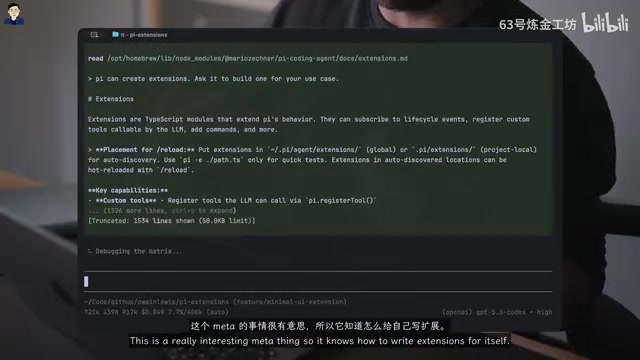
An interesting meta-feature: Pi can write extensions for itself. It can read its own source code and documentation, so the recommended approach is to let Pi build the extensions you need. This "bootstrapping" capability is known as metaprogramming in software engineering—where a program can treat itself as data to process and modify—a hallmark of highly flexible systems.
Hands-On: Git Status UI Extension
The course demonstrates a simple UI extension that displays Git status information at the bottom of the interface (number of unstaged changes, untracked files, etc.). The entire process requires only giving Pi a prompt, and it automatically generates the extension code and installs it in the correct location. Use the /reload command to hot-load new extensions.
Hands-On: Multi-Stage Workflow Extension
This is the most exciting part of the course. The author built a context workflow extension that encodes common development cycles as a deterministic pipeline:
- Read specifications
- Write code
- Code review (using a fresh context window)
- Fix discovered issues
- Run tests
- Final verification
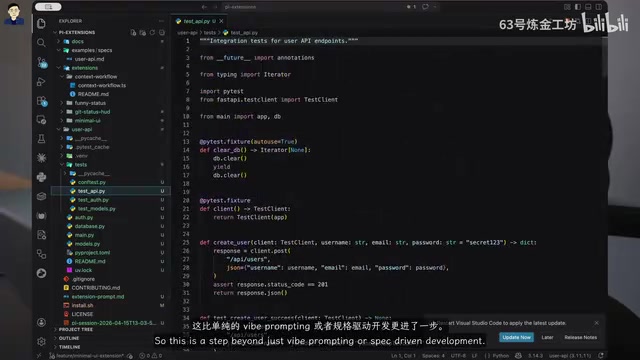
The key highlight: the code review step refreshes the context window, ensuring the code is examined from a completely fresh perspective. The context window is the maximum number of tokens a large language model can process at once. In long conversations, the model accumulates extensive dialogue history that influences its judgment—it may develop "confirmation bias" toward its own previously generated code, tending to believe its own code is correct. By refreshing the context window at the code review step, it's equivalent to having a "completely new reviewer" examine the code—one who didn't participate in writing it and can therefore more objectively identify potential issues. This design simulates the software engineering best practice of "code review should be performed by non-authors," a typical case of encoding human engineering wisdom into AI workflows.
Throughout the process, the agent automatically manages state, flowing between stages via workflow.next. The course demonstrates using this extension to build a complete FastAPI REST API—the agent not only wrote the code but also automatically reviewed it, discovered issues, fixed them, and added additional test coverage.
The author states this extension took only about 20 minutes to build, yet it demonstrates the enormous potential of the extension system.
Skills System: Reusable Standard Operating Procedures
Skills are another important concept—essentially prompt templates with optional code or scripts for specific types of tasks. This concept is similar to SOPs (Standard Operating Procedures) in software engineering, solidifying verified best practices into repeatable execution templates.
Skill files are stored in the ~/.pi/agent/skills/ directory or project-local directories, invoked via /skill skill_name.
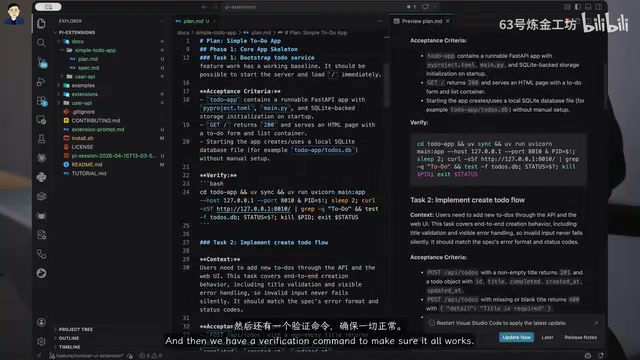
The course author shares a practical tip: manage all skills in a single external repository rather than scattering them across hidden directories in various projects. His skill library includes: build tasks, check code coverage, debugging, planning, refactoring, writing specifications, and more.
Distinguishing Between Skills and Extensions
- Extensions: Use when code execution is needed—intercepting tool calls, custom UI, registering tools
- Skills: Use when injecting specific task instructions—code review, refactoring, spec writing
This distinction is similar to the relationship between "libraries" and "configuration files" in programming: Extensions are executable program logic, while Skills are closer to declarative task descriptions. When used together, Skills define "what to do" and Extensions define "how to do it," forming a complete workflow customization system.
Detailed Comparison: Pi vs. Claude Code
| Feature | Claude Code | Pi |
|---|---|---|
| Config File | claude.md | agents.md |
| Permission System | Multiple modes | None by default (extensible) |
| MCP Servers | Native support | Not supported (achievable via extensions) |
| System Prompt | ~14000 tokens | <1000 tokens (customizable) |
| Sub-agents | Supported | Not supported |
| Hooks/Extensions | Hooks | Extensions |
| Model Switching | Limited | Supports all models |
| Anthropic Subscription | Native support | Not supported |
MCP (Model Context Protocol) is an open protocol launched by Anthropic in late 2024, aimed at standardizing communication between AI models and external tools and data sources. An MCP server is essentially a server-side program following this protocol that can expose various capabilities to AI agents—such as database queries, API calls, file system operations, etc. Claude Code's native MCP support means it can directly connect to the large existing ecosystem of community MCP servers. While Pi doesn't natively support MCP, its extension system's flexibility means developers can write their own MCP client extension to bridge this capability, though it requires additional development work.
Sub-agents refer to the main agent's ability to spawn independent sub-task agents to handle complex tasks in parallel. Claude Code's support for this feature means it can decompose large tasks and process multiple sub-tasks simultaneously, while Pi currently can only execute serially, which may impact efficiency when handling large projects.
Conclusion: Who Is Pi For? Is It Worth Using?
The course author offers a pragmatic conclusion: Pi is an excellent tool, but currently better suited as a complement to Claude Code rather than a replacement. The biggest obstacle is the inability to use Anthropic paid subscriptions. However, if you don't depend on Anthropic models, Pi's minimalist design, comprehensive customizability, and powerful extension system may make it the best choice for daily development.
Pi's source code is hosted in the pi-mono repository on GitHub, with extremely high-quality documentation that the agent itself can read to help you solve problems. For developers who want to deeply customize their AI programming workflow, Pi is absolutely worth trying.
Key Takeaways
Related articles
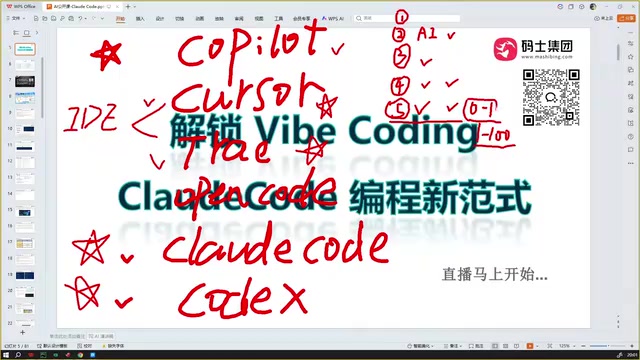
Claude Code Installation Guide & The Five Stages of AI Programming Tools Explained
Complete Claude Code installation guide with the five stages of AI programming tools, from manual coding to agents. Learn 0-to-1 project building and 1-to-100 iteration challenges.

Enterprise-Level AI Project Rules Files: 5 Hard Rules + 6 Writing Techniques
AI keeps messing up your code? Learn 5 hard rules and 6 writing techniques for enterprise-level Rules files in Claude Code, Cursor & more, with templates.
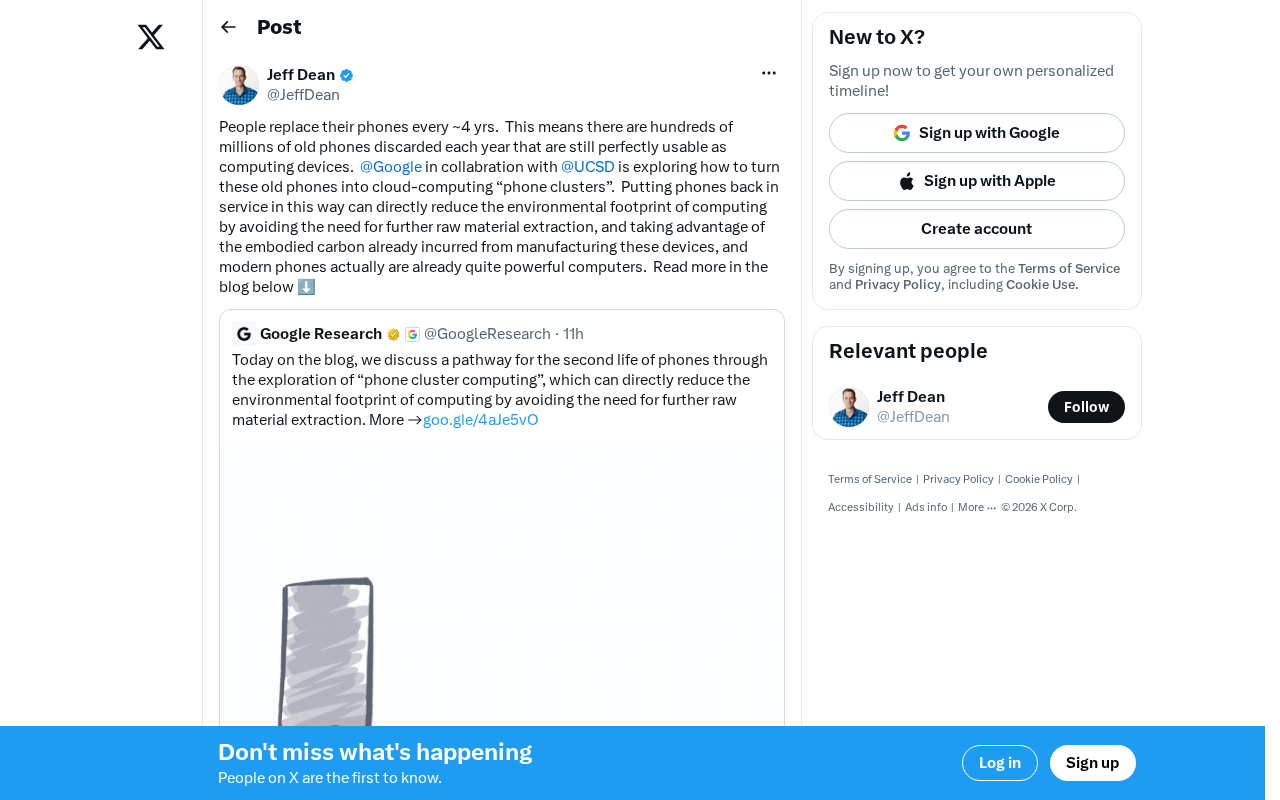
Building Cloud Computing Clusters from Old Phones: Google and UCSD Explore a New Path to Sustainable Computing
Google and UCSD explore building cloud clusters from old phones, leveraging ARM chip efficiency to cut e-waste and data center carbon footprints.