Complete Hands-On Tutorial: Building a Base Converter with Trae + PySide6 from Scratch
Complete Hands-On Tutorial: Building a…
Build a desktop base converter in minutes using Trae AI IDE and PySide6 with zero prior experience.
This tutorial walks through building a desktop base converter using ByteDance's Trae AI IDE and PySide6, covering the full workflow from prompt optimization to EXE packaging. It demonstrates how AI programming tools can generate complete, error-free GUI applications from natural language descriptions, while discussing the evolution of programming tools and offering a balanced perspective on AI's role in software development.
Introduction: AI Programming Makes Tool Development Easier Than Ever
Base conversion is a frequent need in a programmer's daily work — converting between binary, octal, decimal, hexadecimal, and base-32. Computers operate in binary (Base-2) at the lowest level, but humans are more comfortable with decimal (Base-10). Hexadecimal (Base-16) is commonly used for memory addresses and color codes (e.g., #FF5733), octal (Base-8) is widely used in Unix file permissions (e.g., chmod 755), and base-32 is often seen in short link generation and encoding scenarios. Programmers frequently need to switch between these bases when debugging low-level code, analyzing network protocols, or processing encrypted data. In the past, developing such a small tool might have taken half a month, but now with AI programming tools, you can go from requirement description to packaged product in just a few minutes.
This article documents a complete hands-on experience of building a desktop base converter from scratch using Trae (an AI programming IDE launched by ByteDance) with the PySide6 framework.
Trae + PySide6 Development Workflow: From Prompt to Finished Product in Just a Few Steps
Technology Selection Background
Before diving into the development workflow, it's worth understanding the two core tools involved in this project.
PySide6 is the official Qt6 Python binding library maintained by The Qt Company. Similar in functionality to PyQt6, it uses the more permissive LGPL license, allowing commercial use without purchasing a license. Qt itself is a cross-platform C++ GUI framework used by well-known software such as the KDE desktop environment, VLC player, and WPS Office. PySide6 inherits Qt's signal-and-slot mechanism, rich widget library, and cross-platform capabilities (Windows/macOS/Linux), while providing a Pythonic API style that enables Python developers to quickly build professional-grade desktop applications.
Trae is an AI-native integrated development environment launched by ByteDance in 2024-2025, deeply customized on top of the VS Code architecture. Unlike code completion tools like GitHub Copilot, Trae positions itself as an "AI-first IDE," deeply integrating AI capabilities throughout the entire development workflow, including requirement understanding, code generation, debugging, and project management. Its prompt optimization feature uses large language models to transform vague natural language requirements into structured technical specifications, significantly improving the accuracy of AI code generation.
Step 1: Writing and Optimizing the Prompt
The starting point of the entire development process is a natural language description. First, write a description of the tool's functional requirements, then use Trae's built-in prompt optimization feature (click the star icon) to refine the description.
The significance of this step is that requirements written in everyday language are often imprecise. After AI optimization, they are transformed into structured descriptions that machines can understand more easily. The optimized prompt explicitly specifies the PySide6 framework and describes interface layout, functional logic, and other details. The technical principle behind this is: the core of current AI programming tools is a large language model (LLM) based on the Transformer architecture, pre-trained on massive open-source code repositories (such as billions of lines of code on GitHub), learning programming language syntax rules, design patterns, and best practices. The model's "understanding" capability comes from the attention mechanism's modeling of context, rather than true logical reasoning. This explains why clear, structured requirement descriptions yield better generation results — they provide more precise contextual information to the model.
Step 2: AI Automatically Generates PySide6 Code
After confirming the prompt is correct, click execute, and Trae begins writing code automatically. During the inference phase, the model takes the natural language requirements as context input and generates code token by token in an autoregressive manner. Throughout the process, the AI seamlessly completes:
- GUI interface construction (based on PySide6's QWidget and layout managers)
- Base selection dropdown components (QComboBox widgets)
- Base conversion logic implementation (using Python's built-in
int()function andformat()method) - Input/output interaction functionality (signal-and-slot mechanism connecting user actions to backend logic)
A notable detail: there were zero errors throughout the entire process, with no need for manual bug fixes. This demonstrates the maturity of current AI programming tools when handling well-defined requirements — for tasks like base conversion with clear logic and well-defined boundaries, the large language model has seen numerous similar implementations in its training data and can therefore produce high-quality code generation.
Step 3: Functional Testing and Verification
After generation, run tests directly:
- Binary to Decimal: Input binary data, correctly outputs the corresponding decimal result
- Multi-base Conversion: Octal, decimal, hexadecimal, and others are all selectable
- User Experience: Interface responds smoothly, functions run stably
Although the testing phase is brief, it cannot be skipped. AI-generated code may have issues in edge cases, such as exception handling for invalid character input or overflow handling for extremely large values. Developing the habit of "test immediately after generation" is an important practical principle when using AI programming tools.
Step 4: Packaging as an EXE Executable
The final step is packaging the Python program into a standalone EXE executable file, making it convenient to distribute to users who don't have a Python environment. Python programs are typically packaged into EXE using tools like PyInstaller, Nuitka, or cx_Freeze. PyInstaller is the most commonly used solution — it bundles the Python interpreter, dependencies, and source code into a single standalone executable. For PySide6 applications, the packaged file size is typically between 50-150MB because it needs to include the Qt runtime libraries. Nuitka takes a different approach by compiling Python code to C code and then to machine code, resulting in smaller file sizes and faster execution, but with a more time-consuming compilation process. The packaging process is also assisted by AI, and the generated file runs with a double-click.
The Evolution of AI Programming Tools: From Text Editors to Intelligent IDEs
Looking back at the development history of programming tools, this comparison is quite enlightening:
Early Stage: Plain Text Editors
In the earliest days, programming was done using plain text editors similar to Notepad — no syntax highlighting, no auto-completion. Every syntax rule had to be memorized, and when compilation errors occurred, you had to check line by line. At this stage, programmers needed to memorize vast amounts of API documentation and syntax details, and development efficiency was extremely dependent on personal experience accumulation. Developing a similar small tool might have taken a month and a half.
Middle Stage: Integrated Development Environments (IDEs)
Later, integrated development environments emerged, providing syntax checking, code completion, debugging tools, and other features that dramatically improved development efficiency. From early Turbo Pascal and Visual Basic to later Eclipse, IntelliJ IDEA, and Visual Studio, the evolution of IDEs has always aimed at reducing developers' cognitive burden — syntax highlighting helps quickly identify code structure, IntelliSense provides context-aware code completion, and integrated debuggers allow setting breakpoints for step-by-step execution. These features freed developers from mechanical memorization, allowing them to focus more on business logic itself.
Current Stage: AI-Assisted Programming
Today's AI programming tools like Trae can generate complete, runnable code directly from natural language descriptions. The developer's role has shifted from "writing code line by line" to "describing requirements and verifying results." The technical foundation for this transformation is the Transformer architecture proposed by Google in 2017 and the subsequent large-scale pre-training paradigm. From the release of GitHub Copilot in 2021 to the emergence of various AI IDEs in 2024, AI programming tools have rapidly evolved from "line-level completion" to "function-level generation" to "project-level construction." At the current stage, AI is very mature in handling standardized, pattern-based programming tasks, but still requires human leadership in complex system architecture design and innovative algorithm development.
A Rational Perspective on AI Programming: Tools, Not Threats
Facing the rapid development of AI programming, there's no need to be frightened by claims that "AI will replace everything." AI is fundamentally a powerful tool — just as the evolution from text editors to IDEs was an upgrade in the toolchain, AI programming represents yet another upgrade.
From a historical perspective, every major upgrade in programming tools has triggered similar anxieties. When assembly language appeared, some worried that machine code programmers would lose their jobs; when high-level languages appeared, some worried that assembly programmers would become obsolete; when IDEs and frameworks appeared, some worried that low-level developers would be marginalized. But the reality is that each tool upgrade expanded the overall scale of the software industry, creating more — not fewer — job opportunities. AI programming tools are no different — they lower the development barrier, enabling more people to turn ideas into software products, thereby expanding demand across the entire industry.
Key insights:
- Practical experience still matters: Although AI lowers the coding barrier, accumulating experience through repeated hands-on practice is essential for better describing requirements and verifying results. Excellent Prompt Engineering ability itself requires deep understanding of the technology stack
- Theory and practice are both indispensable: There are many free theoretical tutorials online, but what truly builds capability is hands-on project work. Only by encountering and solving problems in actual development can you build intuitive judgment about technology
- AI is an amplifier, not a replacement: It amplifies developers' capabilities, but you still need to know "what to build" and "how to verify." Someone who doesn't understand programming may not be able to judge the quality and security of generated code when using AI tools; while an experienced developer using the same tools can multiply their output efficiency by several times or even tens of times
Conclusion
This hands-on case demonstrates the real level of current AI programming: for small tools with clear functionality and straightforward logic, AI can almost complete the entire process from code writing to debugging in one go. PySide6, as Qt's Python binding, combined with Trae's AI capabilities, makes desktop application development remarkably easy.
For beginners, the core value of this type of hands-on exercise lies in: gradually building awareness and experience of the entire project development workflow through continuous practice of the "describe requirements → AI generates → verify and adjust" cycle. Mastering the use of AI programming tools like Trae will become an important skill for improving development efficiency. It's worth noting that as AI programming tools continue to evolve, developers' core competitiveness will increasingly concentrate on higher-level abilities such as requirements analysis, system design, quality control, and innovative thinking, rather than specific coding implementation details.
Related articles
Anthropic London Developer Conference: Claude Model Upgrades, Enterprise Agent Platform, and Developer Tools Fully Evolved
Anthropic's first London Code with Claude event unveiled Opus 4.7, Mythos, Cloud Managed Agents, Claude Code Routines, and more for AI-assisted development.
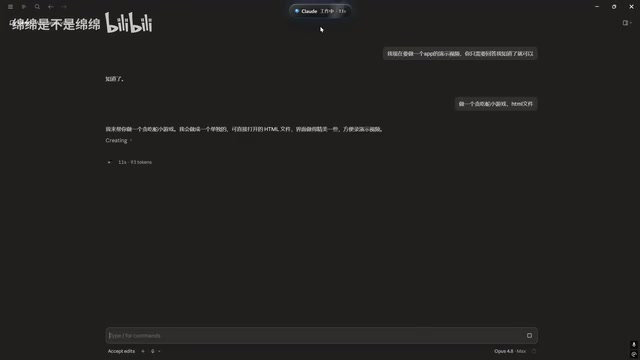
Claude Code Desktop Status Capsule: An Open-Source Widget for Real-Time AI Coding Status Monitoring
An open-source desktop status capsule that monitors Claude Code's idle, working, and completed states in real time, with multi-conversation management, memos, and music control for developers.
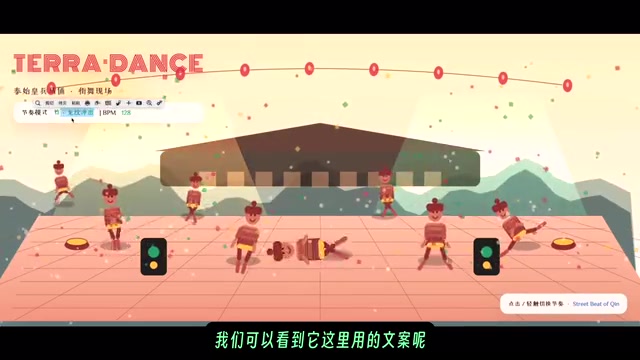
GPT-5.2 Codex vs Opus 4.5 Hands-On: A Comprehensive Comparison of Coding Ability, Speed, and Developer Experience
Hands-on comparison of GPT-5.2 Codex vs Opus 4.5 across frontend generation, physics simulation, 3D scenes, and code refactoring, with practical selection advice.