Connecting Zotero MCP to Claude and Codex: A Deep Writing Workflow Powered by Your Local Reference Library
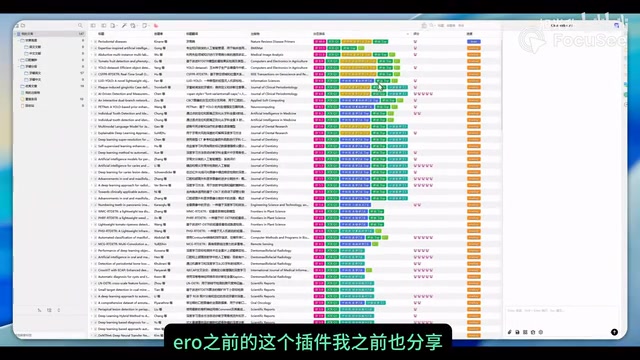
Connect Zotero MCP to Claude and Codex for AI academic writing grounded in your real reference library.
This guide explains how to integrate your local Zotero reference library with Claude and Codex using Zotero MCP (Model Context Protocol). It covers essential Zotero settings, installation steps for both AI models, the difference between metadata and full-text PDF retrieval, and a PDF-to-Markdown optimization strategy that improves output quality while reducing token consumption. Combined with ARS commands, this workflow enables deep, citation-backed academic writing.
Why Connect Zotero to AI Models?
In academic writing, the introduction is often the most demanding section — it requires tracing the research lineage, citing real references accurately, and demonstrating scholarly depth. The traditional approach involves manually sifting through your reference library paper by paper, which is inefficient and prone to overlooking key literature.
Everything changes if you can give Claude or Codex direct access to your local Zotero library. Zotero is a free, open-source reference management tool developed by the Center for History and New Media at George Mason University. It supports one-click metadata capture from browsers, PDF attachment management, and automatic citation generation in over 10,000 citation styles. Its local database is built on SQLite and stores the complete metadata structure of your references — which also provides the technical foundation for programmatic access.
Through Zotero MCP (Model Context Protocol), AI models can search your accumulated reference metadata, abstracts, and even full-text PDFs in real time, then generate introduction paragraphs backed by real citations. MCP is an open standard protocol released by Anthropic in late 2024. It uses a client-server architecture designed to provide AI models with a unified interface for interacting with external data sources and tools. AI applications act as clients, while various data sources (such as Zotero, databases, file systems, etc.) expose their capabilities through MCP servers. The core value of this protocol lies in standardization — developers only need to implement an MCP server once, and all MCP-compatible AI clients can access that data source, eliminating the redundant effort of building separate integrations for each AI platform.
With this mechanism, AI writing is no longer about "fabricating" references — it's about writing based on your existing, curated library.

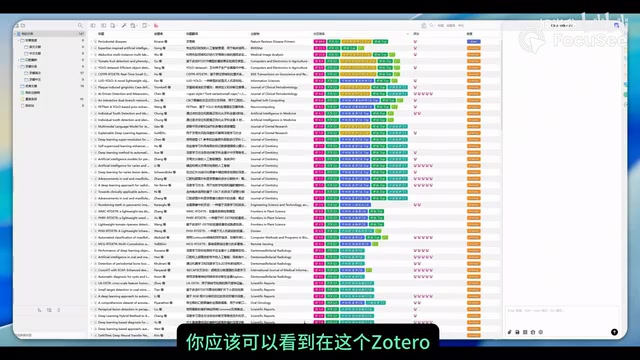
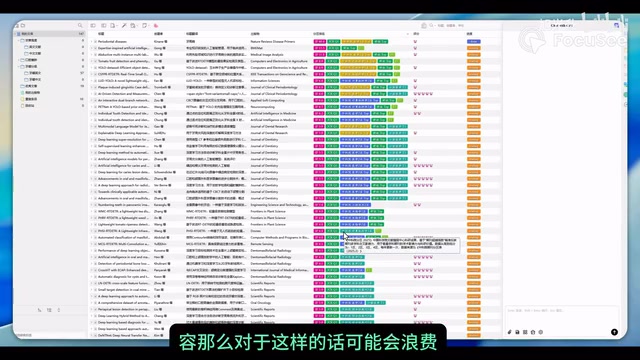
Prerequisites: Key Settings on the Zotero Side
Enabling Communication Permissions
To allow external AI models to successfully call Zotero MCP, the first step is to enable communication permissions in Zotero. The specific path is:
Zotero → Settings → Advanced → Check "Allow other applications on this computer to communicate with Zotero"
This step is critical — without it, neither Claude nor Codex can access your local reference library. This setting essentially enables Zotero's built-in local HTTP server, which listens on a specific port (default 23119) and allows other programs on the same computer to retrieve information from the Zotero database via API requests. The MCP server communicates with Zotero through this local interface.
Organize Your References First
Before connecting to AI, it's strongly recommended to organize your tag system and folder structure in Zotero. A well-organized classification structure helps AI models locate target reference collections more quickly and precisely. For example, create folder hierarchies by research topic, methodology, year, and other dimensions, and add keyword tags to each reference.
Specific recommendations include: using Zotero's "Collections" feature to build hierarchical folders by project or research direction; using colored tags to distinguish reading status (unread, read, core references); and completing the abstract field for each reference, as this is the richest information source available to AI models during metadata retrieval. This isn't just for the AI — it's also a good habit for improving your own reference management efficiency.
Installation and Setup for Two Models
Connecting Claude
Zotero MCP has an official GitHub project with documentation that provides standard installation instructions. But since we already have an AI model at our disposal, a more recommended approach is:
- Copy the GitHub URL of the Zotero MCP project
- Ask Claude directly to help you complete the global installation
- After installation, have Claude try to access your Zotero library
- If it successfully returns a list of your Zotero folders, the connection is working
This approach eliminates the hassle of manual configuration by letting the AI handle the environment setup itself. Note that the Claude Desktop version requires adding the MCP server declaration to its configuration file (typically located at ~/Library/Application Support/Claude/claude_desktop_config.json or the equivalent path on your system), including the server startup command and parameters. Having Claude handle this configuration itself avoids potential formatting errors from manually editing JSON files.
Connecting Codex
Connecting Codex is even more straightforward — it has built-in support for Zotero. Steps:
- Search for "Zotero" in Codex's plugin/tool search
- Install the corresponding plugin
- Find Zotero through the plus button, and you can start accessing your local library
Once installed, you can directly ask Codex to optimize your introduction, and it will automatically access your local reference library for supporting materials.
Advanced Usage: Deep Writing with ARS Commands
In Claude, you can combine Zotero MCP with ARS (Academic Research Skills) commands to create a more powerful academic writing workflow. ARS is a set of prompt instructions designed specifically for academic research scenarios, covering literature search strategies, critical analysis frameworks, academic writing standards, and more. It guides AI models to handle research tasks with more professional academic thinking:
- Literature analysis and search: Access your local library through Zotero to quickly locate relevant research
- Citation verification: Check whether citation formats are correct and ensure reference information is accurate
- Topic refinement: Identify research gaps in existing literature to help optimize research directions
- Introduction reconstruction: Generate in-depth, logically structured introduction paragraphs based on real references
The two commands work together to cover the complete workflow from literature retrieval to format verification. In practice, you can first use ARS commands to have the model analyze the literature landscape of a research area, then use Zotero MCP to pull detailed information on corresponding references from your local library, and finally have the model synthesize this information into a structured introduction draft.
The Core Issue: Metadata vs. Full-Text PDF Retrieval
Limitations of Metadata
After the default Zotero MCP installation, the model can typically only retrieve metadata — basic information such as paper title, authors, abstract, DOI, journal, and year. Metadata is essentially structured descriptive information about references, following international metadata standards like Dublin Core. The abstract within metadata is only a summary of the paper (typically 150-300 words) and often cannot capture specific methodological details, key experimental design parameters, specific statistical analysis results, and other deep-level information.
To obtain more complete information, you can have the model perform the following operations:
- Retrieve the full PDF data of a reference
- Get citation counts to assess academic value
- Trace references cited within a paper to expand the citation network
PDF to Markdown: A More Efficient Solution
Having AI directly parse PDF files from Zotero presents a practical problem — massive token consumption. Tokens are the basic units that large language models use to process text. One English word typically corresponds to 1-2 tokens, while Chinese characters average about 1.5-2 tokens each. When a model parses a PDF, it must first convert all text, tables, image descriptions, etc. into tokens for the context window. A 10-page academic paper can consume 8,000-15,000 tokens, and both the model's context window capacity and API call costs are directly tied to token count. The model needs to invoke corresponding skills to parse PDF content, a process that is both time-consuming and resource-intensive.
A better approach is:
- Finalize the list of references you plan to cite
- Batch convert these PDFs to Markdown format (using tools like Marker, Mathpix, Pandoc, etc.)
- Store the Markdown files in a knowledge base like Obsidian
- Have the model directly retrieve the literature content in Markdown format
Obsidian is a local Markdown-based knowledge management tool whose core philosophy is building a personal knowledge graph through bidirectional links. Converting academic literature to Markdown and storing it in Obsidian not only makes it efficient for AI models to read (plain text requires no additional parsing steps), but also leverages Obsidian's backlinks, graph view, and other features to discover hidden connections between references. This "Zotero for managing reference metadata + Obsidian for managing reference content" dual-tool collaboration model has become one of the mainstream practices in academic knowledge management.
Based on actual testing, introductions written from Markdown-formatted literature tend to be superior in depth and accuracy compared to those generated by directly calling PDFs. This is because Markdown is a plain text format that models can understand and extract key information from more efficiently, without additional OCR recognition or layout analysis steps. It also significantly reduces information loss caused by PDF parsing errors (such as garbled formulas, misaligned tables, and failed column recognition).
Practical Tips and Considerations
- Organize before connecting: Spend time organizing your Zotero classification system before connecting to AI — it will pay dividends
- Use a phased approach: Start with metadata for initial screening, then convert core references to Markdown for deep analysis
- Cross-verify: Always manually verify AI-generated citation information to ensure references actually exist and are cited accurately. Even when content is generated from your local library, models can still "misattribute" — incorrectly attributing Paper A's findings to Paper B, or over-extrapolating from abstract content
- Token management: For large reference libraries, retrieve in batches by project or topic to avoid loading too much content at once. A general recommendation is to keep single retrieval sessions within the metadata range of 20-30 references
- Format compliance: Use ARS commands to automatically verify citation formats to ensure they meet target journal requirements. Common citation formats include APA 7th edition, IEEE, Vancouver, Chicago, and others — requirements vary significantly across disciplines and journals
Conclusion
Connecting Zotero MCP to Claude or Codex essentially builds a bridge between AI writing capabilities and your personal academic knowledge base. The model no longer generates content from thin air — it writes based on your carefully curated reference library with proper evidence. Combined with the PDF-to-Markdown optimization strategy, you can further improve output quality while reducing token consumption. For researchers who frequently write literature reviews and introductions, this workflow is well worth setting up.
From a broader perspective, this "personal knowledge base + AI model" collaboration paradigm represents an important direction in the evolution of academic writing tools. It preserves the researcher's control over literature quality (only references you've actively added to Zotero will be cited by the model) while fully leveraging AI's strengths in information synthesis, logical organization, and language expression. As the MCP ecosystem continues to mature and more academic tools are integrated, this workflow will have even greater room for expansion.
Related articles

Use Claude Code for Just ¥7.9: A Complete Guide to Affordable Alternatives with Chinese AI Models
Learn how to set up Claude Code with affordable Chinese AI model alternatives. Use providers like SiliconFlow and DeepSeek starting from just ¥7.9, with full environment variable configuration guide.
Must-Have Claude Code Plugins: 10 Plugins to Build a Complete Development Environment
10 curated Claude Code plugins covering automation, real-time docs, browser testing, design implementation, and security scanning, with installation order and configuration tips.

Remotion: The Open-Source Framework for Code-Driven Video Production with React
Deep dive into Remotion, the open-source framework for writing videos with React components. Covers core principles, use cases, comparison with traditional editors, and quick start guide.