Must-Have Claude Code Plugins: 10 Plugins to Build a Complete Development Environment

10 essential Claude Code MCP plugins to transform your bare setup into a complete development environment.
This guide recommends 10 practical Claude Code plugins built on the MCP protocol, covering automation (Rough Loop), real-time documentation (Context7), web scraping (FireCrawl), browser testing (Playwright MCP), design-to-code (Figma MCP), UI quality (Frontend Design), security scanning (Security Guidance), code review, debugging (Chrome DevTools MCP), and project management (Linear). It includes a recommended installation order and practical tips for building an efficient AI-assisted development workflow.
Anyone who's used a bare-bones Claude Code knows how painful it is: every new conversation starts from scratch with no memory of previous chats; when you look up documentation, it pulls up deprecated APIs from two years ago; after modifying frontend code, you still have to manually switch to the browser to verify. This isn't AI-assisted development—it's more like hiring an intern who doesn't know anything.
But once you install the right plugins, the experience is completely different. The 10 plugins I'm sharing today come from the practical experience of the "Geek Wizard" team on Bilibili. Each one solves a specific pain point. I'll skip the ones like Superpowers and ECC that have already been covered to death online, and focus on tools that genuinely improve daily development efficiency.
What I'm calling "plugins" here are technically tools built on the MCP (Model Context Protocol). MCP is a standardized protocol open-sourced by Anthropic in late 2024, designed to provide LLMs with a unified way to access external tools and data sources. Before MCP, every AI application needed custom integration code for different data sources, resulting in massive duplication of effort. MCP's design philosophy is similar to what USB ports are for hardware devices—it provides a universal "slot" that allows any protocol-compliant tool to be directly invoked by AI models. The plugin ecosystem in Claude Code is built on top of MCP, which is why these plugins can seamlessly inject new capabilities into Claude.
Core Productivity: Automation & Documentation Plugins
1. Rough Loop — Drop in a Requirements Doc, It Does the Rest
Rough Loop's logic is dead simple: you give it a requirements document, and it breaks down tasks, writes code, and commits changes on its own. Each task uses an independent context, so they don't interfere with each other.
This plugin is especially suited for repetitive work with clear requirements—like generating CRUD endpoints, database migration scripts, or filling in test cases. But there's a prerequisite: your requirements document must be clearly written. If the description is vague, Claude will spin in circles and waste time instead.
2. Context7 — Say Goodbye to Deprecated API Nightmares
One of the most frustrating things about Claude is how often it recommends deprecated APIs. Context7 injects real-time, version-accurate documentation directly into Claude. For rapidly evolving frameworks like Next.js, Quant 15, React 19, and Tailwind CSS 4, installing Context7 means you won't fall into those traps.
This plugin fundamentally solves the problem of LLM training data lag. A large language model's knowledge comes from training data, which has a definitive cutoff date—usually months or more behind. In the fast-iterating frontend ecosystem, a best practice from six months ago might already be marked as deprecated by the official team. Context7 is essentially a RAG (Retrieval-Augmented Generation) implementation for technical documentation: instead of relying on the model's "memory," it retrieves the latest documentation in real-time during each conversation and injects it into the context, fundamentally avoiding the stale information problem. For developers who chase the latest frameworks, this is practically a necessity.
3. FireCrawl — A Powerful Web Data Extraction Tool
FireCrawl is the highest-rated MCP plugin for web data extraction. It automatically renders JavaScript and converts web pages into clean Markdown or structured JSON. Three core commands:
- Scrap: Fetch single-page content
- Crawl: Crawl entire site data
- Search: Execute search queries
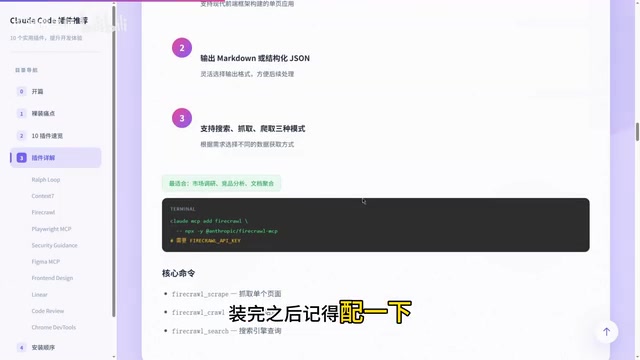
This plugin is especially handy for market research and competitive analysis. After installation, remember to configure your FireCrawl API Key.
Frontend Development: Testing & Design Implementation
4. Playwright MCP — Browser Testing in Plain English
This is my top personal recommendation for frontend developers. No need to write test scripts—just describe what you want to test in natural language, and Claude will open a real Chrome window and execute the operations for you.
Playwright itself is an open-source browser automation testing framework developed by Microsoft, supporting three major browser engines: Chromium, Firefox, and WebKit. Compared to traditional Selenium, Playwright natively supports modern web features (like Shadow DOM and Service Workers) and provides a more stable auto-wait mechanism, dramatically reducing "flaky test" issues. The Playwright MCP plugin exposes these capabilities to Claude, enabling it to drive real browsers through natural language instructions without developers having to write test scripts.
More critically, you can log in manually first, then hand the login state to Claude, allowing authenticated flows to be tested smoothly. For complex business scenarios involving user authentication states, this capability is extremely practical.
5. Figma MCP (by PayPal) — Precisely Read Design File Data
This plugin reads Figma source files directly—not screenshots, not text descriptions, but precise data about frames, components, and layouts. Spacing values, font sizes, color codes—everything can be extracted accurately.
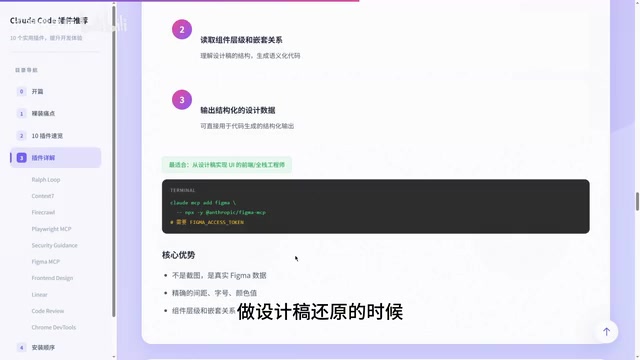
When implementing designs, this saves enormous amounts of back-and-forth communication with designers. After installation, remember to configure your Figma Personal Access Token.
6. Frontend Design — Make AI-Generated UI Stop Looking Generic
Have you noticed that AI-generated UIs all look the same? Default fonts, purple gradients, symmetrical layouts—you can tell at a glance it was made by AI. The Frontend Design plugin guides Claude toward more distinctive designs: more cohesive color schemes, asymmetrical layouts, and other techniques. When building product UIs and landing pages, the results look noticeably more professional.
Security & Quality Assurance
7. Security Guidance — Recommended as Your First Install
This plugin automatically performs security scans before every file edit, checking for common vulnerabilities like command injection, XSS, and EVAL usage. When it finds a risk, it blocks the change and tells you why there's a problem and how to fix it.
With security, it's too late to fix things after an incident—better to block issues from the start. This is especially important in AI-assisted programming scenarios. Multiple studies have shown that AI-generated code has systematic deficiencies in security. A 2023 Stanford University study found that developers using AI-assisted programming produced code with a significantly higher proportion of security vulnerabilities compared to a control group not using AI. Common issues include: failing to escape user input (leading to XSS), using eval() to execute dynamic code, SQL concatenation instead of parameterized queries, and hardcoded secrets. This happens because LLM training data contains vast amounts of open-source code with poor security practices, and the model "learns" and reproduces these insecure patterns. Having this automated defense line intercepts most security risks before code lands.
8. Code Review — Multi-Agent Parallel Review
It spins up multiple AI Agents simultaneously to review your code in parallel across four dimensions:
- Test coverage
- Type checking
- Error handling
- Code quality
Multi-Agent parallel architecture is an important trend in current AI application development. The core idea is to decompose a complex task among multiple specialized AI Agents for parallel processing, with each Agent focusing on only one specific dimension. The advantages of this approach are: Agents focused on a single task typically perform better than "generalist" Agents; parallel execution dramatically reduces wait times; and each Agent's output can be independently verified and calibrated. The Code Review plugin leverages this architecture, having different Agents simultaneously review code from four angles.
Each issue is also tagged with a confidence score, so you can immediately see which ones to prioritize. Running this before submitting code for peer review makes the process much more efficient.
Debugging & Project Management
9. Chrome DevTools MCP — Access Real Browser Runtime State
It gives Claude access to real browser runtime state: network requests, console logs, and performance metrics are all visible.
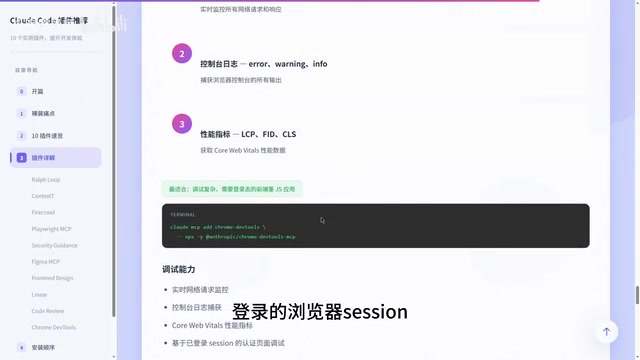
The key is that it's based on your already-authenticated browser session, so pages that require authentication can also be debugged. When working on complex frontend applications, this plugin is truly essential.
10. Linear — Manage Tasks Without Switching Environments
If your team uses Linear for task management, installing this plugin lets you pull tickets, break down tasks, and update statuses directly within Claude Code—all without leaving your programming environment. Just configure your Linear API Key after installation.
Recommended Installation Order & Practical Tips
More plugins isn't always better—installing too many at once will slow down response times. I recommend a two-step approach:
Step 1: Install the three most essential ones first
| Plugin | Problem It Solves |
|---|---|
| Security Guidance | Code security protection |
| Context7 / FireCrawl | Real-time data and documentation |
| Playwright MCP | Browser automation testing |
Step 2: Expand based on your needs
Code Review, Figma MCP, Frontend Design, Linear, Chrome DevTools, Rough Loop—install whichever ones are useful to you.
A practical principle: Install one, use it for a week, and keep it only if it proves genuinely useful. The core logic for choosing plugins is simple—solve your biggest pain point first, then gradually expand.
Developers who ship fast aren't just using Claude Code—they're using Claude Code with the right plugins installed and configured to match their workflow. Tools themselves don't create value; the match between tools and workflow is what creates value.
Related articles
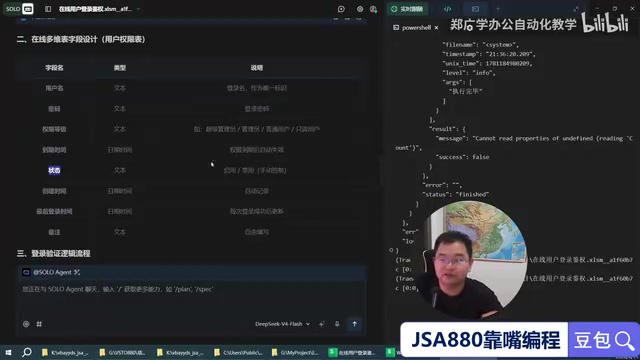
Trae + WPS: Building a Zero-Code JSA Login Authorization System — A Practical Tutorial
Learn how to use Trae AI programming tool with WPS Bitable to build a JSA login authorization system with zero handwritten code, covering online tables, Web API auth scripts, and remote user management.

Superpowers: Installing Work Standards for Your AI Coding Assistant
How the Superpowers methodology constrains AI coding assistants through requirement clarification, task decomposition, TDD, and verification loops — with setup tips for Trae.
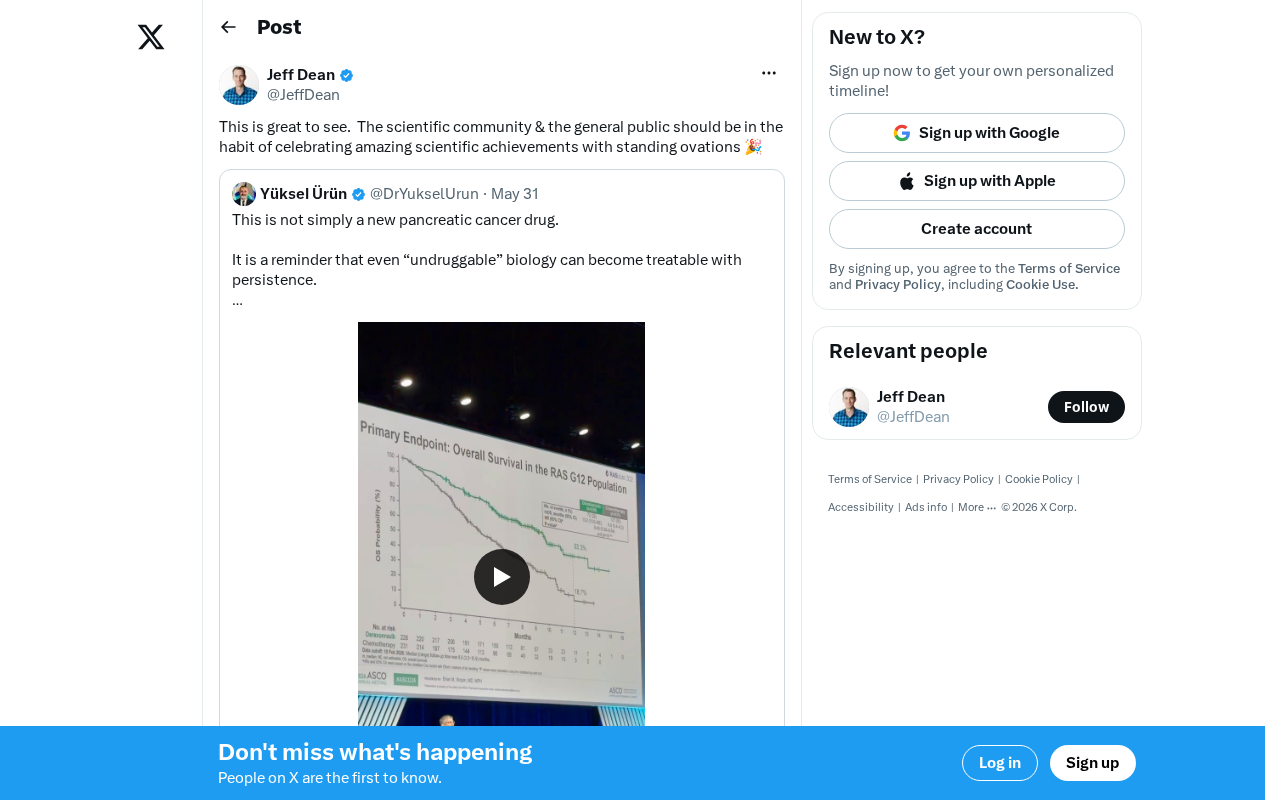
Scientific Achievements Deserve Public Applause: Why We Should Give Standing Ovations for Scientific Breakthroughs
Scientific achievements receive far less public attention than entertainment and sports. This article explores why we should applaud scientific breakthroughs and how AI is leading a new celebration culture.