Superpowers: Installing Work Standards for Your AI Coding Assistant

Superpowers gives AI coding assistants structured work rules: ask first, plan, test, then verify.
Superpowers is a Markdown-driven methodology that constrains AI coding assistants like Trae Solo from rushing into code. Its core Skills — Brainstorming, Writing Plans, Test Driven Development, and Verification Before Completion — enforce a disciplined workflow: clarify requirements, break tasks into small steps, write tests first, and demand evidence of verification before marking anything done.
AI Is Too Fast — And That's the Problem
If you frequently use Trae Solo to write code, you've probably encountered this scenario: you say something like "add a login page," and the AI immediately starts modifying files. A few minutes later the page is ready, but the routing, styles, state management — even several files you never asked it to touch — have all been changed.
This isn't unique to Trae. Today's mainstream AI coding assistants (Cursor, GitHub Copilot Agent, etc.) generally operate in an Agentic mode, meaning the AI doesn't just generate code snippets — it autonomously decides which files to modify, what commands to run, and even which external tools to invoke. This autonomy stems from large language models' "instruction-following" capability: the model expands a user's vague intent into a series of concrete actions. The problem is that the model's "expansion" logic is based on statistical patterns from training data, not genuine understanding of the current project's architecture. The result is frequent "over-action": modifying files that shouldn't be touched, introducing unnecessary dependencies, or even breaking existing functionality.
The biggest headache isn't that the AI writes bad code — it's that it's too confident and too eager to start coding immediately. The methodology we're introducing today, Superpowers, equips your AI assistant with a set of "work standards" — making it ask questions first, write a plan, define acceptance criteria, and only then start implementing.
The Core Philosophy of Superpowers
Not a New Model — A Development Methodology
Superpowers isn't a new model or a new IDE. Think of it as a set of Skills plus a software development methodology. Each Skill is a Markdown file that clearly specifies when it should be triggered and what to do when triggered.
This Markdown-driven Skills mechanism is essentially a structured System Prompt management approach. Each Skill file contains fields like Trigger conditions, Steps, and Output Format. The design borrows from the software engineering principle of "separation of concerns" — each Skill handles only one behavioral constraint, and multiple Skills combine to form a complete workflow. Compared to cramming all rules into a single ultra-long prompt, modular management through Markdown files is easier to maintain, reuse, and share across teams with version control.
The core Skills include:
- Brainstorming: Makes the AI ask follow-up questions about goals, boundaries, and trade-offs before writing any code
- Writing Plans: Breaks large requirements into small tasks, each specifying file paths and verification methods
- Test Driven Development: Requires writing failing tests first, then minimal implementation, then refactoring
- Verification Before Completion: Specifically prevents the AI from claiming "I think it's done" as "verified and complete"
The last Skill deserves special attention. In practice, there's often a huge gap between the AI saying "done" and "actually verified." This phenomenon is known in academia as "Completion Hallucination" — one of the most dangerous behavioral patterns of large language models in code generation scenarios. The root cause is that language models are trained to generate "plausible-looking text," not "logically correct programs." After generating code, the model tends to output a "verification narrative" in natural language — describing how the code should work — but this narrative itself is also generated and hasn't been validated through actual execution. Research shows that even the most advanced code models may have an actual pass rate below 70% when claiming "code has passed tests." The Verification Before Completion Skill is designed to close this gap.
Complete Workflow: Mentoring AI Like a Junior Developer
Connecting these skills together, the Superpowers workflow looks roughly like this:
- The user proposes an idea; the AI doesn't rush to code but first clarifies requirements
- Once requirements are clear, the AI presents a design draft for your confirmation
- After design confirmation, it writes a plan breaking work into small tasks
- Implementation ideally happens on a separate branch to minimize risk to the main codebase
- After each task is completed, there must be review and verification
- Only then comes the wrap-up — deciding whether to merge, submit a PR, or keep the branch for further observation
This isn't a prompting trick — it's more like codifying a senior engineer's process for mentoring junior developers into rules the AI must follow.
How to Use Superpowers in Trae
As of now, the official Superpowers repository hasn't added Trae to its official installation list, so usage in Trae follows a community adaptation approach. The core principle: start with a minimum viable version — don't try for a complete migration right away.
Four Steps to Basic Configuration
Step 1: Download the Superpowers source code. The most straightforward way is git clone; you can also download the ZIP from GitHub.
Step 2: Copy the Skills directory. Copy the Skills directory from the Superpowers repository to Trae's skills directory. The path may vary across versions, so it's best to confirm the exact location in Trae's Skills settings first.
Step 3: Write a rule in your project. Tell Trae to use the Superpowers workflow before starting any development task. The rule doesn't need to be long — three key statements:
- Don't write code first; clarify requirements and boundaries first
- Output a plan with verification methods for each step
- Upon completion, explain what was verified
Step 4: Open a new session to verify. You can ask: "What Superpowers Skills do you currently have? How would you use them in this project?" If it can name Brainstorming, Writing Plans, Test-Driven Development, and Verification Before Completion along with their trigger scenarios, the basic migration was successful. If it only vaguely says "I'll develop carefully," it hasn't been set up properly — go back and check the skill paths and project rules.
Advanced: Configuring Sub-Agent Collaboration
A common community approach involves configuring three roles:
- Implementer: Responsible for modifying code according to tasks
- Spec Reviewer: Responsible for checking whether the implementation deviates from requirements
- Code Quality Reviewer: Responsible for reviewing structure, edge cases, and potential regressions
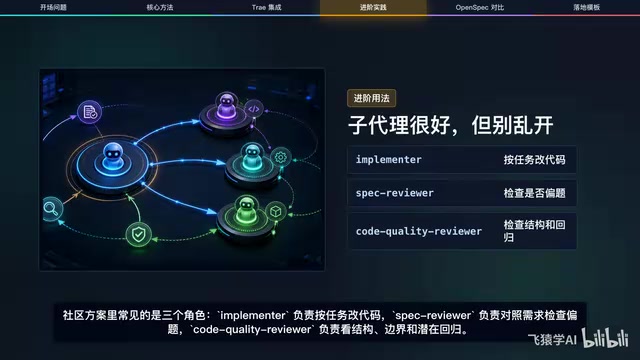
This sub-agent collaboration model is a concrete application of Multi-Agent Systems in AI programming. Its core idea comes from role separation in software engineering: just as real teams have developers, test engineers, and code reviewers each doing their part, different AI agents are assigned different roles and permissions. The theoretical foundation is "adversarial verification" — having one agent's output reviewed by another, using the tension between roles to surface problems. Frameworks like AutoGen, CrewAI, and LangGraph are all exploring multi-agent orchestration, but the biggest challenge in practice isn't technical implementation — it's clarity of task boundaries.
The ideal flow is for the Solo Coder to dispatch small tasks. After the implementer finishes, the spec reviewer checks for requirement drift, then the quality reviewer checks code robustness.
But let's be realistic: different Trae versions may not consistently support sub-agents, script-based skills, or authorization entry points. If your interface doesn't have the corresponding entry points, don't force it. You can start with a manual process — have the AI first play the role of spec reviewer, then code quality reviewer. It's not fully automated, but it's stable enough. When the pipeline isn't complete, stability matters more than sophistication.
Five Practical Recommendations
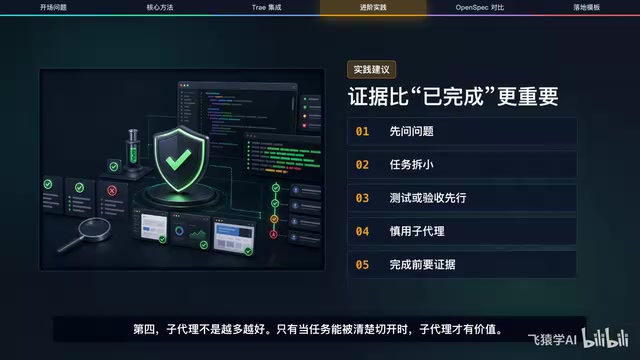
Based on the Superpowers methodology, here are five recommendations you can implement immediately:
1. Make the AI ask questions first. Vague requirements are the easiest way to send AI guessing wildly. The sooner you clarify goals, non-goals, and off-limits files, the less rework you'll face later.
2. Break tasks into small pieces. Don't say "optimize the login page." Say "modify which file, add what prompt, don't change which interface, and how to verify." The finer the granularity, the less likely the AI is to go off track.
3. Tests or acceptance criteria come first. For code projects, write failing tests whenever possible. For documentation, pages, or configuration tasks, write a clear checklist. Define "what counts as done" before starting. The "write failing tests first" approach is classic Test-Driven Development (TDD) — the "Red-Green-Refactor" cycle systematized by Kent Beck in 2003: first write a test that must fail (Red), then write the minimal implementation to make it pass (Green), and finally refactor under the protection of tests. In AI programming scenarios, TDD gains a new layer of meaning — it provides an objective verification anchor for AI output. Without tests, the AI can only judge code correctness through "self-assessment," and LLM self-assessment tends to be overly optimistic. With pre-defined failing tests, every implementation step has a clear pass/fail signal, dramatically reducing the probability of "Completion Hallucination."
4. More sub-agents isn't always better. Sub-agents only add value when tasks can be cleanly separated. If a task can't be neatly divided into independent subtasks, the coordination overhead between multiple agents may exceed the benefits. Forcing a split actually increases coordination costs.
5. Demand evidence before completion. The AI saying "done" doesn't mean done. What commands did it run? What pages did it check? Are there screenshots? What hasn't been verified? These constitute evidence. Evidence matters more than declarations — this is the foundational habit of Superpowers.
Superpowers vs OpenSpec: They Govern Different Things
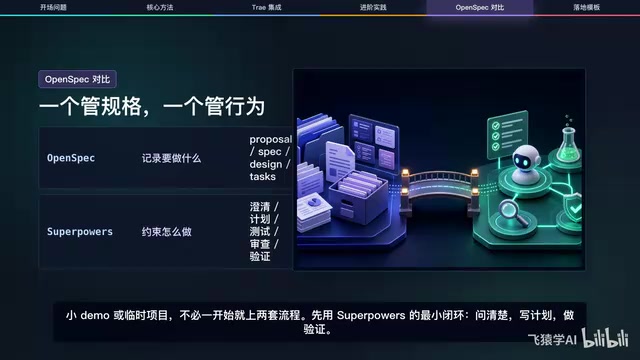
OpenSpec is another popular concept in the AI programming space, but it serves a different purpose than Superpowers. OpenSpec is a specification-driven development framework that has recently gained traction in the AI programming community, inspired by traditional software engineering's Software Requirements Specification (SRS) and change management processes. OpenSpec decomposes a development task into four layers of documentation — Proposal, Specification, Design, and Tasks — each with clear templates and approval workflows. The core problem it solves is "requirements traceability" — as project scale grows and more AI sessions are involved, without unified specification documents, AI in different sessions may develop different interpretations of the same requirement, leading to implementation conflicts.
| Dimension | OpenSpec | Superpowers |
|---|---|---|
| Focus Layer | Specification — what to do | Process — how to do it |
| Core Artifacts | Proposals, Specs, Designs, Tasks, and other change materials | Clarification, plans, tests, reviews, verification, and other behavioral standards |
| Use Cases | Requirements traceability, long-term project management | Constraining AI development behavior, ensuring delivery quality |
You don't necessarily have to choose one over the other. For long-term projects, you can use OpenSpec to document "what to do" and Superpowers to constrain "how the AI does it." Their relationship is like "a map" and "driving rules": the former tells you where to go, the latter governs how you drive. For small demos or temporary projects, there's no need to adopt both frameworks from the start. The minimal closed loop from Superpowers — ask clearly, write a plan, verify — is enough.
A Ready-to-Use Opening Template
If you want to try this in Trae right away, use this opening prompt:
Please use the Superpowers workflow. Don't write code first — confirm requirements and boundaries with me first. Output a brief plan with a verification method for each step. Only modify files after I confirm we should proceed. Upon completion, explain what was actually verified and what remains unverified.
This prompt may look simple, but it can pull Trae Solo from "start coding immediately" back to "confirm the process first."
The Faster Things Get, the More You Need to Slow Down
The value of Superpowers isn't making the AI look more professional — it's making the AI pause for half a beat:
- Pause to ask questions first, and you'll have less rework later
- Pause to write verification first, and you'll hit fewer pitfalls later
- Pause to do reviews first, and you'll be less likely to get burned by false "done" claims
AI programming tools will only get faster. The faster they get, the more we need a visible workflow to keep that speed within reliable bounds. Rather than letting the AI sprint at full speed and then repeatedly patch things up, it's better to spend two minutes confirming direction before the race begins — that's the real problem Superpowers aims to solve.
Key Takeaways
Related articles

Codex VS Claude Code: The Token Economics Behind a 10x Price Gap
Same coding task: Codex costs $15, Claude Code costs $155. Deep dive into the real reasons behind the 10x gap — it's not pricing, it's token volume, output style, and context strategy.
Gemma 4 Open-Source Model Local Deployment Guide: Ollama Installation & Mobile Setup
Step-by-step guide to deploying Google's Gemma 4 open-source model locally with Ollama and running the lightweight version on mobile with tool calling support.
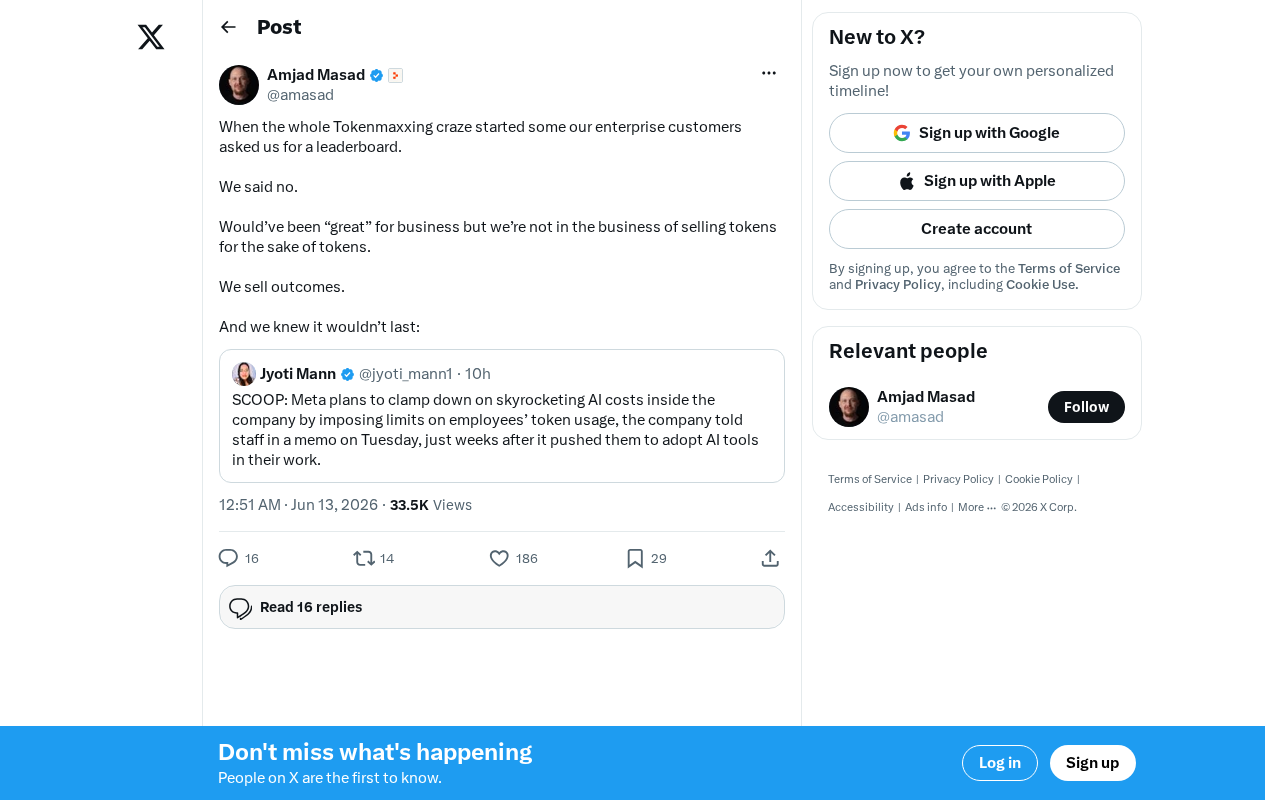
The Decline of Tokenmaxxing: Why Selling Outcomes Matters More Than Selling Tokens
The Tokenmaxxing craze is fading as enterprise AI procurement shifts from chasing Token counts to focusing on actual business outcomes. Learn why outcome-based AI evaluation is the right approach.