Use Claude Code for Just ¥7.9: A Complete Guide to Affordable Alternatives with Chinese AI Models

A complete guide to using Claude Code affordably with Chinese AI model alternatives starting at ¥7.9.
This guide walks you through what Claude Code is, how to install it, and how to replace the expensive official Anthropic models with affordable Chinese AI alternatives like SiliconFlow, DeepSeek, and Qwen. By configuring environment variables to redirect API calls, you can experience this powerful terminal-level AI coding assistant for as little as ¥7.9 — over 90% cheaper than the official plan.
After Claude Code's Source Code Leak, How Can Ordinary Users Get Started?
Not long ago, Claude Code accidentally leaked approximately 510,000 lines of source code due to a packaging mishap. Specifically, the leak occurred because the .npmignore file wasn't properly configured during the npm package publishing process, causing source directories that should have been excluded to be bundled and uploaded to the public repository. npm (Node Package Manager) is the primary package management tool in the JavaScript ecosystem. Under normal circumstances, developers use configuration files to precisely control what gets published — this oversight exposed a blind spot in security review during commercial software distribution. The incident made many developers realize for the first time just how far Claude Code has evolved — it's no longer a simple AI chat tool, but a terminal-level AI coding assistant capable of deeply integrating into programming workflows.
But for most everyday users, the real questions are much more straightforward: What exactly is it? How can a beginner get started? Is the official pricing too expensive? This article will walk you through Claude Code's core value from scratch, with a focus on how to use domestic Chinese AI models as affordable alternatives — starting from as low as ¥7.9 (roughly $1).
What Is Claude Code? What Can It Do for You?
A Terminal-Level AI Coding Assistant
Claude Code is a command-line AI coding tool developed by Anthropic. Unlike traditional IDE plugins, it runs directly in the terminal and can understand your entire project context to perform tasks like code writing, debugging, refactoring, and more.
To understand what makes it unique, you first need to grasp the fundamental difference between terminal-level tools and IDE plugins. Traditional AI coding plugins (like GitHub Copilot, Cursor, etc.) run as IDE extensions, with their capabilities confined to the editor environment — they typically can only perceive the currently open file or a limited project context. The terminal, on the other hand, is an OS-level command-line interface with direct access to underlying resources like the file system, process management, and network requests. Running in the terminal means Claude Code can act like a real developer — browsing the entire project directory structure, reading any file, executing shell commands, and even running and testing code directly. This architectural design gives it far greater project comprehension depth and operational freedom than any IDE plugin.

In simple terms, think of it as a "senior developer living in your terminal":
- Code Generation & Completion: Describe your requirements, and it writes the code for you
- Project Understanding: Can comprehend the structure and logic of an entire codebase
- Debugging: Paste an error message, and it analyzes the cause and suggests fixes
- Code Refactoring: Helps optimize the structure and performance of existing code
The Cost Problem with the Official Plan
However, Claude Code officially uses Anthropic's own Claude models, billed per token. Here's a quick explanation of token-based pricing: A token is the basic unit that large language models use to process text — think of it as a "text fragment." In English, one token corresponds to roughly 4 characters or 0.75 words; in Chinese, a single character is typically split into 1–2 tokens. Claude Code billing involves input tokens (the content you send to the model, including project code context) and output tokens (the model's generated response). Taking Claude 3.5 Sonnet as an example, input pricing is approximately $3 per million tokens, and output is around $15. Since coding scenarios require transmitting large amounts of code context, input token consumption far exceeds that of ordinary conversations — a single request involving full project comprehension can easily consume tens of thousands of tokens.
For frequent users, monthly costs can easily reach tens or even hundreds of dollars. This is a significant barrier for individual developers and students who just want to try it out.
The good news is that Claude Code supports configuring compatible third-party model APIs through environment variables, which opens the door to affordable domestic model alternatives.
Starting from Zero: Installation & Environment Setup
Step 1: Install Claude Code
Installing Claude Code is straightforward — just use npm:
npm install -g @anthropic-ai/claude-code
Once installed, type claude in your terminal to launch it. On first run, you'll be asked to authenticate — this is the process of linking your Anthropic account.
Step 2: Configure Environment Variables for Model Replacement
This is the core step of the entire alternative setup. Claude Code supports specifying custom API endpoints and models through environment variables, meaning you can forward requests to any domestic model provider that's compatible with the OpenAI API format.
It's worth noting that the OpenAI API format has become the de facto standard protocol in the LLM industry. This protocol defines the JSON structure for requests and responses, model invocation methods, streaming output formats, and other key interface specifications. The vast majority of model providers both domestically and internationally (including DeepSeek, Qwen, Moonshot, etc.) have chosen to be compatible with this format — developers only need to change the API address and key to seamlessly switch between different models. Although Claude Code natively uses Anthropic's own API format, it can connect to these compatible providers through environment variable configuration and intermediate conversion layers. This is the technical foundation of the domestic model alternative approach.
Key environment variables include:
ANTHROPIC_BASE_URL: Points to the domestic model provider's API addressANTHROPIC_API_KEY: The corresponding API key provided by the service provider
The specific configuration method varies slightly by operating system. Linux/Mac users can add these to .bashrc or .zshrc, while Windows users set them in system environment variables.
Step 3: Verify the Configuration
After configuration, launch Claude Code and enter a simple coding question to test. If it returns results normally, the domestic model has been successfully connected.

Comparing Domestic Model Alternatives
Major Compatible Options
Several domestic model providers currently offer API services compatible with Claude Code:
| Option | Approximate Cost | Features |
|---|---|---|
| SiliconFlow | Starting from ¥7.9 | High cost-effectiveness, stable domestic access |
| DeepSeek | Pay-per-use | Strong reasoning capabilities, excellent performance in coding scenarios |
| Qwen (Tongyi Qianwen) | Free tier available | Alibaba Cloud ecosystem, enterprise-friendly |
Among these, some platforms have launched dedicated "Coding Plan" packages optimized for programming scenarios, with prices as low as ¥7.9 to get started — saving over 90% compared to the official plan.
Recommendations
- Pure exploration/learning: Start with platforms that offer free tiers
- Light daily development: The ¥7.9-tier Coding Plan packages are more than sufficient
- Heavy professional development: Choose pay-per-use plans based on actual token consumption, and consider switching back to the official Claude model for critical tasks to get the best results
Common Pitfalls for Beginners
Pitfall 1: Environment Variables Not Taking Effect
After configuring environment variables, make sure to restart your terminal or run the source command to apply changes. Many beginners test in the same terminal right after configuration, only to find it's still connecting to the official API.
Pitfall 2: API Format Compatibility Issues
Not all domestic models are 100% compatible with Anthropic's API format. If you encounter errors, check the following first:
- Is the API endpoint URL correct (note whether a
/v1suffix is needed)? - Does the model name match what the provider requires?
- Does the request format need conversion through a middleware layer?
Pitfall 3: Truncation Due to Token Limits
Domestic models may have different context windows than the original Claude. The context window refers to the maximum number of tokens a model can process in a single conversation, directly determining the upper limit of the model's "memory." The Claude 3.5 series supports context windows of up to 200K tokens — roughly equivalent to a 500,000-character book. In coding scenarios, a larger context window means the model can simultaneously understand more code files and project structures, resulting in more accurate suggestions. By comparison, some domestic models may only have context windows of 8K–32K tokens, which can lead to information loss when handling large projects.
If you find that responses are frequently truncated or project understanding is incomplete, you may need to adjust the context length parameter or choose a model version that supports longer contexts. When selecting an alternative model, context window size is a critical parameter to pay attention to — it directly affects Claude Code's performance quality in complex projects.

Summary & Outlook
Claude Code represents an important direction for AI coding tools — moving from IDE plugins to terminal-native experiences, and from code completion to full-workflow programming collaboration. Through domestic model alternatives, everyday developers can experience the core capabilities of this cutting-edge tool at minimal cost.
Key advice: Start with a low-cost solution to get the entire workflow running, familiarize yourself with Claude Code's working patterns and interaction methods, and then decide whether to upgrade to the official plan based on your actual needs. After all, a tool's value isn't about how expensive it is — it's about how many real problems you can solve with it.
As domestic Chinese LLMs continue to improve, the "international tool + domestic model" combination is very likely to become the mainstream choice for developers in China.
Related articles
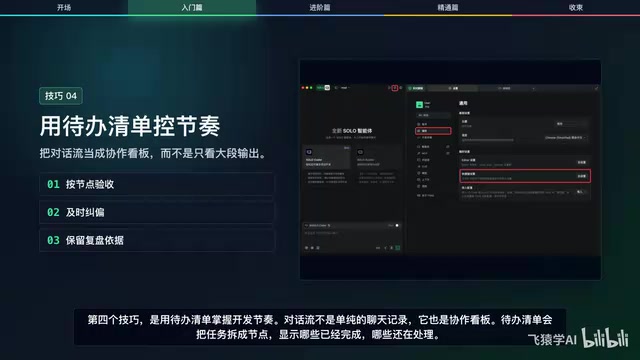
12 Practical Tips for Vibe Coding with Trae SOLO: From Getting Started to Efficient Collaboration
12 practical tips for vibe coding with Trae SOLO covering agent selection, Plan mode, context management, custom rules, and more to build an efficient AI programming workflow.
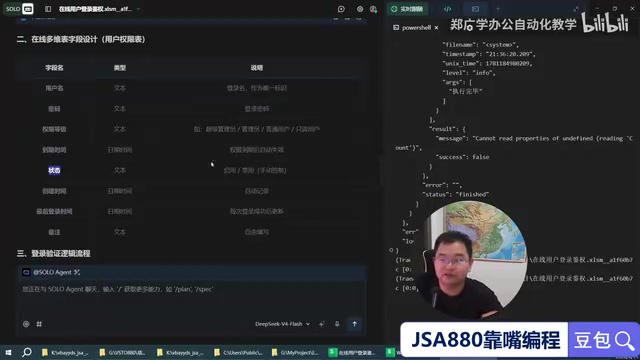
Trae + WPS: Building a Zero-Code JSA Login Authorization System — A Practical Tutorial
Learn how to use Trae AI programming tool with WPS Bitable to build a JSA login authorization system with zero handwritten code, covering online tables, Web API auth scripts, and remote user management.

Superpowers: Installing Work Standards for Your AI Coding Assistant
How the Superpowers methodology constrains AI coding assistants through requirement clarification, task decomposition, TDD, and verification loops — with setup tips for Trae.