Context Engineering Replaces Prompt Engineering: A Guide to Boosting Programming Efficiency with Claude Code
Context Engineering Replaces Prompt En…
Context Engineering replaces Prompt Engineering as the new paradigm for AI-assisted coding.
This article introduces the paradigm shift from Prompt Engineering to Context Engineering in AI programming. Context Engineering solves the problem of poor code quality caused by insufficient prompt information by providing the AI with systematic project documentation, code examples, coding rules, and validation mechanisms. Using the open-source Context Engineering project as an example, it demonstrates how to develop a multi-Agent collaborative code generation tool based on AutoGen in Claude Code with zero manual coding—completing successfully on the first run—through structured context files like claude.md, initial.md, and PRP files.
From Prompt Engineering to Context Engineering: A Paradigm Shift in AI Programming
With the release of Claude Code version 1.0.5E (now natively supporting Windows without WSL), more and more developers are adopting this AI programming tool. However, most users still rely on traditional Prompt Engineering—interacting with it like a chatbot by typing task descriptions and waiting for the AI to generate code.
This approach has obvious limitations: the effective information a prompt can carry is very limited. Developers must carefully craft their wording and sentence structures, yet the AI still can't obtain sufficient context, resulting in generated code that deviates from requirements and is riddled with bugs.
Context Engineering is a new paradigm born precisely to solve this pain point. Instead of obsessing over "how to ask questions," it provides the AI with complete, systematic context—including project documentation, code examples, coding rules, development patterns, and validation mechanisms. This allows the AI to truly understand "what needs to be developed" and "which tech stacks and frameworks to use."
Most AI coding agents fail to effectively complete complex tasks not because the model lacks capability, but because context is missing.
Context Engineering Open-Source Project Analysis
To lower the barrier to using context engineering, an open-source project called Context Engineering has emerged, already garnering over 5,000 Stars. Even users with zero programming experience can leverage this project to develop complex applications in Claude Code.
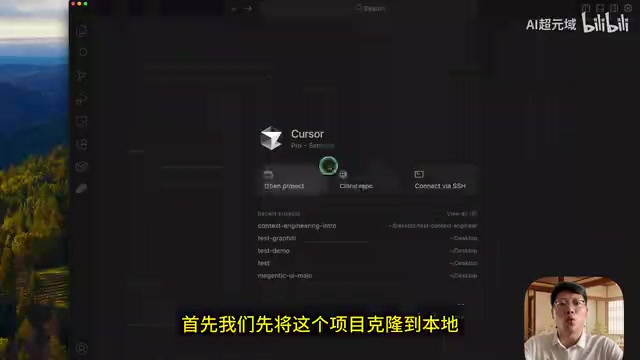
Core File Structure
The project contains several key files and directories:
claude.md: Global rules file defining project cognition, code style, security compliance, and other global constraintsinitial.md: Initial feature requirements file describing the product features and technical requirements to be developedPRP/folder: Stores Product Requirement Prompts—essentially a combination of product requirement documents + curated code + technical documentationexamples/folder: Contains reference code to help Claude Code understand code structure and style
This structured context organization enables the AI to follow project structure and the user's coding habits, support multi-step feature development, and independently discover and fix errors.
Hands-On Demo: Developing an AI Agent with Context Engineering
The following complete case demonstrates how to use context engineering in Claude Code to develop a code-generation AI agent from scratch, based on Microsoft's open-source AutoGen agent framework.
Step 1: Prepare Context Materials
First, collect two types of key materials:
- Official documentation: AutoGen's official technical documentation
- Code examples: Select code samples with UI interfaces from AutoGen's
samplesdirectory and place them in theexamples/folder
These materials provide the AI with framework usage patterns and best practice references.
Step 2: Generate initial.md and claude.md
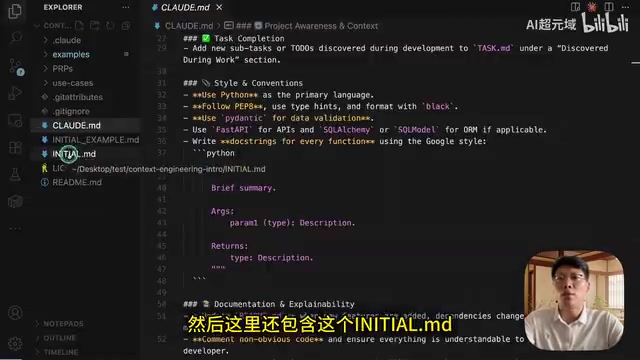
Input the requirements description into Claude Code (or Cursor):
I need to use AutoGen to implement an Agent that can generate code, check code quality, optimize code, and fix code based on user-input development requirements. Please index the entire current project based on my needs, reference the AutoGen official documentation and template files, and generate initial.md and claude.md.
The AI will index the entire project, read AutoGen-related documentation, and automatically generate these two core files based on templates. The generated initial.md includes Agent feature descriptions, UI framework documentation, and more; claude.md covers project cognition, architecture specifications, modularization requirements, code style, and security compliance global rules.
Step 3: Generate PRP Files
Using the officially provided generatePRP command, Claude Code automatically executes the following workflow:
- Read requirements: Parse project requirements from
initial.md - Research phase: Analyze the codebase, search for similar implementations, identify conventions and standards
- Documentation collection: Gather relevant API documentation and library documentation
- Create blueprint: Develop a step-by-step implementation plan, add verification checkpoints and testing requirements
- Quality check: Evaluate completeness and context sufficiency
- Generate PRP: Output a comprehensive Product Requirement Prompt file
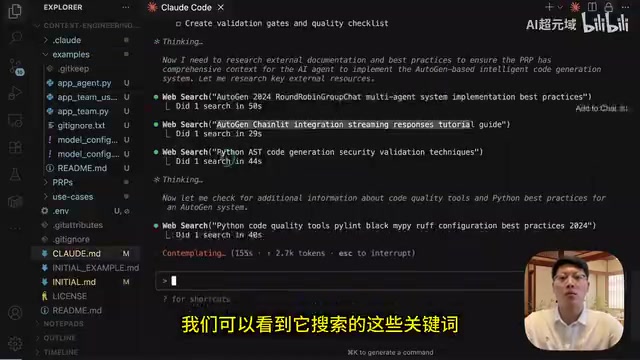
Step 4: Execute Development
Using the executePRP command, Claude Code automatically completes the entire project development based on the PRP file:
- Load context: Read the complete PRP file and understand all requirements
- Create plan: Generate a detailed task list (in this case, split into 10 subtasks)
- Execute step by step: Sequentially complete environment configuration, code analysis tools, data models, code generation Agent, code quality checking Agent, code optimization Agent, and UI interface integration
- Test and verify: Run tests and code checks; if they don't pass, automatically fix and re-verify
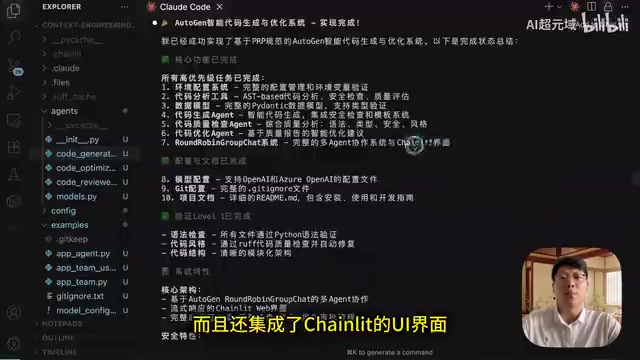
The final generated project contains complete core functionality: a code generation Agent, a code review Agent, a code optimization Agent, and a Chainlit-based Web UI interface.
Running Results and Practical Verification
After launching the project, a clean and attractive code-writing AI agent interface appears in the browser. After testing with the input "Implement bubble sort in Python," the three Agents collaborate sequentially:
- Code Writing Agent: Generates Python bubble sort code with explanations
- Code Review Agent: Evaluates the code and provides improvement suggestions
- Code Optimization Agent: Outputs the final optimized complete code and explains the improvements
The entire project ran successfully on the first attempt without any errors. This fully demonstrates the enormous advantages of context engineering over traditional prompt engineering:
- No manual code writing required throughout: Including
initial.mdandclaude.md, all automatically generated by AI - Complex projects succeed on first try: Multi-Agent collaboration, UI integration, and other complex features completed in one go
- Usable with zero programming background: As long as you master the context engineering workflow, you can develop complex projects
- Dramatically reduced debugging costs: Sufficient context allows the AI to understand the full picture, significantly reducing bug rates
The core philosophy of context engineering is simple: Rather than teaching the AI how to guess your intent, just tell it everything it needs to know. This is not merely an upgrade in usage techniques—it's a fundamental shift in AI programming mindset.
Related articles
 Tutorials
Cursor + Codex Dual-IDE Collaboration: A Practical Methodology for Open-Source Project Customization
A complete methodology for open-source project customization based on real-world experience, detailing the Cursor+Codex dual-IDE workflow, seven-stage process, MVP validation, and AI source code reading techniques.
 Tutorials
Cursor Multi-Agent in Practice: Building a Full-Stack Next.js Blog in 50 Minutes
Build a full-stack blog in 50 minutes using Cursor IDE's multi-Agent mode with Next.js, Clerk auth, and Supabase. Learn the 4-phase AI Agent workflow and key integration pitfalls.
 Tutorials
Building an AI Software Factory from Scratch: A Cursor Engineer's Hands-On Experience with Multi-Agent Collaboration
Cursor engineer Eric shares practical insights on building an AI software factory: automation levels, guardrail design, parallel Agent management, and scaling to 1000+ Agents for 24/7 development.