Cursor 3 Quick Start Guide: Master Core AI Programming Skills from Scratch
Cursor 3 Quick Start Guide: Master Cor…
A comprehensive beginner's guide to Cursor 3's AI work modes, model system, and context mechanisms.
This guide introduces Cursor 3's core features including multiple AI work modes (Plan, Debug, Multitask, Image), flexible model selection with Auto routing, and the critical role of context and Token mechanisms. Designed for developers new to AI programming, it emphasizes practical thinking and universal patterns over complex project demos, helping users quickly build efficient AI-assisted development workflows.
Why Learn Cursor 3 Now?
AI programming has evolved from a "novelty toy" into a must-have skill for developers. Bilibili creator Liwei mentioned in his latest course that through conversations with many developer friends, he found that quite a few are still stuck with traditional programming methods, with limited awareness and usage of AI programming tools.
In reality, AI-assisted programming has become quite mature. Looking back at the evolution of AI programming tools—from early code auto-completion (like IntelliSense), to statistical model-based code suggestions (like early versions of TabNine), to the launch of GitHub Copilot in 2021 marking the official entry of Large Language Models (LLMs) into the programming domain. Cursor represents an even further evolution—it's not merely an IDE plugin, but an entirely new product with AI capabilities deeply integrated into the editor architecture.
As one of the most talked-about AI code editors today, Cursor released its brand-new Cursor 3 version in April 2025, bringing multiple feature upgrades. It's worth noting that Cursor is built on VS Code's open-source codebase (Electron + Monaco Editor architecture), which means it's naturally compatible with VS Code's plugin ecosystem and keyboard shortcuts. However, unlike simple VS Code plugins, Cursor has deeply reworked the editor's underlying interactions, including inline editing, multi-file collaborative modifications, and conversational programming interfaces—all of which are deep integrations that would be difficult to achieve at the plugin level. That said, systematic tutorials for Cursor 3 are still relatively scarce, which is the backdrop for this quick start course.
Course Positioning: Zero-to-Hero with Cursor
Who Is This For?
This Cursor 3 introductory course is primarily designed for two groups:
- Complete beginners to Cursor: Those who have never used Cursor and need to learn this AI programming tool from scratch
- Complete beginners to AI programming: Those with programming experience but no exposure to AI-assisted programming workflows
The core objective is clear—getting started quickly. It focuses on commonly used features in Cursor without attempting to cover everything exhaustively. This "focus on what matters" strategy makes sense for an introductory course, since different developers work in vastly different scenarios, and deeper learning requires alignment with specific individual needs.
Course Content Overview
Based on the syllabus, the content covers Cursor 3's core knowledge system:
- Introduction to Cursor: Understanding the basic positioning and capability boundaries of this AI editor
- AI Work Modes Explained: Including Plan, Debug, Multitask, Ask, Image, Scale, and other modes
- Model System Analysis: Covering Auto model, Max Mode, Composer, and 2.5 Fast among other model options
- Context and Token Mechanisms: Understanding the core principles behind AI programming
- Practical Project Application Strategies: Common patterns in development from a hands-on perspective
Notable Feature Highlights of Cursor 3
Multiple AI Work Modes to Boost Development Efficiency
Cursor 3 introduces multiple AI work modes, representing a significant upgrade from earlier versions. Plan mode allows AI to plan before executing, embodying the concepts of "Chain of Thought" and Agent architecture from the AI field—traditional AI code generation is single-pass inference, taking one instruction and directly outputting code, while Plan mode has AI first decompose complex tasks into multiple steps, generate an execution plan, and then execute step by step after user confirmation. This approach significantly reduces error rates for complex tasks because each step can be reviewed and corrected, aligning perfectly with the software engineering best practice of "design before code."
Debug mode focuses on code problem diagnosis, Multitask mode supports parallel multi-task processing, and Image mode means Cursor now has image understanding capabilities—particularly useful in frontend development for generating code directly from design mockups.
Flexible Model Selection Strategy
The Auto model, Max Mode, and 2.5 Fast options mentioned in the course reflect Cursor 3's flexibility in model scheduling. The Auto model is an intelligent routing mechanism (Model Router) implemented by Cursor that automatically selects the most appropriate underlying model based on factors like request complexity, code context length, and task type. Simple code completions might be routed to faster, smaller models (like GPT-4o-mini or Claude 3.5 Haiku), while complex multi-file refactoring calls upon more powerful models (like Claude 3.5 Sonnet or GPT-4o). This strategy optimizes response speed and cost while maintaining quality, similar to intelligent scheduling logic in CDNs.
Different task scenarios require different model configurations: lightweight models suffice for simple code completion, while complex architectural design needs more powerful model support. Understanding the differences and applicable scenarios of these models is key to using Cursor efficiently.
Context and Token Mechanisms Determine AI Output Quality
Context and Token mechanisms are the most easily overlooked yet most impactful aspects of AI programming. To understand this, you first need to grasp the concept of Tokens: Tokens are the basic units through which large language models process text. For English, one Token corresponds to approximately 4 characters or 0.75 words; for Chinese, one character is typically encoded as 1-2 Tokens.
Every AI model has a Context Window limit—for example, GPT-4 Turbo supports 128K Tokens, and Claude 3.5 supports 200K Tokens. In Cursor, your open files, selected code, and conversation history all consume Token quota. When context exceeds the window limit, earlier information gets truncated—this is why precise context control is so important.
AI model output quality is highly dependent on the context information you provide—give the right context, and AI becomes a capable assistant; give the wrong context, and AI becomes "confidently wrong." This aspect is crucial for truly mastering Cursor.
Teaching Philosophy: Practical Thinking Over Complex Projects
The course author specifically emphasizes a pragmatic teaching philosophy: the course provides simple, clear examples to demonstrate basic usage rather than piling on complex real-world projects. The reason is straightforward—real projects are always complex and varied. Rather than showcasing a project that might be completely irrelevant to your work, it's better to distill common patterns and universal approaches from actual development.
This methodology-level teaching often has more transferable value than specific project demonstrations. Once developers grasp the usage strategies for Cursor across different scenarios, they can flexibly apply them based on their own project characteristics.
What Will You Gain from Completing the Cursor 3 Introductory Course?
According to the course plan, upon completion you should achieve the following goals:
- Understand the fundamental principles of AI programming: Know how AI programming tools work, not just which buttons to press
- Master Cursor's core usage: Be able to proficiently use Cursor's main features in daily development
- Significantly improve programming efficiency: Enhance the speed of code writing, debugging, and refactoring through AI assistance
Regarding efficiency improvements, according to GitHub's 2024 Developer Survey, developers using AI programming tools reported an average productivity increase of 55%, with code writing speed showing the most significant improvement. McKinsey's research indicates that AI assistance can boost efficiency by over 70% for repetitive tasks like code documentation, unit test generation, and boilerplate code writing, while its effectiveness in complex algorithm design and system architecture decisions is relatively limited. This means the greatest value of AI programming tools lies in eliminating time spent on "mechanical coding," allowing developers to invest more energy in creative design and decision-making.
For developers still on the fence about AI programming tools, now is indeed a good time to jump in. Cursor 3's features are mature enough, and the learning curve continues to decrease. Rather than waiting until everyone else is using it, start building your AI programming habits now.
Key Takeaways
Related articles
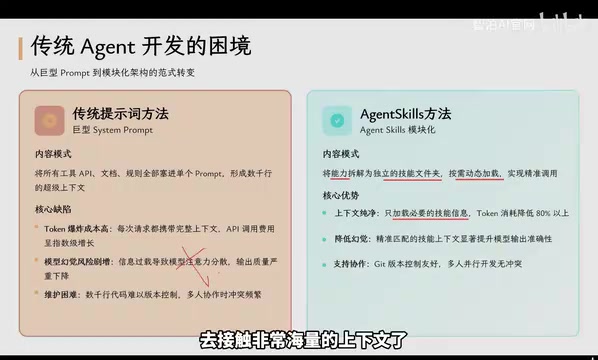
Agent Skills: Folders as Skills — Making AI Produce Precise, Template-Based Output
Agent Skills splits AI capabilities into independent skill folders with on-demand loading and progressive disclosure, cutting token costs by 80% and reducing hallucinations for template-based output.

Five Common Claude Code Mistakes — How Many Are You Making?
Five common Claude Code mistakes developers make: copy-pasting code, skipping CLAUDE.md, inefficient prompting, ignoring docs, and poor context management — with fixes.

Andrew Ng's New Course Explained: A Practical Guide to Using OpenAI's O1 Reasoning Model
Deep dive into Andrew Ng and OpenAI's Reasoning with O1 course covering test-time scaling, new prompting paradigms, multi-model orchestration, and practical applications for developers.