Cursor AI Beginner Tutorial: Rules Configuration & Agent Mode Practical Guide

A complete guide to Cursor AI editor installation, rules configuration, and efficient usage.
This article provides a comprehensive introduction to Cursor AI, the VS Code-based AI programming tool, covering installation, rules file setup (project-level and global-level), an Agent mode hands-on demo (generating a React to-do app), and four core usage tips: polishing rules files, writing specific prompts, ensuring correct configuration placement, and maintaining code review habits. The article emphasizes how Cursor redefines development through conversational programming while developers retain ultimate responsibility for code quality.
What is Cursor AI?
Cursor AI is more than just a code editor — it's like having a senior developer sitting beside you, ready to provide precise code suggestions at any moment. Built on top of VS Code, it comes with AI capabilities that truly understand your project context, including Agent mode for large-scale code modifications, inline editing for quick fixes, and intelligent chat that's familiar with your entire codebase.
Why VS Code as the foundation? VS Code is Microsoft's open-source code editor that has become one of the world's most popular development tools thanks to its Language Server Protocol (LSP) architecture and rich extension ecosystem. The Cursor team forked the VS Code source code, deeply integrating Large Language Model (LLM) capabilities while preserving plugin compatibility. This means developers can enjoy AI-powered assistance without migrating their workflow. All the VS Code plugins, keyboard shortcuts, and workflows you're familiar with carry over seamlessly to Cursor.
For beginners, Cursor's core value lies in this: you no longer need to write code line by line. Instead, you describe your requirements in natural language and let AI generate, modify, and optimize code for you. This "conversational programming" experience is redefining how developers work.
The Paradigm Shift of Conversational Programming: Traditional development paradigms require developers to manually translate business requirements into precise code logic — a process heavily dependent on syntax memorization and API documentation lookup. Conversational Programming delegates this translation to AI, shifting the developer's core work to requirement expression, result verification, and architectural decisions. A 2024 Stanford study showed that developers using AI programming assistants improved efficiency by an average of 55% on standard tasks, though human professional judgment remains essential for system design and security reviews.
Cursor AI Installation & Basic Configuration
Download and Install
Head to cursor.com to download — it's completely free and supports Windows, Mac, and Linux. After installation, log in with your account and choose a theme you like to get started. The dark modern theme is recommended for its clean interface and eye-friendly design.
Creating a Cursor Rules File (Project-Level Configuration)
This is the main event for boosting your Cursor efficiency — creating a Cursor rules file to personalize the AI. This file sits in your project root directory and tells Cursor how to understand your coding style and project requirements.
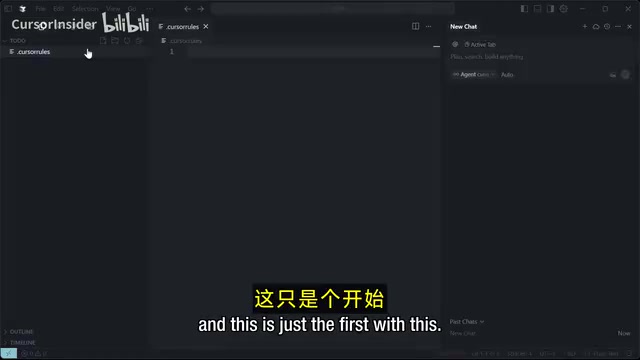
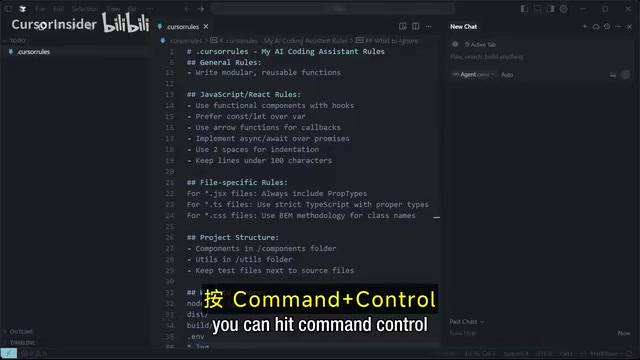
The core content of a rules file includes:
- Role definition: Tell the AI "You are a senior full-stack developer with over ten years of experience"
- Code style: Use descriptive variable names, add comments for complex logic, follow the DRY principle
- Error handling: Include comprehensive error handling mechanisms
- Modularity: Write reusable function modules
- Project structure: Components go in the components folder, utility functions go in the utils folder
What is the DRY Principle? DRY (Don't Repeat Yourself) is a fundamental principle in software engineering, introduced by Andy Hunt and Dave Thomas in The Pragmatic Programmer. Its core idea is: every piece of knowledge in a system should have a single, unambiguous, authoritative representation. Violating DRY leads to code redundancy, increased maintenance costs, and the need to synchronize changes across multiple locations. In AI programming scenarios, writing standards like DRY into rules files guides the model to generate more maintainable code, preventing AI from repeatedly generating functionally similar code blocks in different places.
Note that if you only configure rules files in the project root directory, you'll need to reconfigure for each new project. This leads us to a more efficient global configuration approach.
Global Rules Configuration: Set Once, Apply to All Projects
Opening the Settings Panel
Use the shortcut Command + , (Mac) or Ctrl + , (Windows) to open settings, then navigate to the "Rules & Memory" option.
Difference Between User Rules and Project Rules
You can add two types of rules in settings:
- User Rules: Apply globally across all projects
- Project Rules: Apply only to the current project
User rules configuration examples:
- Framework choices: Use PyPy for Python, choose TypeScript with type interfaces for another language
- CSS preferences: Flat notation or floating styles
- API standards: Validate inputs and handle edge cases
- Ignore rules: Specify which files or directories don't need AI processing
Core Methodology of Prompt Engineering: Rules files are essentially a form of System Prompt. Prompt engineering refers to the technique of carefully designing input text to guide large language models toward high-quality outputs. Effective prompts typically include: clear role definitions (e.g., "You are a senior React developer"), specific task descriptions, constraints (tech stack, code style), and expected output formats. Research shows that structured prompts can improve AI output quality by over 40% compared to vague descriptions — this is the theoretical basis for Cursor rules file design. Investing time in polishing your rules file is essentially investing in prompt engineering.
After configuration, click "Done" and the rules take effect immediately. The benefit of global configuration is that no matter which project you open, Cursor will work according to your coding habits and preferences.
Hands-On Demo: Generating a React To-Do App with Agent Mode
One-Click Complete Project Generation
After configuring your rules, create a new empty project, type your requirement description in the prompt box on the right side, and hit send. Cursor's Agent mode will automatically start working: creating files, installing dependencies, and writing code.
Technical Principles of Agent Mode: Agent mode is essentially an "autonomous task execution" architecture, distinct from simple code completion. It enables the AI model to decompose complex tasks, invoke tools (such as file read/write, terminal command execution, web search), and dynamically adjust next steps based on execution results. This ReAct (Reasoning + Acting) paradigm — reason first, then act, then observe results — allows AI to iteratively solve problems like a real developer, rather than just generating code snippets in one shot. This is why Agent mode can handle complex tasks like "create a complete React application" that require multi-step coordination.
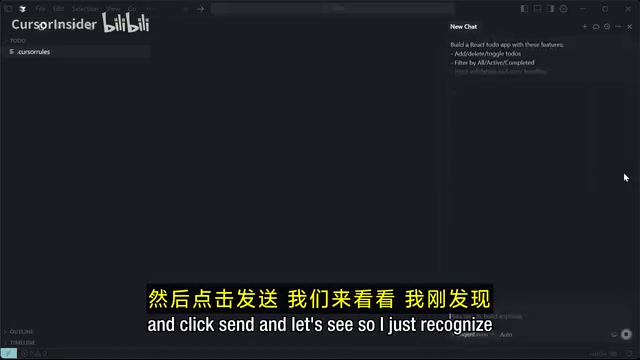
Throughout the process, you barely need to do anything manually — "you can go grab a coffee and come back." However, there's an important safety reminder:
⚠️ Exercise caution when using Agent mode. Security firms have discovered that giving Cursor AI completely free rein may result in deletion of files you didn't intend to remove. It's recommended to configure permission controls during initial setup and maintain confirmation for critical operations.
Why does Agent mode pose security risks? Agent mode grants AI the ability to execute system operations, which introduces non-negligible security concerns. In 2024, multiple security research organizations found that autonomous AI Agents may accidentally delete critical files due to context misunderstanding during file operations, or introduce vulnerable third-party packages during dependency installation. Best practices include: using Agent mode under version control system (e.g., Git) protection — ensure all files are committed before executing large-scale AI operations, setting up sandbox environments for AI operations, and enforcing manual confirmation for operations involving file deletion and system configuration.
Iterative Code Optimization
Once Cursor generates the initial code, you can continue proposing specific improvement requests, such as:
- "Add smooth animations to the to-do items"
- "Optimize mobile responsiveness"
- "Add persistent storage"
- "Enhance error handling"
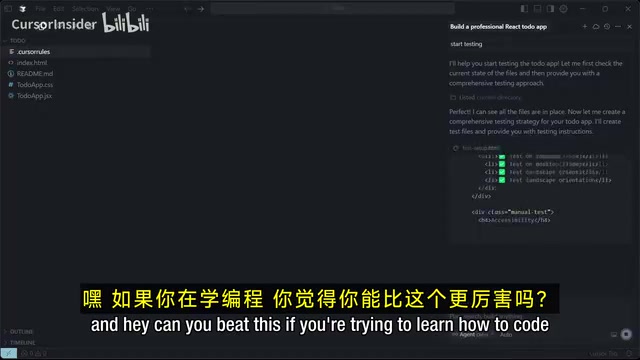
When finished, Cursor displays a summary listing all created and modified files. You can select all, save, and then continue configuring and testing the application.
Four Core Tips for Using Cursor Efficiently
1. Rules Files Are the Foundation of AI Output Quality
A good rules file determines the quality of AI output. Invest time in polishing your rules configuration — clearly define your coding style, project structure, and tech stack preferences. This is a one-time investment with long-term returns. The more specific your rules file, the closer the AI-generated code will match your actual needs, reducing the cost of repeated revisions.
2. Be Specific and Explicit in Your Prompts
Be more explicit about your requirements in prompts and directly reference the rules you've set. Vague descriptions lead to AI generating code that doesn't meet expectations, while precise prompts significantly improve output quality. For example, instead of saying "make a login page," say "Create a login form component using TypeScript and Tailwind CSS, including email validation and password strength detection, following our project's error handling conventions."
3. Ensure Correct Rules File Placement
Project-level Cursor rules files must be placed in the project root directory and configured before running prompts. This is a detail many beginners easily overlook. If the rules file is in the wrong location, the AI won't be able to read the project-level configuration and will fall back to default behavior, resulting in generated code that's inconsistent with the project's style.
4. Maintain Code Review Habits
AI-generated code is not flawless. Even though Cursor can dramatically improve efficiency, developers still need to review generated code to ensure logical correctness and security. Pay particular attention to: whether edge case handling is complete, whether there are potential SQL injection or XSS vulnerabilities, whether generated dependency package versions are secure, and whether business logic fully aligns with requirements. AI is a powerful assistant, but the ultimate responsibility for code always rests with the developer.
Conclusion
Cursor AI represents a paradigm shift in programming tools. Generating a complete React application with just a few prompts was almost unimaginable in the past.
AI tools unleash developer creativity, allowing us to focus more energy on architectural design, product thinking, and user experience rather than getting bogged down in syntax details and boilerplate code.
For beginners, Cursor lowers the barrier to entry for programming; for experienced developers, it's a powerful efficiency multiplier. The key is learning how to collaborate with AI — set up proper rules, write good prompts, and maintain code review habits to truly unlock Cursor's coding acceleration potential.
Key Takeaways
- Cursor AI is built on VS Code with built-in Agent mode (ReAct autonomous task execution architecture), inline editing, and codebase-aware chat functionality, enabling a conversational programming experience
- By creating Cursor rules files (project-level and global-level), you can customize AI coding style, tech stack preferences, and project structure standards — essentially system-level prompt engineering that pays long-term dividends from a one-time configuration
- Agent mode can automatically generate complete project code from natural language descriptions, but should be used under Git version control protection with attention to permission controls to prevent accidental file deletion
- The keys to improving AI coding efficiency are: carefully polishing rules files (following coding principles like DRY), writing specific and explicit prompts, and maintaining code review habits
- AI programming tools lower the barrier to entry, but developers still need architectural design and code review capabilities to truly achieve efficiency multiplication
Related articles
 Tutorials
Cursor + Codex Dual-IDE Collaboration: A Practical Methodology for Open-Source Project Customization
A complete methodology for open-source project customization based on real-world experience, detailing the Cursor+Codex dual-IDE workflow, seven-stage process, MVP validation, and AI source code reading techniques.
 Tutorials
Cursor Multi-Agent in Practice: Building a Full-Stack Next.js Blog in 50 Minutes
Build a full-stack blog in 50 minutes using Cursor IDE's multi-Agent mode with Next.js, Clerk auth, and Supabase. Learn the 4-phase AI Agent workflow and key integration pitfalls.
 Tutorials
Building an AI Software Factory from Scratch: A Cursor Engineer's Hands-On Experience with Multi-Agent Collaboration
Cursor engineer Eric shares practical insights on building an AI software factory: automation levels, guardrail design, parallel Agent management, and scaling to 1000+ Agents for 24/7 development.