DeepSeek API Setup Tutorial: Key Configuration & Cost Analysis Practical Guide
A practical guide to DeepSeek API setup, key configuration, and ultra-low-cost usage analysis.
This guide walks through the complete DeepSeek API setup process — from registration and API key creation to configuration in Zhiliao AI Assistant. Real-world data shows 38 million tokens cost only ¥1.9 thanks to a ~98% cache hit rate powered by prefix caching. With the Flash model and smart caching, developers get a highly cost-effective AI coding assistant.
Introduction
For users looking to integrate AI capabilities into their development tools, the DeepSeek API has become a popular choice thanks to its exceptional cost-effectiveness. Based on a tutorial by the Bilibili creator "Zhiliao AI Assistant," this article provides a detailed walkthrough of the DeepSeek API application process, key configuration methods, and real-world cost analysis to help you get started quickly.
Complete DeepSeek API Key Application Process
Step 1: Open Zhiliao AI Assistant Settings
First, open Zhiliao AI Assistant and find the floating button on the right side of the interface. Click it to enter the "Settings" page. In the settings, you can select an AI model. The tutorial recommends using the default Flash model — it's not only fast in response time but also inexpensive, making it more than sufficient for most use cases.
In the product ecosystem of large language models, providers typically offer models of different specifications to meet various scenario requirements. The Flash model is a lightweight/fast model — a version specifically optimized for response speed and call cost. It maintains high output quality while significantly reducing inference latency and per-call fees. In comparison, flagship models with larger parameter counts perform better on complex reasoning tasks but have longer response times and higher costs. For everyday development tasks like code completion and component generation, the Flash model is more than capable and represents the best value for money.
Step 2: Register on the DeepSeek Website and Create an API Key
In the settings page, click the hyperlink to navigate to the DeepSeek website. If you don't have an account yet, you'll need to register first — the process is very straightforward and only requires a phone number.
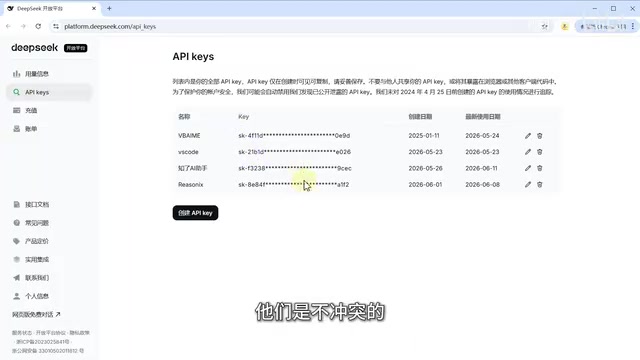
After registering and logging in, find the "API Keys" option in the left sidebar menu and click to enter the API key management page. Here you can create multiple API keys, and they won't conflict with each other.
It's worth explaining the concept of an API key here. An API Key is an authentication mechanism — essentially a unique string generated by the service provider to identify and verify the caller's identity. When a development tool or application sends a request to DeepSeek's servers, it needs to include this key in the request. The server uses it to determine whether the request is legitimate and which account to charge. API key security is critical — if leaked, others can use your key to make API calls and incur charges on your account. Therefore, keys should never be hardcoded in public code or transmitted through insecure channels.
Important Note: The full API key is only visible at the moment of creation, and that's your only chance to copy it. Once you leave the page, the middle portion of the key will be masked and cannot be viewed or copied again. So make sure to copy and save it immediately after creation.
Click "Create API Key," enter a name (the name can be anything — it's just for your own reference), then click create. At this point, the full key is visible. Click the copy button to save it to your clipboard.
Step 3: Configure the API Key in the AI Assistant
Return to the Zhiliao AI Assistant settings page, paste the API key you just copied into the corresponding input field, and click save to complete the configuration.
Step 4: Top Up Your DeepSeek Account Balance
Go back to the DeepSeek website and navigate to the "Usage Information" page to add funds.
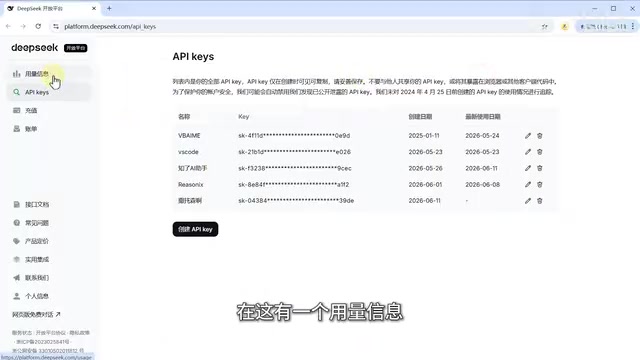
If you're just testing things out, we recommend using the custom top-up option and adding just 1 yuan — that's more than enough. Don't worry about costs; we'll break down the actual consumption in detail below.
DeepSeek API Real-World Cost Analysis: Value Beyond Expectations
Many users worry about high token consumption and steep costs, but actual data shows these concerns are entirely unfounded.
Before diving into the cost analysis, let's understand the concept of tokens. A token is the basic unit that large language models use to process text — it doesn't simply equate to one character or one word. For Chinese text, a single character is typically split into 1–2 tokens; for English, a common word corresponds to roughly 1 token, while longer or rarer words may be split into multiple tokens. API billing is usually calculated based on the total number of input tokens (content you send to the model) and output tokens (content the model returns). Understanding tokens helps estimate usage costs — for example, a 1,000-character Chinese article contains approximately 1,500–2,000 tokens.
The Developer's Own Consumption Data
The tutorial author shared their own monthly usage data: 78 million tokens consumed at a total cost of just 8 yuan. Since the author was primarily running tests, the cache hit rate wasn't particularly high, meaning this figure actually represents a higher-than-typical scenario.
Real User Usage Data
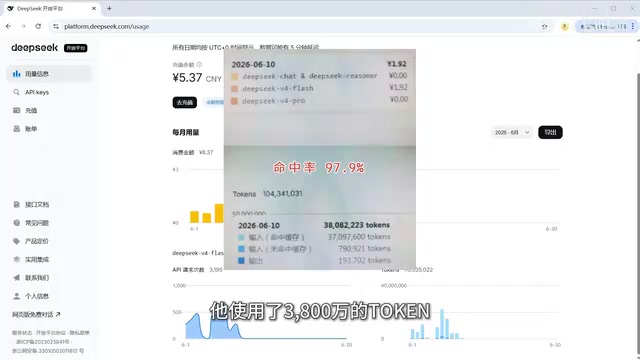
Even more telling is data from an actual user: 38 million tokens used at a cost of only 1.9 yuan, with an astonishing cache hit rate of nearly 98%. This demonstrates that in everyday usage scenarios, Zhiliao AI Assistant has been heavily optimized for cache hit rates, with the vast majority of requests hitting the cache.
Why Is the DeepSeek API So Cheap?
The key lies in DeepSeek's pricing strategy. According to their product pricing, the cache hit price is only 0.02 yuan per million tokens. Combined with Zhiliao AI Assistant's nearly 98% cache hit rate, the actual cost per use is compressed to an extremely low level.
So why can the cache hit rate be so high? The answer lies in Prefix Caching technology. When a user's request shares a large amount of overlapping input content with a previous request, the server can directly reuse the previously computed intermediate results instead of re-running inference from scratch. If the prefix portion of a new request matches a cached record, those tokens are billed at the cache price — far lower than the standard input price. In the AI coding assistant scenario, the system prompt and context code often remain unchanged across multiple conversations, naturally creating a large volume of cacheable prefix content. Zhiliao AI Assistant leverages this characteristic by optimizing request structure to maximize cache hit rates, thereby driving actual user costs down to minimal levels.
Live Demo: Generate a Complete Component for Less Than a Dime
To give a more intuitive sense of the cost-to-value ratio, the tutorial showcased a practical example.
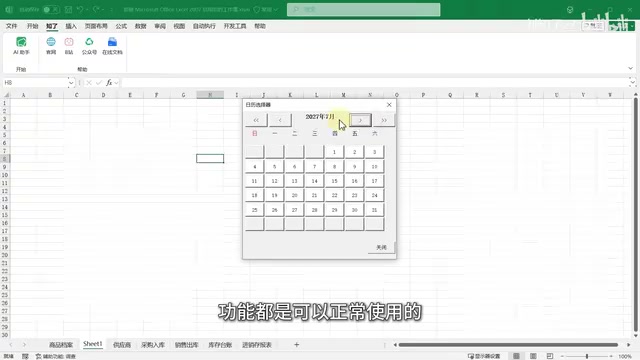
Using Zhiliao AI Assistant, a complete calendar picker component was generated in a single conversation, and it was fully functional. The cost of generating this calendar component? Less than 0.1 yuan (about 1 cent USD).
While the generated result might need some visual polish, from a functional implementation standpoint, getting a usable UI component for less than a dime is clearly excellent value. As the tutorial author put it: "The value it creates and the time it saves far exceed the cost consumed."
DeepSeek API Configuration Summary
The entire configuration process can be summarized in four steps:
- Open AI Assistant Settings → Select the Flash model
- Go to the DeepSeek Website → Register an account → Create an API key → Copy it immediately
- Return to the AI Assistant → Paste the key → Save
- Go back to the website to top up → Custom top-up of 1 yuan is enough to get started
After completing these steps, you can start using Zhiliao AI Assistant for AI-powered development right away. For individual developers and small teams, the DeepSeek API combined with Zhiliao AI Assistant's high cache hit rate optimization offers an incredibly cost-effective AI coding assistant solution.
Key Takeaways
Related articles
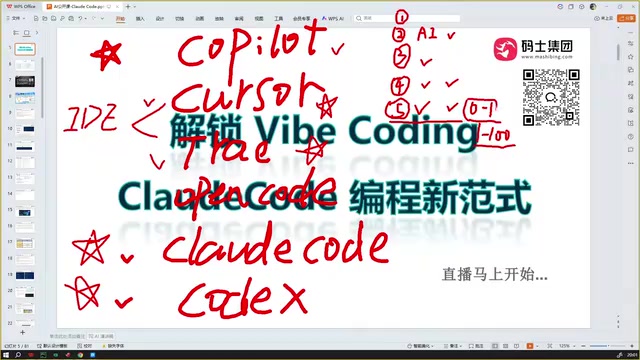
Claude Code Installation Guide & The Five Stages of AI Programming Tools Explained
Complete Claude Code installation guide with the five stages of AI programming tools, from manual coding to agents. Learn 0-to-1 project building and 1-to-100 iteration challenges.

Enterprise-Level AI Project Rules Files: 5 Hard Rules + 6 Writing Techniques
AI keeps messing up your code? Learn 5 hard rules and 6 writing techniques for enterprise-level Rules files in Claude Code, Cursor & more, with templates.
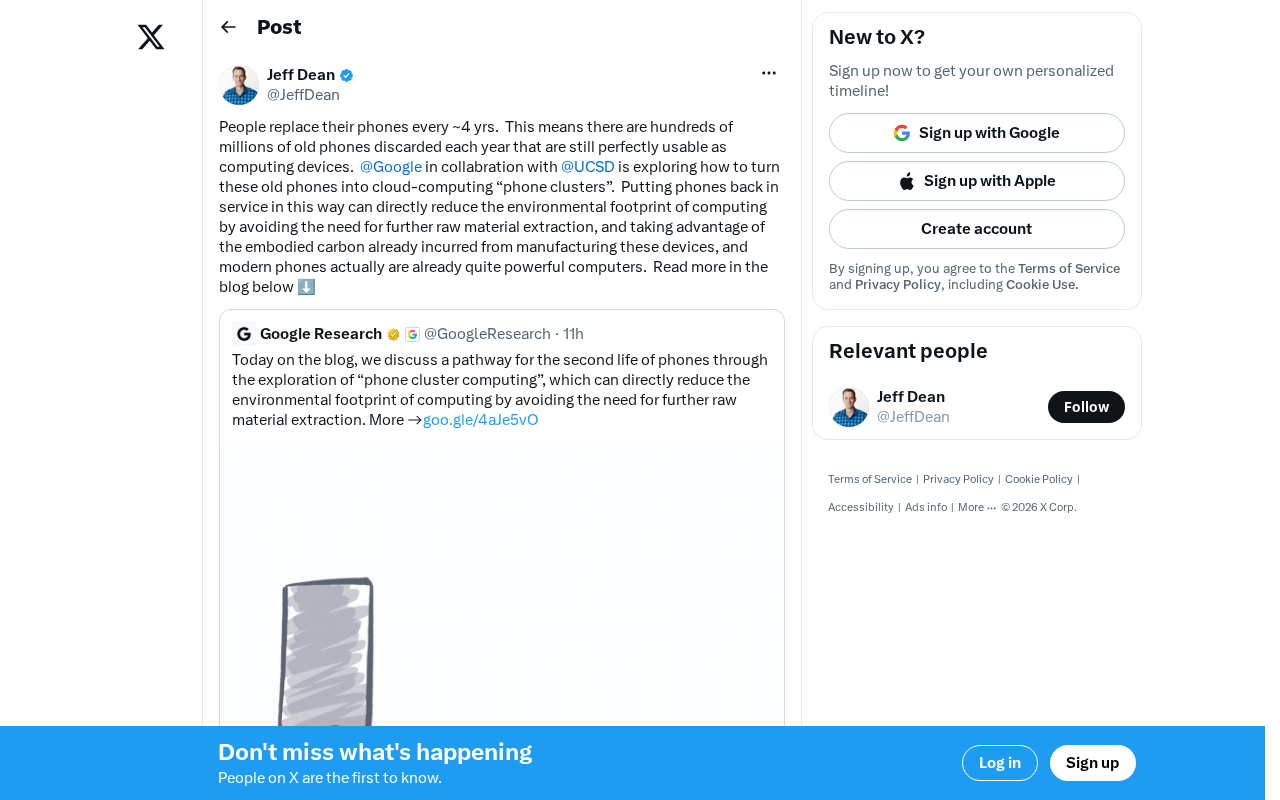
Building Cloud Computing Clusters from Old Phones: Google and UCSD Explore a New Path to Sustainable Computing
Google and UCSD explore building cloud clusters from old phones, leveraging ARM chip efficiency to cut e-waste and data center carbon footprints.