DeepSeek + Claude Code: A Deep Dive into How AI Automatically Builds Simulink Models

Explaining the principles behind AI-automated Simulink model building with DeepSeek and Claude Code.
This article breaks down the five-tool pipeline — DeepSeek, Claude Code, SiliconFlow, Simulink Agentic Toolkit, and Git — that enables AI to automatically build Simulink simulation models. It explains each tool's role, from natural language understanding to model orchestration, code generation, Simulink execution, and version control, while discussing current limitations and future potential.
Recently, using AI large language models to automatically generate Simulink simulation models has become a hot topic in the engineering world. Many bloggers have already demonstrated the setup process, but a lot of viewers are still confused afterward — why do you need to install all these tools? What's the relationship between them? This article will help you thoroughly understand the logic behind this toolchain from a principles-based perspective.
Real-World Results of AI-Automated Simulink Model Building
According to hands-on tests by Bilibili content creators, both the Claude Code and DeepSeek approaches were used to let AI autonomously build Simulink models. The simulation results from both approaches ran without errors, but both had issues and couldn't run completely normally.
This shows that the technology for AI-automated Simulink model building is still in its early stages, with significant room for improvement ahead. However, understanding the underlying principles is crucial for keeping up with technological evolution and flexibly adapting to changing requirements. Without understanding the principles, you'll be at a loss the moment requirements change.
What Is Simulink? Why Is It Worth Automating with AI?
Before diving into the toolchain, it's important to understand Simulink itself. Simulink is a graphical programming-based multi-domain simulation and model-based design tool developed by MathWorks, widely used in automotive, aerospace, industrial control, and other fields. Unlike traditional text-based programming, Simulink uses a modular drag-and-drop modeling approach where engineers connect functional blocks (such as integrators, transfer functions, signal sources, scopes, etc.) to build dynamic simulation models of systems. A typical Simulink model may contain hundreds of blocks and complex hierarchical subsystems. Manual construction is not only time-consuming but also error-prone when it comes to wiring and parameter configuration — this is precisely where AI automation delivers its core value.
The Five Core Tools and How They Work Together
The complete solution involves five key tools: DeepSeek, Claude Code, SiliconFlow, Simulink Agentic Toolkit, and Git. Understanding each tool's role and how they collaborate is the key to mastering the entire workflow.

DeepSeek: The Cost-Effective Reasoning Engine
DeepSeek plays the role of the core reasoning engine in this solution — essentially the "brain" of the entire system. The main reason for choosing DeepSeek over other models is its lower cost and better value for money, making it suitable for handling large volumes of model generation tasks.
In scenarios like automated Simulink model building, the AI needs to repeatedly perform code generation, logical reasoning, and parameter calculations, resulting in frequent API calls and high token consumption. Let's briefly explain the concept of tokens: a token is the basic unit of measurement for how large language models process text, roughly equivalent to one English word or 2-3 Chinese characters. Each time you call an LLM API, both the input prompt and the generated output consume tokens, and API providers charge based on token count. During the automated Simulink model building process, the AI needs to generate large amounts of MATLAB script code (such as add_block, add_line, and other Simulink API calls), and with the accumulated context from multiple conversation rounds, a single task can consume tens of thousands or even hundreds of thousands of tokens. Therefore, using DeepSeek can significantly reduce costs — a very practical consideration for engineering tasks that require frequent iterative debugging.
Claude Code: The Frontend for Natural Language Understanding and Code Generation
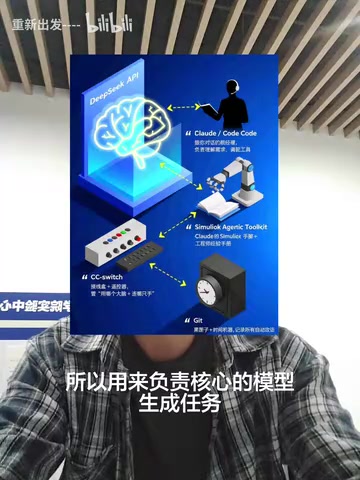
Claude Code is primarily used to understand the user's natural language requirements — it excels as a conversational interface. Users can describe the Simulink model they want to build in natural language, and Claude Code is responsible for translating those requirements into specific technical instructions.
Interestingly, Claude Code can also directly serve as the "brain" to handle the core code generation tasks, because its code editing capabilities are stronger. This is the first approach mentioned in the video — using Claude Code for everything, which may produce better results but at a higher cost. So the fundamental difference between the two approaches is:
- Approach 1: Claude Code handles everything (better results, higher cost)
- Approach 2: Claude Code for frontend understanding + DeepSeek for backend generation (better value)
SiliconFlow: A Unified Interface for Multi-Model Orchestration
SiliconFlow is a multi-model orchestration platform — think of it as a "universal adapter." By connecting the appropriate API Key, you can call different AI models. It solves the problem of model switching and interface unification — you don't need to integrate with each AI vendor's API separately. Through SiliconFlow's single platform, you can flexibly orchestrate multiple models like DeepSeek, Claude, and others.
From a technical perspective, middleware platforms like SiliconFlow typically support the OpenAI API standard format, meaning developers only need to master one set of API calling conventions to seamlessly switch between underlying models. This is extremely valuable in practice: different models have different strengths for different tasks — some excel at code generation while others are stronger at logical reasoning. Through a unified interface, developers can flexibly choose the most suitable model based on task characteristics, while also enabling cost optimization and load balancing, avoiding the tedious work of building separate integrations for each model provider.
Simulink Agentic Toolkit: The Bridge Between AI and Simulink
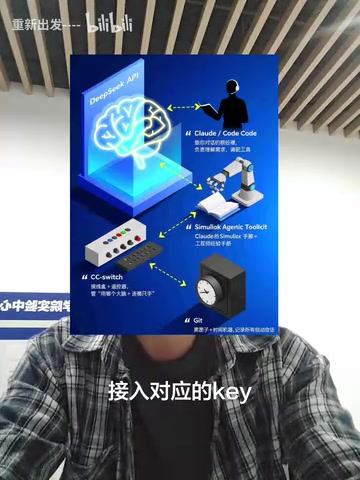
This is the most critical "glue layer" in the entire solution. The Simulink Agentic Toolkit is a toolbox officially provided by MathWorks that establishes the connection between AI and Simulink software, enabling AI to actually operate Simulink to build simulation models.
The word "Agentic" here comes from one of the hottest concepts in the AI field — AI Agent. Unlike traditional conversational AI, an AI Agent has the ability to autonomously plan, call tools, and interact with environments. In this solution, the AI doesn't just "answer questions" — it acts like an intelligent agent with operational capabilities, calling Simulink's MATLAB API (such as new_system to create models, add_block to add blocks, set_param to set parameters, add_line to connect signal lines, etc.) to actually execute modeling operations. MathWorks' release of this toolkit signals that traditional industrial software vendors are actively embracing the AI Agent ecosystem.
Without this toolkit, AI can only generate code text — it cannot directly create blocks, draw connections, or set parameters in Simulink. With it, AI's output can be transformed into actual runnable Simulink model files. This is why many people follow tutorials and install a bunch of things without understanding the purpose — the Toolkit is the critical component that gives AI the "hands and feet" to reach into Simulink.
Git: The Safety Net of Version Control
Git serves as the version control system in this workflow, recording every change made. Git is currently the most mainstream distributed version control system, created by Linus Torvalds (the creator of Linux). It records a snapshot of every file change, allowing developers to freely switch between any historical versions.
During the AI-automated model building process, the model goes through multiple iterations and modifications. If a particular modification makes things worse, you can always revert to a previous working state. This is especially important in AI-assisted development because LLM outputs have inherent randomness — the same prompt may produce different results, and the AI may introduce unexpected changes or even destructive modifications during iterative model refinement. Git's branching and rollback mechanisms provide reliable safety guarantees against this uncertainty. Engineers can boldly let the AI try different approaches and roll back to verified stable versions at any time, dramatically reducing the cost of experimentation.
The Complete Logic of Toolchain Collaboration
With all five tools' roles clarified, the overall collaboration logic becomes clear:
- The user describes requirements in natural language through Claude Code
- Claude Code understands the requirements and orchestrates DeepSeek (or itself) through SiliconFlow for core model generation reasoning
- AI-generated instructions are passed to Simulink software through the Simulink Agentic Toolkit to complete the actual model building
- Git records version changes throughout the process, ensuring traceability
This is like a complete pipeline: natural language input → requirement understanding → model orchestration → code generation → Simulink operations → version recording.
From an architectural design perspective, this toolchain reflects the typical pattern of current AI application development: frontend interaction layer (Claude Code) + model orchestration layer (SiliconFlow) + inference computation layer (DeepSeek/Claude) + tool execution layer (Simulink Agentic Toolkit) + version management layer (Git). Each layer has its own responsibility, and the loosely coupled design allows any layer to be independently replaced or upgraded — this is also why understanding principles matters more than memorizing steps.
Current Limitations and Future Outlook
Based on real-world test results, AI-automated Simulink model building is currently at the "runs but isn't perfect" stage. While both approaches produce simulations without errors, neither can run completely normally, indicating that AI still has obvious shortcomings in understanding complex simulation logic and parameter configuration.
Specifically, the main bottlenecks include several aspects: First, Simulink models are more than just code — they involve dynamic characteristic modeling of physical systems, and the AI needs to understand domain knowledge in control theory, signal processing, and other fields to correctly configure parameters. Second, the interconnection relationships between Simulink blocks are complex, with numerous implicit constraints on signal dimensions, data types, sampling times, and more that AI currently struggles to fully grasp. Finally, different Simulink block libraries (such as Simscape for physical modeling, Stateflow for state machines, etc.) each have unique modeling conventions, placing high demands on the AI's specialized knowledge coverage.
However, the potential of this direction is certain. As LLM capabilities continue to improve and MathWorks' official Toolkit continues to mature, the practicality of AI-automated Simulink model building will improve rapidly. For engineers, now is the perfect time to understand the principles and plan ahead. Once you understand the underlying logic of this toolchain, you'll be able to quickly adapt no matter how the tools evolve in the future.
Key Takeaways
Related articles
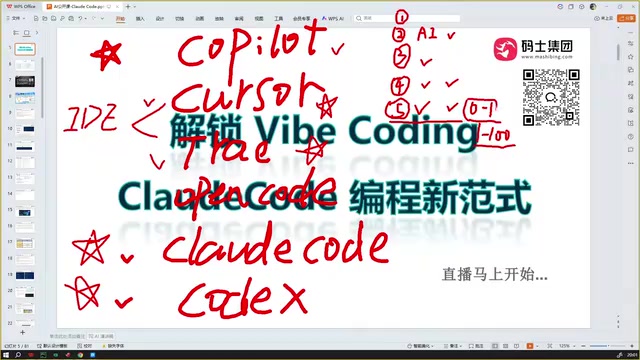
Claude Code Installation Guide & The Five Stages of AI Programming Tools Explained
Complete Claude Code installation guide with the five stages of AI programming tools, from manual coding to agents. Learn 0-to-1 project building and 1-to-100 iteration challenges.

Enterprise-Level AI Project Rules Files: 5 Hard Rules + 6 Writing Techniques
AI keeps messing up your code? Learn 5 hard rules and 6 writing techniques for enterprise-level Rules files in Claude Code, Cursor & more, with templates.
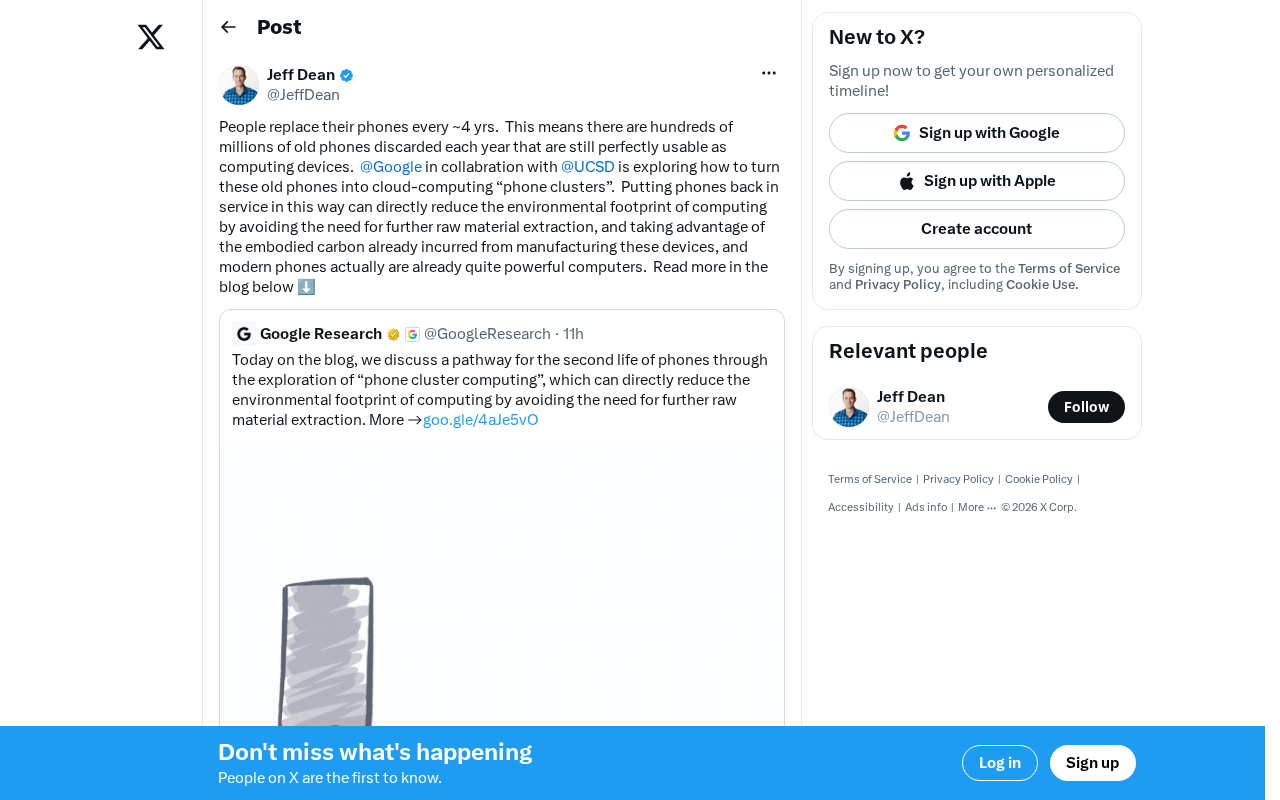
Building Cloud Computing Clusters from Old Phones: Google and UCSD Explore a New Path to Sustainable Computing
Google and UCSD explore building cloud clusters from old phones, leveraging ARM chip efficiency to cut e-waste and data center carbon footprints.