DeepSeek GUI Desktop: A Free, Open-Source Alternative to Codex
DeepSeek GUI Desktop is a free, open-source local AI agent that rivals Codex for writing and coding.
DeepSeek GUI Desktop is a free, open-source tool on GitHub that turns DeepSeek into a local desktop AI agent workstation similar to OpenAI's Codex. It requires no VPN or overseas payment, supports Chinese writing and code generation with impressive quality, and costs a fraction of Codex's $200/month subscription. Ideal for developers and content creators in China seeking an accessible, affordable AI coding and writing assistant.
OpenAI's Codex has been making huge waves in the developer community lately, but many users in China have been locked out by network restrictions and payment barriers. Enter DeepSeek GUI Desktop—a free, open-source project quietly gaining traction on GitHub that claims to turn DeepSeek into a local desktop AI agent workstation with an experience remarkably similar to Codex.
OpenAI Codex is an AI coding agent built on OpenAI's latest codex-1 model, capable of autonomously writing, debugging, and testing code within a cloud-based sandbox environment. Unlike traditional GitHub Copilot, Codex's core philosophy upgrades AI from a "code completion assistant" to an "autonomous coding agent"—users simply describe their requirements in natural language, and Codex reads the code repository, executes terminal commands, runs test cases, and delivers working code, all within an isolated cloud environment. Currently, Codex is integrated into ChatGPT Pro at a subscription cost of $200/month, and requires stable access to OpenAI's services—the main reason users in China struggle to use it directly.
So, is this tool actually any good? Can it truly replace Codex? Let's put it through its paces.
First Impressions: An Interface Strikingly Similar to Codex
DeepSeek GUI supports multiple operating systems including Windows and macOS. After downloading and installing it, the resemblance to Codex is immediately apparent.
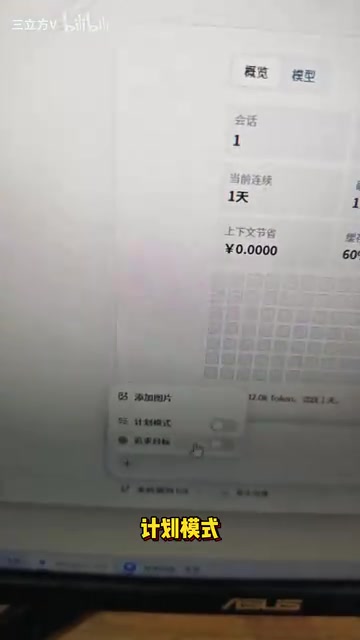
The main interface features a conversational interaction layout. Clicking the plus button lets you choose between different work modes, including Planning Mode and Goal Pursuit Mode. The right panel offers reasoning intensity options—Low, Medium, High, and Auto—allowing users to adjust based on task complexity.
Reasoning Intensity is an important parameter for inference models like DeepSeek. Models such as DeepSeek-R1 perform Chain of Thought (CoT) reasoning when generating responses, going through step-by-step internal reasoning before producing the final answer. Higher reasoning intensity means more reasoning steps and deeper thinking, but also more token consumption. Tokens are the basic billing unit for large language models—roughly speaking, they're the smallest text processing units. In Chinese, each character corresponds to approximately 1–2 tokens.
For model selection, beyond DeepSeek's own model versions, it also supports connecting to other models, giving users plenty of flexibility. A nice touch: the interface displays real-time token consumption, keeping you informed about usage costs. Under a pay-per-use API model, this detail is uncommon among similar domestic tools but crucial for cost management.
It's worth noting that DeepSeek GUI Desktop is essentially a frontend shell—it doesn't include a built-in model. Instead, it sends user requests to DeepSeek's cloud servers via API calls and displays the returned results locally. Users need to register on the DeepSeek Open Platform (platform.deepseek.com), obtain an API Key, and enter it into the desktop client. The advantage of this architecture is a lightweight client that doesn't require local GPU computing power. It does still require an internet connection, but only to domestic servers—no overseas access needed.
Writing Test: Quickly Generating High-Quality Chinese Content
First up: the writing assistant. In the input area, I entered: "Generate a WeChat Official Account article about AI," along with a general direction.
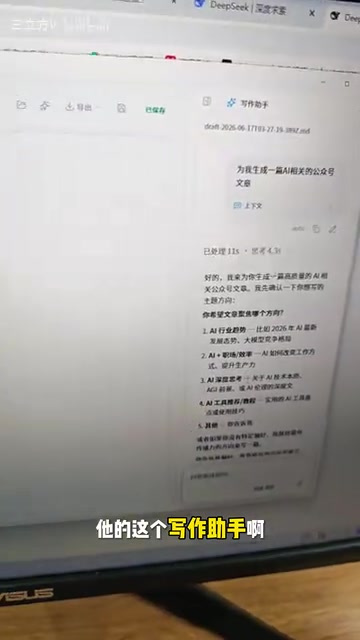
The entire generation process took less than a minute. The output opened with "I am creating, with my own hands, a form of intelligence that even I cannot fully understand"—it read smoothly and naturally, with almost no detectable "AI flavor."
"AI flavor" refers to the formulaic patterns commonly found in AI-generated text, including but not limited to: overuse of transitional phrases like "firstly, secondly, finally"; frequent clichés like "it's worth noting that"; highly symmetrical paragraph structures; an overly formal and neutral tone lacking personal style; and a tendency to cover everything without offering unique perspectives. These patterns stem from how large language models are trained—they learn "safe" and "generic" expression patterns from massive text corpora. Reducing AI flavor is a key optimization goal for current AI writing tools, and DeepSeek's deep training on Chinese corpora gives it a notable advantage in natural Chinese expression.
Even more impressive: the generated content wasn't just well-written—it came pre-formatted with clear paragraph breaks and well-structured headings, essentially ready for direct publication on WeChat Official Accounts.

This is incredibly practical for content creators. Traditional AI writing tools often output plain text that requires manual formatting, but DeepSeek GUI handles this well, saving considerable post-production effort.
Coding Test: Building a Gomoku Game in One Minute
Beyond writing, code generation is the core capability that directly competes with Codex. After switching to code mode, I entered: "Build a Gomoku (Five in a Row) game."
Again, in under a minute, DeepSeek GUI completed the code generation. But the more interesting part came next—I asked it to create a desktop shortcut, which it handled in seconds. Clicking the shortcut launched a fully functional Gomoku game.
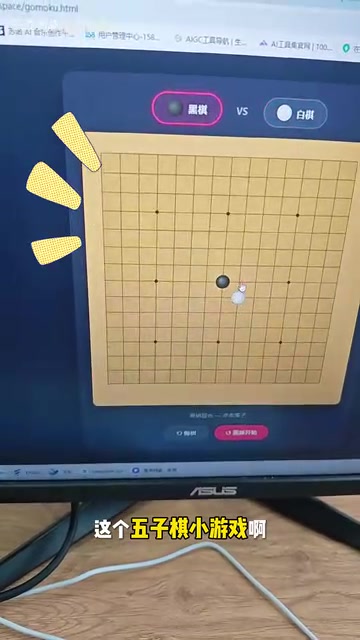
This test shows that DeepSeek GUI doesn't just generate code—it also understands system-level instructions like "create a desktop shortcut." This demonstrates that its capabilities as a local agent go beyond simple code completion, extending to task orchestration and execution.
The concept of a "local desktop agent workstation" means packaging LLM capabilities through a desktop client that can not only handle conversations and content generation but also interact with the local operating system—including reading/writing files, executing scripts, and creating shortcuts. This architecture is fundamentally different from a pure web chat interface: web-based AI can only output text, while a desktop agent can directly manipulate the user's local environment, creating a complete loop from "generating code" to "running code." This is a major trend in AI tool development, with projects like Anthropic's Claude Computer Use and Open Interpreter exploring similar directions.
Three Core Advantages: Why It's a Worthy Codex Alternative
After thorough testing, DeepSeek GUI Desktop stands out as a Codex alternative for three key reasons:
Zero Barriers, Ready Out of the Box
No VPN needed, no foreign credit card required, no complex API configuration. Just download, install, enter your DeepSeek API Key, and you're good to go—extremely beginner-friendly. By contrast, using Codex requires a stable network environment, OpenAI account registration, paid subscription, and more.
Superior Performance in Chinese Scenarios
DeepSeek's model is more thoroughly trained on Chinese corpora, delivering noticeably better performance than GPT-series models in Chinese writing and Chinese requirement comprehension. Whether writing WeChat articles or describing code requirements in Chinese, DeepSeek understands intent more accurately. The technical reason behind this is that DeepSeek's training data includes a large volume of high-quality Chinese corpora, and the model underwent specialized optimization for Chinese scenarios during the alignment phase, resulting in better grasp of Chinese semantics, expression habits, and cultural context.
Extremely Low Usage Costs
DeepSeek's API pricing is highly competitive among domestic large language models. Based on actual usage estimates, 100 RMB (~$14) worth of tokens can last a remarkably long time, far cheaper than OpenAI's pricing. Specifically, DeepSeek API input pricing is approximately 1–2 RMB per million tokens, while OpenAI GPT-4 input pricing converts to roughly 70–200 RMB per million tokens—a price gap of several dozen times. For individual developers and content creators, this cost is practically negligible.
Conclusion: Who Should Use DeepSeek GUI Desktop?
As an open-source project, DeepSeek GUI Desktop has reached an impressive level of completeness. It successfully packages DeepSeek's capabilities into an easy-to-use desktop agent workstation, demonstrating solid performance in both writing and code generation.
Of course, as an alternative, there's still a gap between it and Codex in terms of underlying model capabilities—particularly for complex, multi-file, engineering-level code generation, where Codex leverages GPT-4's superior abilities. It's important to recognize that open-source projects and commercial products differ fundamentally in positioning: open-source projects are community-driven with fast iteration, low barriers to entry, and free customization, but typically fall short of commercial products in stability, technical support, and feature completeness. Codex benefits from OpenAI's dedicated engineering team, and its cloud sandbox environment, multi-file codebase comprehension, and automated testing are enterprise-grade features that open-source tools can't easily replicate in the short term. However, the power of open-source lies in community contributions and rapid iteration—if DeepSeek GUI continues to attract community attention and contributions, its capabilities could expand significantly.
For everyday lightweight development tasks and Chinese content creation, though, DeepSeek GUI is more than sufficient—and it wins on being free, open-source, accessible without network restrictions, Chinese-friendly, and incredibly affordable.
If you've been wanting to try Codex but have been held back by network limitations, search for this tool on GitHub and give it a try—it might just surprise you.
Related articles
What Is Cursor? A Complete Guide to the AI-Native Programming IDE's Core Features and Use Cases
An in-depth look at Cursor, the AI-native programming IDE, covering intelligent code generation, multi-model support, context awareness, and how it compares to traditional IDEs across six key dimensions.
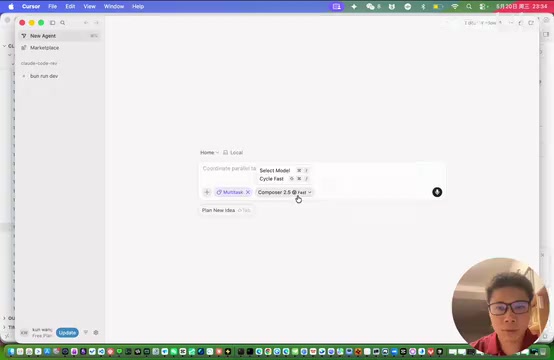
Cursor Composer 2.5: The Secret Behind an Open-Source Model's Reinforcement Training to a Top-3 Coding Benchmark Ranking
Cursor built Composer 2.5 on Kimi K2 open-source model, ranking 3rd on coding benchmarks and surpassing K2.6. Deep dive into Cursor's data flywheel, product architecture, and pricing.

Stop Writing Prompts by Hand: Let AI Agents Prompt Themselves
Deep dive into the AI coding paradigm shift: from hand-crafted prompts to self-prompting agent loops. Learn how agent self-review and proactive context fetching enable scalable, high-quality AI coding.