DeepSeek++ Plugin: Adding Memory and Automation to the DeepSeek Web Interface
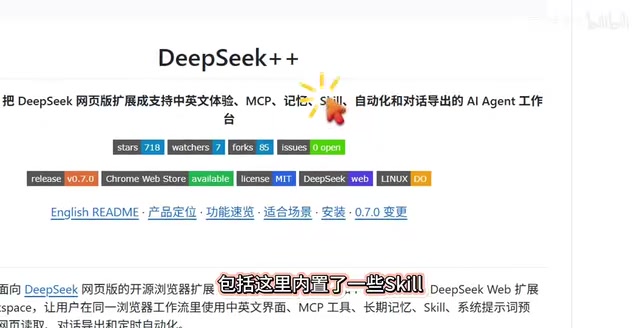
DeepSeek++ plugin adds memory, automation Skills, and sidebar chat to the DeepSeek web interface.
DeepSeek++ is a browser plugin that enhances the DeepSeek web interface with three key features: long-term memory that lets the AI remember your preferences across sessions, a built-in Skill system for one-click automated tasks, and a sidebar chat for seamless interaction. It requires no API configuration and installs in three simple steps via Chrome's Developer Mode.
The DeepSeek web interface is handy, but it has always had a few obvious shortcomings — no conversation memory, no support for automated tasks, and no ability to call external tools. A browser plugin called DeepSeek++ (also known as DP-Sync++) aims to fill these gaps, evolving the web-based DeepSeek from "usable" to "supercharged."
Pain Points of the DeepSeek Web Interface
Anyone who has used the DeepSeek web interface knows the frustration: every time you start a new conversation, the AI knows nothing about you — what you've discussed before, what your preferences are — it remembers none of it. This is extremely inconvenient in scenarios that require ongoing collaboration, forcing you to repeatedly provide background information.
The root cause is that large language models are inherently stateless — each request is independent, and the model doesn't truly "remember" previous conversations. The DeepSeek web interface simulates continuous dialogue by concatenating message history within the same session, but once you start a new session, all context is wiped clean. By comparison, ChatGPT has already rolled out its Memory feature, and Claude has a Project Knowledge mechanism — both attempting to solve the cross-session memory problem.
Moreover, the web interface only provides basic conversational capabilities. It lacks a tool-calling mechanism like MCP (Model Context Protocol) and cannot execute automated task workflows. MCP is an open protocol proposed by Anthropic in late 2024, designed to provide LLMs with a standardized interface for calling external tools — through MCP, AI models can connect to databases, call APIs, manipulate file systems, and more, breaking free from the limitations of pure text-based conversation. Products like Claude Desktop and Cursor have already adopted MCP support, while the DeepSeek web interface has yet to natively integrate such mechanisms. In contrast, some API integration solutions and desktop clients offer much more flexibility in this regard.
The DeepSeek++ plugin was created precisely to address these core issues without requiring users to leave the web interface.
Three Core Features of DeepSeek++
Long-Term Memory: Making the AI Truly "Know" You
One of DeepSeek++'s most practical features is conversation memory. The plugin allows users to manually add and manage memory entries — including titles and content — that the AI can reference in subsequent conversations.
For example, you could save a memory like "I'm a Python developer who prefers clean, concise code," and the AI will reference this context in every future conversation, eliminating the need to repeat yourself.
From a technical standpoint, this memory feature essentially takes user-maintained memory entries and injects them as a System Prompt or context prefix into each request sent to the model. This means memory content consumes part of the model's Context Window — while DeepSeek supports a relatively long context length, too many memory entries could still compress the available space for actual conversation. It's therefore recommended to keep memory entries concise, retaining only the most essential personal preferences and work context. For frequent DeepSeek users, this feature delivers a very noticeable improvement in experience.
Built-in Skill System: One-Click Automated Task Execution
The plugin includes a built-in Skill system, which is essentially a set of predefined automation task templates. Users can select existing capabilities from the Skill list or create new ones.
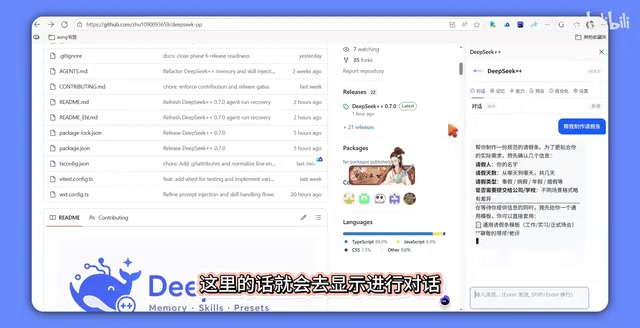
Each Skill supports multiple configurable parameters:
- Model selection: Specify which DeepSeek model to use
- Manual/Auto mode: Control the execution method
- Internet access: Whether to enable online search
- Deep thinking mode: Whether to activate DeepSeek's deep reasoning capability
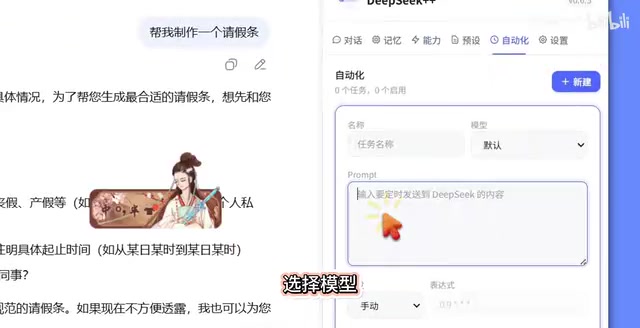
This means you can preset different workflows for different scenarios — for instance, use deep thinking mode for "writing weekly reports" and normal mode with internet access for "quick translations" — triggering complex tasks with a single click.
It's worth noting that the Skill system can be seen as a rudimentary form of lightweight AI Agent capability. Full-fledged AI Agent frameworks (such as LangChain Agent, AutoGPT, CrewAI, etc.) typically feature task planning, tool calling, memory management, and multi-step reasoning, capable of autonomously decomposing complex goals and executing them step by step. DeepSeek++'s Skill system is closer to a "predefined workflow" — users configure parameters in advance, and the workflow runs according to a fixed process when triggered, lacking the autonomous planning and dynamic decision-making found in Agent frameworks. However, for most structured, repetitive daily tasks, this preset template approach is actually more controllable, easier to use, and less prone to the "going off the rails" problem that Agents sometimes exhibit.
Sidebar Chat: A Seamlessly Integrated Interaction Experience
Once the plugin is enabled, it generates a sidebar chat window on the right side of the DeepSeek web interface. Users can type questions directly in the sidebar (e.g., "Help me draft a leave request"), and after the conversation is complete, clicking the refresh button automatically syncs the content to the main interface.
The advantage of this design is that it doesn't disrupt the original web interaction flow while extending additional capabilities through the sidebar — striking a balance between feature enhancement and user habits. From a technical perspective, this is achieved through the browser extension's Content Script mechanism — the plugin injects custom UI components into the DeepSeek webpage's DOM structure while intercepting and enhancing the page's network requests to accomplish memory injection and conversation synchronization. The entire process is transparent to the user.
DeepSeek++ Installation Guide: Three Simple Steps
DeepSeek++ is currently available as a browser extension, and the installation process is very straightforward:
- Open the extensions management page: Click the three dots in the upper-right corner of your browser → Extensions → Manage Extensions
- Enable Developer Mode: In the upper-right corner of the extensions management page, toggle the "Developer mode" switch on
- Drag and drop to install: Drag the downloaded plugin file directly into the browser window, then click refresh
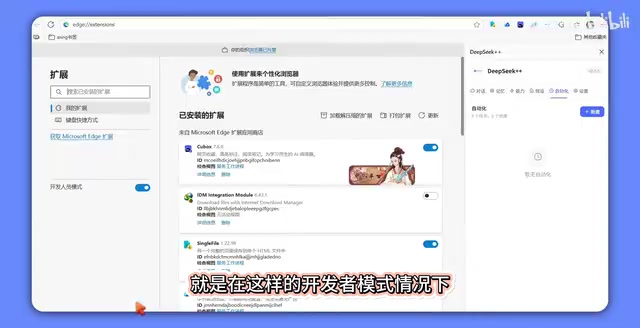
It's important to note that "drag and drop installation" in Developer Mode essentially loads an unpacked extension that hasn't been reviewed by the Chrome Web Store. Chrome will display a prompt saying "Disable developer mode extensions" each time it starts up — this is normal behavior, and you can simply click cancel to continue using it. However, this also means the plugin hasn't gone through Google's security review process, so users need to assess the trustworthiness of the source on their own.
After installation, remember to enable the sidebar chat feature in the settings — this is a prerequisite for using the plugin's core capabilities. Then refresh the DeepSeek web page, and you'll see the plugin's interaction entry point.
Who Is DeepSeek++ Best Suited For?
DeepSeek++ is particularly well-suited for the following types of users:
- Heavy DeepSeek users: Those who use the web interface multiple times daily and need the AI to remember personal preferences and work context
- Efficiency seekers: Those who want to complete repetitive tasks with one click through preset Skills, such as generating reports or formatting documents
- Regular users who don't want to deal with APIs: Those who want more powerful features but don't want to set up a local environment or configure APIs
For the third category, going the API route typically requires applying for an API Key, writing code or using third-party clients (such as Cherry Studio, LobeChat, etc.), and understanding concepts like token billing and model parameter tuning — a relatively high barrier to entry. DeepSeek++ offers a "zero-code" enhancement solution, allowing regular users to enjoy some advanced features as well.
Of course, as a third-party plugin, data security is something to keep in mind. Browser extensions technically have the ability to read everything you type on a webpage, including conversation logs and injected memory information. It's recommended not to store sensitive information in memories (such as passwords, ID numbers, trade secrets, etc.), and to monitor plugin updates and community feedback, preferably obtaining the plugin files from official channels or trusted open-source repositories.
Conclusion
DeepSeek++ takes a lightweight approach to filling three important gaps in the DeepSeek web interface: long-term memory, automated tasks, and tool extensions. While it can't yet match a full-fledged Agent framework in terms of functionality, for most regular users, it can significantly enhance the daily usage experience. If you're a frequent user of the DeepSeek web interface, this plugin is well worth a try.
Related articles
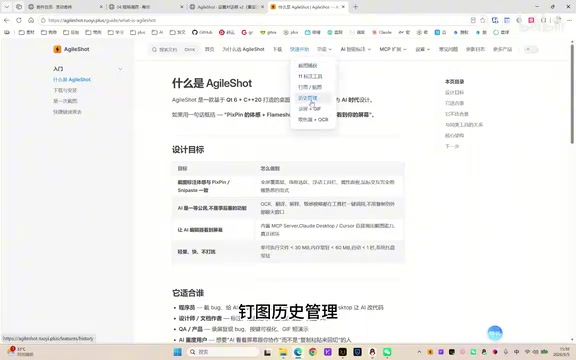
A Giant Shot: An AI Screenshot Tool with Built-in MCP That Lets AI Directly Control Your Computer
A Giant Shot is a desktop screenshot tool with a built-in MCP Server, offering 11 annotation tools, smart OCR, AI chat, and desktop automation for Cursor and Claude Desktop.
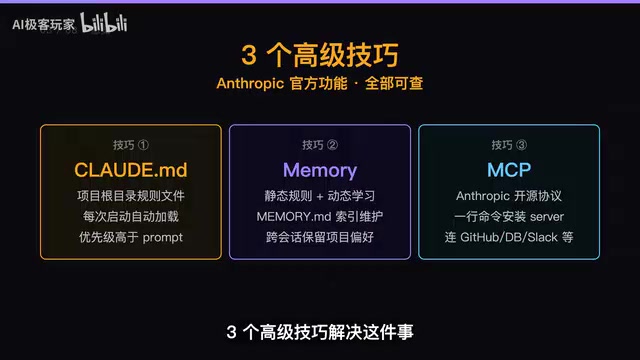
Three Essential Claude Code Configuration Techniques: A Practical Guide to CLAUDE.md, Memory & MCP
Master three Claude Code configuration techniques: use CLAUDE.md for project rules, Memory for auto-learning preferences, and MCP for connecting GitHub and external tools.
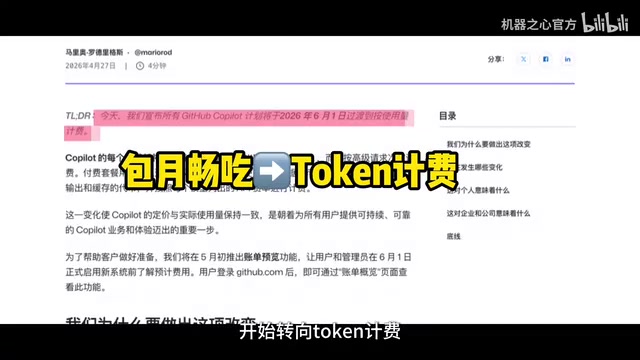
Token Doomsday: The Industry Truth Behind AI Coding's Spiraling Costs
GitHub Copilot shifts from flat-rate to per-token billing, sending dev costs from $29/mo to $1,000+. Uber burns its annual AI budget in months. A deep dive into Token Doomsday.