Three Essential Claude Code Configuration Techniques: A Practical Guide to CLAUDE.md, Memory & MCP
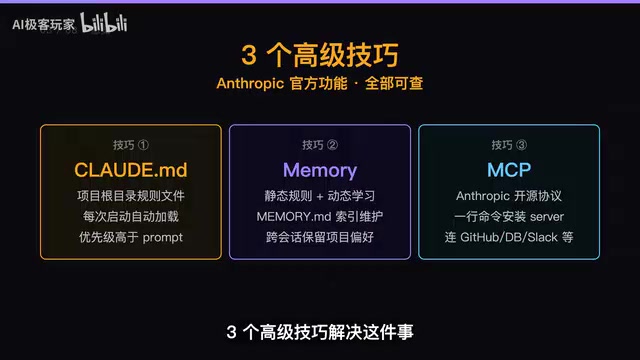
Configure Claude Code once with CLAUDE.md, Memory, and MCP so it permanently understands your project.
This guide covers three advanced Claude Code configuration techniques. CLAUDE.md lets you define project-level rules like tech stack and coding conventions. Memory automatically learns your preferences across sessions. MCP (Model Context Protocol) connects Claude Code to external tools like GitHub, databases, and Slack. Together, they transform Claude Code from a passive code assistant into a context-aware AI Agent.
Tired of re-introducing your project background every time you open Claude Code? "I'm using Next.js, with Tailwind, skip the comments, run the tests..." — this kind of repetitive work not only wastes time but also risks missing critical rules. This article covers three advanced configuration techniques — CLAUDE.md, Memory, and MCP — that let you configure Claude Code once and have it understand your project forever.
Technique #1: CLAUDE.md — Project-Level Rules File
The most common pain point for Claude Code users is having to explain the project's tech stack, coding conventions, and operational constraints from scratch every time they open a new window. CLAUDE.md was designed to solve exactly this problem.
Its design draws inspiration from the project-level configuration file paradigm common in software engineering — files like .editorconfig, .eslintrc, and .prettierrc. These files share a common philosophy: transforming project conventions from verbal agreements into machine-readable declarative configurations. CLAUDE.md takes this a step further — it's not just documentation for humans, but a behavioral constraint layer for the AI Agent.
How to Use It
Run a single command in your project root:
claude init
This automatically generates a CLAUDE.md file. Inside it, you specify:
- Tech stack declaration: The project uses Next.js + Tailwind CSS + TypeScript
- Coding conventions: No inline comments, use camelCase for functions, PascalCase for components
- Command conventions: Run tests with
npm run test, build withnpm run build - Prohibited operations: Don't delete lock files, don't modify CI configurations
Claude Code automatically loads this file on every startup, treating it as an authoritative system rule — with priority even higher than prompts you type during the conversation.
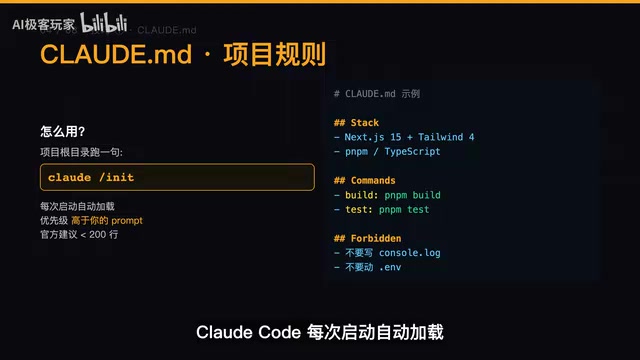
CLAUDE.md Loading Mechanism and Priority Hierarchy
Notably, Claude Code actually supports multi-layered CLAUDE.md files. The file in the project root defines global rules, files in subdirectories can override or supplement parent rules, and ~/.claude/CLAUDE.md in your home directory defines cross-project personal preferences. This hierarchical structure is similar to Git's .gitignore inheritance mechanism, allowing team standards and personal habits to coexist elegantly. For example, if your team requires ESLint across all projects while you personally prefer Vim keybindings — these two types of rules can live in different CLAUDE.md layers without interfering with each other.
CLAUDE.md Best Practices
The official recommendation is to keep CLAUDE.md under 200 lines. Too many rules actually dilute the focus, causing the AI to experience priority confusion during execution. The reason behind this relates to the LLM's context window mechanism — although modern models have very large context windows, attention distribution is not uniform. Overly long system instructions lead to "attention decay" on critical rules. Put your most essential constraints in CLAUDE.md, and leave the finer-grained preferences to the next technique — Memory.
Technique #2: Memory — Automatically Accumulated Dynamic Experience
If CLAUDE.md is the manually written "static constitution," then Memory is the "dynamic experience" that Claude Code automatically learns through collaboration.
Differences Between CLAUDE.md and Memory
| Dimension | CLAUDE.md | Memory |
|---|---|---|
| Source | Manually written by you | Automatically learned by Claude |
| Nature | Static rules | Dynamic patterns |
| Update method | Manual editing | Automatically maintained across sessions |
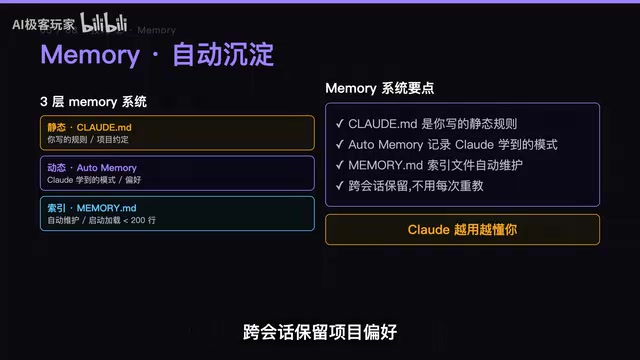
Claude Code has a built-in Memory system that maintains a memory.md index file, automatically recording cross-session project preferences. For example, if you correct its code style in one conversation, it will remember that preference next time and won't make the same mistake again.
Technical Principles Behind the Memory System
Traditional LLM conversations "forget" everything once the session ends — all context information vanishes when the window closes. This is because large language models are fundamentally stateless — each inference is an independent forward propagation process, and model weights don't change because of a particular conversation. Memory solves this problem by maintaining a structured memory.md index file locally. During each session, Claude Code identifies information with long-term value — such as code style corrections you've made, error handling patterns you prefer, or API calling conventions you commonly use — and distills these into concise rule entries written to memory.md. On the next startup, these entries are loaded into the context window alongside CLAUDE.md. This design elegantly bridges the gap between the LLM's stateless nature and users' expectation of stateful interaction, achieving an effect similar to "muscle memory."
This means Claude Code gets better at understanding you over time — it not only knows the rules you've written in CLAUDE.md, but can also extract habits and preferences from actual collaboration that you never explicitly documented.
Technique #3: MCP — Connect External Tools for Unlimited Capability Extension
MCP (Model Context Protocol) is a standardized protocol open-sourced by Anthropic in late 2024 that enables Claude Code to go beyond code editing and connect to hundreds of external tools and services.
Before MCP, every AI application that needed to integrate with external tools required custom integration code, leading to massive duplication of effort and incompatibility issues — similar to the chaos before the USB standard, when every peripheral needed a proprietary connector. MCP adopts a client-server architecture: Claude Code acts as the MCP Client to initiate requests, while individual MCP Servers encapsulate access capabilities for specific tools. The protocol itself is based on JSON-RPC 2.0, defining standardized interfaces for tool discovery, parameter passing, and result returning. As long as they follow the MCP specification, any developer can write an MCP Server to connect AI to new tools and services.
MCP Installation
Connect to an MCP Server with a single command:
claude mcp add <server-name> <command>
What Can MCP Do?
Once MCP Servers are installed, Claude Code can directly operate the following tools:
- GitHub: Create PRs, review code, manage Issues
- Databases: Query data, execute migrations
- Slack: Send notifications, search messages
- Figma: Read design files, extract design tokens
The MCP ecosystem currently has hundreds of community-contributed Servers, covering a wide range of scenarios from cloud services (AWS, GCP) and databases (PostgreSQL, MongoDB) to design tools (Figma) and project management (Linear, Jira), forming a rapidly growing plugin ecosystem.
This upgrades Claude Code from a "code assistant" to a "full-stack workflow engine" — it can not only write code but also execute operations directly in real development environments.
Combining All Three: The Paradigm Shift from Copilot to Agent
Each of the three configuration techniques is valuable on its own, but combining them unleashes their maximum power. More importantly, this three-layer configuration reflects a critical paradigm shift happening in AI programming tools: from Copilot mode to Agent mode.
In Copilot mode, AI is a passive autocomplete tool — you write a line of code, and it guesses the next one. In Agent mode, AI is a proactive executor — you describe a goal, and it autonomously plans steps, invokes tools, and validates results. CLAUDE.md provides the Agent's behavioral boundaries, Memory gives the Agent learning capabilities, and MCP provides the Agent with "hands and feet" to operate in the real world.
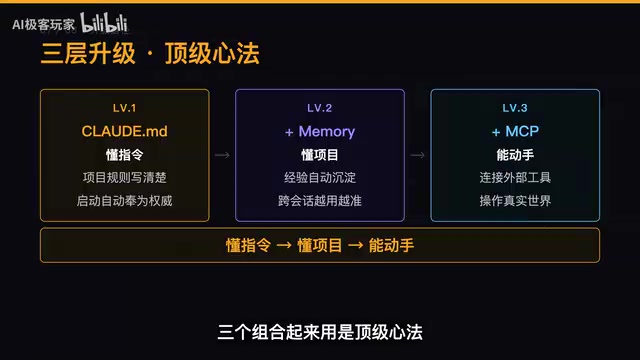
- CLAUDE.md defines rules: Lock in your project's tech stack, coding conventions, and operational constraints to establish the AI's behavioral boundaries
- Memory accumulates experience: Let Claude automatically learn your preferences and habits through collaboration, enabling continuous evolution
- MCP connects tools: Integrate Claude Code with GitHub, databases, Slack, and other external systems, giving it the ability to operate in the real world
The combination of these three gives Claude Code what software engineering calls "context awareness" — it doesn't just understand the current code snippet, but also understands the entire project's architectural decisions, team conventions, and workflows, enabling it to make decisions that better fit the project's actual situation. These three configuration layers enable Claude Code to make a qualitative leap — from "understanding instructions" to "understanding the project," and from "being able to write code" to "being able to operate in the real world."
Take Action Now
Today, run this command in your most-used project:
claude init
Spend 10 minutes writing a solid CLAUDE.md, configure your commonly used MCP Servers, and then let Memory automatically accumulate during your subsequent collaboration sessions. You'll find that Claude Code never needs you to re-introduce yourself again.
Related articles
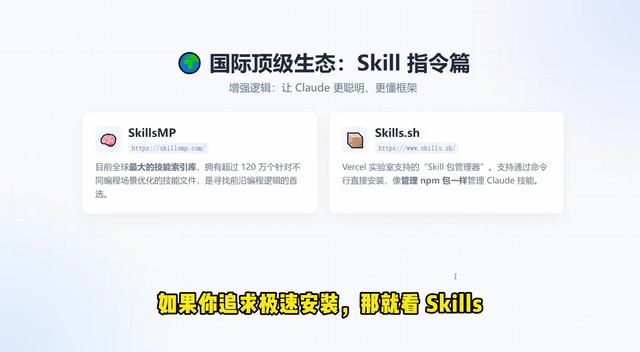
Claude Code Skills and MCP Resources: A Complete Guide from Beginner to Expert
A comprehensive guide to Claude Code Skills and MCP resources, covering international platforms like Skills.mp and Smithery plus Chinese alternatives, with a quick selection guide to boost AI coding productivity.

AI Code Output Up 10x — How Do You Keep Code Review from Collapsing?
When AI code generation outpaces human review, Code Review becomes the biggest bottleneck. Learn guardrail systems, architecture constraint tests, and TDD-driven Agent development strategies.
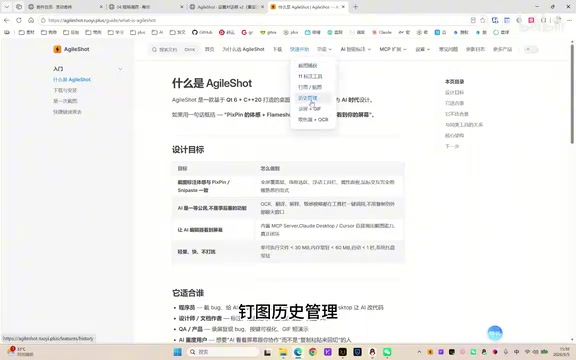
A Giant Shot: An AI Screenshot Tool with Built-in MCP That Lets AI Directly Control Your Computer
A Giant Shot is a desktop screenshot tool with a built-in MCP Server, offering 11 annotation tools, smart OCR, AI chat, and desktop automation for Cursor and Claude Desktop.