Dify 1.8.0 Hands-On Tutorial: Complete Guide from Deployment to Building AI Applications
Dify 1.8.0 Hands-On Tutorial: Complete…
A complete guide to deploying Dify 1.8.0 and building AI applications with its no-code platform.
Dify is one of the most mature open-source AI application development platforms, supporting five application types including Chat Assistant, Workflow, and Agent — all buildable without coding. Version 1.8.0 dramatically simplifies deployment, launching all services with a single Docker Compose command. The platform features a built-in RAG knowledge base pipeline and MCP tool integration, placing it at the top tier in both feature completeness and usability.
What Is Dify? Why Is It Worth Learning?
Dify is an open-source AI application development platform whose standout feature is the ability to build various AI applications quickly without writing any code. For those who want to create AI workflows but lack a programming background, Dify is undoubtedly one of the most accessible options available.
From a technical foundation perspective, Dify is built on a Python backend (Flask framework) and a React frontend. Its core architecture follows a microservices design, using Docker Compose to decouple and deploy components such as the API service, Worker, Web frontend, database (PostgreSQL), cache (Redis), and vector database (Weaviate by default). This architecture allows enterprises to swap out any component as needed — for example, replacing the vector database with Milvus or Qdrant. Dify has surpassed 80,000 stars on GitHub, making it one of the fastest-growing AI application development frameworks. Its active open-source community also means rapid bug fixes and feature iterations.
Compared to platforms like Coze, Dify supports five application types: Chat Assistant, Text Generation, Agent, Workflow, and Chatflow. Understanding the fundamental differences between these five types helps in choosing the right development approach — Workflow is "deterministic orchestration," where developers predefine every execution step and branching logic, with flow paths fixed at design time, making it ideal for highly controllable and auditable business scenarios like contract review and report generation; Agent is "autonomous decision-making," where the model independently chooses which tools to call and which steps to execute based on task objectives at runtime, offering greater flexibility for exploratory tasks or complex scenarios requiring multi-step reasoning; Chatflow is a fusion of both — embedding workflow nodes within a conversational framework, balancing natural interaction with process controllability, making it the mainstream choice for enterprise customer service and intelligent Q&A applications. The first three types are suitable for beginners, while the latter two (Workflow and Chatflow) both essentially belong to the workflow category but differ in interaction style — Chatflow emphasizes conversational interaction, while Workflow focuses on pure process orchestration.
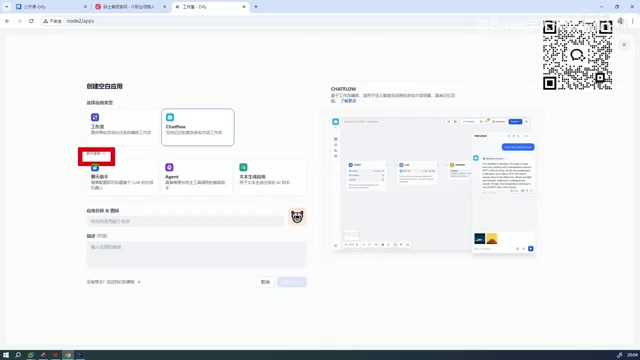
Dify's Position in the Domestic AI Tool Ecosystem
The mainstream AI application building tools in China currently include Dify, Coze, RAGFlow, and N8N. In terms of enterprise adoption priority:
- First tier: Dify — Most comprehensive features, active community
- Second tier: Coze — Easy to get started, but relatively limited in functionality
Compared to similar international tools, Dify has clear advantages in both feature support and user-friendliness. It not only supports more features but is also designed to be very accessible for Chinese users. This is why an increasing number of enterprises are choosing Dify as their foundational platform for internal AI applications.
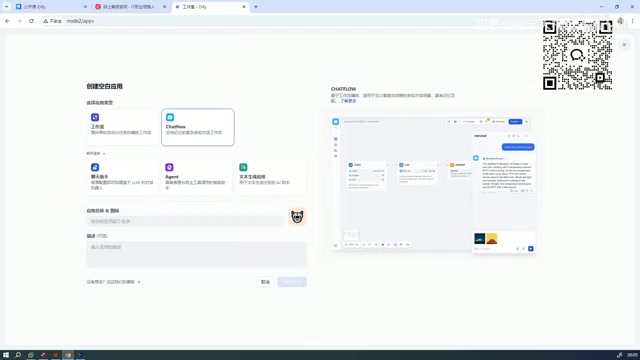
Dify 1.8.0 Deployment Guide
Environment Preparation and Docker Installation
The current latest version is 1.8.0, which has significantly simplified the deployment process compared to older versions. Docker Compose is Docker's official multi-container application orchestration tool that lets you define and manage multiple interdependent container services through a single YAML configuration file. For complex applications like Dify that consist of 6-8 microservices, the value of Docker Compose lies in this: a single command handles pulling, configuring, and starting all services. Dify 1.8.0 has built in sensible default values for a large number of configuration items, essentially applying the "Convention over Configuration" engineering principle to the deployment process, significantly lowering the operational barrier. Here are the specific steps:
- Extract the installation package: After downloading the Dify source code, extract it first
- Configure environment variables: Navigate to the
dockerdirectory and rename the.env.examplefile to.env(no additional configuration needed in the new version) - Start the services: Run the
docker compose up -dcommand, where the-dflag means running in detached daemon mode
cd dify/docker
cp .env.example .env
docker compose up -d
This is a major improvement in the new version — older versions required manual configuration of numerous environment variables, while version 1.8.0 works out of the box with default settings.
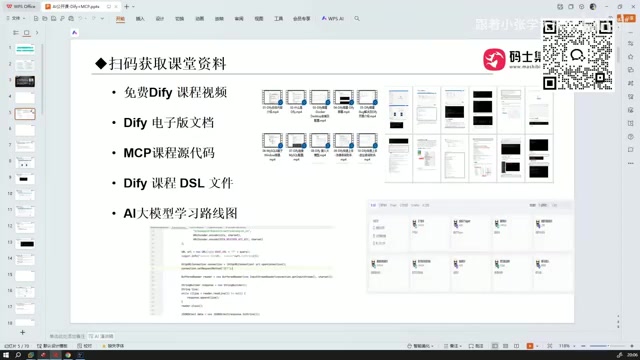
Image Size and Download Speed
The total Docker image size required for Dify 1.8.0 is approximately 5-6GB, so 10GB of disk space is more than sufficient. Notably, the new version has seen a significant improvement in image download speed, making the entire deployment process very fast. It also fixes quite a few bugs from previous versions.
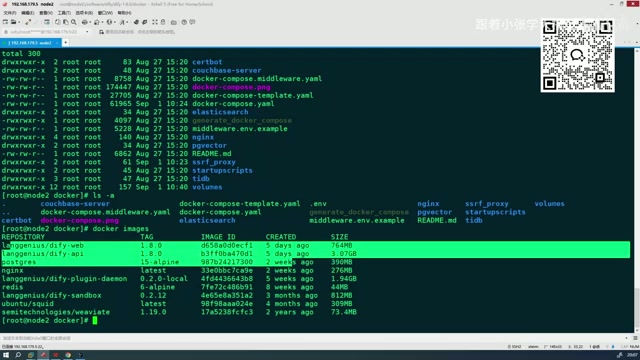
Accessing the Dify Management Interface
Once the services are running, simply access the deployment node's address through a browser to enter the Dify management interface. The interface layout includes the following main modules:
- Explore: Browse application templates shared by the community
- Studio: Create and manage your own AI applications (core functional area)
- Knowledge Base: Manage documents and data needed for RAG
- Tools: Integrate external APIs, MCP, and other tools
Creating Your First AI Application
After entering the Studio, click "Create Blank Application" to start building. Dify provides a visual drag-and-drop interface where you can:
- Select the application type (Chat Assistant / Workflow / Agent, etc.)
- Configure LLMs (supports OpenAI, Claude, domestic models, etc.)
- Design prompts and workflow nodes
- Integrate knowledge bases for RAG retrieval augmentation
- Connect external tools via the MCP protocol
Among these, Knowledge Base and RAG is one of the most commonly used core features for enterprise users. RAG (Retrieval-Augmented Generation) works as follows: when a user asks a question, the system first retrieves the most relevant document fragments from an external knowledge base, then sends these fragments along with the question to the LLM to generate an answer. This addresses two major pain points of LLMs — the "knowledge cutoff date" and "hallucination" problems — since the model no longer needs to memorize all knowledge but instead "looks up" answers from trusted documents in real time. Dify's Knowledge Base module includes a complete built-in RAG pipeline covering document parsing, text chunking, embedding vectorization, and similarity retrieval. Users only need to upload PDFs, Word documents, and other files to build a knowledge base, without needing to understand the underlying vector database operations.
MCP tool integration also deserves special attention. MCP (Model Context Protocol) is an open standard protocol proposed and promoted by Anthropic in late 2024, designed to solve the "connection fragmentation" problem between AI models and external tools and data sources. Before MCP, every AI platform needed to develop separate integration adapters for each external tool, resulting in extremely high maintenance costs. MCP defines a unified communication specification that allows any MCP-compatible AI application to plug-and-play with tool servers (MCP Servers) that conform to the protocol. Currently, mainstream IDEs (such as Cursor), AI assistants (such as Claude Desktop), and Dify all support MCP, marking a new phase where the AI tool ecosystem is moving toward standardized interoperability.
The entire process requires no code whatsoever — from simple chatbots to complex multi-step workflows, everything can be built through the graphical interface.
Notes for the New Version
While version 1.8.0 has significantly improved overall stability, there are still a few things to keep in mind:
- Some features have different interaction logic compared to older versions; upgrading users will need to adapt
- Minor issues may exist in certain edge cases; it's recommended to follow the official changelog
- Using a newer version of Docker is recommended to ensure compatibility
Summary
Dify 1.8.0 is one of the most mature open-source AI application development platforms available today. It lowers the barrier to AI application development to a minimum — no programming background is needed, and you can quickly build chat assistants, intelligent workflows, and more through a visual interface. Its microservices architecture ensures enterprise-grade scalability, the built-in RAG pipeline addresses core knowledge management pain points, and MCP protocol support enables standardized interoperability between Dify and the broader AI tool ecosystem. For teams looking to implement AI capabilities within their organizations, Dify is a tool well worth investing time to learn.
Related articles
 Tutorials
Cursor + Codex Dual-IDE Collaboration: A Practical Methodology for Open-Source Project Customization
A complete methodology for open-source project customization based on real-world experience, detailing the Cursor+Codex dual-IDE workflow, seven-stage process, MVP validation, and AI source code reading techniques.
 Tutorials
Cursor Multi-Agent in Practice: Building a Full-Stack Next.js Blog in 50 Minutes
Build a full-stack blog in 50 minutes using Cursor IDE's multi-Agent mode with Next.js, Clerk auth, and Supabase. Learn the 4-phase AI Agent workflow and key integration pitfalls.
 Tutorials
Building an AI Software Factory from Scratch: A Cursor Engineer's Hands-On Experience with Multi-Agent Collaboration
Cursor engineer Eric shares practical insights on building an AI software factory: automation levels, guardrail design, parallel Agent management, and scaling to 1000+ Agents for 24/7 development.