Full Walkthrough: Recreating Apple's AI Photo Reconstruction Feature with TRAE Work
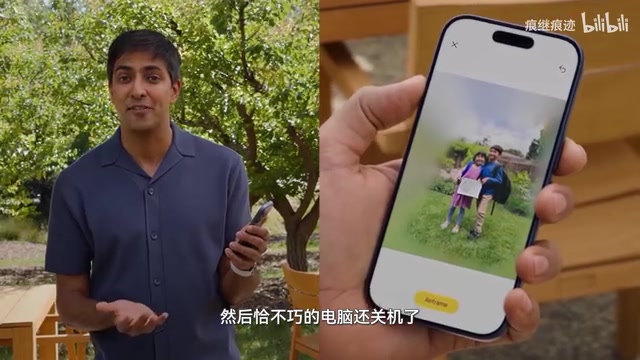
One creator recreates Apple's photo spatial reconstruction using TRAE Work AI Agent from start to finish.
A Bilibili content creator used TRAE Work, ByteDance's AI Agent tool, to recreate Apple's WWDC photo spatial reconstruction feature. The full workflow — from mobile research and technical architecture design to overnight cloud development and multi-device sync — showcases a new paradigm of AI-assisted work where async execution and continuous context enable unprecedented productivity.
From WWDC Inspiration to Finished Product: How One Person Recreated Apple's Photo Spatial Reconstruction
Apple's photo spatial reconstruction feature showcased at WWDC caught the attention of many developers — upload a photo, adjust the angle, recompose, and generate a crisp, complete new image. Behind this feature lies years of breakthroughs in computational photography. The core principle of Photo Spatial Reconstruction is inferring 3D spatial information from a single or small number of 2D photos, using technologies like depth estimation and Neural Radiance Fields (NeRF) to understand the spatial structure of a scene, then leveraging AI generative models to fill in missing content caused by perspective changes. This means photography is no longer just about "freezing a moment" — it becomes a creative process that can be adjusted after the fact.
This feature seemingly requires iOS 27 to experience, but a Bilibili content creator decided to build a replica on their own, completing the entire process — from research and development to video production — using TRAE Work, an AI Agent tool.
The value of this case study lies not just in the technical implementation itself, but in how it demonstrates a new paradigm of AI-assisted end-to-end workflows: from capturing inspiration, conducting technical research, and writing code to content creation, it shows how AI Agents can truly integrate into a creator's daily work rhythm.
Step 1: Technical Research Using TRAE's Walk Mode
After watching WWDC, the creator recalled that Apple had once open-sourced a project related to photo spatial reconstruction but couldn't remember the exact name. With the computer already shut down, they opened TRAE on their phone and used Walk mode to have the AI search for Apple's open-source projects.
TRAE Work is an AI Agent tool launched by ByteDance that differs fundamentally from traditional ChatGPT-style conversational tools. AI Agents possess capabilities like task planning, tool invocation, autonomous execution, and state management, enabling them to break complex tasks into multiple steps and complete them one by one. TRAE Work's Walk mode is designed for lightweight conversations and information retrieval, while Code mode provides a full cloud-based development environment. These tools mark a shift in AI applications from "Q&A assistant" to "work partner" — users no longer need to guide the AI through every action step by step, but can describe a goal and let the Agent autonomously plan its execution path.
The AI quickly found the relevant project and provided a detailed overview. This step may seem simple, but there's a noteworthy detail behind it: the creator knew Apple had a related open-source project because they routinely used TRAE's automation features — configured to automatically fetch and push AI tech news at three different times each day.
There's a very practical insight here: No matter how powerful AI gets, you still need your own knowledge base. Daily information intake sharpens your judgment, enabling you to give AI more precise instructions at critical moments. It's essentially a form of "model training" for yourself.
Step 2: Deep Analysis and Technical Architecture Design
After finding the open-source project, the next step was having TRAE conduct a deeper research analysis — what technical architecture would be needed to develop such software, what dependencies it would require — all of this needed to be determined first. For a photo spatial reconstruction project, the tech stack typically spans multiple layers: the base layer requires depth estimation models (such as MiDaS or Apple's proprietary depth prediction network) to understand the spatial hierarchy of images; the middle layer needs image inpainting models to fill in blank areas after perspective changes; and the top layer requires an interaction system that lets users intuitively adjust perspective and composition parameters. The selection and combination of these modules directly determine the final product's quality and performance.
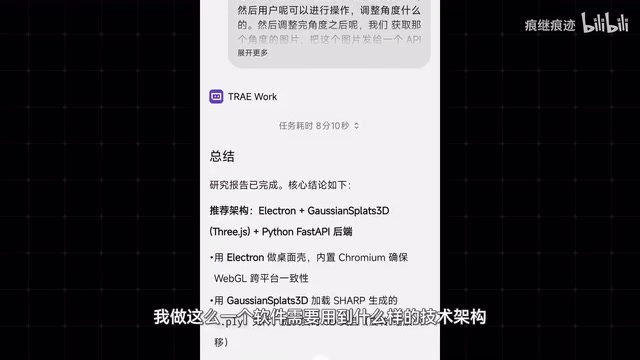
This analysis took considerable time, but the advantage of cloud mode is that you don't have to sit and wait. The AI processes in the background and sends a notification when finished, so users can step away and do other things. This asynchronous workflow is a major advantage of AI Agents over traditional tools. In conventional human-computer interaction, users issue a command and must synchronously wait for results — the entire process is blocking. The asynchronous model borrows from the concept of asynchronous programming in software engineering — the AI Agent receives a task and executes it independently in the background, notifying the user via push notification upon completion, much like assigning a task to a team member without having to stand behind them watching. This model turns AI into a true "colleague" capable of parallel collaboration.
Meanwhile, the creator used the waiting time to brainstorm the video framework. They used TRAE's voice interaction discussion feature for brainstorming, and after the discussion, the AI automatically generated a summary that could be directly used as a video framework reference. One tool advancing two work streams simultaneously — the efficiency gains are obvious.
Step 3: Cloud Development — AI Writing Code While You Sleep
Once the technical analysis document was complete, the creator copied the development specifications to TRAE's Code page and let the AI develop in the cloud. TRAE Work's cloud development capability relies on Remote Development Environment technology — code writing, compilation, execution, and other processes all run on cloud servers, with the user's local device serving only as an interaction terminal. This architecture means that even a phone can submit deep learning model deployment tasks requiring high-performance GPU support, because the actual computation happens in the cloud rather than locally. This aligns with the philosophy of cloud IDEs like GitHub Codespaces and Gitpod, but TRAE Work goes a step further — it not only provides the development environment but also lets AI autonomously complete the coding work.
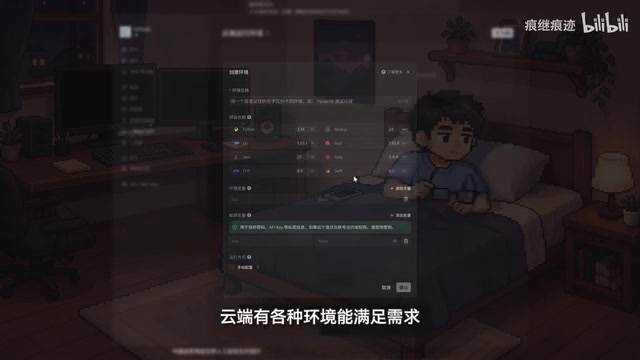
The most interesting part is the timeline: after submitting the document, it was already late, so the creator went straight to bed. The next morning, they woke up to a notification on their phone — the AI had finished development while they slept. This is probably the programmer's version of "passive income."
Since TRAE Work supports multi-device sync, everything submitted on the phone the night before could be viewed directly on the computer. The creator opened it on their computer to continue testing and debugging, switching to Walk mode during compilation or runtime waits to refine the video outline and write scripts.
Seamless Multi-Device Switching: The Ideal AI Agent Workflow
When an unexpected outing came up in the afternoon, the advantages of multi-device sync became fully apparent — work continued directly on the phone, whether it was cloud tasks or local computer projects.
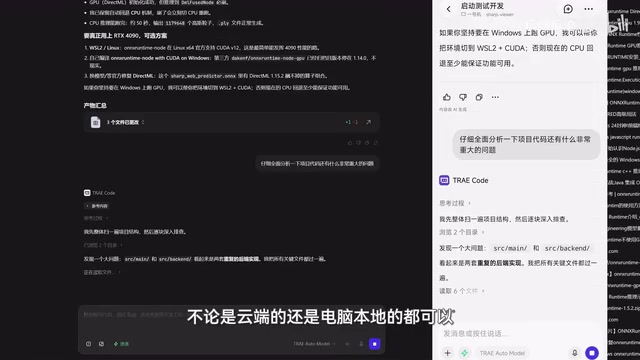
TRAE Work can connect directly to the user's computer, and various features remain available even when the computer isn't powered on. The technical logic behind this is that all project states, code versions, and conversation histories are stored in the cloud, with the local computer being just one of many access points. When local files or environments need to be accessed, TRAE Work uses remote connection protocols for cross-device operation — similar to remote desktop but more lightweight and targeted. While out, the creator continued checking development progress, submitting modification requests, refining video scripts, and even used it to analyze data from other videos — just send a link and the AI automatically completes the breakdown analysis.
The creator described this experience as a "feeling of freedom": being able to quickly switch between devices without worrying about work interruptions due to environment changes. When tools are no longer a constraint, people have more energy to think about what truly matters. This also reflects an important trend in AI Agent development: good AI tools shouldn't require people to adapt to their workflow — they should adapt to humans' natural life and work rhythms.
Results and Key Takeaways
The final product has been uploaded to GitHub. Users can upload an image and adjust angles, recompose, and generate clear, complete images just like Apple's demo. From a technical implementation perspective, this project integrates capabilities from multiple AI models including depth estimation, image segmentation, 3D scene understanding, and image generation, packaging them into a user-friendly interactive interface. The creator admitted that "it wasn't as difficult as expected, but it wasn't simple either" — Apple's interaction design is truly worth studying. Technical implementation is one thing; making it intuitive for ordinary users to operate is another.
From this case study, we can extract several key insights:
The Value of AI Agents Goes Beyond Writing Code
Throughout the entire process, TRAE Work served multiple roles: information retrieval, technical research, code development, and content creation assistance. The real efficiency gain comes from connecting fragmented tasks into a continuous workflow, not just point-solution code generation. Traditional AI-assisted development tools (like GitHub Copilot) primarily focus on code completion as a single step, while AI Agents have bigger ambitions — they aim to cover the complete chain from requirement understanding to final delivery. When a single tool can span research, design, development, testing, and content creation, context is no longer lost between stages — and that's the true source of exponential efficiency gains.
Async Execution + Multi-Device Sync Is the Future
Cloud execution, push notifications, multi-device sync — these three features combined transform AI Agents from "sitting at a computer waiting for results" to "advancing work anytime, anywhere." This may be a crucial direction for AI Agent development: not replacing humans, but adapting to human life rhythms. From a technology evolution perspective, this model closely mirrors the trajectory of cloud computing — computational resources migrating from local to cloud, users liberated from fixed workstations to any scenario. Once AI's execution capabilities complete this same migration, the boundaries of "work" itself become blurred: you can start a development task during your commute, check progress at lunch, and adjust requirements via voice while taking an afternoon walk.
Human Knowledge Remains the Core Competitive Advantage
If the creator hadn't built a daily habit of reading AI news, they wouldn't have known about Apple's related open-source project and couldn't have given the AI precise instructions. AI amplifies human capability — it doesn't create capability from nothing. This point becomes even more important as AI tools grow increasingly powerful. There's a classic concept in machine learning called "Garbage In, Garbage Out," and the same principle applies to human-AI Agent collaboration: the quality of your instructions directly determines the quality of output. Instruction quality depends on your depth of understanding of the problem domain, your familiarity with the technology ecosystem, and your ability to translate vague ideas into clear requirements. These capabilities cannot be acquired through AI itself — they can only be built through continuous learning and practice. In an era of increasingly ubiquitous AI tools, the real differentiating competitive advantage isn't whether you can use AI, but what you can make AI accomplish that others cannot.
Key Takeaways
Related articles

Deep Dive into the 198-Page Codex Chinese Manual: A Complete Guide from Beginner to Advanced
Deep breakdown of ByteDance's internal 198-page Codex Chinese manual covering installation, Commands, MCP workflows, Skills templates, multi-Agent collaboration, and background task scheduling.
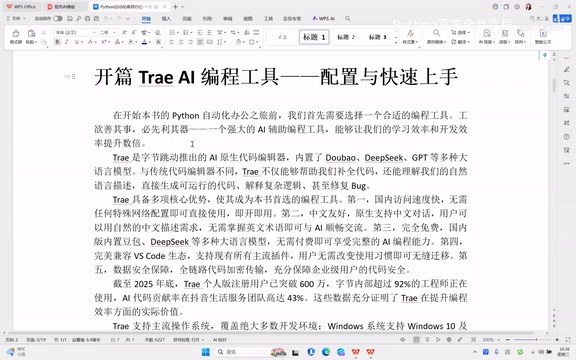
Trae AI Coding Tool: Complete Guide to Download, Installation, and Getting Started
Complete guide to ByteDance's Trae AI editor: core features, download & installation, Python setup, and AI chat coding. Free, Chinese-native, no VPN needed.
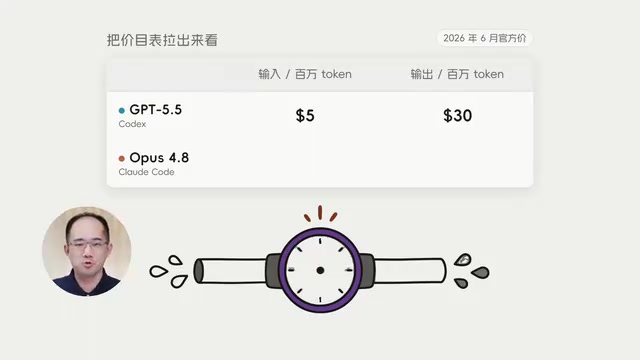
Codex vs Claude Code Cost Comparison: Breaking Down the Real Reasons Behind the 10x Price Gap
Codex costs $15 vs Claude Code's $155 for the same task. We break down the 10x price gap across Token pricing, consumption, and work patterns with practical tips.