Hands-On Tutorial: Connecting Xiaomi MiMo V2.5 Pro to GitHub Copilot
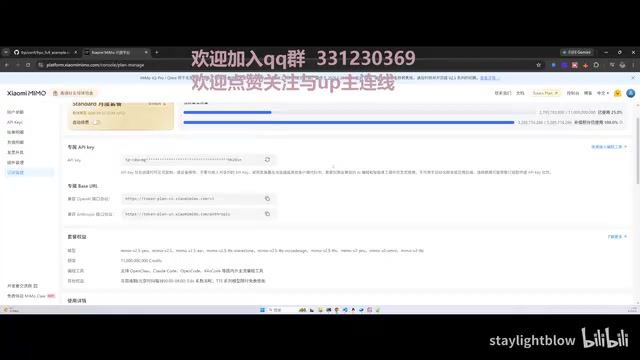
How to integrate Xiaomi MiMo V2.5 Pro into GitHub Copilot as a low-cost coding alternative.
This tutorial shows how to connect Xiaomi's MiMo V2.5 Pro model to GitHub Copilot using custom endpoints, providing a cost-effective alternative amid Copilot's price increases. It covers API configuration steps, critical token parameter tuning to avoid excessive consumption, and real-world coding test results including STCP and TCP-MUX feature development.
Finding a Low-Cost Alternative as Copilot Raises Prices
GitHub Copilot's recent price increases have frustrated many long-time users. For developers who've been deeply reliant on the Copilot coding environment for two or three years, the sharp drop in cost-effectiveness is a real pain point. While Copilot still offers two free models, let's be honest — they're the most basic, lowest-performing options available.
Since its commercial launch in 2022, GitHub Copilot has gone through multiple pricing adjustments. The individual plan was initially priced at $10/month or $100/year, with the team plan at $19/user/month. By 2025, GitHub made major changes to Copilot, introducing token-based elastic pricing and higher-tier Premium models (such as Claude Sonnet, GPT-4o, etc.), where advanced requests require additional payment or consume Premium credits. This means heavy users may end up spending far more than the base subscription fee. The free tier only provides limited calls to basic models like GPT-4o-mini and Claude Haiku, with noticeable gaps in completion quality and context understanding compared to paid models. This shift from an "all-you-can-eat flat fee" to "pay-per-use" significantly increases cost pressure for developers who use Copilot heavily every day.
That said, Xiaomi's MiMo V2.5 Pro is currently running a promotion — first offering free tokens, then a one-cent subscription — essentially putting it in a "more than you can use" state. MiMo (Mi Model) is Xiaomi's in-house large language model series, and V2.5 Pro is the version optimized for professional scenarios, with targeted training in code generation, logical reasoning, and other tasks, supporting a relatively long context window. Xiaomi provides API access through its OpenCloud platform, with an interface design compatible with OpenAI's Chat Completion standard protocol, enabling it to be integrated into any tool that supports custom OpenAI-compatible endpoints. Xiaomi's aggressive promotional strategy — giving away large amounts of free tokens and offering one-cent subscriptions — is essentially a subsidy play to acquire developer users and API call data. This is a common market strategy in the early stages of LLM commercialization, similar to what DeepSeek, Moonshot AI, and other vendors have done.
This leads to an idea worth trying: Connect Xiaomi MiMo V2.5 Pro to Copilot as a low-cost replacement for expensive official models in daily programming.
The answer is yes, you can — and it works pretty well.
Testing MiMo V2.5 Pro's Coding Capabilities
Before formally integrating it with Copilot, I ran some preliminary tests on MiMo V2.5 Pro's coding capabilities through the OpenCloud platform. Initially, the model was mainly used for lightweight tasks like configuring NanoPI WiFi, network settings, VPN deployment, and screen mirroring configurations. Token consumption in these scenarios was minimal, typically only a few million to around ten million tokens.
Later, I tried using it for real programming tasks, completing several core features in XRPC, an open-source intranet penetration project:
- STCP protocol support
- TCP-MUX multiplexing support
STCP (Secret TCP) is a common secure transport protocol in intranet penetration tools. It adds a key verification mechanism on top of standard TCP connections, ensuring that only clients with the correct key can establish tunnel connections, preventing unauthorized access. TCP-MUX (TCP Multiplexing) is a technology that carries multiple logical channels simultaneously over a single TCP connection. In the traditional approach, each proxy connection requires an independent TCP connection, incurring significant handshake overhead and connection management burden. TCP-MUX divides a single physical connection into multiple virtual streams, significantly reducing connection establishment latency and resource consumption — which is especially important in high-concurrency scenarios. As an open-source intranet penetration project, implementing these two features in XRPC means dealing with network protocol stacks, connection pool management, frame segmentation and reassembly, and other low-level logic. This qualifies as a medium-to-high complexity programming task, making it a good test of an AI model's code generation capabilities.
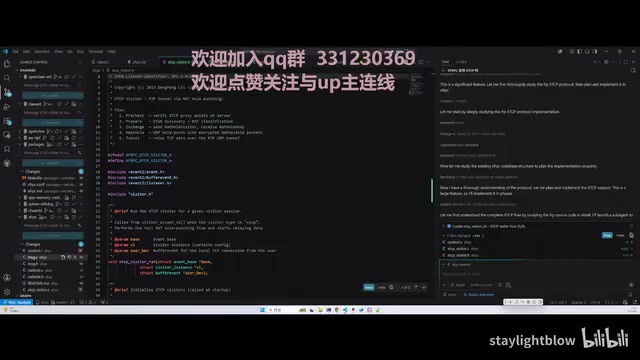
The test results showed that while the generated code had some minor issues, after manual review and modifications, the feature completeness was quite good, and all acceptance tests passed. This demonstrates that MiMo V2.5 Pro has practical value in programming scenarios.
Step-by-Step Tutorial: Connecting MiMo V2.5 Pro to GitHub Copilot
While Copilot supports third-party API integration, Xiaomi has not yet provided official adaptation support for GitHub Copilot specifically (in contrast, platforms like Open Code and Cloud Code have already been integrated). However, we can manually complete the integration through Copilot's custom endpoint feature.
Starting in late 2024, GitHub Copilot gradually opened up its custom model endpoint feature, allowing users to integrate any LLM service compatible with the OpenAI API standard into Copilot's workflow. The technical foundation for this is the de facto API industry standard established by OpenAI — the Chat Completion interface specification, which has become the universal protocol in the LLM industry. Nearly all major LLM providers (including domestic ones like Zhipu, DeepSeek, Alibaba Tongyi, Xiaomi MiMo, etc.) offer API endpoints compatible with this protocol. Copilot's custom endpoint feature essentially decouples the model invocation layer — users only need to provide the API address, key, and model ID, and Copilot will send code context, user instructions, and other information to the specified model service in the standard format, displaying the returned results in the IDE. This open architecture means users are no longer locked into GitHub's official model list and can flexibly choose models with better cost-effectiveness or superior performance in specific domains.
Step 1: Add a Custom Model
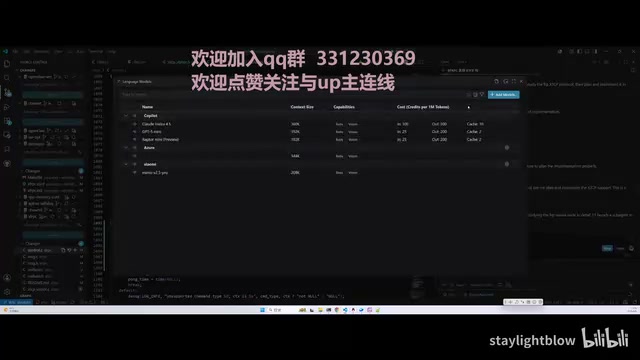
In Copilot's settings interface, find the "Model" section, click Add Model, and select "Custom Endpoint".
Step 2: Fill in the API Configuration
Fill in the following key information:
- Name: Enter an easily recognizable name, such as "Xiaomi Coding"
- API Key: Go to the subscription management page on the Xiaomi MiMo platform, copy your API Key, and paste it
- Interface Type: Select "Chat Completion"
- Model ID: Enter
MiMo-V2.5-Pro(corresponding to Xiaomi's V2.5 Pro model) - URL: Use the OpenAI-compatible endpoint address
Step 3: Token Parameter Tuning (Critical Pitfall to Avoid)
Copilot's default Max Token Pool is set to 128K input and 16K output. Here's a very important lesson learned worth sharing:
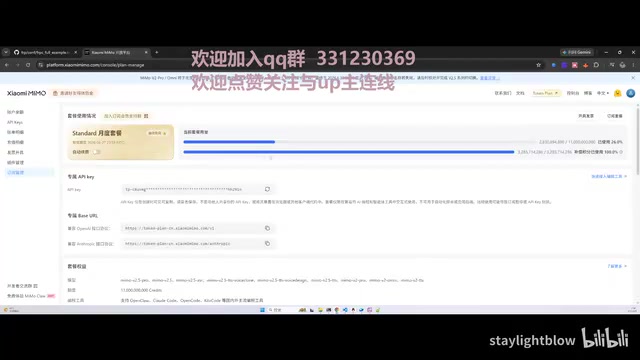
In LLM API calls, a token is the basic unit for billing and computation. One token corresponds to roughly 3-4 characters in English or 1-2 characters in Chinese. The "Max Token Pool" parameter in Copilot controls the upper limit of input tokens the model can process and output tokens it can generate in a single interaction. When this value is set very high, Copilot sends more code context with each request (including the current file, related files, project structure, etc.), and the model generates longer responses. While this can improve completion quality and conversation coherence, token consumption grows exponentially — because Copilot frequently triggers auto-completion requests in the background, each carrying a large amount of context.
I initially cranked the parameter up to 1 million or even 1.5 million. While the experience was indeed smoother, the token consumption rate was staggering — roughly 3 billion tokens were consumed in a single night, with the remaining quota dropping from 80% to below 40%. At typical industry API pricing, even for low-cost models, billions of tokens represent a significant expense.
Therefore, I strongly recommend keeping the default values or only making small increases above the defaults — setting it to around 190K is sufficient for daily use. Blindly increasing the parameters will cause your tokens to be depleted rapidly.
Step 4: Verify the Connection
After configuration is complete, type something like "What LLM are you?" in the Copilot chat box. If the model correctly responds with its identity information (MiMo V2.5 Pro), the integration is successful and ready to use.
Use Cases and Considerations
Recommended Use Cases
- Daily code writing and completion: Fully capable for basic programming tasks
- Code review and refactoring: Works even better when combined with platforms like OpenCloud
- Feature module development: Medium-complexity tasks like the protocol support mentioned above
Important Considerations
- Token consumption management: This is the most critical issue to watch. Don't chase a better experience by setting the token limit too high, or you might burn through all your credits overnight. Check usage statistics regularly on the OpenCloud platform and set consumption alerts
- Manual review is essential: AI-generated code still requires human review — you can't rely on it entirely. All current LLMs may produce logic errors, miss edge cases, or introduce security vulnerabilities in code generation, especially in critical areas like concurrency handling, memory management, and access control. Human review is an indispensable safety net
- Lack of official adaptation: Since Xiaomi hasn't provided official Copilot support yet, future compatibility may be uncertain. If Xiaomi adjusts its API interface format or rate-limiting policies, reconfiguration may be necessary
Conclusion: A Low-Cost Copilot Coding Solution Worth Trying
With Copilot's price increases as the backdrop, leveraging Xiaomi MiMo V2.5 Pro's low-cost or even free tokens to power Copilot for programming is an extremely cost-effective alternative. Real-world testing shows that the model performs admirably in code generation and feature development scenarios. While it can't perfectly replace top-tier models, it's practical enough for most daily development tasks.
It's worth noting that this "custom endpoint + low-cost model" approach isn't limited to Xiaomi MiMo. As the OpenAI-compatible protocol becomes the industry standard, developers can flexibly switch models based on task complexity — use low-cost models for simple code completions and premium models for complex architectural design — achieving the optimal balance between cost and performance.
The key is to set token parameters reasonably and avoid unnecessary consumption. If you have unused Xiaomi token credits on hand, follow this tutorial and give it a try — turn them into your programming assistant.
Related articles
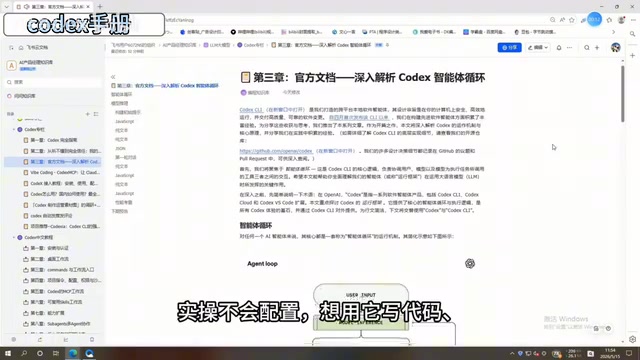
Deep Dive into the 198-Page Codex Chinese Manual: A Complete Guide from Beginner to Advanced
Deep breakdown of ByteDance's internal 198-page Codex Chinese manual covering installation, Commands, MCP workflows, Skills templates, multi-Agent collaboration, and background task scheduling.
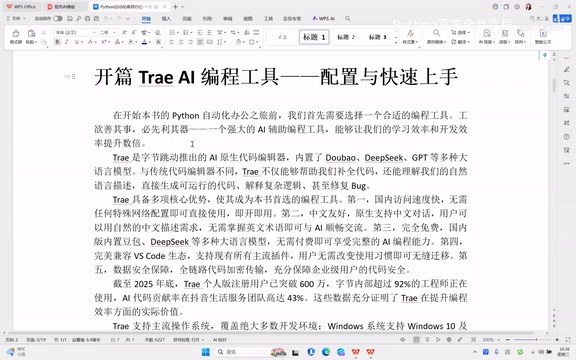
Trae AI Coding Tool: Complete Guide to Download, Installation, and Getting Started
Complete guide to ByteDance's Trae AI editor: core features, download & installation, Python setup, and AI chat coding. Free, Chinese-native, no VPN needed.
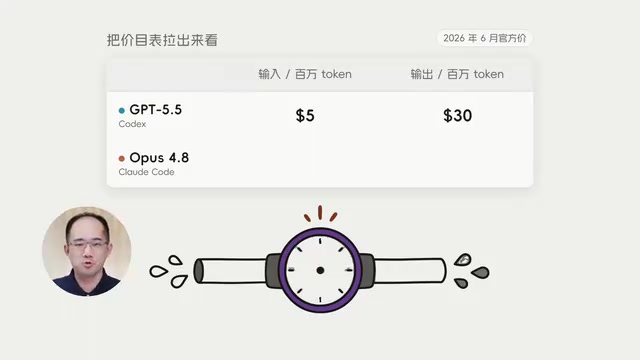
Codex vs Claude Code Cost Comparison: Breaking Down the Real Reasons Behind the 10x Price Gap
Codex costs $15 vs Claude Code's $155 for the same task. We break down the 10x price gap across Token pricing, consumption, and work patterns with practical tips.