Hermes Agent in Practice: A Complete Guide from VPS Deployment to Telegram Integration
Complete guide to deploying and integrating Hermes Agent from VPS Docker setup to Telegram automation.
This guide walks through deploying the open-source Hermes Agent on a VPS using Docker, integrating it with Telegram, and configuring scheduled tasks for automation. It covers the five core pillars — memory, skills, soul, crowns, and self-improvement — along with multi-agent scaling strategies, security hardening, and daily maintenance tips for building a self-evolving AI assistant.
What Is Hermes Agent?
Hermes Agent is an open-source AI agent project developed by News Research, released under the MIT license. It has already garnered 140,000 stars on GitHub, making it one of the fastest-growing open-source projects. Its most defining feature is its self-iteration mechanism — it continuously improves itself by writing and updating skills, becoming more powerful the longer you use it.
Unlike traditional AI assistants, Hermes Agent runs on the user's own infrastructure (Mac mini, laptop, or VPS), supports Docker containerized deployment, and can even run on Android devices via Termux. Out of the box, it comes with 91 skills, with a total skill library exceeding 684, covering capabilities like chart generation, voice transcription, browser automation, and more.
Hermes vs Claude Code vs OpenClaw: How to Choose?
Claude Code: The Workhorse for Desk Work
Claude Code is Anthropic's coding assistant that runs in a terminal alongside your code. Its positioning is crystal clear — it's designed for when you're sitting at your desk or laptop, ideal for deep coding and knowledge work. While it does support remote scheduling, its core use case remains "sit down and direct it to work."
OpenClaw: The Mobile Pioneer
OpenClaw was created by Peter Steinberger (who later joined OpenAI) and has surpassed 350,000 GitHub stars, with a larger team and frequent updates. NVIDIA even built the enterprise-grade NimalClaw on top of it. However, frequent updates also bring stability issues — crashes after updates are a common occurrence.
Hermes: Lightweight, Stable, Self-Evolving
Hermes is lighter, faster, and focused on self-improvement, making it particularly appealing to open-source model enthusiasts. The author switched to Hermes primarily because OpenClaw crashed frequently, while Hermes remained relatively stable. The two aren't mutually exclusive — the best practice is to use Claude Code for deep coding and Hermes for quick mobile tasks and automated scheduling.
The key distinction: Claude Code is your deep work partner when you're at the computer; Hermes is the action engine you can summon anytime while you're on the go.
The Five Core Pillars of Hermes Agent
Memory System
Memory is the persistent context that Hermes carries between sessions, primarily relying on two files:
- user.md: Information about who you are, your style, preferences, and things to avoid
- memory.md: Current environment, project information, and business context
These two files are automatically loaded at session startup. Since AI is inherently "stateless" (think of the movie Memento), these files ensure the agent can quickly get up to speed every time it wakes up. Hermes automatically extracts information from conversations to update these files, but users should also proactively say "remember this" or "save this to user.md."
Skill System
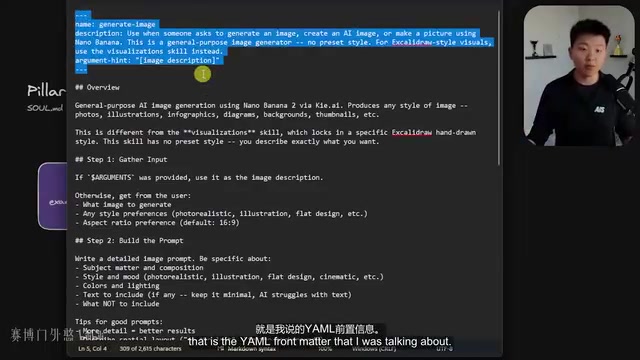
Hermes skills are reusable playbooks, similar to cooking recipes — ensuring consistent and stable execution every time. All skills are stored in skill.md files, containing YAML front matter (telling the agent when to invoke them) and Markdown body content (specific execution steps).
There's a "progressive disclosure" design philosophy at work here: full skill content is only loaded when needed, preventing context bloat. Even cooler, Hermes analyzes your conversations and workflows, automatically converting repetitive operations into skills. The Skill Center also offers over 520 community skills available for installation.
Soul Configuration
soul.md shapes the agent's personality. Even if you have 6 different Hermes instances, each can have a unique style — concise, humorous, or even slightly sarcastic. This file is also loaded into the context, influencing the tone and expression of all outputs.
Scheduled Tasks (Crowns)
This is one of Hermes' core advantages over Claude Code. You can simply say in natural language, "Run task 123 every day at 6 AM," and Hermes will create a scheduled task. When the task executes, it spins up a completely new isolated session, then sends the results back to the original chat upon completion.
Useful features include:
- Context From: Pass one task's output to another
- Work Dir: Specify the working directory
- No Agent flag: Run scripts only without starting the agent loop
On the security front, scheduled task sessions cannot recursively create additional scheduled tasks.
Self-Improvement Loop
Complete task → Learn from experience → Save memory → Convert to skill → Search history → Optimize execution. This loop works best when users actively correct mistakes, request memory saves, and create or update skills.
VPS Docker Deployment: A Practical Guide
Environment Preparation
The author uses a Hostinger VPS with the KVM2 plan (you can start with KVM1 and upgrade later). There are two deployment approaches:
- Root installation: Run directly on the VPS
- Docker container installation: Isolated environment, recommended for multi-agent scenarios
This tutorial uses the Docker one-click installation method. The operating system is Ubuntu 24.04 LTS, deployed via Hostinger's Docker manager by searching for the Hermes one-click deployment.
Configuration Walkthrough
- Inference provider: Choose OpenAI Codex (you can use your ChatGPT subscription directly, no additional API key needed)
- Messaging platform: Choose Telegram
- Create Bot: Create a new bot through Telegram's BotFather and obtain the Bot Token
- User authorization: Get your user ID through UserInfoBot to restrict Hermes conversations to yourself only
API Key Security Practices
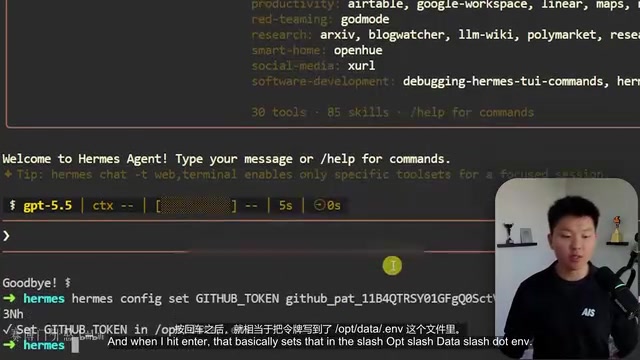
Never paste API keys directly in the chat. The correct approach is to run the following via the VPS terminal:
hermes config set GITHUB_TOKEN <your-token>
This writes the key to the .env file without ever passing through the AI conversation window.
GitHub Backup and Sync Configuration
Setting up a private GitHub repository for daily automatic backups is an essential security measure. Simply tell Hermes in natural language, "Push changes to the GitHub repository every night at midnight," and it will automatically create the skills and scheduled tasks to implement nightly syncing.
CLI vs Telegram: Use Case Comparison
Both interfaces share the same agent and the same brain, but the experience differs significantly:
CLI (Command Line) Is Best For
- Deep coding and project development
- Precise context window management
- Full slash command support
- Clear context visibility
Telegram Is Best For
- Scheduled task management
- Quick tasks and general knowledge work
- Mobile operations while on the go
- Routine work with lower risk
Telegram's limitations include poor context management visibility, automatic compression mechanisms that may cause information loss, and unsuitability for hardcore development scenarios.
Multi-Agent Scaling Strategy
When Should You Create a New Agent?
Follow this decision tree:
- Do you need different permissions/keys/tools? → Yes → New agent
- Do you need independent long-term memory? → Yes → New agent
- Do you need continuous, repeated execution? → Yes → New agent
- None of the above → Stick with the main agent
Multi-Agent Management Best Practices
- Each agent runs in its own Docker container with its own .env file and keys
- Create dedicated accounts for agents (email, API keys, etc.) and manage permissions as you would for an intern
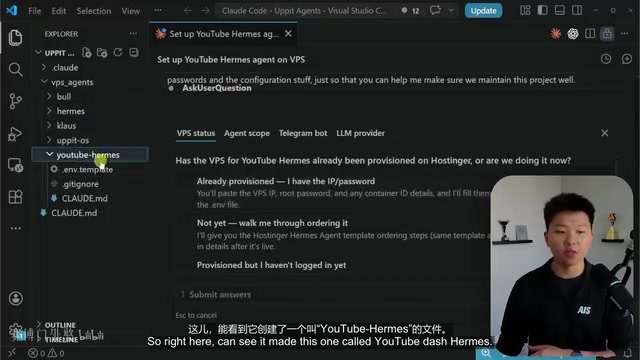
- Use a Claude Code project to centrally manage configuration information for all VPS agents
- Avoid the "mega-agent" anti-pattern — split reasonably by business domain
Security Hardening Measures
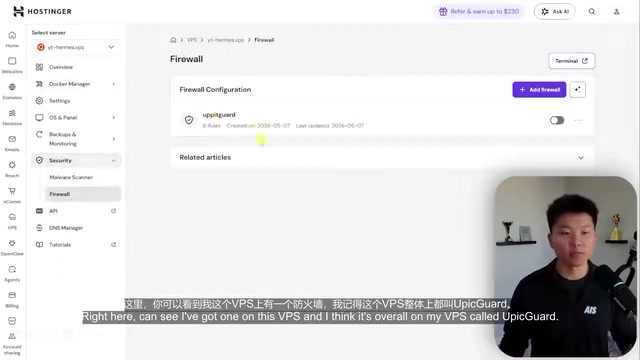
- Set up VPS firewall rules to restrict IP access
- Have Hermes automatically run security audits every night
- Never commit .env files to GitHub
- Follow the principle of least privilege
Daily Maintenance and Training Tips
- When the agent makes the same mistake twice in a row, correct it on the spot and ask it to update its skills or memory
- When you find yourself giving the same instruction twice, have Hermes create a skill for it
- Regularly review memory.md — outdated memories are the root cause of behavioral anomalies
- This is not a set-it-and-forget-it tool; it's a teammate that requires ongoing training
The core value of Hermes Agent lies in this: it's not just a tool — it's a digital partner that grows with you. Invest time in training it, and the return will be an exponential boost in efficiency.
Related articles
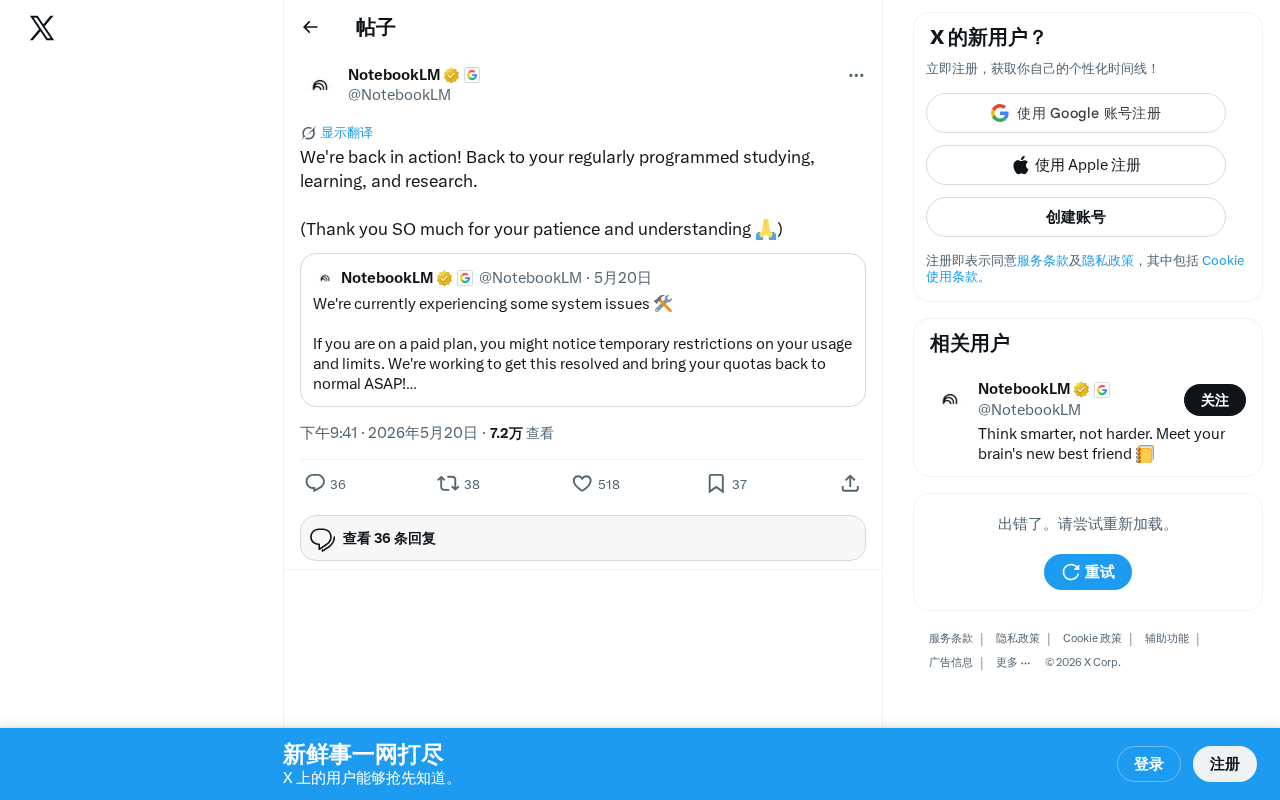
NotebookLM Service Restored: Google's AI Research Assistant Back Online
Google NotebookLM is fully back online after a service outage. Learn about the incident details, NotebookLM's core features, and backup tips for AI-dependent researchers.
Claude Code Chinese Tutorial: A 100-Page Systematic Learning Guide on Feishu Docs
A detailed look at the Claude Code Chinese learning resource on Feishu Docs, covering AI agent learning, memory systems, and task decomposition with a systematic path from beginner to advanced.
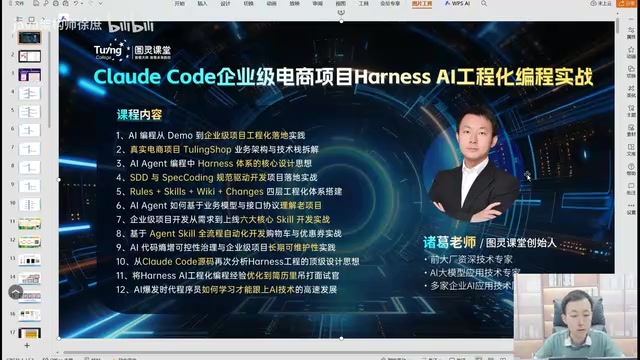
Claude Code Enterprise E-commerce in Practice: A Methodology for Taking AI Programming from Demo to Industrial-Grade
A deep dive into engineering methodology for enterprise e-commerce development with Claude Code and Harness AI, covering architecture, code quality, and CI/CD practices.