LangChain4j in Practice: A Complete Tutorial for Building a RAG Medical Q&A System
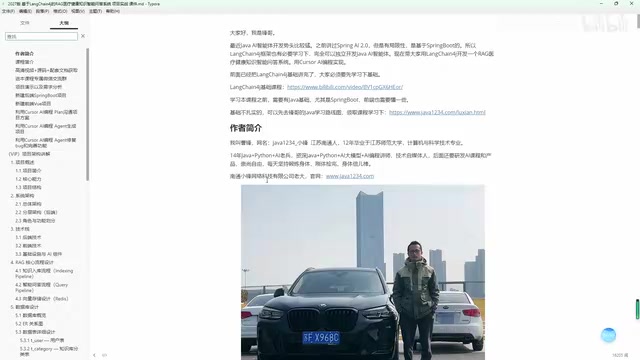
Build a RAG medical Q&A system with LangChain4j, Ollama, Redis vectors, and Cursor AI assistance.
This tutorial walks through building a complete RAG-based medical Q&A system using LangChain4j with Ollama local LLM deployment, Redis as a vector database, and Cursor AI for assisted programming. It covers the full pipeline from document parsing and vectorization to similarity search and answer generation, offering a practical alternative to Spring AI for Java projects outside the Spring Boot ecosystem.
Why LangChain4j?
In the Java ecosystem for AI agent development, Spring AI 2.0 is undoubtedly the hottest choice right now. It's powerful, deeply integrated with Spring Boot, and the go-to solution for most new projects. However, not every real-world project runs on Spring Boot — legacy system upgrades, lightweight client-server applications, or standalone apps that don't depend on the Spring framework all need a more flexible alternative.
LangChain4j was built for exactly these scenarios. LangChain4j is the Java port of the LangChain framework, which was originally created by Harrison Chase in 2022 within the Python ecosystem and quickly became the de facto standard framework for building LLM applications. Led by Dmytro Liubarskyi, LangChain4j aims to bring LangChain's core abstractions — such as Chain, Agent, Tool, Memory, and other concepts — into the Java ecosystem. Unlike Spring AI 2.0, LangChain4j doesn't rely on Spring's dependency injection or auto-configuration mechanisms. Instead, it builds components through the Builder pattern and pure Java APIs, meaning it can run in Quarkus, Micronaut, or even plain Java SE applications. Spring AI, on the other hand, is deeply tied to Spring Boot's auto-configuration system, where most configuration can be done through application.yml, offering a development experience closer to traditional Spring development. Mastering both Spring AI 2.0 and LangChain4j gives you the versatility to handle different project scenarios with confidence.
This article walks through a complete hands-on project: a RAG (Retrieval-Augmented Generation) medical health knowledge Q&A system built with LangChain4j. The project was developed with Cursor AI programming assistance, demonstrating the entire process from requirements analysis to feature implementation.
Project Architecture and Technology Choices
Core Technology Stack
The project adopts a classic frontend-backend separation architecture:
- Backend: Spring Boot 4 (Server Module)
- Frontend: Vue 3 + Vite (Client Module)
- Database: MySQL 8 (port 3308, default 3306)
- Vector Database: Redis (for storing document vectors)
- LLM: Ollama locally deployed Qwen3-4B
- Embedding Model: Ollama's Qwen3-Embedding-4B
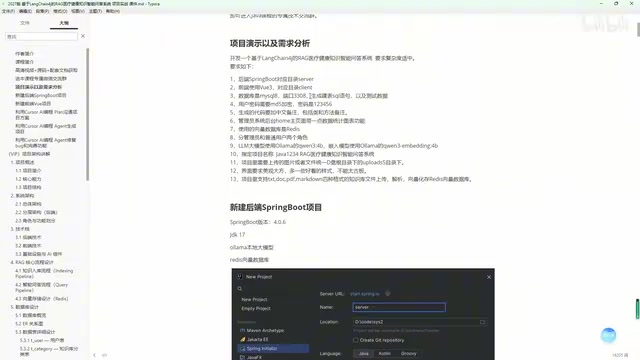
Interestingly, the project chose Ollama local private deployment rather than calling cloud APIs. Ollama is an open-source local LLM runtime, born from Meta's Llama model ecosystem, that supports running quantized large language models on consumer-grade hardware. It wraps underlying inference engines like llama.cpp and provides a Docker-like model management experience — you can download models with ollama pull and start inference services with ollama run. Qwen3-4B is a 4-billion parameter model released by Alibaba's Tongyi Qianwen team that runs smoothly on an ordinary laptop with 16GB of RAM after quantization.
This is particularly important for medical health applications — the privacy requirements for medical data demand that data stays local. In China, the Personal Information Protection Law and the Data Security Law explicitly require that sensitive medical data must not be transmitted to third-party servers without authorization. Therefore, local deployment is not just a technical choice but a legal compliance necessity.
Database Table Design
The system includes 4 core database tables:
- User Table: Supports two roles — admin and regular user — with passwords encrypted using MD5. It's worth noting that MD5 (Message-Digest Algorithm 5) is a 128-bit hash function designed by Ron Rivest in 1991, but as early as 2004, Professor Xiaoyun Wang's team proved it has collision vulnerabilities, and it is now considered unsuitable for security-sensitive scenarios. Modern best practices for password storage use adaptive hashing algorithms like BCrypt, SCrypt, or Argon2, which have built-in salts and adjustable cost factors that effectively resist rainbow table attacks and brute-force cracking. Using MD5 is acceptable for this learning demo project, but in a production medical system, it should be upgraded to a more secure solution.
- Document Table: Records information about uploaded knowledge base files
- Q&A Record Table: Stores users' question and answer history
- Knowledge Base Category Table: Manages classification of knowledge documents
RAG Core Workflow
The system's core is the RAG (Retrieval-Augmented Generation) architecture. RAG was first proposed by Meta AI's research team in 2020 in the paper "Retrieval-Augmented Generation for Knowledge-Intensive NLP Tasks." Its core idea is to decouple information retrieval from text generation: the generative model no longer relies solely on parameterized knowledge learned during training, but dynamically retrieves from an external knowledge base at inference time, injecting the retrieved results as context into the prompt. This architecture addresses two major pain points of large models: first, the knowledge cutoff problem (the model cannot access information after its training data), and second, the hallucination problem (models tend to fabricate plausible-sounding answers when they lack relevant knowledge). In the medical field, an incorrect drug dosage recommendation could be life-threatening, so RAG provides traceable citation sources to ensure every answer is verifiable.
The workflow can be divided into two phases.
Knowledge Ingestion: Document Parsing and Vectorization
The system supports uploading and parsing four mainstream document formats: TXT, DOCX, PDF, and Markdown. After a document is uploaded, the system automatically performs the following processing:
- File Parsing: Extracts text content from the document
- Text Chunking: Splits long text into appropriately sized segments. Text chunking is a critical step in RAG systems that directly affects retrieval quality. Common chunking strategies include: fixed-size chunking (splitting by character count or token count), recursive character chunking (falling back progressively through paragraphs, sentences, and words), and semantic chunking (determining split points based on embedding vector semantic similarity). Chunk size selection requires trade-offs: chunks that are too large contain more context but reduce retrieval precision, while chunks that are too small have higher retrieval precision but may lose semantic completeness. LangChain4j includes a built-in DocumentSplitter interface with multiple implementations, supporting configurable chunk size and overlap. The overlap region ensures that semantic information spanning chunk boundaries is not lost. For medical documents, a chunk size of 500–1000 tokens with 50–100 tokens of overlap is generally recommended.
- Vectorization: Converts text segments into vectors using the Qwen3-Embedding-4B embedding model. Vector embedding is the process of mapping text into a high-dimensional vector space so that semantically similar texts are closer together in vector space. Qwen3-Embedding-4B is a model specifically optimized for text embedding tasks. Unlike general-purpose language models, it is trained with contrastive learning to generate vector representations better suited for retrieval tasks.
- Storage: Stores vector data in the Redis vector database. Starting from version 7.2, Redis natively supports vector search through the Redis Stack module (RediSearch), offering two indexing algorithms: FLAT (brute-force search) and HNSW (Hierarchical Navigable Small World graph). Compared to specialized vector databases like Milvus, Pinecone, or Weaviate, Redis has the advantage that most Java projects already use Redis as a caching layer, eliminating the need for additional infrastructure components. Redis's in-memory computing model provides extremely low retrieval latency, and operations teams typically already have Redis management experience. However, its disadvantages are also clear: all vector data is stored in memory, making it costly for large-scale knowledge bases (millions of documents or more). For small-to-medium-scale medical knowledge base scenarios, Redis is a pragmatic choice.
Q&A Retrieval: From Question to Generated Answer
When a user asks a question, the system executes the following workflow:
- Convert the user's question into a vector using the embedding model (Qwen3-Embedding-4B)
- Perform similarity search in the Redis vector database to retrieve the Top-K (default 4) most relevant document segments. Similarity search typically uses cosine similarity or Euclidean distance to measure the proximity between vectors. The choice of K in Top-K requires trade-offs: a K that's too small may miss critical information, while a K that's too large introduces noise that degrades generation quality. K=4 is a common balance point between information coverage and noise control.
- Combine the user's question with the retrieved document segments into a prompt
- Send the prompt to the Qwen3-4B LLM to generate an answer
- Return the answer along with citation sources
This architecture ensures that answers are based on actual knowledge base content rather than the LLM's "hallucinations" — which is crucial for accuracy-sensitive domains like medical health.
System Feature Modules in Detail
Admin Dashboard Features
After logging in, administrators can access the following modules:
- Data Overview: The homepage displays system statistics and charts
- User Management: Manage user accounts in the system
- Category Management: Maintain the knowledge base classification system
- Knowledge Base Management: Upload documents, trigger vectorization processing, and view parsing status
- Q&A History: View Q&A records from all users
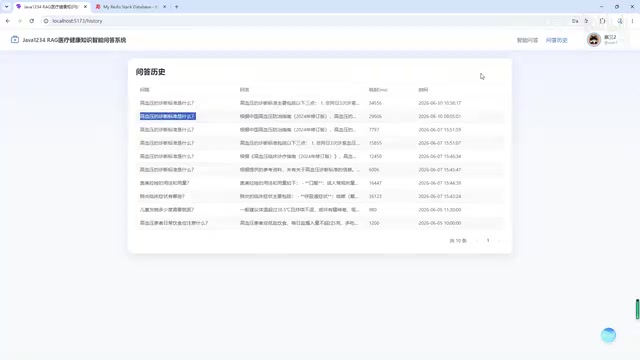
The project comes pre-loaded with 12 test knowledge base files covering various medical health topics, making it easy for developers to get started with testing.
Regular User Features
After logging in, regular users can use the following features:
- Knowledge Q&A: Select a knowledge category and ask questions; the system returns RAG-based answers with citation sources
- Q&A History: View personal question history
- Profile Center: Change avatar, modify nickname, update password, etc.
Cursor AI-Assisted Programming: Practical Experience
Tips for Designing Structured Requirement Prompts
A major highlight of this project is the use of Cursor AI for assisted programming throughout the entire development process. Cursor is an AI-native code editor forked from VS Code, developed by Anysphere. It integrates multiple large language models (including GPT-4, Claude, etc.) and provides three core interaction modes: Tab completion (line-level/block-level code auto-completion), Chat (discuss code issues with AI in the sidebar), and Agent mode (AI autonomously executes multi-step tasks, including creating files, running commands, and fixing errors).
The author designed a structured requirement prompt containing the following key elements:
- Explicit technology stack: Specifying the backend framework, frontend framework, database type, and ports
- Feature boundaries: Requiring "moderate complexity" — neither too simple nor too complex
- Code standards: Requiring Chinese comments at both class and method levels
- Configuration details: Specifying the LLM name, embedding model name, and vector database type
- UI requirements: Explicitly requiring "aesthetically pleasing, with attractive styling — nothing too rigid"

This detailed prompt design resulted in remarkably high-quality code from Cursor. The quality of structured prompts directly determines the usability of AI-generated code — clear technical constraints, feature boundaries, and code standards significantly reduce the amount of subsequent manual modifications. The entire development workflow followed: Plan & discuss the approach → AI generates code → Agent fixes bugs → Refine features. This is a typical application of Cursor's Agent mode: AI first understands the requirements and formulates an implementation plan, then generates code, and finally automatically runs tests and fixes discovered issues. The core development was completed in just 6 sessions.
Development Efficiency and Code Comprehension
With Cursor AI-assisted programming, the project's development efficiency improved significantly. From project setup to feature refinement, the core development process was compressed into 6 sessions of content. Of course, understanding the architecture and implementation details of the generated code is equally important — the author spent an additional two days recording 14 sessions of project architecture and feature module explanations to help learners truly understand the design thinking behind the code.
Learning Recommendations and Prerequisites
To successfully complete this project, you'll need the following prerequisite knowledge:
- Java Fundamentals: Solid Java programming skills
- Spring Boot: Familiarity with basic Spring Boot usage
- LangChain4j Basics: Understanding of LangChain4j's core concepts and APIs
- Basic AI Concepts: Understanding of vectors, embeddings, RAG, and other fundamental concepts
For developers who have already mastered Spring AI 2.0, the learning curve for LangChain4j is not steep. The two share many conceptual similarities, with the core differences lying in framework integration approaches and API design styles.
Conclusion
This LangChain4j-based RAG medical Q&A system project demonstrates the complete path for building AI agent applications in the Java ecosystem. From a technology selection perspective, the combination of LangChain4j + Ollama local deployment provides a viable AI integration solution for Java projects that don't depend on Spring Boot. From a development methodology perspective, Cursor AI programming significantly boosted development efficiency, though understanding the code architecture remains an essential step that cannot be skipped.
For engineers looking to get started with Java AI development, mastering both Spring AI 2.0 and LangChain4j will give you greater flexibility in technology choices across real-world projects.
Related articles
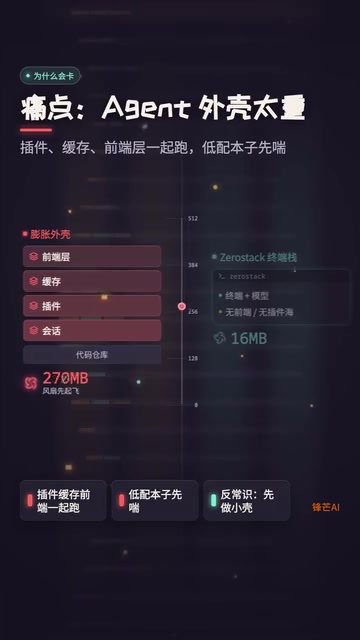
ZeroStack: An In-Depth Look at the Rust-Based Minimalist Coding Agent That Uses Only 16MB of RAM
In-depth review of ZeroStack, a Rust-based coding agent using only 16MB RAM. Analyzing its file I/O, multi-model support, permission controls, and ideal use cases.
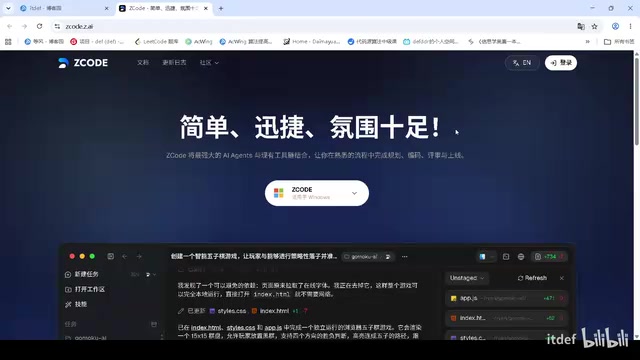
ZCodeAI Free AI Agent Tool Review: Multi-Model Aggregation at Zero Cost
Detailed review of ZCodeAI, a desktop AI Agent tool by ZhiPu featuring free built-in models like DeepSeek V4 Flash and Xiaomi MiMo, with multi-model aggregation and no API Key required.
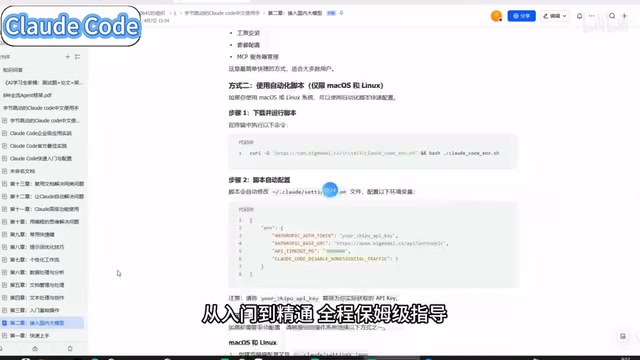
Claude Code Chinese Practical Handbook: A Complete Beginner's Guide for Users in China
A detailed look at the Claude Code Chinese handbook on Feishu, covering setup, domestic LLM integration, commands, and templates for users in China.