Local AI Coding Real-World Test: Can It Replace Cloud Models? A True Codebase Comparison

Local AI coding models tested on real codebases show they're finally useful for compliance-restricted developers.
Real-world testing of local AI models (Qwen 3 Coder Next 80B and Qwen 3.6 27B) on Excalidraw and Warp terminal codebases reveals that local AI coding has reached a 'good enough' level for simple to moderate tasks. While frontier cloud models remain superior, local models now offer genuine productivity gains for developers under ITAR, HIPAA, or other compliance restrictions who cannot send code to the cloud.
Why Developers Need Local AI Coding
For a long time, local AI models have been disappointing for programming—the generated code was so bad that you'd spend more time debugging than writing from scratch. But recently, things have changed substantially. Local AI has finally reached a "good enough" level for coding.
This isn't a simple "local vs. cloud" comparison. The core issue is: a large number of developers simply cannot use cloud models. Developers working on defense contracts (ITAR-controlled code), healthcare (HIPAA regulations), or financial hedge funds face strict compliance policies where "code and data cannot leave the building." Even when cloud providers offer compliance pathways (like FedRAMP or GovCloud), companies still need to individually approve vendors, models, regions, and data flows.
For these developers, there are only two choices: write every line of code by hand like a caveman, or run local AI models on your own hardware.
Test Environment and Model Selection
The hardware configuration used for this test is quite powerful:
- CPU: AMD Ryzen Threadripper 9980X
- GPU: AMD Radeon AI Pro R9700 (32GB VRAM)
- RAM: 128GB DDR5
- OS: Ubuntu 26.04
Two local models were selected for testing:
- Qwen 3 Coder Next: An 80B parameter MoE (Mixture of Experts) model with approximately 3B active parameters per token, requiring CPU offload
- Qwen 3.6 27B: A dense model that can be fully loaded onto the GPU
The cloud baseline used Opus 4.7 (for reference only, not for direct comparison purposes). All local models were run through Llama.cpp using quantized GGUF versions.
Two real production-grade codebases were chosen for testing: the TypeScript project Excalidraw and the Rust project Warp terminal, with one simple task and one difficult task for each codebase.
TypeScript Test: Excalidraw Codebase
Simple Task: Highlighter Mode
The task required adding a Highlighter mode to the free draw tool. Both Opus and Qwen 3.6 passed TypeScript type checking and the functionality worked correctly, but the implementations differed significantly.
Opus's implementation: Modeled the highlighter as a real property of the free draw element—the element itself "knows" it's a highlighter stroke. This means semantic information is preserved in the data model after saving, reloading, and exporting. This is the correct approach that aligns with the existing architecture.
Qwen 3.6's implementation: Took a more direct approach—when highlighter mode is enabled, it creates a regular free draw element with a large stroke width and low opacity. The visual effect is identical, but once the stroke is created, it's no longer a "highlighter"—just a regular element that happens to look like one.
Conclusion: Both work, but there's a clear gap in code quality and architectural soundness.
Difficult Task: Pentagram Star Shape

Adding a new shape is far more than just drawing a polygon—it requires touching multiple system modules including the toolbar, element types, rendering pipeline, collision detection, and restore logic.
Opus's implementation was clean and precise: it added star-specific geometry calculations and maintained independence between star and diamond collision handling. The only minor issue was overriding the digit key 5 shortcut binding.
Qwen 3 Coder Next also implemented the functionality and didn't override any shortcuts (a more conservative approach). However, at the code level there was a subtle bug: it attempted to generalize collision handling for both diamonds and stars, but the helper function internally always used star point coordinates, causing the diamond's collision path to potentially go through star geometry calculations.
The type checker won't catch this bug, and the UI looks perfect, but this is exactly the kind of issue that accumulates over time and eventually causes hard-to-diagnose problems.
Rust Test: Warp Terminal Codebase
Simple Task: Clear History Command
The task required adding a /clear history slash command to clear the conversation history of the current panel.

Opus's implementation was architecturally elegant—it reused the confirmation flow through the existing workspace action and confirmation dialog system, extending a new confirmation type. However, it misunderstood the requirement: instead of clearing history, it deleted the entire conversation. High code quality, but wrong functional direction.
Qwen 3.6 actually understood the requirement correctly, clearing history by truncating the conversation. The UX was somewhat awkward (requiring two Enter presses to confirm), and it only cleared from the view layer—history would still be there after closing and reopening Warp. Not perfect, but directionally correct.
Difficult Task: Command Bookmark System
This was the most complex task: right-clicking a command to bookmark it, viewing all bookmarks in a side panel, and clicking a bookmark to re-execute the command. It required touching multiple core modules including terminal history, context menus, left panel UI, SQLite schema, and command execution.
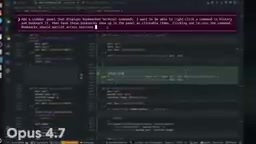
Opus completed most of the work: it added a bookmark module, persistence changes, SQLite schema, terminal context menu, and left panel view, even adding a feature flag. The bookmark functionality itself worked, but the side panel icon didn't display correctly (because it created a new panel type rather than integrating into the existing panel state model), and clicking a bookmark only inserted the command without executing it.
Qwen 3 Coder Next completely failed. It touched the correct areas (persistence, terminal view, action wiring, panel UI, schema), but produced 47 compilation errors—not simple missing imports, but missing UI variables, incorrect API calls, type mismatches, missing enum variants, and other systemic issues. The model attempted multiple fixes before ultimately giving up, admitting that someone familiar with the Warp codebase would need to fix it.
This clearly marks the current capability ceiling of local AI coding models.
Capability Boundaries and Practical Advice for Local AI Coding
The Performance Gap Is Real
Frontier cloud models are genuinely superior to local models—no surprise there. But local models can already produce usable code for simple to moderately complex programming tasks. A year ago, local models couldn't even come close to completing these tasks.
Usage Strategy Determines Output Quality
Local AI coding models require you to treat them like early-stage AI:
- More detailed specifications: Provide strict requirement descriptions to reduce the model's guessing space
- Task decomposition: Break large tasks into smaller ones and feed them to the model one at a time
- Sufficient context: Provide background information for the next step to help the model understand the overall architecture
Time Cost Cannot Be Ignored
Local models take at least 5x longer than frontier cloud models to complete tasks. The optimal workflow is parallel processing: you work on one task while the model simultaneously handles another. Let AI handle the less interesting routine coding tasks while you focus on more challenging core work.
Use Cases Are Already Clear
If your code can't leave the building, local AI coding has gone from "unusable" to "helpful." It won't replace the frontier cloud model experience, but for developers constrained by ITAR, HIPAA, and other compliance restrictions, it's a genuinely usable productivity enhancement tool.
Related articles
Cursor in Action: Building a Library Management System in 15 Minutes — Full Walkthrough
Full walkthrough of building a FastAPI + Vue3 library management system in 15 minutes with Cursor AI, covering structured prompts, Plan & Build strategy, and bug fixes.

Dark Mode for WeChat Mini Programs: One-Click Color Scheme Generation with Pencil MCP
Complete guide to WeChat Mini Program dark mode: from generating dark color schemes with Pencil MCP and AI image generation, to building a Theme.js switching architecture with CSS variables and system dark mode detection.
Git Tutorial for Beginners: Essential Version Control Skills for AI-Assisted Programming
Learn Git from scratch and master the 6 most essential commands for AI-assisted programming. Solve the pain of AI breaking your code with proper version control.