Making Money Selling WordPress Plugins with AI Coding: A Zero-Code Guide to $3,000/Month
A practical guide to building and selling WordPress plugins using AI tools with zero coding experience.
This guide details how to leverage AI coding tools like Claude Code and Cursor to develop WordPress plugins without writing code, then sell them on CodeCanyon to earn USD. It covers topic selection methodology, AI development workflows, the CodeCanyon listing process, Payoneer payment setup, and realistic income stages from $0 to $10,000+/month over 24 months.
Why WordPress Plugins Are an Underrated Money-Making Opportunity Overseas
WordPress holds 43% of the global market share, meaning four out of every ten websites run on it. The official plugin repository has over 60,000 free plugins, but users who need slightly more professional features will opt for paid plugins. The entire WordPress ecosystem generates over $5 billion annually — a number that speaks volumes about the scale of this market.
What's even more noteworthy is the WooCommerce niche — a true gold mine. Over 4 million stores worldwide use it, and 31% of the top 1 million e-commerce sites run on WooCommerce. Building extension plugins around it is widely recognized as the highest-selling category in the WordPress space. For example, the Dokan Pro multi-vendor plugin on CodeCanyon sells for $49 per license, moves 80+ copies per month, and generates nearly $4,000 in monthly gross revenue from a single product.
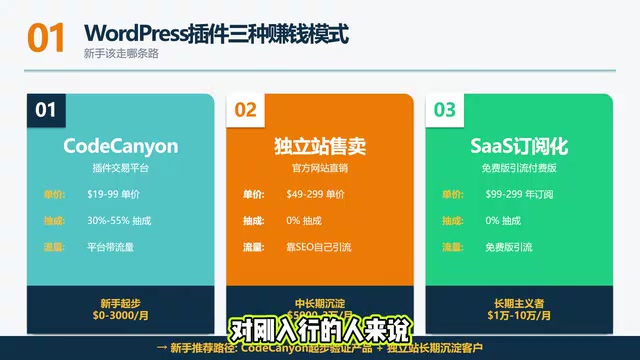
Three Main Monetization Models
- Plugin marketplaces like CodeCanyon: The platform brings traffic, but takes a 30% to 55% commission
- Selling on your own website: You keep all the revenue, but need to drive traffic yourself
- SaaS subscription model: Free version for lead generation + paid annual subscription, highest ceiling
For beginners, the most realistic path is to start on CodeCanyon to validate your product, then funnel customers to your own site for long-term retention.
How AI Enables Zero-Code People to Build Sellable Plugins
Building WordPress plugins used to require mastery of PHP, but AI coding tools have completely leveled the technical barrier. Three core reasons:
- WordPress documentation is extremely comprehensive, and AI models have seen massive amounts of WordPress code during training
- Plugin structure is highly templated — headers, hooks, forms, and menus all follow fixed patterns
- PHP debugging is straightforward — error messages can be pasted directly back to AI for fixes
Your role is essentially product manager + tester: figure out what features to build → describe them to AI in plain language → install the code in WordPress and test → paste errors back to AI for fixes. You never need to write a single line of code, but you do need to know how to describe requirements and read error messages.
Recommended Tool Stack

| Tool | Role | Monthly Cost |
|---|---|---|
| Claude Code | Primary development, can directly read project files and modify code | $20 |
| Cursor | AI-friendly IDE, great for GUI-based operations | $20 |
| ChatGPT Plus | General-purpose assistant, good for beginners | $20 |
The recommended combo is Claude Code as the main workhorse + Cursor as the IDE + ChatGPT for assistance. Monthly cost of $40-60, which is 100x cheaper than hiring a developer.
For local testing, WordPress Studio (official, free, one-click site setup) is recommended. Local by Flywheel is a more feature-rich alternative.
Five Key Tips for Communicating with AI
- Skeleton first: Have AI write the main file skeleton first; once the skeleton is correct, add features
- Small-step validation: Test in WordPress after every change — don't accumulate modifications
- Paste errors directly: Give AI the entire log output; model names and function names are crucial for pinpointing issues
- Enforce comments: Have AI write comments before every function — for your future self three months later
- Generate documentation: When finished, have AI produce a ReadMe — you'll need it for review submission
Topic Selection Methodology: The Three-Circle Intersection Determines Success or Failure
Topic selection is the most critical part of the entire project. AI can write the code, but it won't make topic decisions for you. Choose wrong, and your finished product won't sell — all your effort wasted.
The core logic is finding the intersection of three circles: Market demand × Competitive gap × You can handle it.
- Market demand: Check the Bestsellers list on CodeCanyon — categories that make the top 100 generally have demand
- Competitive gap: The opportunity lies in top plugins with tons of negative reviews; avoid categories where all Top 10 plugins have 4.5+ star ratings
- You can handle it: Can AI actually build it + Can you afford the consequences if something goes wrong
Five Beginner-Friendly Directions
- Content enhancement: Auto table of contents, reading progress bars, visit statistics, social share buttons
- Niche-specific forms: Restaurant reservation forms, yoga studio sign-up forms (avoid giants like Contact Form 7)
- Backend performance tools: Bulk image alt-text editing, revision cleanup, draft deletion
- WooCommerce peripherals: Bulk order printing, inventory alerts, customer segmentation
- Elementor/Gutenberg block add-on packs
Four Categories That Are Guaranteed to Fail — Avoid at All Costs
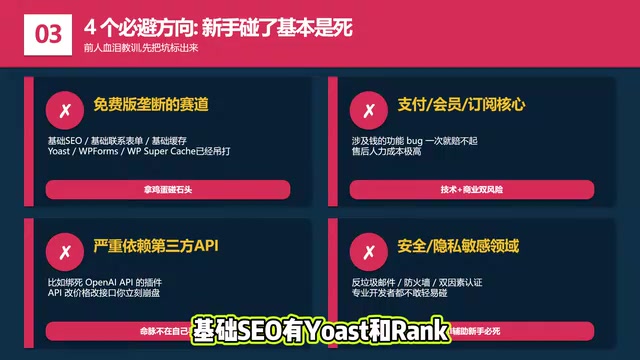
- Categories dominated by free versions: Basic SEO has Yoast and Rank Math, basic caching has WP Super Cache — you'd be bringing a knife to a gunfight
- Payment/membership/subscription core systems: Bugs involving money can cost you dearly, and support costs are extremely high
- Plugins heavily dependent on third-party APIs: All your value is tied to someone else — if they change pricing or endpoints, you're instantly dead
- Security and privacy-sensitive areas: Anti-spam, firewalls, two-factor authentication — even professional developers don't touch these lightly
CodeCanyon Listing Process and Payoneer Payment Details
Six-Step Listing Process
- Register an account at envato.com and apply for Author (seller) status (review takes 1-3 days)
- Prepare submission materials: code zip file + listing copy + 5+ showcase images + Live Preview demo link + intro video
- Submit to the platform and wait for review
- Review cycle is 1-2 weeks; common rejection reasons: non-compliant code, vulnerabilities, broken demo links
- Once approved, your plugin goes live for sale
- Monthly payouts
Pricing rules: CodeCanyon doesn't allow authors to set their own prices — platform editors set them uniformly. Regular plugins: $19-$59; complex plugins: $99-$299. Exclusive mode takes 30%-37.5%; non-exclusive takes 55%. Beginners should choose exclusive — lower commission and preferential traffic.
Three Key Details About Payoneer Payments
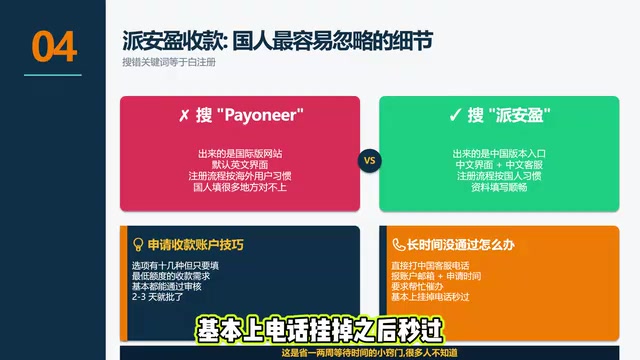
- Search for the Chinese version "派安盈" rather than the English "Payoneer" — the Chinese version is a registration page specifically designed for Chinese users, with a Chinese interface, Chinese customer service, and a process tailored to Chinese users' habits
- When applying for a receiving account, select the lowest payment threshold — approval is almost guaranteed and takes 1-3 days
- If approval takes too long, call them: Call Payoneer's China customer service directly, provide your account email, explain the situation, and ask them to expedite — approval usually comes almost instantly after hanging up, saving you a week or two of waiting
Realistic Income Expectations and Stage Planning
| Stage | Timeline | Expected Monthly Income | Key Tasks |
|---|---|---|---|
| Learning | 0-3 months | Essentially zero | Build your first plugin and pass review |
| Validation | 3-6 months | $50-$500 | Validate topic selection and listing appeal |
| Growth | 6-12 months | $500-$3,000 | Accumulate 3-5 plugins, iterate on winners |
| Independence | 12-24 months | $3,000-$10,000 | Launch independent site + subscription model |
| Brand | 24+ months | $10,000+ | Product portfolio + brand building |
It's important to emphasize that these numbers are achievable for people who take product development seriously and invest consistently.
Five Pitfalls Every Beginner Must Avoid
- Trying to build something all-encompassing: Elementor took 8 years with a team of hundreds. Your first plugin must be small, single-purpose, and quick to launch
- Over-relying on AI: AI can write code but won't make product decisions, market judgments, or sales copy. What truly holds you back is product sense and marketing ability
- Neglecting customer support: CodeCanyon mandates 6 months of free support. If your rating drops, rankings fall and sales collapse
- Putting all eggs in one basket: Relying solely on CodeCanyon means one account issue cuts off your income instantly. Build an independent site and email list simultaneously
- English communication barriers: 99% of customers are native English speakers. You must be able to understand feedback and use AI to write professional responses
Conclusion
Now is the best time to enter the WordPress plugin market and earn in USD. AI has leveled the technical barrier — $40-60/month can replace a developer. But topic selection ability, product thinking, and consistent operations are the real moat. This isn't a get-rich-quick scheme — it's a passive income track that requires 6-12 months of patient refinement. Build your first plugin, pass the review, validate the market — action always beats watching from the sidelines.
Related articles
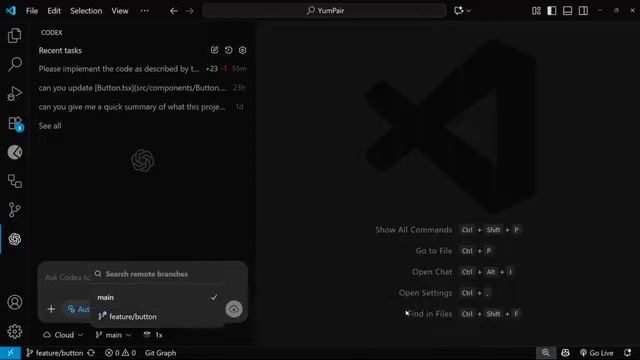
OpenAI Codex Cloud Task Delegation: The Complete Workflow from VS Code to PR
A detailed guide to OpenAI Codex extension's cloud task delegation, covering the complete workflow from initiating cloud coding tasks in VS Code to reviewing changes and creating Pull Requests.
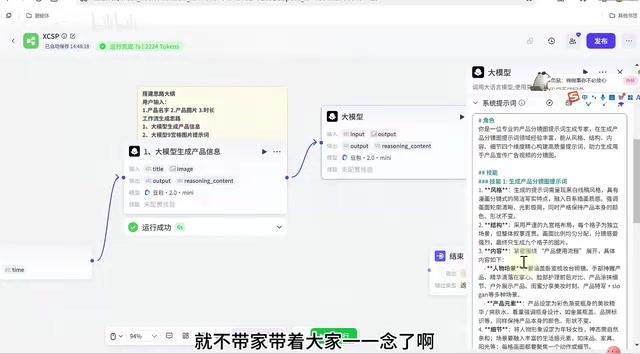
Coze Workflow in Practice: Complete Tutorial for AI One-Click Product Promo Video Generation
Step-by-step guide to building a Coze workflow for AI product promo videos, integrating HappyHours and Jimeng across 12 nodes with nine-grid storyboards and polling loops.
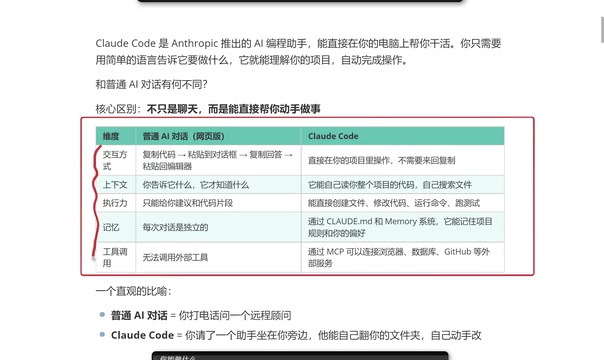
Getting Started with Claude Code: 5 Key Differences from Traditional AI Chatbots
Explore 5 key differences between Claude Code and traditional AI chatbots like ChatGPT, covering interaction, context, execution, memory, and tool integration.