Building AI Agents with Node.js: Replacing Prompt Engineering with Function Calls
Building AI Agents with Node.js: Repla…
Replace prompt-based format conventions with Function Calls to build more robust Node.js AI Agents
This article explains how to use the Function Call mechanism to replace prompt-based format conventions when building AI Agents. By defining tools (like bash and readfile) via JSON Schema, LLMs can accurately invoke tools and pass parameters, effectively solving hallucination problems. Through packet capture analysis of mature Agents, hands-on Node.js code refactoring, and testing the complete tool call chain, the article demonstrates the standardization advantages and extensibility of Function Calls.
Introduction: Evolving from Prompts to Function Calls
In the previous article, we built a basic AI Agent with Node.js using system prompts to define response formats (lines starting with command: to execute commands, text: to return results), combined with a loop that calls the LLM API to complete tasks. However, this approach has a fatal flaw — LLM hallucination. When we rely solely on prompts to constrain output format, the model may return content that doesn't match expectations, causing the Agent to malfunction.
LLM hallucination refers to language models generating content that appears plausible but is actually incorrect or nonexistent. In Agent scenarios, hallucinations manifest as: the model not following agreed-upon output formats, generating nonexistent command names, fabricating file paths or code line numbers, etc. The root cause is that LLMs are fundamentally probability-based text generators — they generate content by predicting the next token rather than truly "understanding" instruction constraints. When we constrain output format solely through natural language prompts, the model may "forget" these constraints in certain contexts, especially during long conversations or complex reasoning scenarios. Function Calls solve this problem at its root by elevating tool definitions from the natural language level to the structured API level.
This article introduces how to use the official Function Call feature to replace this "crude" approach, making AI Agents more standardized, accurate, and extensible.
Why Use Function Calls
Limitations of the Prompt-Based Approach
The previous implementation told the LLM in the system prompt: "Your responses have two formats — command:xxx means a command to execute, and text:xxx means the final result." This approach has several problems:
- Hallucination risk: The model may not return content in the agreed format, causing parsing failures
- Poor extensibility: Adding new tools requires modifying prompts, which easily creates confusion
- Lack of standardization: Every developer has different conventions, with no unified specification
Three Key Advantages of Function Calls
By packet-capturing mature AI Agents (like Claude Code, Aider, etc.), you can see they all use the Function Call mechanism:
- More standardized: Tools defined via JSON Schema enable the LLM to call them with near-100% accuracy
- More accurate: Eliminates format parsing uncertainty and reduces hallucinations
- Easy to extend: You can easily add multiple tools (bash, read, write, search, etc.)
JSON Schema is a declarative language for describing JSON data structures. It defines constraints such as data types, required fields, field descriptions, and enum values. In the Function Call mechanism, JSON Schema serves as an "interface contract": developers precisely describe what parameters each tool accepts, what types they are, and which are required. Since LLMs have learned during training how to generate parameters that conform to JSON Schema constraints, they can generate valid tool call requests with near-100% accuracy. This stands in stark contrast to the prompt-based approach — the latter relies on the model's "understanding" of natural language instructions, while the former relies on the model's "compliance" with structured specifications.
Packet Capture Analysis: How Mature Agents Use Function Calls
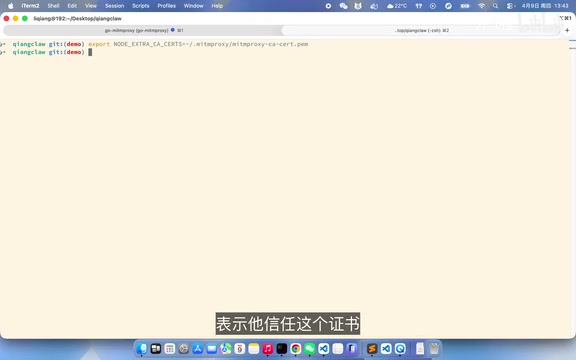
Using man-in-the-middle proxy tools for packet capture, you can clearly see the request structure of mature Agents. A Man-in-the-Middle (MITM) Proxy is a network debugging technique that intercepts, views, and modifies HTTP/HTTPS traffic by inserting a proxy server between client and server. Common tools include mitmproxy, Charles Proxy, and Wireshark. When analyzing AI Agents, developers can route the Agent's API requests through a local packet capture tool to see the complete request body sent to the LLM (including messages, tools definitions, temperature, and other parameters) as well as the complete response from the model. This reverse engineering method is highly effective for learning how mature products are implemented, revealing their tool design philosophy, prompt engineering strategies, and conversation management mechanisms.
Taking an open-source Agent project with 33k Stars as an example, it defines the following tools:
bash: Execute Shell commandsread: Read file contentswrite: Write to filesdelete: Delete filesfind: Search for fileslist: List directories
The tools parameter in the request body defines each tool's name, description, and parameter structure in JSON Schema format. When the model responds, it explicitly specifies which tool to call and what parameters to pass, completely eliminating format ambiguity.
Hands-On: Refactoring the Node.js Agent to Support Function Calls
Defining Tool Schemas
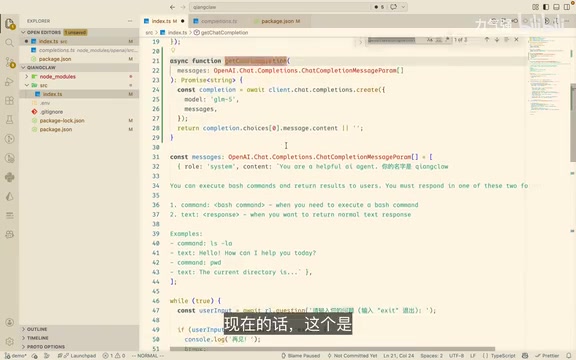
First, define a tools array where each tool contains a name, description, parameter definitions, and an execution method:
const tools = [
  {
    type: "function",
    function: {
      name: "bash",
      description: "执行bash命令",
      parameters: {
        type: "object",
        properties: {
          command: { type: "string", description: "要执行的命令" }
        },
        required: ["command"]
      }
    },
    execute: (args) => execSync(args.command).toString()
  },
  {
    type: "function",
    function: {
      name: "readfile",
      description: "读取文件内容,类似cat -n(带行号)",
      parameters: {
        type: "object",
        properties: {
          path: { type: "string", description: "文件路径" }
        },
        required: ["path"]
      }
    },
    execute: (args) => {
      const content = fs.readFileSync(args.path, 'utf-8');
      return content.split('\n').map((line, i) => `${i + 1} | ${line}`).join('\n');
    }
  }
];
This design places the tool's Schema definition (the part sent to the API) and execution logic (the part that runs locally) in the same object, making tool registration and management more cohesive. type: "function" tells the API this is a function-type tool, the function field contains parameter descriptions conforming to JSON Schema specifications, and the execute field is our custom local execution method.
Modifying the API Request Logic
Pass the tools parameter into the API request and modify the response handling logic:
const response = await openai.chat.completions.create({
  model: "your-model",
  messages: messages,
  tools: tools  // Add tools parameter
});
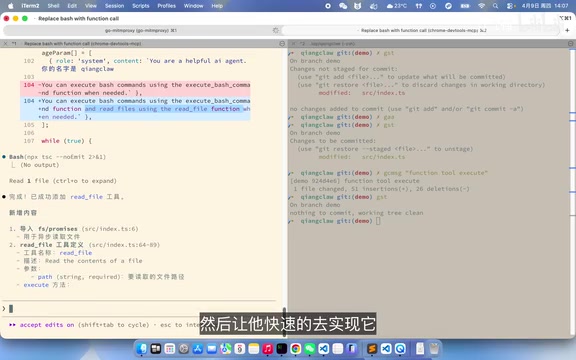
When the model returns tool_calls, parse the tool name and arguments, execute the corresponding method, push the result into the conversation history with the tool role, then continue requesting the model until you get a final text response.
The OpenAI-compatible Chat Completions API defines multiple message roles: system (system instructions), user (user input), assistant (model responses), and tool (tool execution results). When the model returns tool_calls, developers need to execute the corresponding tool, then push the execution result into the conversation history with the tool role and the associated tool_call_id. This design allows the model to distinguish between "what it said" and "real data returned by tools," enabling it to reason based on actual execution results. The entire loop process is: user asks → model decides to call a tool → developer executes the tool → result is sent back → model continues reasoning → may call tools again → ... → finally returns a text response. This loop is called the Agent Loop and is the core operating mechanism of all AI Agents.
Key Detail: Adding Line Numbers to File Reads
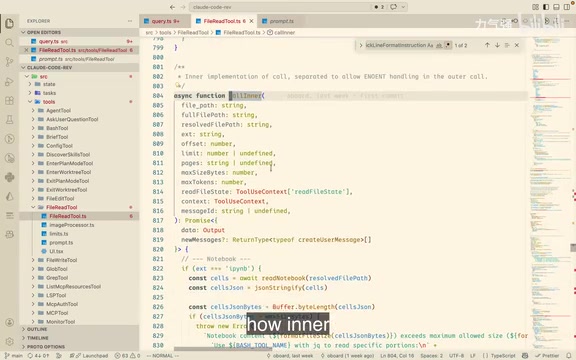
One noteworthy detail is that Claude Code adds line numbers to each line when reading files (similar to the cat -n command). This isn't superfluous design — through testing, adding line numbers helps the model locate code positions more accurately and reduces line number hallucinations. It only takes one line of code:
content.split('\n').map((line, i) => `${i + 1} | ${line}`).join('\n');
Why are line numbers so important for the model? When an LLM processes code and needs to point out "there's a bug on line 42" or "insert code after line 15," it must calculate line numbers accurately. But models aren't inherently good at counting — they process text token by token without a built-in line counter. By explicitly labeling line numbers in the input, we transform "counting" (a difficult task for models) into "reading" (a simple task), dramatically improving code location accuracy.
Testing: Observing the Complete Tool Call Chain
When we ask the Agent "what does this project do," we can observe the complete tool call chain:
- Calls
bashto executelsand list the current directory - Calls
readfileto readpackage.jsonand understand project dependencies - Calls
readfileto readREADME.mdfor project documentation - Calls
bashto list thesrcdirectory structure - Calls
readfileto read core code files - Finally returns the project analysis result
Throughout this process, the model autonomously decides which tool to call and what parameters to pass, without any complex format conventions in the prompt. This autonomous decision-making ability comes from the "planning" capability the LLM learned during training — it can decompose a high-level goal (understanding a project) into multiple sub-steps and dynamically adjust subsequent plans based on each step's execution results. This is precisely what distinguishes AI Agents from simple chatbots: the closed-loop capability of perception-planning-action.
Two Modes of AI-Assisted Development
During implementation, there's a development philosophy worth sharing:
Fine-grained control mode: Tell the AI one small change at a time, understanding each step. Suitable for learning and scenarios where you need to maintain code quality.
Result-oriented mode: Simply tell the AI "help me implement a complete Agent" and only focus on the final result. More efficient but may lead to code you can't understand later.
The former is recommended — it enables rapid development while maintaining code comprehension, preventing difficulties during future maintenance. This mode is also called "AI-assisted incremental development." Its core idea is: let AI be your pair programming partner rather than a code generator. You maintain understanding of the architecture and logic while AI helps you accelerate implementation details. When code issues arise, you have enough context to locate and fix them, rather than being helpless in front of a pile of "black box code."
Looking Ahead: From Two Tools to a Complete Agent
Currently we've implemented two tools — bash and readfile. Future extensions can include:
write: Write to filesgrep/search: Code searchwebsite: Web scraping- Skill Loading: Dynamically loading skills
- Context compression: Solving token limit issues in long conversations
- MCP integration: Every MCP method can be added as a tool
MCP (Model Context Protocol) is an open protocol proposed by Anthropic aimed at standardizing communication between LLMs and external tools/data sources. MCP uses a client-server architecture where MCP Servers expose a set of tools, resources, and prompt templates, and MCP Clients (typically AI applications) communicate with them via a standard protocol. Each method provided by an MCP Server can be mapped to a tool in Function Call, meaning developers can quickly extend Agent capabilities by connecting to the MCP ecosystem without writing integration code for each tool individually. There are already numerous community-contributed MCP Servers covering scenarios like database queries, file system operations, web search, and API calls.
Mature Agents like Claude Code may have 20+ tool definitions — this is precisely the power of the Function Call mechanism: standardized interfaces make tool extension simple and reliable.
Key Takeaways
- Function Calls define tools via JSON Schema, which is more standardized and accurate than prompt-based format conventions, effectively reducing LLM hallucinations
- The core of implementing an AI Agent is defining a tools array (with Schema and execution methods), passing it to the API request, and looping through tool_calls until a final response is obtained
- Adding line numbers when reading files is a critical detail that helps the model locate code positions more accurately
- Mature Agents (like Claude Code) typically define 20+ tools; the Function Call mechanism makes tool extension simple and reliable
- For AI-assisted development, the fine-grained control mode is recommended: describe small changes each time to maintain both development efficiency and code comprehension
Related articles
 Tutorials
Cursor + Codex Dual-IDE Collaboration: A Practical Methodology for Open-Source Project Customization
A complete methodology for open-source project customization based on real-world experience, detailing the Cursor+Codex dual-IDE workflow, seven-stage process, MVP validation, and AI source code reading techniques.
 Tutorials
Cursor Multi-Agent in Practice: Building a Full-Stack Next.js Blog in 50 Minutes
Build a full-stack blog in 50 minutes using Cursor IDE's multi-Agent mode with Next.js, Clerk auth, and Supabase. Learn the 4-phase AI Agent workflow and key integration pitfalls.
 Tutorials
Building an AI Software Factory from Scratch: A Cursor Engineer's Hands-On Experience with Multi-Agent Collaboration
Cursor engineer Eric shares practical insights on building an AI software factory: automation levels, guardrail design, parallel Agent management, and scaling to 1000+ Agents for 24/7 development.