Ponytail Plugin: The Minimalist Philosophy That Makes AI Coding Agents Write Less Code

Ponytail plugin enforces YAGNI principles in AI coding agents, cutting costs up to 77% with leaner code.
Ponytail is a minimalist plugin for Claude Code that injects a strict decision ladder into AI agents, forcing them to exhaust native solutions before writing new code. Benchmarks show 47%-77% cost reduction and up to 94% less code, while real-world tests demonstrate more accurate requirement fulfillment. The plugin embodies the YAGNI principle, proving that constrained AI agents produce leaner, cheaper, and more correct solutions.
What Is Ponytail? A Plugin That Makes AI Agents Write the Leanest Code Possible
Ponytail is a minimalist plugin designed for AI coding agents like Claude Code, with one core mission: Stay radically simple, strip away the bloat that AI agents tend to produce, and find the leanest possible solution to any problem.
Claude Code is Anthropic's command-line AI coding tool that lets developers interact with the Claude model using natural language to complete coding tasks. Unlike traditional code completion tools, Claude Code is a full-fledged Agent — it can read project files, execute terminal commands, modify code, and verify results. It supports Custom Instructions and a plugin system to adjust the Agent's behavior, and Ponytail leverages exactly this mechanism to inject minimalist coding rules into the Agent's decision-making process.
Its official description paints a vivid picture — "It's that person with the long ponytail and oval glasses who's been at the company longer than version control. You hand them 50 lines of code, they glance at it, say nothing, and refactor it down to one line." This describes exactly the kind of 10X developer we all know: not the one who writes more, but the one who writes less — and nails it.
Ponytail's underlying philosophy stems from the classic YAGNI principle (You Ain't Gonna Need It). Don't add abstraction layers, don't show off, don't write a class — if you can avoid it, just solve the problem directly. YAGNI was originally coined by Ron Jeffries, one of the founders of Extreme Programming (XP), in the late 1990s, and is a core practice of agile development methodology. Its full meaning: don't implement something just because you predict you might need it in the future. This principle, along with KISS (Keep It Simple, Stupid) and DRY (Don't Repeat Yourself), forms the three pillars of simplicity in software engineering. In the age of AI-assisted coding, YAGNI's importance is amplified — because large language models naturally tend to generate code that "looks complete," including all sorts of defensive programming, abstraction layers, and extension points that are often unnecessary for the current requirements.
The Decision Ladder: Five Questions Before Writing Any Code
Ponytail doesn't simply tell the AI to "write less." Instead, it implants a strict Decision Ladder into the Agent. Before writing any new code, the Agent must answer the following questions in order:
- Does this thing actually need to exist?
- Can the standard library handle it?
- Is there a native platform feature available?
- Is there already an installed dependency that covers this?
- Can it be done in one line?
Only when all of the above answers are "no" will the Agent actually write new code — and even then, it writes only the bare minimum to make it work.
Classic Example: Modal Dialog Implementation Comparison
This example best demonstrates Ponytail's power. When asked to add a modal dialog for delete confirmation:
- A standard Agent would immediately install a UI library like React Dialog, add a Portal, Overlay Root, Trigger, Content Wrapper… all just to display a box with two buttons, easily exceeding 30 lines of code.
- A Ponytail Agent would point out that browsers already have the
<dialog>element, which automatically traps focus, closes on Esc, renders a backdrop with a single CSS selector, and has been supported by all major browsers since 2022. The result: 8 lines of code, zero dependencies.
The HTML <dialog> element is a native dialog solution officially introduced in the W3C HTML5.2 specification. It provides two API methods — showModal() and show() — with built-in focus trapping, Esc key dismissal, and a backdrop via the ::backdrop pseudo-element. After Safari 15.4 shipped in March 2022, all major browsers fully supported this element. Before that, developers typically relied on third-party libraries (like Radix UI, Headless UI) to implement accessible modal dialogs, which often introduced tens of kilobytes of JavaScript and complex component tree structures. Ponytail guides the Agent to discover these native capabilities first, fundamentally avoiding unnecessary dependency bloat.
Even better, Ponytail leaves comments explaining what it skipped and why. If you ever want to upgrade to a more advanced solution later, you'll know exactly where to start. Lazy, but not irresponsible.
Benchmark Results: 47%-77% Cost Reduction in Real Tests
The Ponytail team provided detailed benchmark data. The test design:
- Three approaches: No Skill, Caveman, and Ponytail
- Three models, five everyday development tasks
- Each combination run 10 times, using the median
- Key metrics include not just lines of code but also correctness verification — good-looking code that produces wrong results is marked as a failure

Interestingly, the benchmark's cost accounting method actually disadvantages Ponytail: each test initiates a fresh API call, sending the full Ponytail ruleset in the prompt every time. In real-world usage, these instructions are typically paid for once per session and then cached. This means the 47%-77% cost savings are actually underestimated — the advantage grows even larger in continuous multi-turn conversation workflows.
To understand the economics behind this, you need to know how AI coding tools are billed. In large language models, a token is the basic unit of text processing — roughly 1-2 tokens per English word, and about 1-2 tokens per Chinese character. Taking Claude 3.5 Sonnet as an example, input tokens cost $3 per million tokens and output tokens cost $15 per million tokens. This means every redundant line of code the AI generates costs real money. More critically, in multi-turn conversations, all previous context is resent as input, so redundant code generated early on continues to incur costs in every subsequent turn. This is why Ponytail's emphasis on "minimal output" delivers such significant cost savings — it reduces not only the output tokens in the current turn but also the input tokens in every future turn.
Ponytail vs. Simple Prompts: A Fair Challenge
Developer Colin Eberhard recently published a blog post pointing out that replacing Ponytail with the simple three-word instruction "follow YAGNI principles" produced results nearly identical to Ponytail's benchmark scores. Expanding to seven words — "follow YAGNI principles and one-liner solutions" — even outperformed the benchmark.
So is Ponytail magic, or just a fancy prompt wrapper?
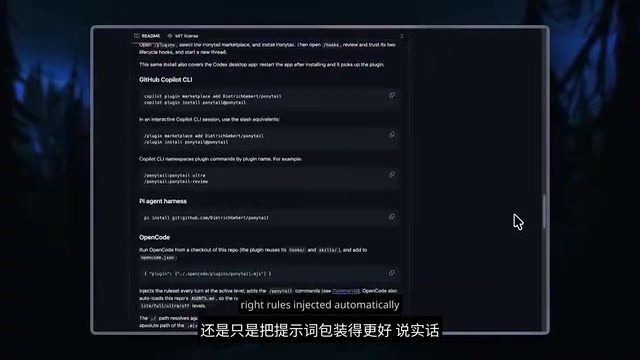
The challenge is fair, but the packaging itself is the product. Through its command-line audit tool and decision ladder, Ponytail automatically injects the right rules into different Agents. Additionally, Ponytail provides audit and review features — things you simply can't get from writing a few words in a system prompt.
Real-World Comparison: Weather Dashboard — Minimal vs. Default
To verify real-world effectiveness, the video author opened two Claude Code instances — one with the Ponytail plugin installed, one with default settings — and gave both the exact same prompt: build a weather dashboard app that detects the user's location and displays the current weather.
Development Speed and Project Structure
- Ponytail version: Completed the task in under one minute, everything in a single HTML file
- Default version: Took longer, generated more files and code
Functional Accuracy Comparison
Surprisingly, the Ponytail version followed the instructions more accurately. The default version had a prettier UI but didn't auto-detect the user's location as required — it defaulted to London instead. The Ponytail version first asked for the user's current location, then displayed the matching weather information.

The interface might not be as flashy, and the app is more bare-bones, but it actually did what was asked. There's an interesting cognitive science explanation behind this: when an AI Agent is constrained to do only the minimum, it actually reads the requirements more carefully — because it can't mask misunderstandings by "doing extra." Minimalist constraints force the Agent to precisely understand "what is actually being asked" rather than "what looks like it should be done."
Development Cost Comparison
The Ponytail version ended up about 50% cheaper than the default version, with significantly fewer lines of generated code. Leaner code, lower cost, more accurate functionality — a triple win.
Is Stacking Caveman + Ponytail Worth It?
Since Ponytail works so well, what happens when you combine it with another minimalist plugin, Caveman (which makes the AI talk less to save tokens)?
Test results: The task was still completed within one minute, output was nearly identical to Ponytail alone, and functionality was exactly the same. But the Caveman + Ponytail combo ended up slightly more expensive than Ponytail alone.
The conclusion is clear: stacking them offers no practical advantage. You can simply choose one or the other. If Ponytail's benchmark data is reliable, it does outperform Caveman. This also reveals an important principle in prompt engineering: more instructions aren't always better. When multiple rulesets act on an Agent simultaneously, it needs extra reasoning steps to coordinate and prioritize them, which itself consumes tokens and can introduce decision conflicts.
Less Is More: Minimalist Lessons for AI-Assisted Coding
Ponytail's success reveals a deeper issue: many of our AI-generated coding solutions are probably over-engineered.
When an AI Agent is unconstrained, it tends toward over-engineering — installing unnecessary dependencies, creating excessive abstraction layers, generating redundant code. Over-engineering has been a long-standing problem in the software industry, but the proliferation of AI coding tools has made it significantly worse. Research shows that AI code assistants generate an average of 40%-60% more abstraction layers and boilerplate code than human-written code. This is because LLM training data contains vast amounts of "best practice" example code that is often over-structured for pedagogical purposes. Additionally, models tend to generate "safe" code — code that covers more edge cases and uses more design patterns — because such code typically receives higher ratings in training data. Ponytail is essentially fighting against this training bias.
This doesn't just waste tokens and money — it also introduces more potential bugs and maintenance burden.
Ponytail's value lies in systematizing the "less is more" philosophy into the AI's workflow through a structured set of rules. Whether or not you use this specific plugin, the thinking behind it is worth adopting:
- Ask "do we need this?" before asking "how do we build it?"
- Prioritize native platform capabilities
- Zero dependencies beats light dependencies; light dependencies beat heavy dependencies
- The minimum viable implementation is the best first version
For developers who regularly use Claude Code or other AI coding tools, Ponytail is a plugin worth trying. Even if you don't use it, at least consider adding YAGNI guidance to your own prompts — after all, getting the AI to write 94% less code might just deliver better results.
Related articles

6 Practical Prompt Techniques to 10x the Quality of AI Responses
6 proven prompt techniques — role-playing, deep questioning, adversarial critique, failure pre-mortem, reverse engineering, and dual-version explanation — to dramatically improve AI output quality.
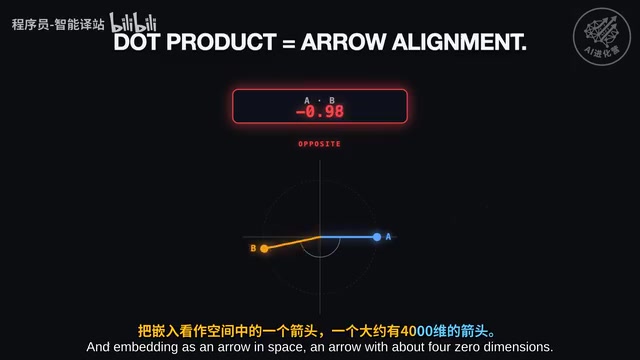
KV Cache Saves 20x on Costs: The Underlying Principles and Practical Tips for LLM Inference Optimization
Deep dive into how KV Cache reduces LLM API costs by 20x. From Transformer attention matrix multiplication overhead to prompt caching best practices, understand the fundamentals of AI inference cost optimization.
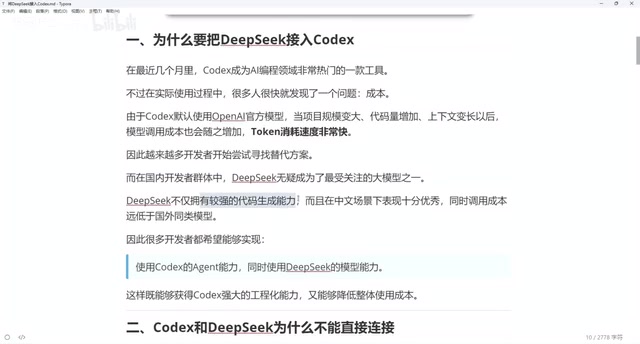
Complete Guide to Connecting Codex with DeepSeek: Low-Cost AI Programming with Codex++
Learn how to connect DeepSeek to Codex using the open-source tool Codex++. Complete setup guide covering provider config, connection testing, and launch steps to slash AI coding costs.