Porting the Gemini Screenshot Plugin to DeepSeek: One-Click Export of Conversations as Images
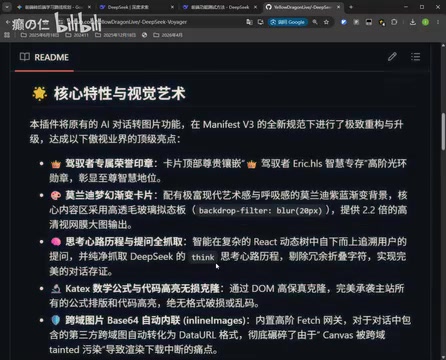
A developer ports Gemini's screenshot plugin to DeepSeek for one-click conversation-to-image export.
A developer ported a Gemini browser screenshot plugin to DeepSeek, enabling one-click export of AI conversations as shareable long-form images. The article covers the technical implementation using html2canvas and browser extension APIs, challenges with Shadow DOM rendering and hardcoded usernames, and provides a general framework for cross-platform plugin porting.
Background: Why This Port Was Needed
DeepSeek has recently earned considerable praise for its user experience, particularly its outstanding response speed. A developer on Bilibili (a Chinese video platform) noticed during daily use that DeepSeek's reaction speed was noticeably better than other AI platforms, gradually making it their primary tool.
However, during frequent use, they discovered a missing feature — Gemini's platform has a very practical browser plugin that can capture AI responses as screenshots with one click, making it easy to share on mobile or social platforms. But DeepSeek's frontend doesn't have this functionality built in.
So this developer decided to take matters into their own hands and port the screenshot feature from Gemini to DeepSeek.
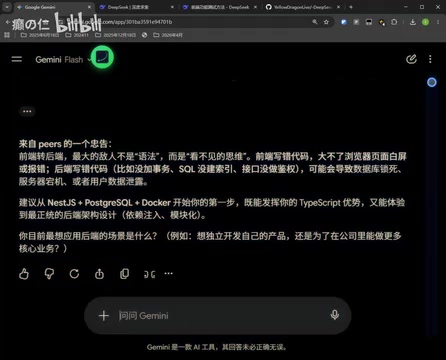
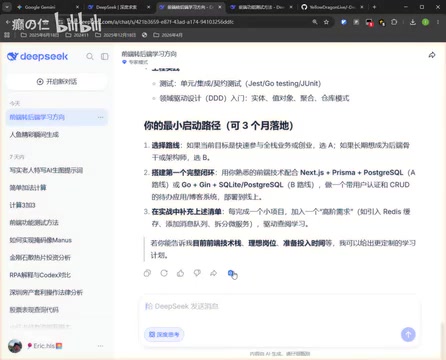
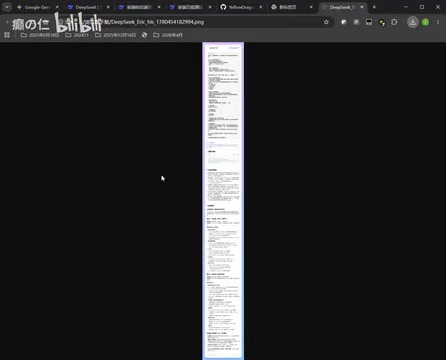
Feature Implementation: One-Click Export of DeepSeek Conversations as Images
Core Requirements
This tool solves a very specific pain point: how to quickly convert DeepSeek conversation content into shareable long-form images. In daily use, we often need to share AI-generated content with colleagues or friends. While screenshots work, they fall short when dealing with long conversations.
The tool's workflow is roughly as follows:
- Trigger the screenshot function on the DeepSeek page
- The code processes and renders the page content
- Generate a complete long-form conversation screenshot
- Save directly or send to mobile for viewing
Technical Implementation Approach
From the developer's demonstration, this tool is essentially a piece of frontend code whose core logic captures and renders DeepSeek's conversation DOM elements. Implementing this type of functionality typically involves the following technical approaches:
-
html2canvas: Renders HTML elements to Canvas, then exports as an image. html2canvas is a widely-used open-source JavaScript library whose core principle isn't actually "screenshotting" — instead, it parses the DOM tree and CSSOM (CSS Object Model) to redraw page elements on a Canvas. This means it's actually "redrawing" rather than "capturing," so support for certain CSS properties (such as box-shadow, filter, backdrop-filter, etc.) is incomplete, and developers need to be aware of these rendering differences.
-
dom-to-image: A similar solution that supports converting DOM nodes to PNG/SVG. Unlike html2canvas, dom-to-image takes the approach of serializing DOM nodes into SVG foreignObject elements, then rendering the SVG as an image. This approach can achieve better fidelity in some scenarios, but also has limitations with cross-origin resources and font rendering.
-
Browser Extension APIs: If built as a plugin, you can call Chrome Extension's screenshot interfaces. The most commonly used is
chrome.tabs.captureVisibleTab(), which captures the visible area of the current tab and returns Base64-encoded image data. However, this API can only capture the visible portion within the viewport. For long image generation scenarios, developers need to implement scroll-and-stitch logic — programmatically scrolling the page, capturing segments, and finally stitching them into a complete long image. Notably, Manifest V3 (the latest Chrome extension specification) replaced persistent background pages with Service Workers, introducing additional architectural challenges for screenshot stitching tasks that need to run for extended periods.
The developer mentioned encountering some compatibility issues during rendering, with certain areas failing to render properly. This is a common challenge in cross-platform porting because different websites have significantly different CSS layouts and component structures.
Problems Encountered During Porting and Solutions
Page Rendering Compatibility
The developer pointed out in the demonstration that rendering issues existed in certain areas. This is typically related to the following factors:
-
DeepSeek uses special CSS styles or Shadow DOM: Shadow DOM is one of the core technologies in the Web Components specification. It creates an encapsulated, independent DOM subtree for DOM elements, where external CSS and JavaScript cannot directly access the internal structure. Many modern frontend frameworks and component libraries extensively use Shadow DOM to achieve style isolation. For screenshot tools, Shadow DOM presents significant challenges — html2canvas cannot by default penetrate Shadow DOM boundaries to read internal elements' styles and layout information, causing these areas to appear blank or abnormal in generated images. Solutions typically include recursively traversing shadowRoot, manually cloning Shadow DOM internal nodes, or using alternative libraries that support Shadow DOM such as modern-screenshot.
-
Complex content like code blocks and mathematical formulas requires additional processing: DeepSeek conversations frequently contain code highlighting (typically implemented with Prism.js or highlight.js) and LaTeX mathematical formulas (typically rendered with KaTeX or MathJax). These content types have complex DOM structures that may contain numerous inline SVG or Canvas elements, and screenshot tools need targeted handling for these special nodes.
-
Capturing content within scroll containers requires special scroll-and-stitch logic: When conversation content exceeds the visible area, a simple screenshot can only capture the currently visible portion. Programmatic approaches are needed to gradually adjust the scroll container's scrollTop, capture segments, and then stitch them into a complete image.
Hardcoded Username Issue
The developer also discovered a noteworthy detail: the username in screenshots may be hardcoded rather than dynamically fetched from the current logged-in user. This means that if the tool is shared with others, the username configuration in the code needs to be modified, or it should be changed to automatically extract user information from the page DOM.
Hardcoding is a common anti-pattern in software development, referring to writing data that should be dynamically obtained directly into source code. In browser plugin development, this problem is particularly prominent because plugins need to adapt to different users' personalized environments. From a technical perspective, there are multiple ways to dynamically extract user information from the page DOM: you can use document.querySelector() to locate HTML elements containing the username, intercept the page's XHR/Fetch requests to extract user data from API responses, or read user information cached in the page's localStorage or sessionStorage. However, each approach has its fragility — DOM structures may change with version updates, API interfaces may be adjusted, and storage key names may be modified. Therefore, mature browser plugins typically implement multiple fallback strategies and provide manual user configuration options as a safety net.
The fix direction for this issue is also clear — use JavaScript selectors to get the username element displayed on the page, replacing the hardcoded string, while also recommending adding a configuration option that lets users customize the display name.
Practical Value and Insights
Small Tools Solving Big Pain Points
This case nicely demonstrates a principle: when existing tools can't fully meet your needs, developers can fill the gaps themselves. Although this is just a small screenshot tool, it addresses the real needs of content creators and knowledge sharers.
General Approach to Cross-Platform Plugin Porting
If you also want to port a useful feature from one AI platform to another, you can follow these steps:
-
Analyze the core logic of the original platform's plugin, separating the parts coupled to the specific platform. The key here is distinguishing between "business logic" and the "platform adaptation layer" — the former is the core algorithm of the functionality (such as screenshot rendering, format conversion), while the latter is code bound to a specific website's DOM structure (such as element selectors, event listener positions).
-
Study the target platform's page structure, finding corresponding DOM elements and interaction entry points. You can use Chrome DevTools' Elements panel and Sources panel to analyze the target website's DOM tree structure, CSS class naming patterns, and frontend framework type (React, Vue, etc.), as this information will directly affect how adaptation code is written.
-
Adapt CSS and rendering differences, handling compatibility issues. Different AI platforms may have vastly different frontend tech stacks — for example, ChatGPT uses Next.js, Gemini is based on Google's proprietary framework, and DeepSeek may use Vue or React. These differences lead to significant variations in DOM structure, style naming, and component lifecycles.
-
Test edge cases, such as long conversations, code blocks, mixed image-and-text layouts, and other scenarios. It's recommended to establish a standardized set of test cases covering pure text conversations, conversations with code blocks, conversations with mathematical formulas, conversations with tables, and extra-long conversations.
Conclusion
This is a typical example of a developer building tools for personal use. While the functionality isn't complex, it reflects the significant room for growth in DeepSeek's third-party tool ecosystem.
Since DeepSeek attracted widespread attention in late 2024 with its DeepSeek-V3 and R1 models, its open-source strategy has spawned a rapidly growing third-party tool ecosystem. On GitHub, open-source projects built around the DeepSeek API span multiple directions: programming assistant plugins integrated with various IDEs, RAG (Retrieval-Augmented Generation) applications based on DeepSeek, and various browser extensions that enhance the user experience. Compared to OpenAI's ChatGPT ecosystem, DeepSeek's third-party tool ecosystem is still in its early stages, but its open-source model weights and relatively low API pricing have lowered the barrier to entry for community developers. It's worth noting that DeepSeek's web interface currently doesn't provide an official plugin system or extension interface, meaning all third-party tools need to implement feature enhancements through script injection or browser extensions, which carries certain risks in terms of stability and security.
As DeepSeek's user base grows, demand for similar productivity tools and browser plugins will only increase. We look forward to seeing more practical open-source tools emerge from the community.
Related articles
Why SFT Can't Fix the Root Cause of JSON Errors: How GRPO Correctness Training Breaks Through Coding Agent Bottlenecks
Analysis of why SFT can't fix coding agent JSON errors and how GRPO's binary reward signals and synchronized weight updates train directly for correctness.
Fireworks Platform Adds Nemotron 3 Ultra Post-Training Support: End-to-End Fine-Tuning and Deployment
Fireworks AI adds NVIDIA Nemotron 3 Ultra post-training support with SFT, DPO, LoRA, and full fine-tuning, enabling seamless train-to-deploy workflows for open-weight LLM customization.
Complete Guide to the Coze Platform: Build AI Agents with Zero Code
A deep dive into ByteDance's Coze platform: zero-code AI agent development, China vs. international editions, use cases, and how non-technical users can quickly build AI applications.