Roo Code Deep Dive: A Guide to the Multi-Model AI Coding Assistant for VS Code

A comprehensive guide to Roo Code, the multi-model AI coding assistant for VS Code.
Roo Code is a VS Code extension that embeds multiple AI models (Claude, GPT-4, Gemini) directly into the editor, eliminating context-switching between tools. Its key features include multi-backend support for cost optimization, real-time auto-diff for transparent code review, direct terminal command execution, and an Architect Mode for planning before coding. Best suited for VS Code users wanting flexible, vendor-agnostic AI assistance.
Introduction: The Efficiency Pain Points of AI-Assisted Programming
When using AI-assisted programming, developers frequently find themselves switching back and forth between VS Code and various AI tools—copying code to ChatGPT, waiting for a response, pasting it back into the editor, and repeatedly verifying whether the changes are correct. This fragmented workflow severely slows down development efficiency.
The essence of this problem is known as "Context Switching Cost." Cognitive science research shows that each time you switch between different tools, your brain needs approximately 23 minutes to fully return to its previous state of focus. For programmers, the process of switching from the editor to a ChatGPT webpage, organizing prompts, waiting for responses, and then returning to the editor to locate where changes need to be made doesn't just waste physical time—it seriously disrupts "Flow State," that experience of complete concentration and high-efficiency output during programming. This is why the industry increasingly favors embedding AI capabilities directly into IDEs rather than using them as standalone tools.
Roo Code (formerly Roo Cline) is a VS Code extension built specifically to solve this pain point. It embeds mainstream AI models like Claude and GPT-4 directly into the editor, allowing AI to read, understand, and modify your project code in real time. Currently, the extension has a 4.6-star rating on the VS Code Marketplace, ranks in the top 20% of programming extensions by install count, and has already accumulated a substantial developer user base.
Roo Code's Core Differentiator: Multi-AI Backend Support
Most AI coding extensions on the market are locked to a single vendor, limiting you to their designated model. Roo Code's biggest differentiator is that it isn't locked to any vendor and supports free switching between multiple AI backends.
The technical implementation of this multi-backend support relies on a unified abstraction layer design across different Large Language Model (LLM) APIs. Current mainstream AI coding services each have their strengths: OpenAI's GPT-4 series offers balanced performance in general reasoning and code comprehension; Anthropic's Claude 3.5 Sonnet has unique advantages in long-context understanding and code generation accuracy, particularly excelling at complex multi-file projects; Google's Gemini series is competitive in response speed and token cost. The pricing differences between models are enormous—GPT-4's API call cost can be more than 10x that of Gemini Flash. Roo Code shields developers from the protocol differences between various APIs through its abstraction layer. This design philosophy is known as the "Strategy Pattern" in software engineering, allowing developers to dynamically select the most cost-effective model based on task complexity.
What does this mean in practice? You can flexibly choose AI services based on the complexity of different tasks:
- Simple refactoring tasks: Use lightweight models like Gemini for fast responses and low cost
- Complex business logic: Switch to Claude 3.5 or GPT-4 for higher-quality code generation
- Private deployment scenarios: Connect to your team's internal AI services to meet data security requirements
This flexibility offers clear advantages in cost control. Compared to tools in the same space like Cursor and Windsurf, Roo Code gives developers more autonomous choice.
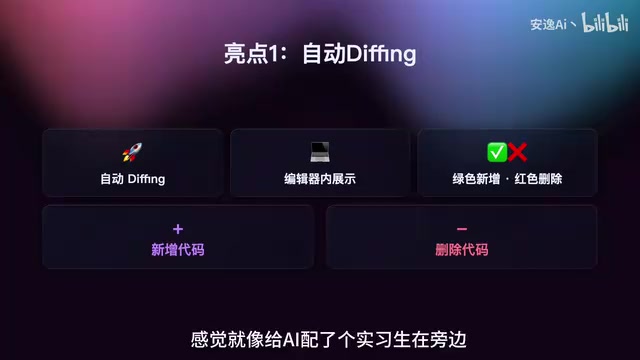
Three Key Technical Highlights of Roo Code Explained
Auto-Diff: Transparent Code Change Management
With most AI coding tools, developers need to manually find differences and compare modification records after code changes—a very fragmented experience. When read-write permissions are enabled, Roo Code displays a diff view directly in the editor—green highlights for additions, red highlights for deletions—with support for line-by-line approval.
Diff (difference comparison) is a core concept in version control systems, first introduced by the Unix diff tool in 1974. In modern development, diff algorithms used by version control tools like Git (such as the Myers diff algorithm) calculate the differences between two file versions using minimum edit distance. Roo Code makes this mechanism real-time, generating a visual diff view immediately each time AI modifies code. This differs fundamentally from how Git works: Git's diff is a post-hoc comparison, while Roo Code's diff is a real-time preview—code changes are shown to the developer for approval before being written to the file.
This design is like giving the AI an intern supervisor: every modification it makes is clearly visible, and you can stop it immediately if you're not satisfied. This "Human-in-the-Loop" transparent change management mechanism is an important safety paradigm in the current AI Agent field, ensuring that every operation of an automated system is under human supervision, significantly reducing the risk of AI "randomly modifying code" and keeping developers firmly in control.
Direct Terminal Command Execution: Bridging the Last Mile of Development
After AI generates code, developers typically still need to manually execute operations like npm install, configure database drivers, run migration scripts, and so on—the process often breaks down at the last mile. Roo Code can execute commands directly in the terminal, even helping you install dependencies and run migration scripts.
The ability for AI to directly execute terminal commands is one of the core characteristics of an AI Agent. Traditional AI assistants can only generate text suggestions, while Agents possess the complete closed-loop capability of "perception-decision-action." In programming scenarios, this means AI can not only generate code but also execute operations like npm install to install Node.js dependencies, run database migration scripts (such as Prisma migrate or Django migrate), and start development servers. The technical foundation for this capability is VS Code's Terminal API, which allows extensions to programmatically send commands to the integrated terminal and read output. It's worth noting that this also introduces security risks—malicious or erroneous commands could delete files or modify system configurations. Therefore, Roo Code requests user confirmation before executing each command, embodying the "Principle of Least Privilege" in Agent safety design.
This isn't "AI telling you what to change"—it's AI actually making the changes for you. Developers only need to describe their requirements, and the rest is automatically completed by AI.

Architect Mode: Plan First, Execute Second
Before writing complex business logic, developers often need to discuss database schema design, system architecture, and other issues first. Most coding agents jump straight into writing code, but Roo Code provides Architect Mode—allowing you to discuss with AI first, confirm the approach, and then start coding.
The design philosophy of Architect Mode originates from the classic software engineering principle of "design first." In real projects, database Schema (the complete description of database table structure, including table names, field names, field types, indexes, foreign key relationships, etc.) design mistakes are often among the most expensive forms of technical debt—once a table structure goes live and accumulates production data, the cost of modifying field types or splitting table structures can be dozens of times that of the initial design. Architect Mode essentially splits the AI's workflow into two phases: the first phase is "conversational design," where AI plays the role of a technical consultant, discussing system architecture, API design, data models, and other high-level decisions with the developer; the second phase then enters "execution-mode coding." This phased approach is similar to the concept of a "Spike" (technical probe) in agile development—first validating the feasibility of a solution at low cost, then investing resources in implementation.
The design philosophy here is very clear: plan first, execute second, avoid wasted effort. Especially during the early stages of a project, confirming the architectural approach in advance can significantly reduce the rework costs of restructuring tables and refactoring code later on.
Practical Usage Tips and Considerations for Roo Code
Based on hands-on experience, the following tips are worth noting:
1. Use small models for small tasks, large models for large tasks
This is the most important usage principle. Simple code refactoring works fine with Gemini, while complex business logic warrants switching to Claude 3.5—saving money while maintaining efficiency.
2. Enable read-write permissions on an as-needed basis
Don't open up all permissions at once. When AI gets "excited," it might modify a bunch of files you didn't want touched. It's recommended to enable permissions selectively based on the current task's needs.
3. Windows users should watch for terminal compatibility
Some commands will throw errors in the default CMD. It's recommended to use PowerShell or a WSL terminal environment. WSL (Windows Subsystem for Linux) is a Linux compatibility layer provided by Microsoft that allows native execution of Linux command-line tools on Windows, which is particularly important for development scenarios requiring Linux-style commands (such as Docker operations, Shell script execution, etc.).
4. Verify API connection issues externally first
Many "can't connect" issues are rooted in the API Key itself lacking permissions or network configuration problems, unrelated to Roo Code. When encountering connection issues, first verify API availability in external tools (such as curl commands or Postman), and confirm that the API Key's quota, permission scope, and network proxy settings are correct.

Roo Code: Pros, Cons, and Use Case Analysis
Current Shortcomings
Honestly, Roo Code currently has several notable weaknesses:
- Edit scope can be too broad: AI may modify files beyond the expected range, requiring careful developer review
- Slower speeds with non-mainstream backends: Response speed may decrease when switching to niche AI services
- Documentation depth is average: Official documentation has limited coverage, and some advanced features require self-exploration
Ideal Use Cases
- Deep VS Code users who don't want to switch IDEs
- Enterprise teams needing to connect to private AI services
- Rapid prototyping, building applications from scratch
- Individual developers who want flexible control over AI usage costs
Less Suitable Scenarios
- Projects with very large codebases (hundreds of thousands of lines): The fundamental reason for this limitation lies in the context window constraints of large language models. The context window refers to the maximum number of tokens a model can process in a single conversation—GPT-4 Turbo has a context window of 128K tokens, Claude 3.5 Sonnet has 200K tokens, while a codebase with hundreds of thousands of lines might contain millions of tokens. Even the largest context window cannot load an entire project at once. Although Roo Code employs strategies like intelligent file indexing and selective context injection to mitigate this issue, when project scale exceeds a certain threshold, AI's ability to understand global code relationships significantly degrades, potentially causing generated code to conflict with other parts of the project. The industry is attempting to break through this bottleneck using techniques like RAG (Retrieval-Augmented Generation, which first retrieves relevant content from a knowledge base, then injects it into the AI's context for generation).
- Production environments with extremely high automation safety requirements
Conclusion
If your development scenario involves the VS Code ecosystem plus lightweight AI-assisted programming, Roo Code is genuinely worth trying. Its multi-backend support breaks vendor lock-in, the auto-diff feature makes code changes transparent and controllable, and Architect Mode embodies the engineering mindset of "think before you act." While there's still room for improvement in edit scope control and documentation completeness, as a free and open-source VS Code extension, it has already demonstrated considerable practical value. For developers pursuing efficiency while wanting to maintain flexibility, this is a worthy addition to the toolbox.
Related articles
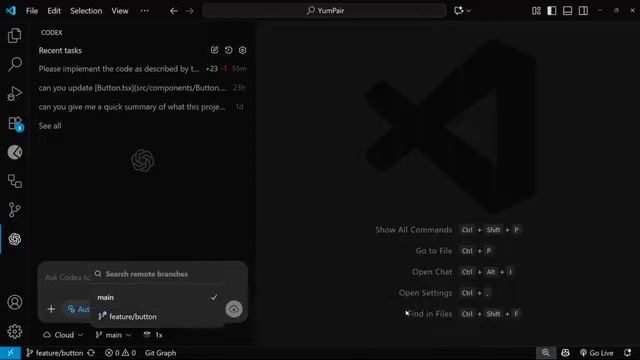
OpenAI Codex Cloud Task Delegation: The Complete Workflow from VS Code to PR
A detailed guide to OpenAI Codex extension's cloud task delegation, covering the complete workflow from initiating cloud coding tasks in VS Code to reviewing changes and creating Pull Requests.
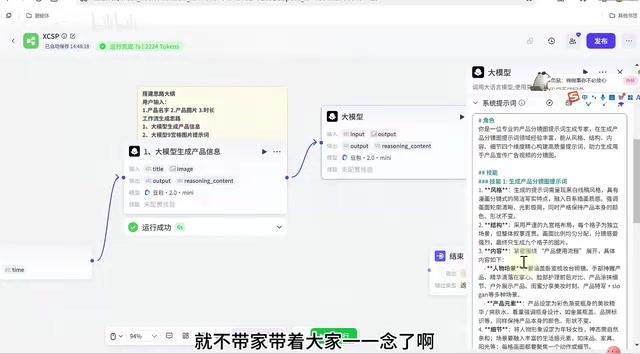
Coze Workflow in Practice: Complete Tutorial for AI One-Click Product Promo Video Generation
Step-by-step guide to building a Coze workflow for AI product promo videos, integrating HappyHours and Jimeng across 12 nodes with nine-grid storyboards and polling loops.
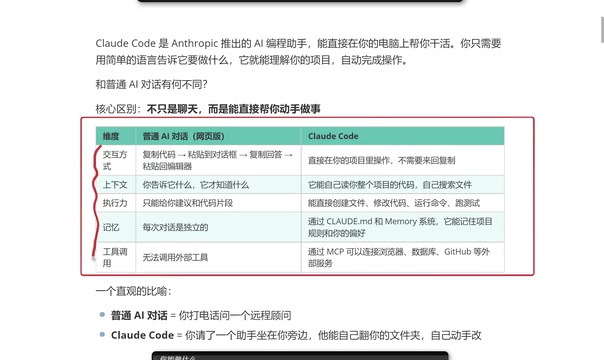
Getting Started with Claude Code: 5 Key Differences from Traditional AI Chatbots
Explore 5 key differences between Claude Code and traditional AI chatbots like ChatGPT, covering interaction, context, execution, memory, and tool integration.