Stitch + Codex in Practice: Conversational AI Workflow Bridging Design and Development End-to-End
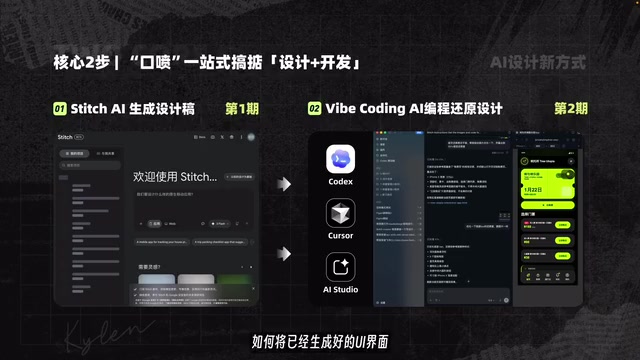
Use Stitch and AI coding tools to go from UI design to code through conversation alone.
This article walks through a practical AI workflow combining Google's Stitch design platform with AI coding tools like Codex and Cursor. By leveraging natural language conversation, users can generate high-quality UI mockups, refine designs with interactive prototypes and variants, and convert them into production-ready code — all without traditional design skills or complex handoff processes.
Introduction: AI Conversation-Driven Design-Development Integration
As AI tools continue to mature, the collaboration barriers between designers and developers are being steadily dismantled. This article introduces a practical AI workflow — using Google's Stitch design platform to generate high-quality UI mockups, then importing them into AI coding tools like Codex and Cursor for code implementation. The entire process, from design to development, can be completed through conversational interaction alone.
The core value of this workflow is: dramatically lowering the barrier to UI design, enabling developers without professional design skills to produce production-ready interface solutions.
Google Stitch: A Deep Dive into the Free AI Design Platform
Platform Features and Core Advantages
Stitch is Google's in-house AI design platform, currently free and open source, powered by Google's own Gemini model. Gemini is a multimodal large language model released by Google in late 2023, capable of simultaneously understanding and generating text, images, code, and other forms of content. Unlike pure text models, Gemini's multimodal capabilities make it naturally suited for UI design scenarios — it can both understand design requirements described in natural language and translate those requirements into precise arrangements of visual elements. Stitch is built on this very capability of Gemini, which explains why it outperforms many competitor tools based on text-only models in terms of visual aesthetics.
Compared to other AI design tools, Stitch has a clear advantage in aesthetic quality, particularly excelling in the following styles:
- Dark mode: Dark backgrounds paired with high-contrast elements
- Flat design: Clean and minimalist visual language
- Large border-radius UI: Modern-looking interface styles
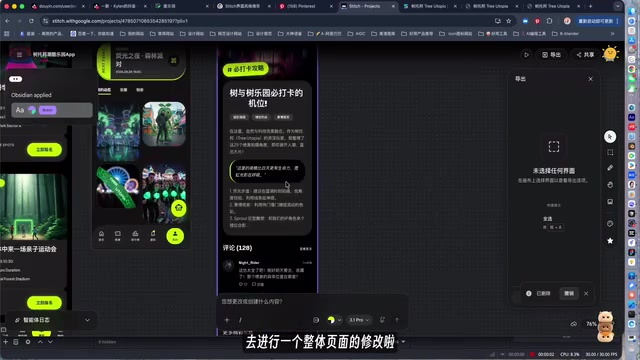
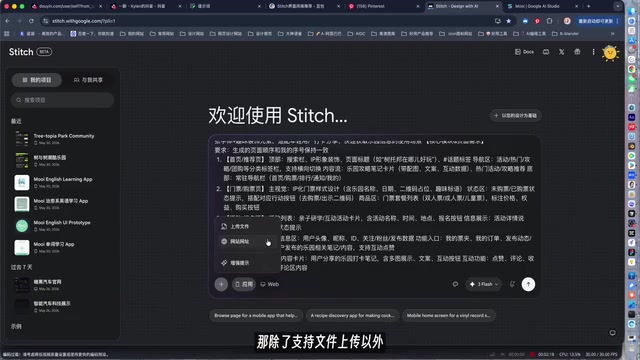
The platform interface is divided into a project file area on the left and an Agent design area on the right, supporting file uploads and animated website link uploads. All interaction is entirely based on natural language conversation.
Prompt Structure and Practical Tips
To get Stitch to generate high-quality UI mockups, prompt structure is crucial. Writing prompts for AI design tools is fundamentally different from chatting in ChatGPT — design prompts need to convey information across two dimensions simultaneously: functional logic and visual feel. Functional logic includes page structure, interaction flows, and information hierarchy; visual feel involves color mood, spatial rhythm, brand tone, and other qualities that are difficult to quantify precisely.
A complete prompt should include the following elements:
- Product definition: Clearly state what the product is and who the target users are
- Core page description: Describe the layout and functional requirements of page sections
- Visual style definition: This is the key to distinguishing between "AI-looking" and "premium-feeling" results
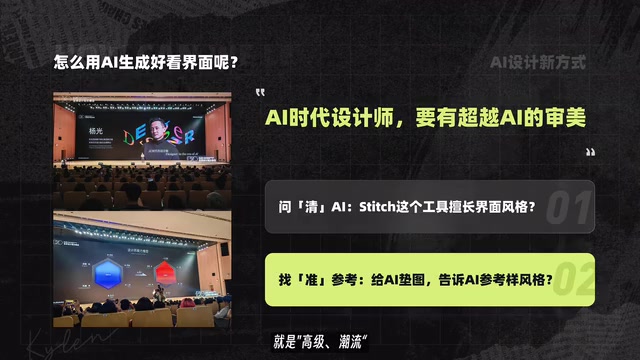
A practical tip: First ask an AI assistant (such as Doubao) what styles Stitch excels at to understand the platform's capability boundaries; then go to platforms like Pinterest to find style reference images you like, and upload those references to Stitch as visual direction guides. This is precisely why reference images are so important — images convey visual subtleties that words struggle to describe, helping the AI achieve more precise style control.
These two steps can significantly improve the quality of generated results — let the AI perform in its areas of strength while using reference images to constrain the style direction.
From Generation to Refinement: The Complete Stitch Design Process
One-Click Design System Generation
After entering your prompt and selecting the app type and visual style, Stitch automatically generates a complete set of design assets, including:
- Visual specifications: Color system, font size hierarchy
- Component library: Reusable UI components
- Complete page mockups: Multi-page designs based on your requirements
It's worth elaborating on the importance of the "design system" concept here. A design system is core infrastructure in modern product development — it standardizes visual elements like colors, fonts, spacing, and components into a reusable specification framework. Google's Material Design and Apple's Human Interface Guidelines are well-known design systems in the industry. Traditionally, building a complete design system requires weeks or even months of work from senior designers, yet Stitch can automatically generate a design system including color schemes, font hierarchies, and component libraries through conversational interaction — a quantum leap in efficiency.
This means you don't just get page designs — you also get a systematic design language that lays the foundation for future iterations and extensions.
Flexible Modification Options
Stitch provides two modification modes, covering adjustments from global to local:
Global modifications: Click on the page you want to modify, tell the AI how to adjust it through conversation, and the entire page can be redesigned with one click.
Local modifications: Click the Pencil icon, select a specific layer, and precisely modify text, colors, and other local elements without regenerating the entire page.
Interactive Prototypes and Multi-Variant Designs
Stitch also offers two highly practical features:
Interactive prototypes: Generate a demonstrable interactive demo with one click, complete with animations and page navigation logic, ready for product reviews or user testing. Interactive prototypes play a critical role in the product development process — they allow team members and stakeholders to "experience" the product before any code is written, catching interaction logic issues early and avoiding costly rework later.
Variant feature: Generate multiple design alternatives with one click, with support for quickly switching color schemes. This is extremely efficient for scenarios where you need to present multiple directions to clients or teams.
Importing into Codex/Cursor for Design-to-Code Conversion
Once the design mockups are complete, the second half of the workflow involves importing the UI designs into AI coding tools for code implementation. Design-to-Code conversion has long been a pain point in frontend development. Early solutions like Zeplin and Avocode only provided annotations and asset exports, with developers still needing to manually write CSS and layout code. Later, Figma introduced Dev Mode, which could export partial style code but was still incomplete. In the past two years, as vision-language models have matured, AI tools have begun directly parsing design screenshots or design files into runnable frontend code (HTML/CSS/React, etc.), with accuracy improving from an early 60% to over 80%.
Currently supported tools include:
- Codex: OpenAI's code generation model, originally the underlying engine for GitHub Copilot. It excels at generating code snippets based on context and instructions, and is better suited for generating code for individual components in design-to-code scenarios
- Cursor: A full-featured AI-native IDE (Integrated Development Environment) that deeply integrates AI capabilities on top of VS Code. It supports multi-file context understanding, conversational code refactoring, and automated debugging. With its project-level context comprehension, it's better suited for handling complete frontend projects with multiple pages and components
- AI Studio: Google's AI development platform, part of the same Google ecosystem as Stitch, with natural advantages in data format compatibility
Through conversational interaction, you can achieve one-click conversion from design mockups to code, truly bridging the last mile between design and development.
Conclusion: The Practical Value of AI Workflows for Developers
This Stitch + AI coding tools workflow represents a new product development paradigm: using conversation as the core interaction method to compress what traditionally required multi-role collaboration in the design-development process into an end-to-end pipeline achievable by a single person.
For indie developers and small startup teams, this means validating product ideas rapidly at minimal cost. For professional designers, these tools serve as efficiency multipliers for rapid mockup creation and design exploration.
Of course, AI-generated designs still require human oversight for detail refinement and brand consistency. But as an accelerator from 0 to 0.8, this workflow has already demonstrated substantial practical value. As multimodal models like Gemini continue to evolve, and as data format standardization between design tools and coding tools advances further, this "conversation as product" pathway will only grow wider.
Related articles
AI Large Model Learning Roadmap Breakdown: Three Stages from Application Development to Model Fine-Tuning
Deep breakdown of a popular AI large model learning roadmap covering LangChain, RAG, Agent, and LoRA fine-tuning across three stages, with analysis of its strengths and limitations for career changers.
AI Agent Development: A Complete 6-Week Systematic Learning Roadmap
A 6-week systematic learning roadmap for AI Agent development, covering core architecture, ReAct principles, multi-agent collaboration, RAG integration, and deployment.
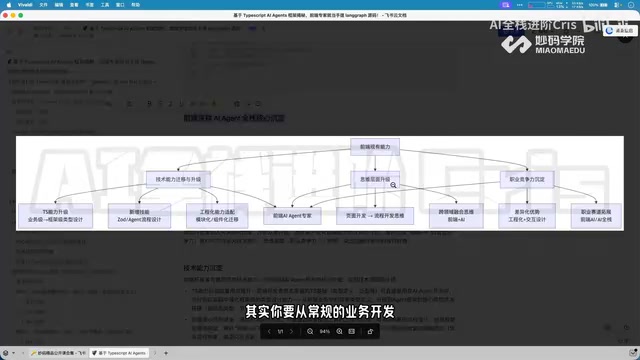
Four Core Advantages Frontend Developers Have When Transitioning to AI Agent Development
Frontend developers have key advantages for AI Agent development: TypeScript ecosystem fit, low-barrier full-stack bridging, and state management isomorphism. Learn the transition path here.