Trae CN Download & Installation Guide: A Beginner's Guide to AI-Powered Coding
A step-by-step beginner's guide to downloading, installing, and using ByteDance's free AI coding tool Trae CN.
This guide walks you through downloading and installing Trae CN — ByteDance's free AI coding assistant — on Windows and macOS. It covers first-time setup, explains the Builder mode (AI-led development) and Chat mode (AI-assisted coding), demonstrates intelligent code completion, and shows how to connect third-party AI models like Claude and GPT-4o for maximum flexibility.
What Is Trae CN? Redefining How We Code
Trae CN is a free AI coding tool developed by ByteDance. In simple terms, it's an AI assistant that can code — you describe what you need in plain language, and it automatically generates code and builds complete projects. For beginners with zero programming experience, the barrier to entry has been dramatically lowered. The core philosophy is "speak naturally, write code."
ByteDance has been ramping up its AI investments in recent years, with its Doubao family of large models spanning text generation, code comprehension, multimodal capabilities, and more. Trae CN is a developer tool built on ByteDance's proprietary large model capabilities, and its free pricing strategy reflects ByteDance's strategic intent to rapidly build a developer ecosystem through utility-based products.
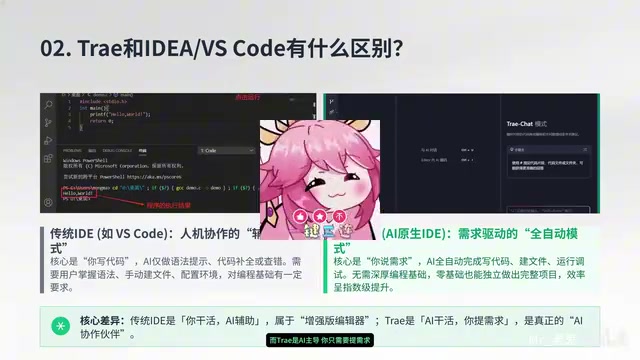
A common question is: what's the difference between Trae CN and VS Code? The key distinction lies in who's in the driver's seat:
- VS Code: You write the code yourself; AI only assists with completions and suggestions
- Trae CN: AI leads the coding process; you just specify what you need
One is "you do the work, AI assists," while the other is "AI does the work, you set the requirements." This role reversal represents a major trend in the evolution of AI coding tools.
From an industry perspective, AI coding tools have evolved from simple code completion to intelligent code generation. Early IDEs (Integrated Development Environments) only offered syntax highlighting and basic auto-completion. The launch of GitHub Copilot in 2021 marked a new era — LLM-based code generation allowed developers to receive entire code block suggestions through comments or context. Trae CN represents an even further paradigm shift: moving from "AI assists human coding" to a new model of "AI leads coding, humans review."
Downloading & Installing Trae CN: Three Simple Steps
Download the Trae CN Installer
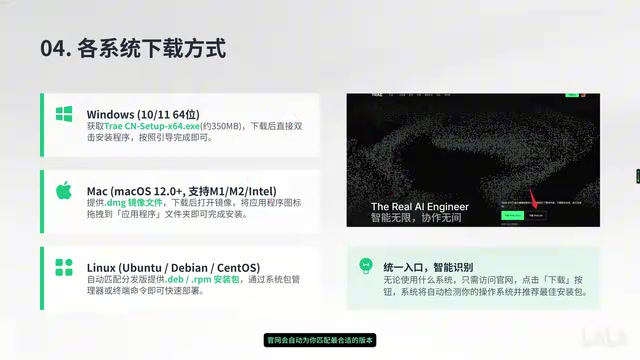
Visit the official Trae CN website (trae.com.cn) and click the "Download" button in the lower right corner. The site automatically detects your operating system and matches the appropriate installer version — completely free of charge. Here are the installer formats for each system:
| Operating System | Installer Format |
|---|---|
| Windows | .exe file |
| macOS | .dmg image |
| Linux | .deb/.rpm package |
Installing Trae CN on Windows
Double-click the downloaded .exe installer and click "Next" through each step to complete the installation. A practical tip: change the installation path to your D: drive to avoid taking up space on your C: drive, especially useful if your C: drive is running low on storage.
Installing Trae CN on macOS
Installation for Mac users is even simpler: open the .dmg file and drag the Trae icon into the "Applications" folder. When you first launch it, the system may display an "unidentified developer" warning — you'll need to go to System Settings > Privacy & Security and click "Open Anyway" to allow it to run.
First Launch Configuration
When launching Trae CN for the first time, follow these recommended setup steps:
- Theme selection: The dark theme is recommended — it's easier on the eyes during long coding sessions
- Language settings: Select the Chinese interface
- Account login: This step is crucial — you can log in with a phone number or Douyin account. AI features are only available after logging in
Trae CN Core Interface & Feature Breakdown
Main Interface Layout Overview
Trae CN's interface layout is very similar to VS Code, so users with VS Code experience can transition with virtually zero learning curve. VS Code is Microsoft's open-source code editor built on the Electron framework, with a massive plugin ecosystem. Many emerging AI coding tools (such as Cursor, Windsurf, etc.) have chosen to innovate on top of VS Code's interaction paradigm because this interface logic is already familiar to tens of millions of developers worldwide, reducing migration costs. Trae CN follows the same design philosophy:
- Left panel: File explorer for managing project files and directory structure
- Center: Code editing area for viewing and editing code
- Right panel: AI chat panel — this is Trae CN's most essential interaction area
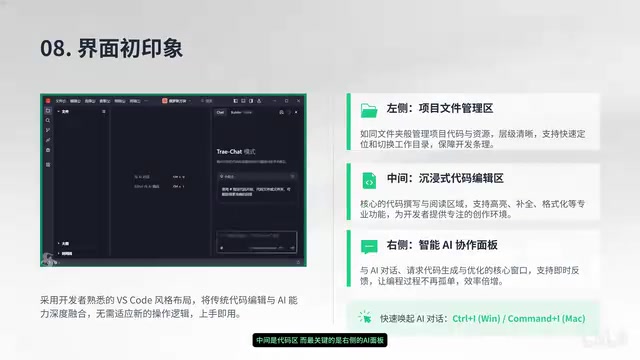
The AI panel on the right is what sets Trae CN apart from traditional editors. You can interact with it like a chat conversation, using natural language to ask AI to write code, fix bugs, or explain code logic.
Two Work Modes Explained
Trae CN offers two distinctly different work modes suited for different use cases:
Chat Mode (AI-Assisted Coding)
In Chat mode, you remain in control of the coding process. AI plays a supporting role — answering questions, explaining code, and offering optimization suggestions. This mode is ideal for users with some programming background who want to maintain control over their code.
Builder Mode (AI-Led Development)
Builder mode is Trae CN's most distinctive feature. You simply describe your requirements in natural language — for example, "build a Snake game" — and AI automatically handles everything from file creation and code writing to project building. For beginners, this mode is nothing short of "coding magic."
At the core of Builder mode is AI Agent technology. Unlike simple conversational AI, an Agent has the ability to plan, execute, and self-correct. When a user inputs "build a Snake game," the AI automatically breaks down the task: determining the tech stack, planning the file structure, generating code step by step, handling dependencies, and even auto-debugging when errors occur. This end-to-end automated development capability relies on the LLM's long-context understanding and Tool Use capabilities — the AI can not only generate text but also perform actual actions like file operations and running terminal commands.
Intelligent Code Completion
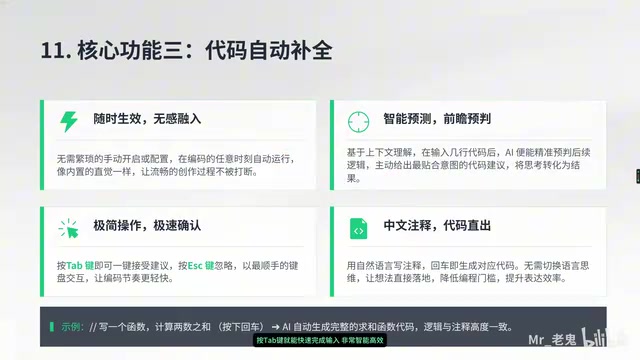
Even when coding manually, Trae CN's AI predicts what you're about to write in real time. When you see the gray suggestion text, simply press the Tab key to accept the completion, significantly boosting your coding efficiency.
Advanced Tips: Connecting Third-Party AI Models
Trae CN also supports connecting third-party AI models, offering advanced users greater flexibility:
- Break free from single-model limitations: When the built-in model is slow to respond or has usage limits, you can switch to another model at any time
- Choose models based on your needs: Different AI models excel in different areas such as code generation and logical reasoning, so you can select the most suitable model for your specific project
Different large language models perform differently on code generation tasks. For example, Claude excels at long-text comprehension and code refactoring, GPT-4o is more comprehensive in multilingual code generation, and domestic models like DeepSeek may have advantages in code understanding within Chinese-language contexts. Trae CN's support for third-party model integration essentially adopts a "model routing" design philosophy — letting users choose the optimal model based on task characteristics rather than being locked into a single vendor's capabilities. This open architecture also means the tool's capabilities can continuously evolve as new models are released.
This open model integration mechanism makes Trae CN more than just a coding tool — it's an extensible AI coding platform.
Summary: Start Coding from Scratch with Trae CN
As a free AI coding tool, Trae CN's greatest value lies in lowering the barrier to programming from "knowing how to code" to "knowing how to talk."
- Complete beginners: Start with Builder mode and boldly describe the features you want to build in natural language
- Experienced developers: Chat mode and intelligent code completion can also significantly boost your daily development efficiency
There's only one key principle for using Trae CN: speak naturally and experiment boldly. The barrier to AI-powered coding has never been lower. Instead of watching from the sidelines, download it and give it a try right now.
Key Takeaways
Related articles

Three Forms of AI: From Chat Windows to Collaborative Work to Command Line
AI isn't just a chat window. This article explains AI's three forms: Chatbox, Cowork, and CLI, with selection advice for Claude, Codex, Kimi, and DeepSeek.

AI Agent Hands-On Learning Path: A Complete Guide from Beginner to Enterprise-Level Development
A systematic AI Agent development learning roadmap covering prompt engineering, RAG, multi-Agent collaboration, tool calling, and more—with phased learning advice and 28 hands-on project references.
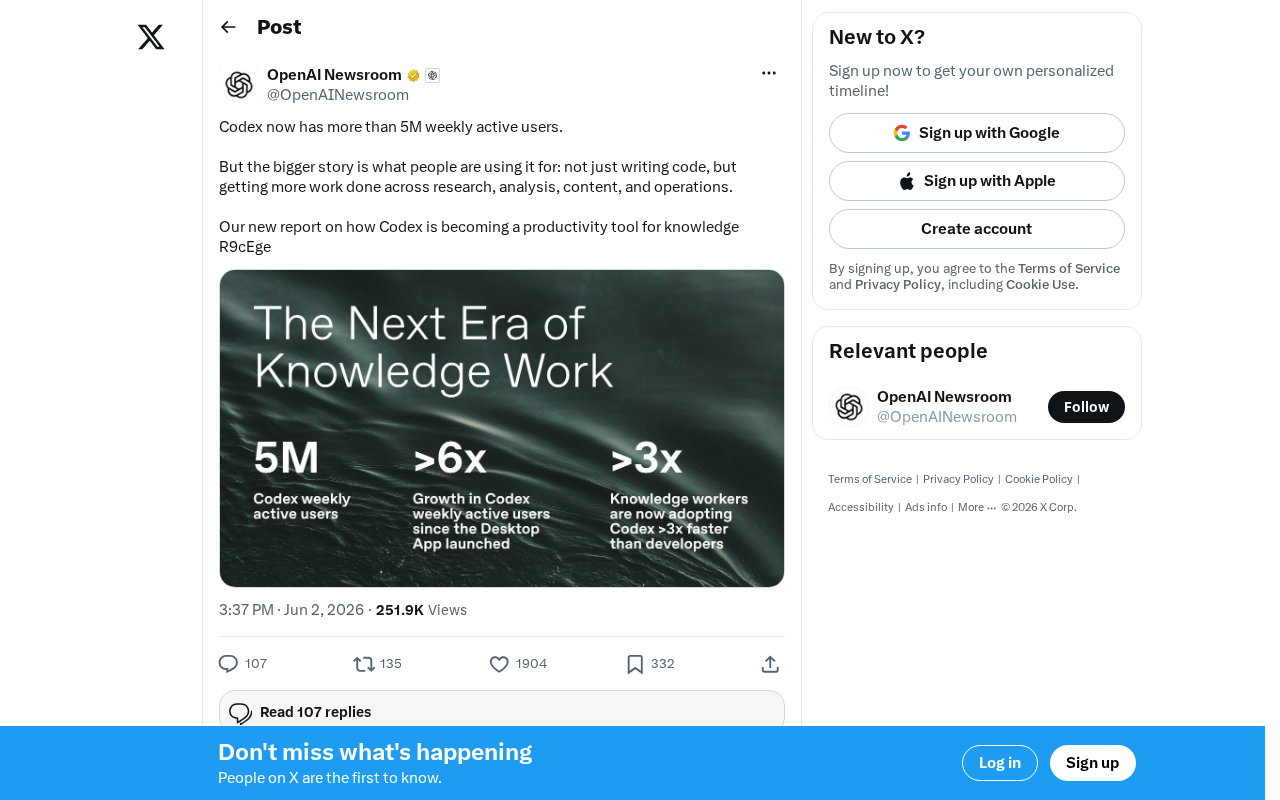
OpenAI Codex Surpasses 5 Million Weekly Active Users: The Transformation from Code Tool to Knowledge Work Platform
OpenAI Codex hits 5M weekly active users, expanding beyond code generation into research, content creation, and operations — evolving into a full knowledge work platform.