Trae Hands-On Tutorial: Build a Full-Stack Website with Just 3 Prompts
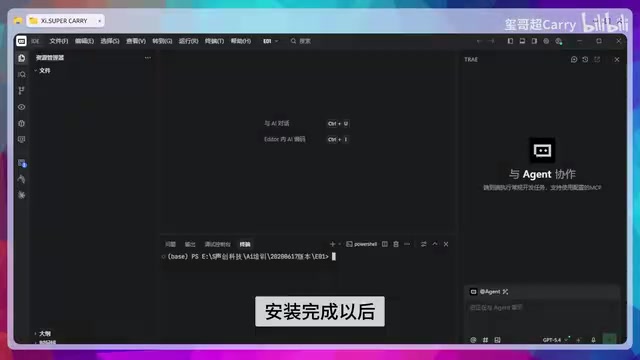
Use ByteDance's Trae AI IDE to build a complete full-stack website with just 3 prompts.
This tutorial demonstrates how to use Trae, ByteDance's AI-native IDE, to build a full-stack website—including frontend pages, backend API with database, and an admin panel—using only 3 prompts. It covers environment setup with Node.js, the step-by-step prompt workflow, and provides a realistic assessment of whether AI-generated websites are truly production-ready.
The AI Coding Efficiency Revolution: What Can 3 Prompts Accomplish?
Full-stack website development typically involves multiple layers—frontend, backend, database, admin panel—and traditional development cycles can easily stretch over several weeks. Now, with the AI coding tool Trae (an AI IDE developed by ByteDance), you can generate a complete website project with frontend, backend, database, and admin panel using just 3 prompts.
This might sound like an exaggeration, but a hands-on demo by a Bilibili creator has proven the feasibility of this workflow. This article breaks down the entire process in detail, helping you understand how Trae actually assists with full-stack development.
Environment Setup: Installing Node.js and Trae
Before getting started, you need to set up the basic environment by installing two tools:
- Node.js: The JavaScript runtime environment that serves as the foundation for running backend services
- Trae: ByteDance's AI coding IDE and the core tool for this entire workflow
Node.js is a JavaScript runtime built on Chrome's V8 engine. Its emergence fundamentally changed the web development landscape—extending JavaScript from a browser-side language to a full-stack language. Before Node.js, backend development typically required different languages like Java, Python, or PHP, creating a clear technical barrier between frontend and backend developers. Node.js's event-driven, non-blocking I/O model makes it particularly well-suited for handling high-concurrency network requests, which is a key reason it became the go-to runtime for full-stack development. The npm (Node Package Manager) ecosystem built around Node.js contains over 2 million open-source packages, covering virtually every development need from web frameworks (Express, Koa) to database ORMs (Sequelize, Prisma)—providing a rich component library foundation for AI code generation.
After installation, open Trae's terminal and type npm version. If you see version number output, Node.js has been installed correctly.
Trae is an AI-native integrated development environment (IDE) launched by ByteDance in early 2025. Built on VS Code's open-source core, it deeply integrates large language model capabilities. Unlike traditional IDEs where AI assistance primarily focuses on code completion (like GitHub Copilot), Trae's core feature is its "Agent mode"—it can not only generate code snippets but also autonomously execute terminal commands, create file structures, install dependencies, and start development servers, forming a complete loop from requirement description to a runnable project. This capability relies on the large language model's multi-step reasoning and Tool Use technology, where the model can decompose a high-level requirement into multiple concrete development steps and execute them sequentially.
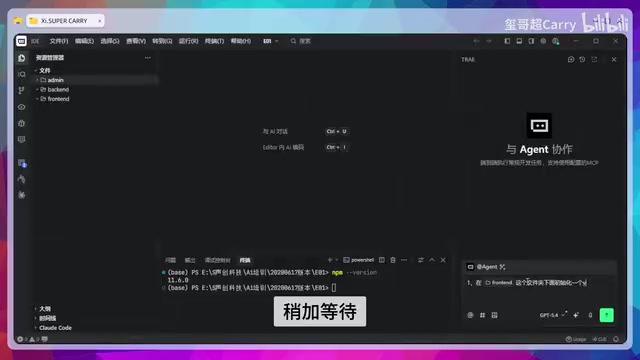
Next, create three folders in the file explorer, named:
- frontend: For frontend page code
- backend: For backend services and database logic
- admin: For the admin panel code
These three folders correspond to the three core modules of a full-stack website and map to the three prompts that follow. Splitting the project into three independent folders reflects the mainstream frontend-backend separation architecture in modern web development. In this architecture, the frontend handles UI rendering and interaction logic, the backend handles business logic and data persistence, and the two communicate via RESTful APIs or GraphQL interfaces. The admin panel, as a third independent module, is essentially another frontend application aimed at administrators, also communicating with the backend through APIs. This three-layer separation structure happens to be well-suited for step-by-step AI generation—each layer has clear responsibility boundaries, making it easy for the large language model to tackle them one at a time.
Prompt #1: Auto-Generate the Frontend Pages
In the input box at the bottom right of Trae, enter the first prompt (a requirement description for the frontend pages). After a brief wait, Trae will automatically generate the frontend code, start a development server, and return an accessible URL.
Open this URL and you'll see a fully generated frontend webpage. During this process, Trae not only generates the HTML structure and CSS styles but also handles page interaction logic—the entire frontend framework is built in one step.
Prompt Quality Is Key
The core factor here is prompt quality. A good prompt needs to clearly describe the page structure, functional modules, design style, and other elements. Vague descriptions lead to results that deviate from expectations, while precise instructions can significantly reduce the amount of subsequent adjustments needed.
Prompt Engineering refers to the technique of carefully designing input instructions to guide large language models toward desired outputs. In AI coding scenarios, a high-quality full-stack development prompt typically needs to cover several key dimensions: technology stack selection (e.g., React+Express+SQLite), page structure description (specific layouts for navigation bar, content area, footer), functional requirements (user registration, content display, search filtering), design style (color scheme, responsive design requirements), and data models (which entities, fields, and relationships). A vague prompt like "make a website" forces the model to make numerous assumptions, while a structured prompt significantly reduces ambiguity and brings the generated results much closer to expectations.
Prompt #2: Build the Backend Service and Database
Return to Trae and enter the second prompt in the input box, this time targeting the backend service and database setup. After waiting a while, Trae will generate a backend service with complete data logic.

The generated backend can't be viewed directly in a browser (since it's an API service, not a page), but once you run it, the frontend pages can interact with the database through API endpoints.
This step typically includes:
- Database model definitions: Data structures for user tables, content tables, etc.
- API endpoints: Basic CRUD operations
- Data validation and error handling: Fundamental security and stability safeguards
For traditional developers, backend setup is often the most time-consuming part, but Trae compresses it down to the time it takes for a single prompt.
Prompt #3: Build a Visual Admin Panel
The final step is generating the admin panel. Enter the third prompt in Trae and wait for the auto-generation and command execution to complete.
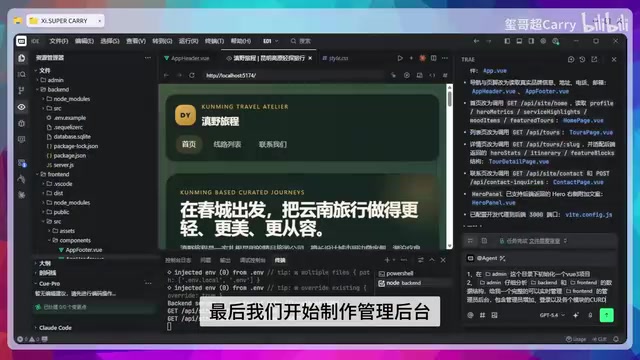
Once finished, you'll have a visual admin panel with the following features:
- Login authentication system: Administrators must log in to access the panel
- Content management: Directly modify the content displayed on the frontend pages from the backend
- Data visualization: Intuitively view and manage data in the database
At this point, the three prompts have respectively completed the frontend, backend, and admin panel. A full-stack website with frontend, backend, database, and management system is now fully formed.
A Reality Check: Can AI-Generated Websites Truly Be Used in Production?
The video emphasizes that this is a "production-ready commercial website," but we need to evaluate this claim rationally.
Clear Advantages
- Extremely high development efficiency: The time cost of going from zero to a runnable full-stack project is drastically reduced
- Lower learning barrier: No need to master every detail of each technology stack; development is driven by prompts
- Powerful prototyping tool: Quickly validate product ideas, perfect for the MVP stage
MVP (Minimum Viable Product) is a core concept in the Lean Startup methodology, systematically articulated by Eric Ries in The Lean Startup. The core idea is: build a product version with minimal resources and time that has core functionality, quickly release it to the market to validate business hypotheses, then iterate based on real user feedback. AI coding tools have dramatically lowered the cost of building MVPs—prototypes that previously required a small team spending weeks can now be built by one person in a matter of hours. This means entrepreneurs can use AI to quickly generate prototypes for market validation before committing significant development resources, confirm the product direction is correct, and then invest in a professional team for production-grade development, effectively reducing startup risk and sunk costs.
Issues That Still Need Attention
- Security: Has the AI-generated code undergone thorough security auditing? Are common vulnerabilities like SQL injection and XSS attacks properly guarded against?
- Performance optimization: How does the generated code perform under high-concurrency scenarios?
- Maintainability: Is the code structure clean? Will future iterations be convenient?
- Business complexity: Simple display-oriented websites can be handled well, but complex business logic involving payments, permission management, etc., still requires deep human involvement
The security of AI-generated code is a topic of high concern in the industry. A 2023 Stanford University study found that code written by developers using AI assistance actually had a higher probability of security vulnerabilities than the control group that didn't use AI, partly because developers' over-trust in AI-generated code led to lax security reviews. Common security risks include: SQL injection (attackers manipulating database queries through malicious input), XSS cross-site scripting attacks (injecting malicious JavaScript code into pages), CSRF cross-site request forgery, insecure authentication implementations (such as storing passwords in plaintext or hardcoding JWT secrets), and more. Additionally, the model's training data may contain outdated security practices, and the generated code may use dependency versions with known vulnerabilities. Therefore, any AI-generated code should undergo professional security auditing and penetration testing before entering a production environment.
A more accurate positioning would be: An AI-generated full-stack project is a high-quality starting point, not an out-of-the-box commercial product. It can help you complete 80% of the foundational work, but the remaining 20%—security hardening, performance tuning, and business customization—still requires a developer's professional judgment.
Conclusion: The Value and Boundaries of Full-Stack Development with Trae
As an AI coding tool, Trae demonstrates impressive capabilities in rapid full-stack website development. The workflow of completing frontend, backend, and admin panel development with 3 prompts, while still needing refinement for commercial use, already offers considerable practical value for personal projects, prototype validation, and small business websites.
The quality of your prompts determines the quality of your output—this is the most essential skill in the AI coding era. Rather than chasing universal prompt templates, it's better to develop a deep understanding of fundamental web development architecture. Only then can you write truly precise instructions that allow AI tools like Trae to perform at their full potential.
Related articles

AI API Relay Startup's First Month: Open Books Reveal Just ¥16K Profit on ¥290K Revenue
A 3-person team shares their AI API relay startup's first month: ¥290K revenue, 95% spent on API costs, only ¥16.7K book profit. A deep dive into adjusted margins, cost structure, and competition.
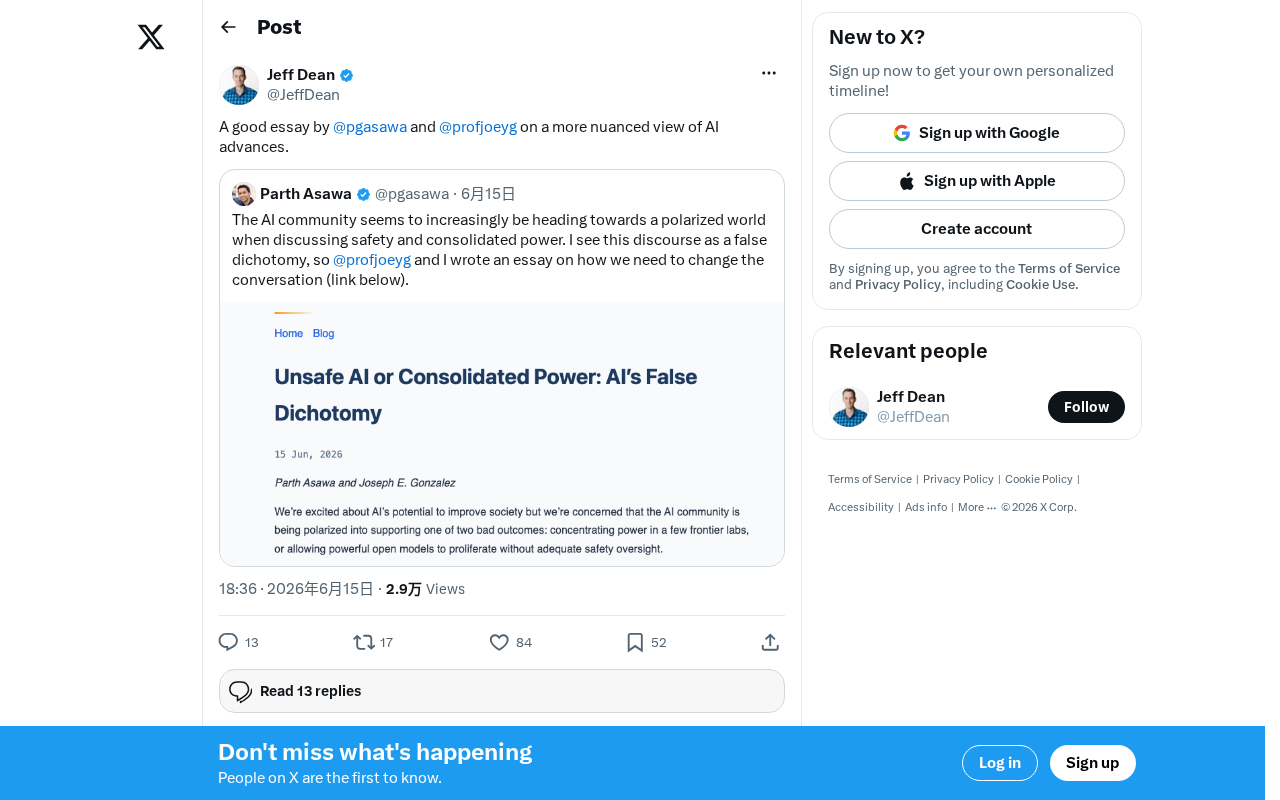
AI Progress Demands a More Nuanced Examination: A Rational Framework Beyond Hype and Panic
Current AI discourse is trapped in polarization. This article explores how to rationally assess AI's real progress, analyzes the gap between benchmarks and actual capabilities, and offers a pragmatic evaluation framework.
Codex + Claude Code Dual-AI Collaboration: An Engineering Approach to Write-and-Review
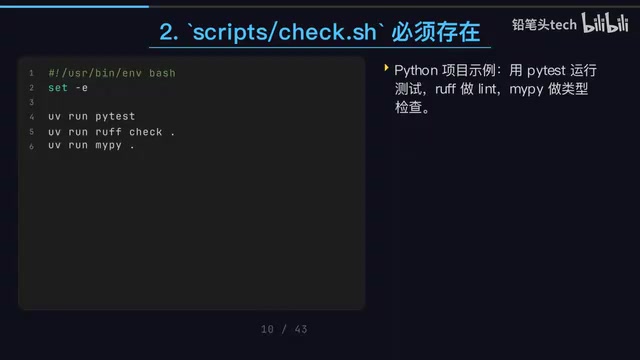
A detailed guide to Codex CLI and Claude Code collaboration: write-and-review pattern, file-driven workflows, unified check scripts, and Git Worktree parallelism.