UE5 + Claude Code Hands-On: A Free Plugin Combo for an AI Game Development Workflow
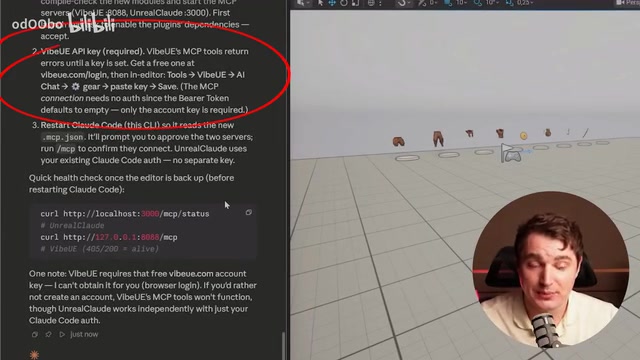
Two free UE5 plugins turn Claude Code into a practical AI game development assistant.
A developer tested dozens of UE5-to-AI connectors and found two free plugins — Unreal Claude and Vibe UE — that genuinely work with Claude Code. This article walks through the full setup, prompt engineering tips, and a hands-on build of an endless runner game, revealing both the impressive capabilities and real limitations of AI-assisted game development in Unreal Engine 5.
Introduction: The Reality and Expectations of AI Game Development
One developer spent over a month trying to make Claude Code actually work within Unreal Engine 5. He tested a huge number of connectors and plugins recommended by YouTube tutorials — many of which were junk or expensive — and ultimately found two completely free plugins that genuinely work. This article provides a detailed breakdown of the installation, configuration, and prompt engineering techniques for this workflow, along with the complete process of building a playable endless runner game from scratch.
Core Tools: The Golden Combo of Two Free UE5 Plugins
The core of this setup involves two open-source plugins used alongside Claude Code desktop:
Unreal Claude — This plugin has a solid number of GitHub stars and provides two key capabilities: screenshot functionality and the ability to move objects within the UE editor. It includes a built-in MCP (Model Context Protocol) that lets the AI "see" the scene and manipulate objects.
MCP is an open protocol standard introduced by Anthropic in late 2024, designed to solve the connectivity problem between AI models and external tools or data sources. Before MCP, every AI application that needed to integrate with external tools required custom integration code, leading to severe ecosystem fragmentation. MCP uses a client-server architecture: the AI application acts as an MCP client to initiate requests, while external tools expose their capabilities through MCP servers. This standardized interface means a tool only needs to implement an MCP server once to be callable by any AI client that supports MCP. In the context of this article, the two UE5 plugins each run as MCP servers, exposing Unreal Engine capabilities like screenshots, object manipulation, and Blueprint editing to Claude Code, enabling the AI to truly "perceive" and "control" the game engine environment.
Vibe UE — Also open-source, but requires a free API key. It provides deeper capabilities: editing Blueprints, running Python scripts, and more. While it offers a paid Agent service, we only need the free MCP tools it provides.
The overall architecture is simple: two plugins + two MCP connections + related dependencies. The only paid component is Claude's own API costs, though in theory you could even swap in a different model.
Installation and Configuration Key Points
- Node.js and certain Microsoft C++ libraries need to be pre-installed
- After installation, you need to restart both the UE project and Claude Code
- Register on the Vibe website to get a free API key, then paste it into the plugin settings
- It's recommended to use the author's provided
claude.mdfile, which contains comprehensive Agent instructions and lessons learned
One important recommendation: Make sure to initialize Git version control. AI Agents work extremely well with Git — you can commit at every important milestone and roll back whenever issues arise. This is practically a necessity for AI-assisted development.
Hands-On Test: Building an Endless Runner from Scratch
The endless runner is a classic game genre whose core technical challenge lies in Procedural Content Generation. A game can't pre-create an infinitely long level, so it uses an "object pool" pattern: maintaining a set of reusable tiles. As the player moves forward, new tiles are generated ahead while tiles that have moved out of view behind are recycled. The random distribution of obstacles and coins must follow certain design constraints — such as ensuring at least one lane remains passable and coins don't overlap with obstacles — and the correct implementation of these constraints directly determines the game's playability. This type of rule-based logic is precisely the kind of thing AI excels at, because it can be precisely described in natural language.
Step 1: Scene Cleanup and Foundation Setup
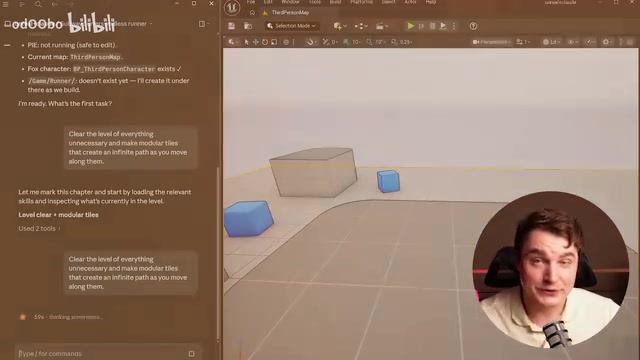
The test started from a scene with an existing third-person character. The first prompt asked Claude to clean up the scene and create an infinitely extending track — automatically generating tiles ahead and removing tiles behind as the character moves.
During processing, Claude proactively asked reasonable questions (like "Should I keep the lighting and sky?"), which made this interactive confirmation very practical. After completion, it took a viewport screenshot via the Unreal Claude plugin for self-verification, confirming the character was standing on the generated platform.
Looking at the generated BP_RunnerTile Blueprint, the variable naming was reasonable and the logic structure was generally clear. Blueprints are Unreal Engine's visual scripting system, allowing developers to build game logic by dragging and connecting nodes rather than writing C++ code. Each Blueprint is essentially a visual class definition containing variables, functions, and event graphs. Nodes represent function calls or logical operations, while wires represent execution flow and data passing. Blueprints are compiled into bytecode or native C++ code at compile time, so performance overhead is relatively manageable. The "spaghetti" wiring mentioned in the article is a common problem in Blueprint development — when logic gets complex, the wires between nodes cross and tangle, severely impacting readability and maintainability. Professional developers typically use Reroute nodes to organize wires and encapsulate complex logic into sub-function Blueprints to keep things tidy. AI-generated Blueprints tend to focus only on functional correctness while ignoring layout aesthetics, which is one of the current limitations.
Step 2: Auto-Run and Three-Lane Controls
Next, the requirements were to implement automatic forward movement, a top-down camera, and A/D key controls for switching between three lanes. Claude adjusted the camera position via Python scripts and automatically launched the game to take test screenshots — this self-verification capability is quite impressive.

The three-lane switching feature was successfully implemented, but this exposed a key limitation: If you give overly vague task descriptions, the AI may choose the simplest but least scalable implementation. You need to clearly specify the expected architecture and logic approach to get high-quality, maintainable code.
Step 3: Obstacle Generation, Coin Collection, and UI System
The following features were added sequentially:
- Randomly generated obstacles (without conflicting with coin positions)
- A collectible coin system
- Score UI, game over screen, and retry button
The randomized generation of obstacles and coins took about 15 minutes and 14,000 Opus 4 tokens — the cost is certainly not trivial. Claude Opus 4 is Anthropic's flagship model released in 2025, the most capable but also the most expensive in the Claude lineup. Its API pricing is $15 per million input tokens and $75 per million output tokens. The 14,000 tokens mentioned roughly correspond to a single medium-complexity interaction (including context, instructions, and generated code), with actual costs around $0.50–$1.00. By comparison, Claude Sonnet 4 is priced at roughly one-fifth of Opus. For game development scenarios that require extensive iteration, token consumption accumulates rapidly. This is why developers need to describe requirements precisely — vague instructions not only lead to low-quality output but also multiply token costs through repeated revisions.
However, the functionality was implemented completely correctly — collision detection and score tracking all worked properly.
Step 4: 3D Asset Replacement and Visual Polish
The developer used ChatGPT's image generation to design concept art, then used 3D AI tools to generate actual models (obstacles, coins, bridge surfaces, environment spheres), and handed the FBX files to Claude for replacement.
Claude was able to intelligently identify asset names and complete the replacements, and could also handle material setup (including adding PBR textures). PBR (Physically Based Rendering) is the standard material model in modern game engines, achieving realistic visual effects by simulating the real physical interaction between light and object surfaces. A complete set of PBR textures typically includes: Base Color, Normal Map (simulating fine surface bumps), Metallic, Roughness, and Ambient Occlusion. In Unreal Engine 5, these textures need to be connected to the corresponding input channels in the Material Editor. The fact that Claude can automatically handle adding these textures means it understands UE5's material system node connection logic and can correctly connect texture sampling nodes to the material's various physical property channels.
The environment sphere's seam issue automatically appeared on the back side, not affecting the gameplay experience.
Common Bugs and Debugging Lessons
The entire process was far from smooth:
- Character lateral movement incorrectly triggering game over
- Gaps appearing between bridge tiles
- Obstacles embedded inside the bridge surface
- Some coins overlapping with obstacles
The debugging approach was to describe the problem to Claude and provide screenshots — it was able to locate and fix most bugs. But this also illustrates an important fact: You still need the ability to identify problems. AI can help you write logic and fix code, but recognizing where something went wrong still depends on the developer's judgment.
It's worth noting that most of these bugs are classic game development issues — imprecise collision volume settings, tile gaps caused by floating-point precision, and missing spatial detection during object spawning. Experienced developers can anticipate these problems when writing prompts and proactively add constraints, while beginners often only realize them after the bugs appear. This once again confirms the core insight that "AI amplifies ability rather than replaces it."
The Capability Boundaries of AI-Assisted Game Development
After a complete project test, several key conclusions emerged:
Where Claude Code excels:
- ✅ Excellent at Blueprint logic writing and code generation
- ✅ Efficient and accurate asset importing and replacement
- ✅ Material configuration and basic debugging are feasible
- ✅ Self-verification (screenshot checking) reduces rework
Current limitations:
- ❌ Blueprint node layout isn't clean enough
- ❌ Cannot replace 3D asset creation itself
- ❌ Complex spatial layouts and level design still require human intervention
- ❌ Vague instructions easily lead to low-quality implementations
Best Practices for UE5 + Claude Code Development
- Position AI as a "logic organizer" rather than a "creative designer"
- Think through the architecture before giving instructions — avoid vague descriptions
- Git commit at every milestone for easy rollback
- Leverage the screenshot feature to let AI self-verify
- For beginners, treating AI as a learning tool (asking "why did you do it this way?") is more valuable than treating it as a black box
Conclusion
This free UE5 + Claude Code workflow can genuinely accelerate the game development process significantly, especially in Blueprint logic, scripting, and asset management. However, the claim of "not writing a single line of code" needs a caveat — you need to replace code writing with precise natural language descriptions, which itself requires understanding fundamental game development concepts. For developers with some existing knowledge, this is a powerful efficiency multiplier; for complete beginners, it's better suited as a learning companion than an all-purpose replacement.
Related articles

Three Forms of AI: From Chat Windows to Collaborative Work to Command Line
AI isn't just a chat window. This article explains AI's three forms: Chatbox, Cowork, and CLI, with selection advice for Claude, Codex, Kimi, and DeepSeek.

AI Agent Hands-On Learning Path: A Complete Guide from Beginner to Enterprise-Level Development
A systematic AI Agent development learning roadmap covering prompt engineering, RAG, multi-Agent collaboration, tool calling, and more—with phased learning advice and 28 hands-on project references.
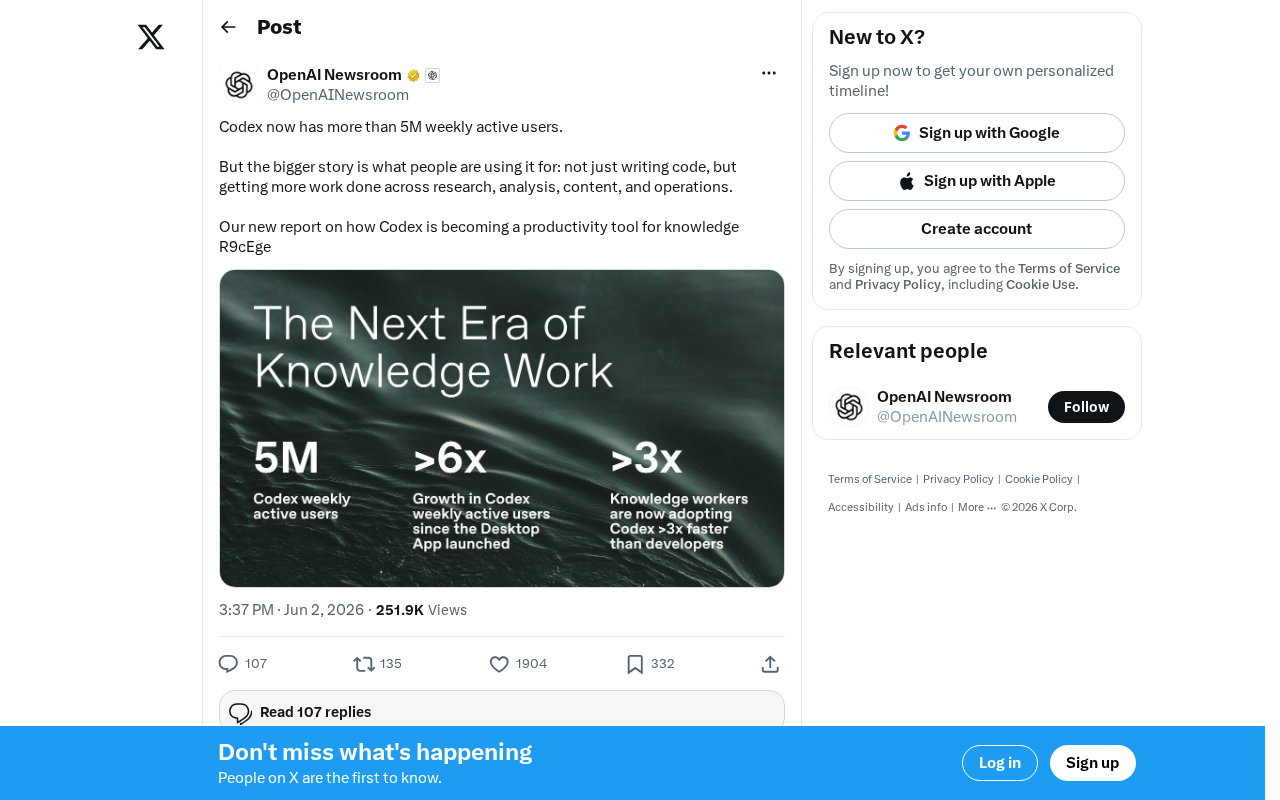
OpenAI Codex Surpasses 5 Million Weekly Active Users: The Transformation from Code Tool to Knowledge Work Platform
OpenAI Codex hits 5M weekly active users, expanding beyond code generation into research, content creation, and operations — evolving into a full knowledge work platform.