Vercel v0 Launches Browser Use: AI Autonomously Opens Apps to Debug and Fix Bugs

Vercel v0's Browser Use lets AI autonomously open, test, and debug the apps it builds.
Vercel's v0 has launched Browser Use, enabling its AI to autonomously open built applications, simulate user interactions, evaluate designs, and proactively fix bugs. This visual feedback loop eliminates tedious manual testing cycles, marking a pivotal shift from code generation to end-to-end AI-driven development.
v0 Browser Use: AI Coding Enters the Visual Feedback Loop Era
Vercel's AI coding tool v0 has received a major upgrade — the official launch of Browser Use. This means v0 is no longer just a tool that "writes code and hands it off to you." It can now open the apps it builds, actually use them, evaluate the design, debug complex workflows, and proactively fix issues it discovers.
This release marks a pivotal leap for AI coding tools — from "code generator" to "full-stack development partner."
Core Capabilities Explained
Autonomous Browsing and Visual Feedback
The most striking feature of v0 Browser Use is the visual feedback loop. In traditional AI coding workflows, after the AI generates code, developers have to run it themselves, inspect the output, report issues, and then ask the AI to make changes — a cycle that often requires multiple rounds of manual intervention. Now, v0 can:
- Open the apps it builds: Run generated projects directly in a browser environment
- Actually interact with them: Simulate user behavior — clicking buttons, filling out forms, navigating pages
- Send screenshot feedback: During the process, v0 sends screenshots of what it sees, giving you a real-time view of its "perspective"
This capability essentially gives the AI a pair of "eyes," allowing it to stop generating code blindly and instead see the actual results of its code and adjust accordingly.
Design Evaluation and Proactive Fixes
Another key capability of Browser Use is design critique. v0 doesn't just see the rendered page — it can evaluate the interface based on design standards and best practices. When it detects layout misalignment, styling anomalies, or interaction issues, it proactively fixes them without waiting for developer feedback.
For complex user flows — such as multi-step forms, payment processes, and permission management — v0 can walk through the entire flow step by step, identify breakpoints and anomalies, and then automatically fix them. This dramatically shortens the tedious cycle of "write code → manually test → find bug → describe bug → AI fixes → test again."
Industry Significance: From Code Generation to End-to-End Development
The Evolution of AI Coding Tools
The launch of v0 Browser Use reflects a clear trend in the AI coding tool space: tools are evolving from standalone code generators into intelligent agents that cover the entire development lifecycle.
Previously, tools like Cursor and GitHub Copilot focused primarily on code writing and completion. With this upgrade, v0 extends AI capabilities into testing, debugging, and quality assurance. This "self-verification" ability is a critical step toward truly autonomous AI development.
Real-World Impact on Developer Workflows
For frontend and full-stack developers, the practical value of Browser Use shows up in several key areas:
- Fewer feedback loops: The AI discovers and fixes issues on its own; developers only need to review the final result
- Faster prototyping: A closed loop of rapid building, automated testing, and instant fixing dramatically shortens iteration cycles
- Lower communication overhead: No more struggling to describe UI bugs in text — the AI can "see" the problem itself
Of course, this also raises some important questions: Are the AI's design aesthetic standards reliable enough? Can it accurately understand complex business logic? These will need to be continuously validated through real-world use.
Conclusion
v0 Browser Use represents a significant milestone for AI coding tools. When AI can not only write code but also run it, see the results, judge quality, and proactively optimize, the paradigm of human-AI collaboration will fundamentally change. The developer's role is shifting from "the person who writes code" to "the person who reviews and makes decisions" — and this shift may be happening faster than we expected.
Related articles
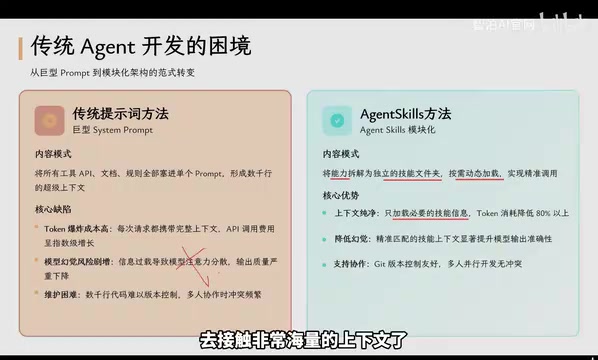
Agent Skills: Folders as Skills — Making AI Produce Precise, Template-Based Output
Agent Skills splits AI capabilities into independent skill folders with on-demand loading and progressive disclosure, cutting token costs by 80% and reducing hallucinations for template-based output.

Five Common Claude Code Mistakes — How Many Are You Making?
Five common Claude Code mistakes developers make: copy-pasting code, skipping CLAUDE.md, inefficient prompting, ignoring docs, and poor context management — with fixes.

Andrew Ng's New Course Explained: A Practical Guide to Using OpenAI's O1 Reasoning Model
Deep dive into Andrew Ng and OpenAI's Reasoning with O1 course covering test-time scaling, new prompting paradigms, multi-model orchestration, and practical applications for developers.