Vibe Coding in Practice: The Right Way to Communicate with AI — Just Ask When You Don't Understand
Master Vibe Coding by learning to ask AI the right follow-up questions when you don't understand.
Through a real-world case study of building an AI dubbing tool, this article demonstrates three essential communication techniques for Vibe Coding: asking AI to explain in plain language when you don't understand, discovering plan gaps through persistent follow-up questions, and confirming terminology alignment to avoid misunderstandings. The key insight: you don't need to understand every line of code — you need domain knowledge and the courage to keep asking.
Introduction: There's No Shame in Asking
In the practice of Vibe Coding, many people find themselves in an awkward situation: AI proposes a technical plan filled with variable names, file paths, and technical jargon — but you can't understand it. What do you do? The answer is simple — ask.
Vibe Coding is a programming paradigm proposed in 2025 by Andrej Karpathy, former Tesla AI Director. The core idea is to "fully give in to the vibes, embrace exponentials, and forget that the code even exists." Instead of writing code line by line, developers describe requirements to AI in natural language, and AI generates the code. This approach dramatically lowers the barrier to programming, enabling non-professional developers to build software products. However, it also places higher demands on the ability to express requirements and review proposed solutions.
As content creator Paul puts it: "After all, it's just AI — there's no shame in asking it anything." This episode showcases a complete case study: how to turn AI's vague technical proposals into an implementation plan you can understand and control through persistent follow-up questions.
Background: Enabling Line-by-Line Dialogue Editing
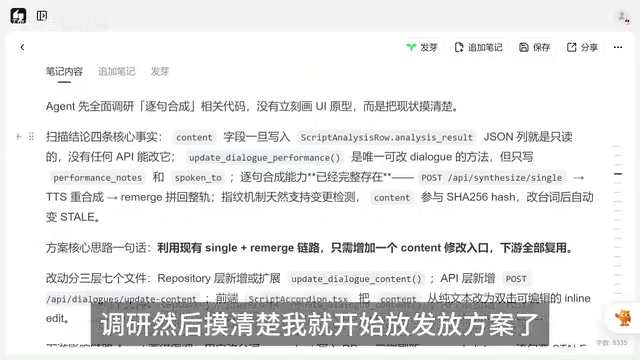
The scenario involves an AI dubbing/screenplay tool. The current problem: once dialogue lines are finalized through script analysis, they become completely locked — you can't edit a single line, change a few words, nothing.
Paul wanted to implement the ability to modify individual dialogue lines while also handling the downstream audio synthesis and subtitle synchronization.
To understand the complexity of this requirement, you need to know the typical technical pipeline of an AI dubbing tool: first comes script parsing (splitting the full script into character dialogue lines), then voice direction generation (using a large language model to analyze emotional tone, pacing, emphasis, and other performance parameters), followed by TTS (Text-to-Speech) synthesis to convert text into emotionally expressive audio, and finally audio track assembly and subtitle synchronization. These stages are tightly coupled — modifying any single node can trigger a chain reaction. This is precisely the root of the complexity in Paul's request.
His prompt to AI followed a structured format:
- Scan the entire codebase and gather relevant information
- Identify current limitations (dialogue lines are not editable)
- Describe the target functionality (line-by-line editing + audio re-synthesis)
- Request research before proposing a solution
After completing its research, AI delivered a plan involving modifications to 7 files. But here's the problem — Paul couldn't understand it. All those pipelines, variables, and filenames made it impossible to visualize what the actual user experience would look like.
First Round of Follow-Up: Make AI Explain in Plain Language
Paul said directly: "I don't really understand this. I can't picture where the dialogue gets edited or what happens after it's changed."
AI immediately switched to a user-perspective description:
- Double-click a dialogue card → It becomes editable
- Save the edit → The synthesis button lights up
- Click synthesize → Uses existing APIs to regenerate audio
- Backend auto-processes → Completes audio track assembly
With this explanation, the entire flow became clear. Here's the key technique: When you can't understand a technical plan, ask AI to re-describe it from the user's operational workflow perspective — it's far more effective than staring at code logic.
Second Round of Follow-Up: Discovering a Gap in the Plan
Once he understood the basic flow, Paul immediately spotted a serious issue: after editing dialogue, what happens to the voice direction and performance guidance?
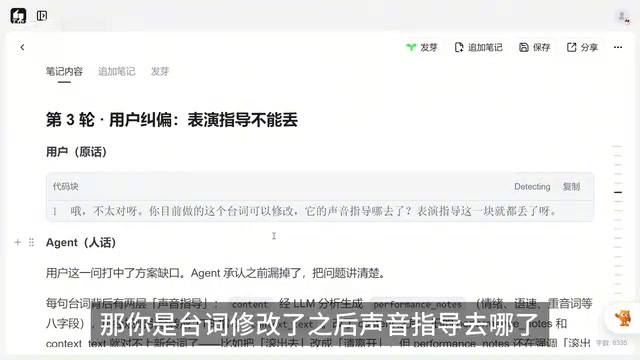
This was a critical challenge. In modern AI speech synthesis systems, plain text input alone only produces mechanical, robotic reading. To make synthesized speech expressive, the system needs additional "guidance information" (Guidance/Direction), including emotion tags (such as surprise, anger, sadness), speed control, emphasis markers, pause positions, and other parameters. This information is typically auto-generated by a large language model based on contextual analysis — essentially giving the AI voice actor a set of "director's notes." If the dialogue content changes but the guidance information isn't updated accordingly, you get a "text-emotion mismatch" — like reading a sad line in a cheerful tone. The result would be flat, lifeless narration, severely undermining the solution's effectiveness.
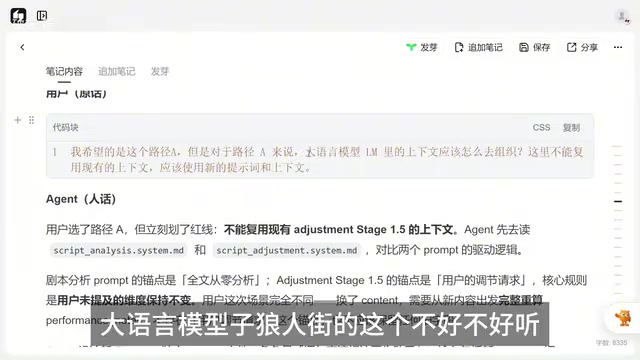
AI admitted it hadn't considered this point and then offered two paths:
- Path A: After editing dialogue, use a large language model to regenerate the guidance information
- Path B: Only change the dialogue text, leave all other annotations untouched, and let users manually adjust
Paul chose Path A without hesitation — "Someone as lazy as me would never do manual adjustments."
Third Round of Follow-Up: Confirming the Technical Implementation
After the approach was decided, there was still a critical implementation detail to align on. AI said it would add a new "lightweight tool class," but Paul's understanding was that it should be a new agent.
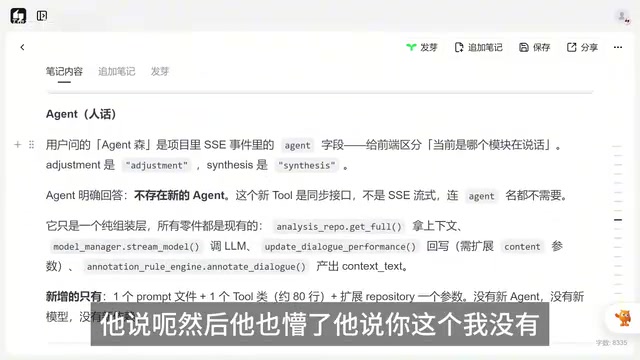
In AI application development, Agent and Tool are two concepts that are easily confused but fundamentally different. A Tool is typically a code module that performs a specific function — like calling an API or handling data format conversion — and has no decision-making capability of its own. An Agent, on the other hand, is an intelligent decision-making unit with its own independent prompt. It can understand context, make judgments, and invoke multiple Tools to complete tasks. In Paul's project architecture, each Agent corresponds to an independent prompt file in the prompts directory, with a specific role definition and capability boundary. Adding a new Agent means introducing a new "AI role," while adding a new Tool just gives an existing role one more "instrument" — the architectural implications are completely different.
They were talking about completely different things when they said "agent." Paul quickly clarified: "The agent I'm referring to is in the prompts directory — one prompt corresponds to one agent. There are currently three; you should add a fourth."
Only then did AI get on the same page: "Yes, yes, a fourth one will be added."
This example is particularly illustrative — you and AI might have completely different understandings of the same term. If you don't follow up and clarify, AI might implement its version of a "tool class," which could be miles away from the "new prompt agent" you had in mind.
Practical Tips Summary
Voice Input Error Tolerance
Paul mentioned an interesting detail: when using voice input to chat with AI, many technical terms (like LLM) might get transcribed as garbled text. But if you're using DeepSeek, it has strong error tolerance for typos and can generally understand your intent. The underlying reason relates to the model's training data and tokenizer design — DeepSeek has more thorough training on Chinese-language corpora and has built stronger semantic mapping capabilities for common speech recognition errors like pinyin approximations and visually similar character substitutions. In contrast, GPT and some other models perform weaker in this regard and might completely misunderstand user intent because of a single typo.
Three Core Principles
- Ask when you don't understand: Don't pretend you get it and tell AI to proceed — the cost of rework later is much higher
- Validate from the user's perspective: Have AI describe "what the user sees and clicks" rather than pure technical logic
- Confirm terminology alignment: The same word might mean different things to you and AI — use specific file paths and directory structures to get on the same page
Token Costs Aren't Worth Worrying About
Many people worry that repeated follow-up questions waste tokens. Paul did the math: how many tokens could these conversations possibly use? A few cents, or even less than a cent. Tokens are the basic billing unit for large language models — roughly 1.5-2 tokens per Chinese character. Taking DeepSeek as an example, its API pricing is approximately 1 RMB per million input tokens (even lower at 0.1 RMB with cache hits), and about 2 RMB per million output tokens. A round of follow-up dialogue containing a few hundred characters typically consumes 1,000-3,000 tokens total, costing less than one cent. In contrast, if unclear communication leads AI to generate an incorrect code solution, developers might spend hours debugging and rolling back code — the time cost far exceeds a few cents in token fees. This is why the ROI of "ask clearly before starting" is far higher than "saving tokens."
Conclusion
This case perfectly demonstrates the value of the "human" in Vibe Coding: you don't need to understand every line of code, but you need to be able to judge from a business logic perspective whether a solution is sound and complete. Paul didn't understand the specific code implementation, but he knew that "if the dialogue changes, the guidance information can't be lost" — that's the power of domain knowledge.
The essence of collaborating with AI isn't about understanding technology — it's about understanding requirements, understanding logic, and daring to ask follow-up questions. Once the communication is clear and you have a solid grasp of the plan, AI can do reliable work.
Related articles
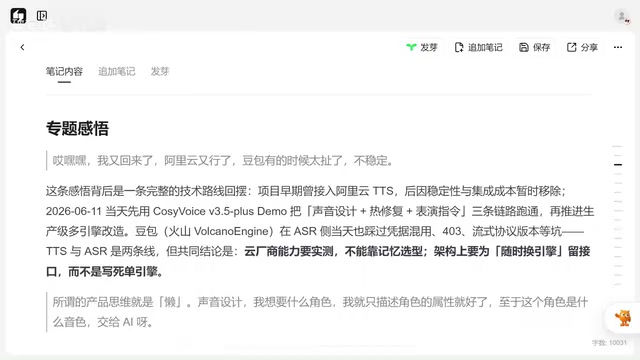
CosyVoice v3.5 in Practice: Solving the Performance Direction Challenge in AI Voice Acting
Hands-on testing of Alibaba's CosyVoice v3.5 instruction control and pronunciation correction vs Doubao TTS stability issues, with voice design tips and LLM debugging methodology for AI voice acting.

Gordon Ramsay's Wild American Food Adventure: A Culinary Journey Through Swamps, Smoky Mountains, and Texas
Gordon Ramsay explores Louisiana swamps, Smoky Mountains, and Texas in National Geographic's Uncharted — hunting nutria, catching rattlesnakes, and discovering America's diverse food roots.
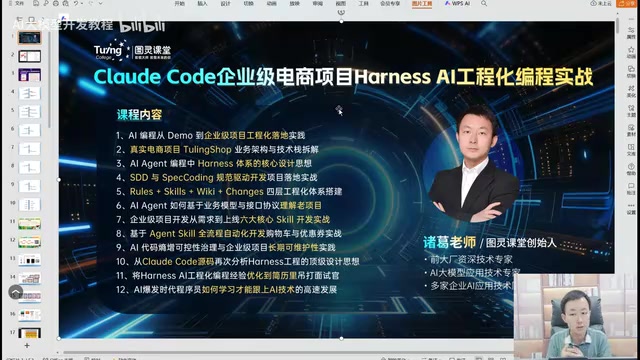
AI Engineering in Practice: The Right Way to Build Enterprise Projects with Claude Code
Learn how to use Claude Code with Specification-Driven Development (SDD) to build enterprise projects, solving common AI coding pitfalls like infinite bug loops, code quality issues, and hallucination risks.