What Is Cursor? Core Features and Usage Guide for This AI-Native Coding Tool
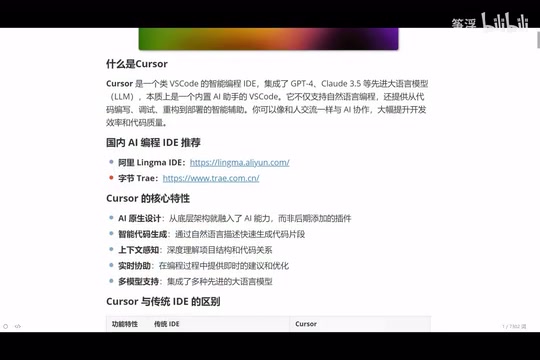
Cursor is an AI-native coding tool built on VS Code that uses natural language to generate, debug, and refactor code.
Cursor is an AI-native programming tool designed from the ground up to integrate large language models like Claude and DeepSeek directly into the coding workflow. Unlike traditional IDEs with bolted-on AI plugins, Cursor offers intelligent code generation, deep context awareness, and multi-model support, enabling developers of all skill levels to write, debug, and refactor code using natural language.
What Is Cursor? A Coding Tool Built for AI
Cursor, in simple terms, is an upgraded version of VS Code with built-in AI. It does the same thing as Trae (developed by ByteDance in China) — letting AI help you write code — but one comes from abroad and the other from China.
Unlike traditional editors that bolt on AI plugins after the fact, Cursor was designed from the ground up for AI-powered programming. It integrates the world's top large language models, including DeepSeek, Claude 3.5/3.7/4.0, and Google's models, allowing users to freely switch between them. Among these, the Claude series performs particularly well in programming tasks, though it's worth noting that most of these premium models require a paid subscription.
In the simplest terms: Cursor is a VS Code that can write code and teach you programming. You can describe the functionality you want in plain natural language, and it will understand the context, auto-complete code, explain principles, and cover the entire workflow from writing code to debugging, error-checking, and refactoring.
Four Core Features of Cursor
AI-Native Design
This is Cursor's most fundamental characteristic. It didn't "stick" an AI plugin onto an existing IDE — instead, AI capabilities were woven into every aspect from the very beginning. This means the collaboration between AI and the editor feels much more fluid and natural, without the disjointed feeling of a plugin that doesn't quite mesh with the main program.
Intelligent Code Generation
You simply describe your requirements in natural language — for example, "help me write a login and registration API" — and Cursor generates complete, business-logic-compliant code. This isn't simple template filling; it's intelligent generation based on your specific business scenario and logical requirements.
Context Awareness
A common bottleneck with current large language models is context understanding. When conversations get too long, models may "forget" earlier information or even hallucinate. Cursor has deeply optimized this aspect — it can understand the entire project's structure and context, providing real-time suggestions as you write code, rather than just performing syntax analysis on the current file.
Multi-Model Support
In Cursor, you can use virtually all of the world's top programming models. From the free DeepSeek to the paid Claude series and Google's models, users can switch freely based on task requirements, choosing the AI capability best suited to the current scenario.
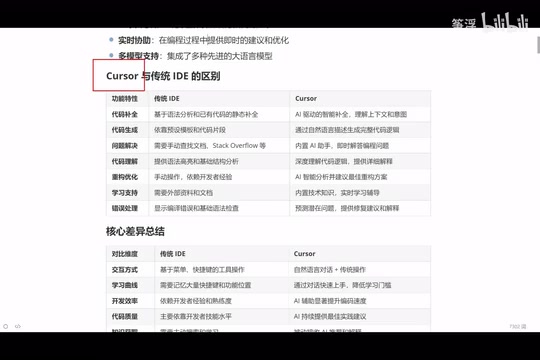
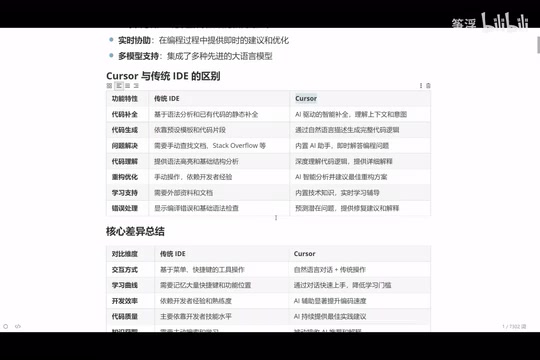
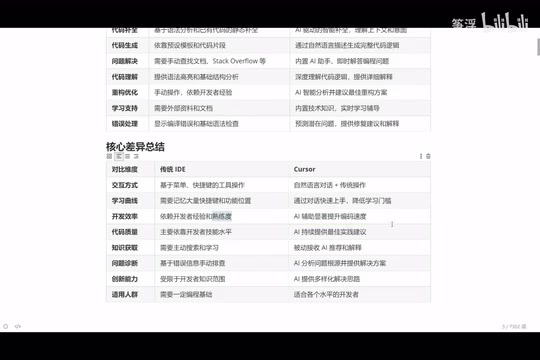
Cursor vs. Traditional IDEs: A Deep Dive Across Six Dimensions
Code Completion: From Syntax Analysis to Intent Prediction
Traditional IDE code completion is based on syntax analysis — if you defined a function earlier, it will auto-suggest when you use it later. Cursor's completion, however, understands the context and predicts what you're going to do next, proactively completing entire blocks of logic. The two are on completely different levels of intelligence.
Code Generation: From Template Snippets to Complete Logic
Traditional IDEs rely on preset code templates and snippets to assist with code generation, while Cursor uses natural language interaction to generate complete code logic based on business requirements. You don't need to memorize any template syntax — you just need to clearly describe what you want.
Problem Solving: From Search Engines to Instant AI Answers
When encountering an unfamiliar API or error message, a traditional developer's first instinct is to open a search engine or browse documentation. Cursor has a built-in AI assistant — just ask a question in the side panel and get a targeted answer. More importantly, it can analyze problems in the context of your current code, providing suggestions that are far more precise than generic search results.
Code Understanding and Refactoring
Traditional IDEs can only provide syntax highlighting and basic structural analysis, while Cursor can deeply understand code logic and provide detailed explanations. When it comes to refactoring, the traditional approach relies entirely on the developer's personal experience — junior programmers write junior code, senior programmers write senior code. But with Cursor, even junior programmers can benefit from AI's "senior experience", getting optimal refactoring suggestions from AI.
Error Handling: Breaking Down the Experience Barrier
Novice programmers often feel helpless when facing errors, while experienced programmers can quickly locate problems simply because they've seen the same errors many times before. Cursor directly breaks down this experience barrier — you just need to tell the AI the error message, and it will analyze the cause, provide fix suggestions, and offer detailed explanations.
Interaction Style and Learning Curve
Traditional IDEs require memorizing numerous keyboard shortcuts and feature locations, resulting in a steep learning curve. Cursor simplifies the core interaction to natural language conversation — you just need to be able to describe your requirements to drive AI to complete programming tasks.
Who Should Use Cursor?
Cursor's applicability is actually very broad:
- Senior programmers (5-10 years of experience): Not because they can't write code, but because they don't want to bother with repetitive tasks. Let AI generate simple, repetitive code while they just review and fine-tune, dramatically improving development efficiency.
- Junior to mid-level programmers: Cursor is like having a senior technical mentor by your side. The code it writes serves as a learning reference, helping you understand better approaches and more rigorous logic.
- Complete beginners: Even if you can't program at all, you can describe what you want in natural language and have Cursor generate runnable code. Of course, having some programming foundation will help you better understand and adjust AI-generated results.
A noteworthy perspective: Once you master AI programming tools, you can develop in virtually any programming language. Whether it's Python, Java, Go, or frontend tech stacks, AI can assist you — language is no longer a barrier.
Comparison with Similar Domestic AI Coding Tools
There are also similar AI coding tools worth noting in China:
- Tongyi Lingma: Alibaba's AI programming assistant, free to use
- Trae: ByteDance's AI coding tool, with features similar to Cursor
However, in terms of overall feature integration and intelligence level, Cursor currently maintains a certain leading edge. This is why Cursor is still worth studying in depth even when domestic alternatives exist.
Conclusion
Cursor represents not just a tool upgrade, but a fundamental shift in the programming paradigm — from manually typing code line by line to driving AI programming with natural language. It dramatically lowers the barrier to programming while multiplying the efficiency of experienced developers. In an era of rapidly iterating AI coding tools, mastering tools like Cursor early on is undoubtedly a wise choice for enhancing your personal technical competitiveness.
Related articles
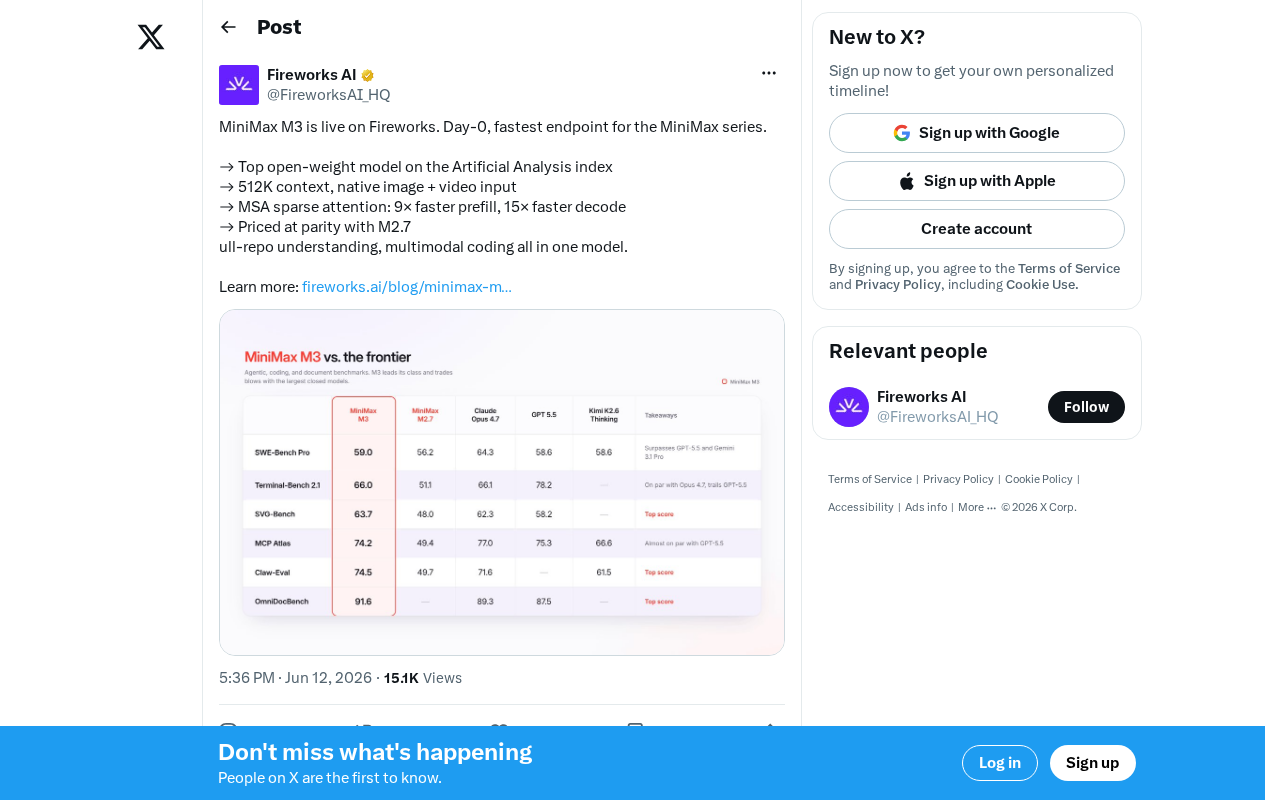
MiniMax M3 Launches on Fireworks: 512K Context and MSA Sparse Attention Explained
MiniMax M3 launches on Fireworks with 512K context and multimodal input. MSA sparse attention delivers 9x prefill and 15x decode speedups. Deep dive into architecture, pricing, and open-model competition.
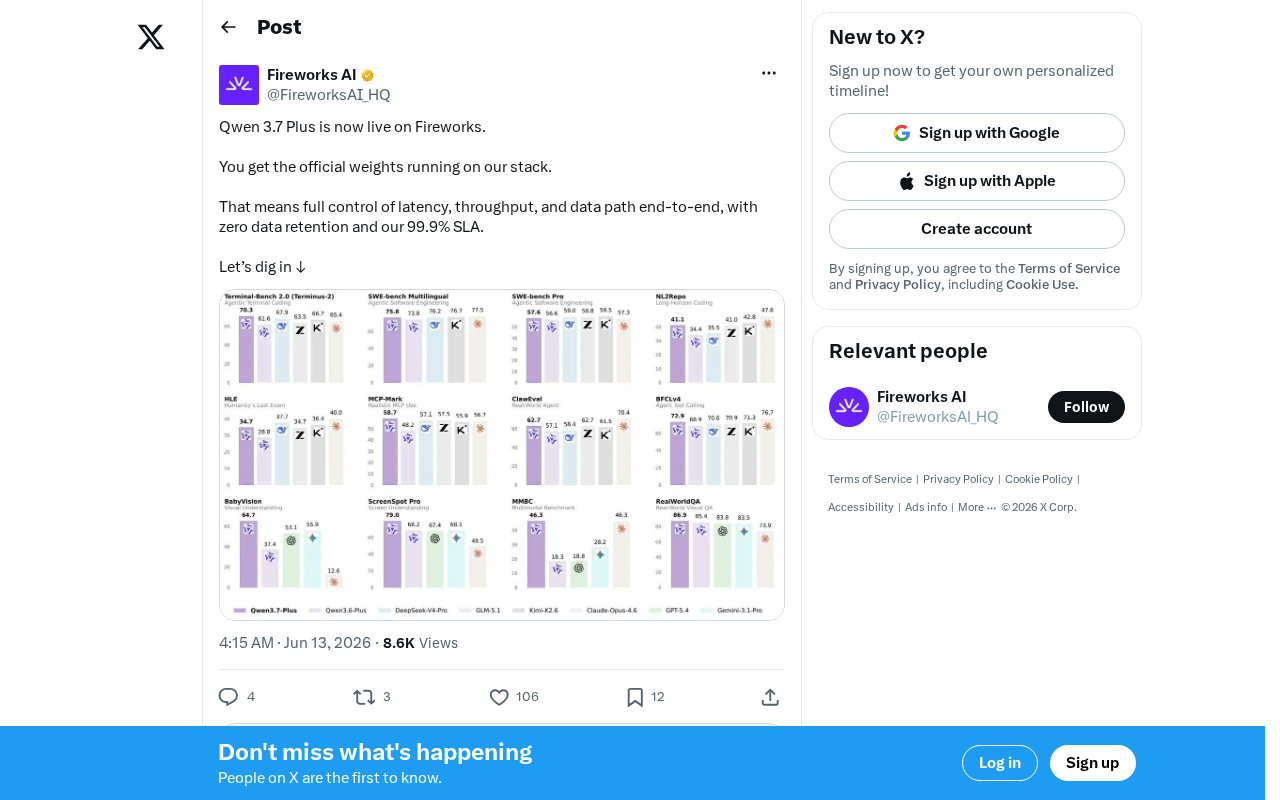
Fireworks AI Launches Qwen 3.7 Plus: Zero Data Retention and 99.9% SLA for Enterprise Deployment
Fireworks AI launches Qwen 3.7 Plus with latency/throughput optimization, zero data retention, and 99.9% SLA enterprise guarantees. Explore the full-stack deployment solution for commercial open-source model inference.
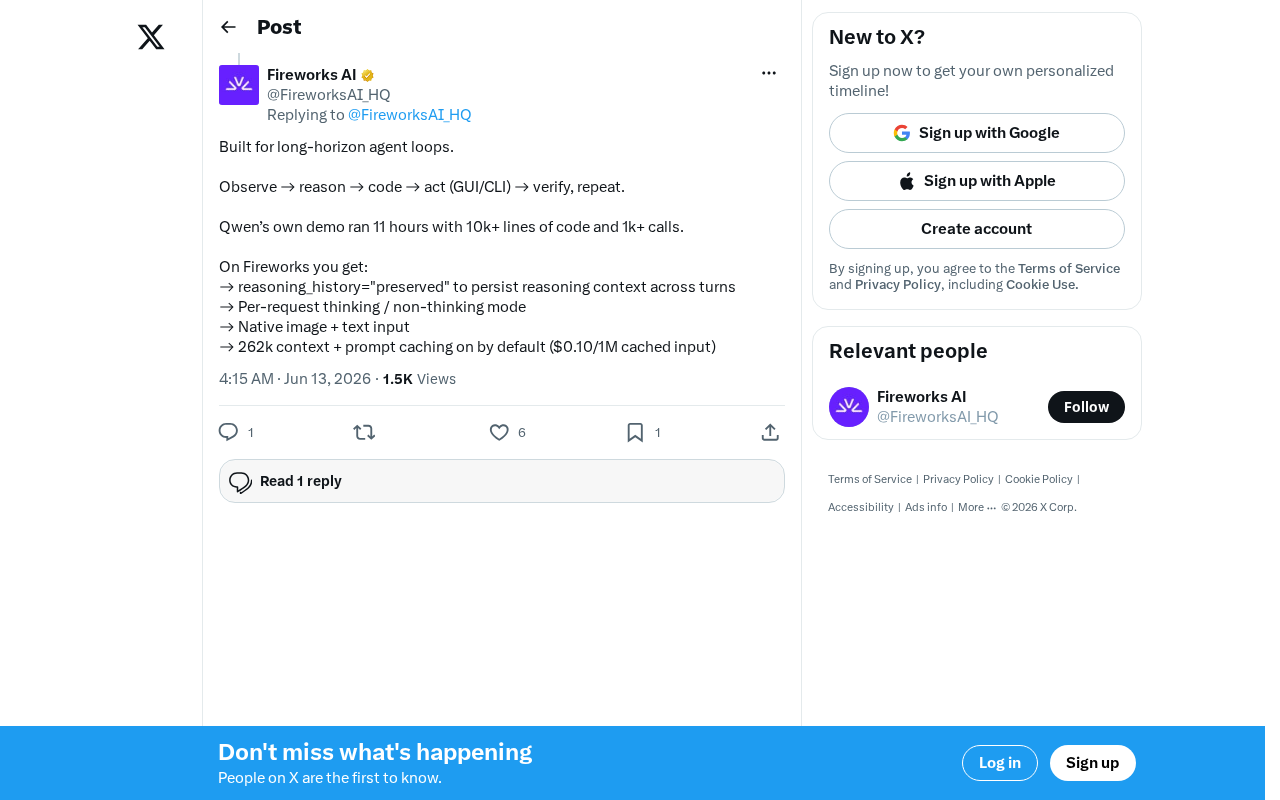
Qwen3-Coder Deep Dive: A Coding Model Built for Long-Horizon Agent Loops
Deep dive into Qwen3-Coder: 11 hours continuous operation, 10K+ lines of code, 1000+ calls. Explore its long-horizon agent loop architecture, reasoning persistence, thinking mode switching, and deployment on Fireworks.