Why Did the Touch Bar Fail? Lessons from Apple's Stubbornness and Compromise
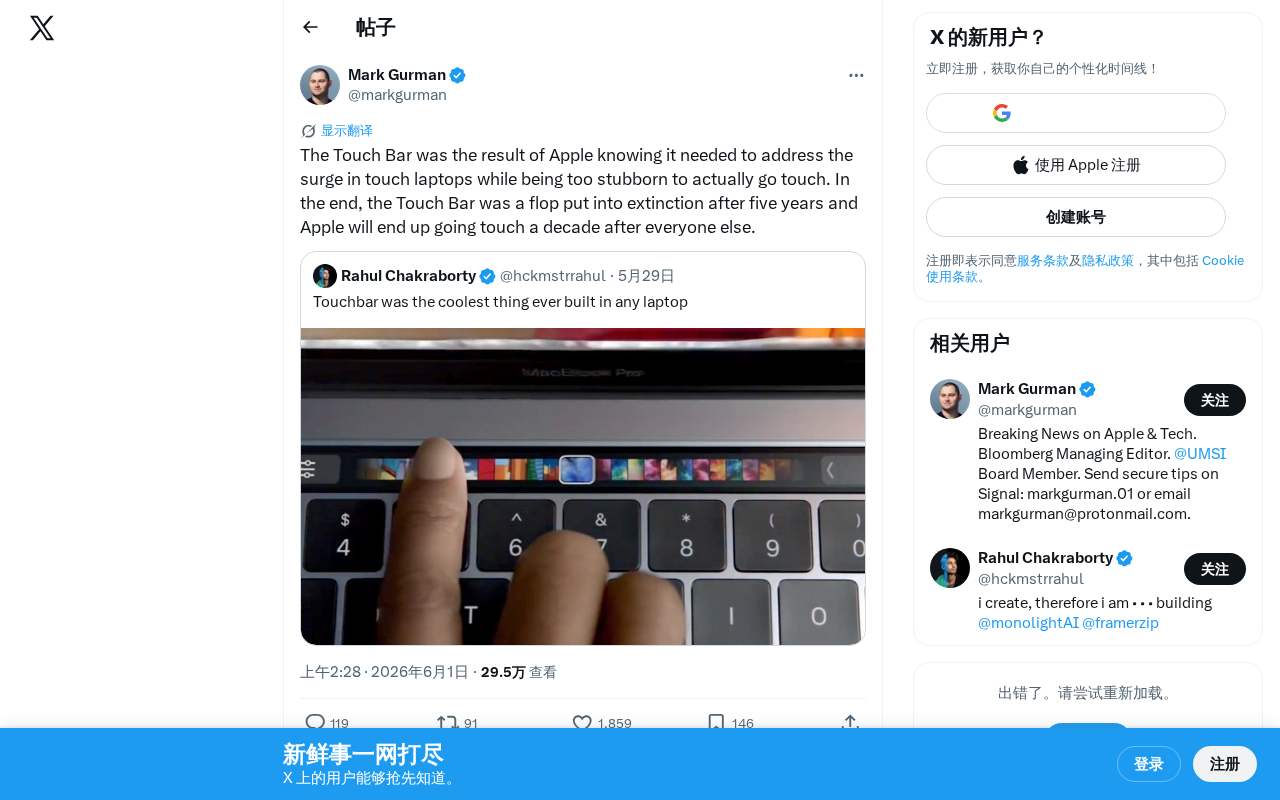
Apple's Touch Bar failed because it was a half-hearted compromise born from refusing to embrace touchscreen laptops.
Apple's Touch Bar, introduced in 2016 on the MacBook Pro, was a compromise born from the company's refusal to add touchscreens to Macs despite clear market demand. It failed due to poor developer adoption, a fundamental UX contradiction that eliminated blind typing benefits, and ambiguous positioning. After five years, Apple quietly removed it—and now appears to be finally moving toward touchscreen Macs, nearly a decade behind Windows competitors.
A Five-Year "Compromise Solution"
In 2016, Apple introduced the Touch Bar on the MacBook Pro—an OLED touch strip replacing the traditional function keys. At the time, it was seen as Apple's reimagining of laptop interaction, but looking back today, it seems more like a product born of contradiction: Apple clearly saw the touchscreen laptop wave coming, yet stubbornly refused to embrace it, ultimately choosing a middle path.
The Touch Bar was essentially a Retina-grade OLED display with a resolution of 2170×60 pixels, powered by a dedicated Apple T1 chip (later upgraded to T2) responsible for handling touch input and security functions. It actually ran a stripped-down version of watchOS, meaning Apple built an entire software and hardware ecosystem for this tiny touch strip. From a technical investment standpoint, the Touch Bar was anything but half-hearted—Apple's hardware engineering prowess remained impressive. But it was precisely this "using a cannon to kill a mosquito" over-engineering that reflected a loss of product direction.
Five years later, the Touch Bar was quietly removed, and Apple returned to physical function keys. This chapter of history reflects the tension between product philosophy and market reality at tech giants.
Why Did Apple Refuse a Touchscreen Mac?
Apple's long-standing position was crystal clear: touchscreens don't belong on laptops. Steve Jobs once explained that vertical screens shouldn't support touch because "your arm would get tired." The Tim Cook era also repeatedly affirmed that Mac and iPad are two separate product lines.
This classic argument originated from Apple's 2010 "Back to the Mac" event. Jobs showed a video demonstrating how prolonged touch interaction on a vertical screen causes arm fatigue, calling it the "Gorilla Arm" problem. The argument had merit at the time, but it overlooked several subsequent developments: first, laptop screens can fold to different angles and aren't limited to vertical use; second, touch doesn't need to be the sole input method—it can supplement the keyboard and trackpad; third, touchscreen interactions in actual use tend to be brief and intermittent rather than sustained. Later ergonomic research confirmed that occasional touch operations cause far less fatigue than Jobs implied.
Yet the market was changing. Microsoft's Surface lineup proved there was real user demand for touchscreen laptops, and the Windows ecosystem embraced touch almost universally. The Microsoft Surface series launched in 2012 to lukewarm reception—it was even mocked as "neither a good tablet nor a good laptop." But Microsoft persisted with iterations, and by the time Surface Pro 4 and Surface Book launched in 2015, the touchscreen laptop form factor had gained broad market acceptance. Lenovo's Yoga series, HP's Spectre x360, and other products followed suit, forming a complete touchscreen laptop category. IDC data showed that by 2020, over 40% of Windows laptops shipped with touchscreens. The core driver of this trend wasn't technological gimmickry—users genuinely had an instinctive need to directly touch the screen when browsing the web, annotating documents, or doing creative work.
Apple couldn't have been blind to this trend, but was unwilling to "admit the competition was right."
The Touch Bar was born from this mindset—it attempted to provide some form of touch interaction without actually touching the screen. A narrow touch strip above the keyboard was both an innovative attempt and a manifestation of stubbornness.
Three Reasons the Touch Bar Failed
The Developer Ecosystem Never Caught Up
Most third-party apps never seriously adapted to the Touch Bar. For developers, designing dedicated interactions for a narrow touch strip offered too low a return on investment. When users opened most applications, they saw the same generic default buttons.
The developer dilemma with the Touch Bar went beyond ROI—it involved fundamental challenges in API design and interaction paradigms. Apple's NSTouchBar API required developers to define context-specific button combinations for each application scenario, essentially asking them to rethink their entire app's information architecture for an extremely limited display space. By contrast, traditional function keys are system-level universal shortcuts that don't require individual app adaptation. The deeper issue was that the Touch Bar neither created an entirely new app ecosystem and business model to incentivize developers (as the iPhone did), nor had a large enough user base to generate network effects—it only appeared on certain MacBook Pro models, with an installed base far too small to drive a thriving third-party ecosystem.
A Fundamental Contradiction in User Experience
The greatest advantage of traditional function keys is blind operation—you can press Esc or adjust volume without looking at the keyboard. The Touch Bar eliminated physical feedback, forcing users to look down at the small strip, actually reducing efficiency. For professional users, this was a step backward, not forward.
Ambiguous Product Positioning
It was neither a complete touchscreen experience nor a reliable replacement for physical keys, ultimately pleasing no one. This half-hearted approach was destined to never win long-term user acceptance.
Apple Will Eventually Embrace a Touchscreen Mac
Interestingly, multiple sources indicate Apple is working on bringing touch support to the Mac. From the gradual convergence of iPadOS and macOS to the expansion of the Apple Pencil ecosystem, a touchscreen Mac seems to be only a matter of time.
Apple's system-level convergence in recent years has been quite evident. The Mac Catalyst framework launched in 2019 allows developers to port iPad apps to the Mac platform; Apple Silicon's introduction in 2020 enabled Macs to natively run iOS and iPadOS apps; Stage Manager in 2022 launched simultaneously on iPadOS and macOS, unifying window management logic. From chip architecture to operating system frameworks, the technical barriers between Mac and iPad have been essentially eliminated. Bloomberg reporter Mark Gurman has repeatedly reported that Apple is internally testing touchscreen Mac prototypes, potentially launching as early as 2025. This suggests Apple isn't unaware of the touchscreen Mac's value—rather, it's waiting until its technology stack and product narrative are ready before entering this space "on its own terms."
If that day truly comes, Apple will have taken this step nearly a decade after the Windows ecosystem. The Touch Bar story tells us: even the most successful tech companies can take wrong turns when product philosophy becomes dogma.
Lessons for the Tech Industry
Apple's case isn't unique. In the tech industry, the "we know better than users" mentality often leads companies to ignore real user needs. True product wisdom may lie in knowing when to stick to principles and when to adapt to change—rather than using a half-hearted compromise to mask indecision.
Related articles

Claude Code for Test Development in Practice: An AI Programming Workflow That Doubles Your Efficiency
A practical guide to Claude Code for test development: auto-generating test scripts, Plan Mode workflows, MCP + Playwright integration, and Subagent parallel tasks to build systematic AI-assisted workflows.

Hermes Agent Hands-On Review: An AI Efficiency Revolution for Indie Game Developers
Indie game developer reviews Hermes Agent vs OpenClaude: intelligent context compression, real-time Memory, remote control via Telegram, and practical use cases in game dev, social media, and email.

Vibe Coding Beginner's Guide: Tool Selection Across Three Categories with Practical Examples
A comprehensive guide to Vibe Coding's three tool categories: Agent frameworks, CLI Coding, and IDE tools, with practical examples including Snake game and data analysis workbench.