Xiaomi Mall Mini Program in Practice: Building a Full-Stack E-Commerce Project from Scratch
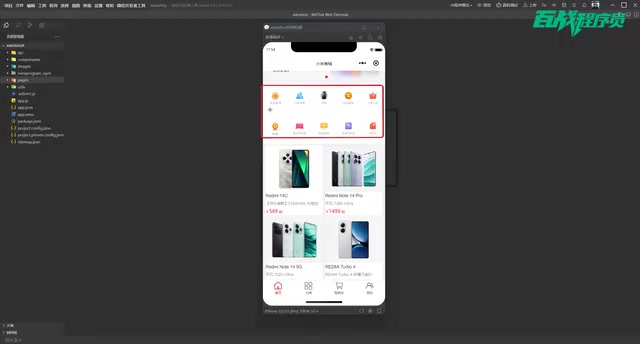
Build a full-stack Xiaomi Mall e-commerce app with WeChat Mini Program, Node.js, and MySQL.
This hands-on project walks you through building a complete Xiaomi Mall clone using WeChat Mini Program for the frontend and Node.js + MySQL for the backend. It covers core e-commerce features including homepage carousels, product search, category navigation, shopping cart management, and WeChat login authorization, making it ideal for learning, course projects, or graduation theses.
Project Overview
E-commerce projects have always been the best hands-on choice for frontend developers — they cover core skills like page layout, data interaction, and state management. This article introduces a Xiaomi Mall project built with WeChat Mini Program on the frontend and Node.js + MySQL on the backend, forming a complete full-stack e-commerce application. Whether you're looking for daily practice, a course project, or a graduation thesis project, it offers great reference value.
This project faithfully replicates the core functional modules of Xiaomi Mall's mobile experience, including homepage display, product search, category browsing, shopping cart management, and user login — small but fully featured.
Four Core Functional Modules in Detail
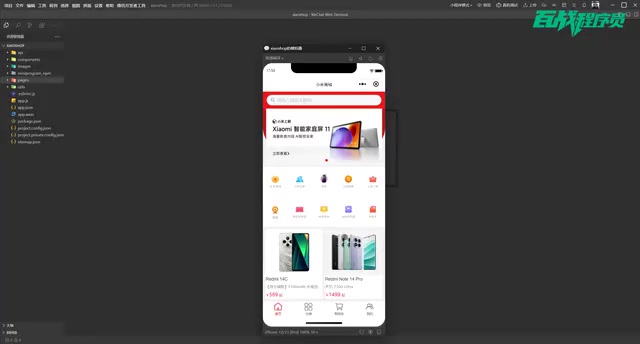
Homepage Module: Search, Carousel, and Product List
The homepage serves as the storefront of the entire Mini Program, carrying the richest interaction logic. At the top is a search feature — tapping the search bar navigates to a dedicated search page that supports two search methods: users can manually enter keywords or tap preset popular keywords (such as "Xiaomi Phone" or "Computer") for quick searches. The search results page displays matching products, and tapping any item leads to the product detail page.
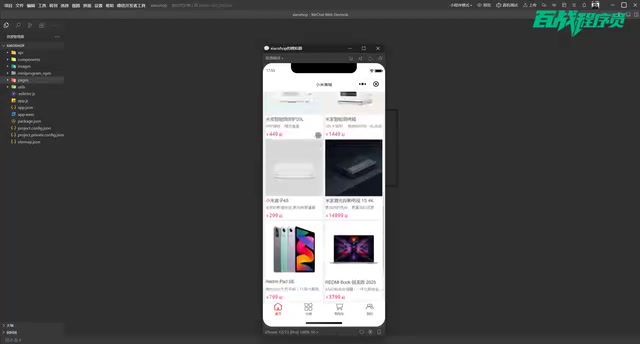
Below the search area is a classic carousel component, followed by a navigation bar section. Notably, the implementation here follows the approach used on Xiaomi Mall's official mobile site — the navigation icons and text are combined into a single image rather than the conventional "image + separate text" approach. While this isn't common in real-world projects (text clarity is limited by image resolution), it faithfully reproduces the official implementation. Developers who need higher clarity can split the images and text into separate elements.
At the bottom of the homepage is the product list area, using a two-column waterfall flow layout. Waterfall flow is a common multi-column layout with varying heights, originally popularized by Pinterest. Unlike traditional grid layouts, each element in a waterfall flow can have a different height, and new elements automatically fill into the shortest column, creating a staggered visual effect. In Mini Programs, waterfall flow is typically implemented in two ways: one uses CSS column layout or Flex layout to manually distribute data between left and right columns; the other dynamically calculates each column's height via JavaScript to determine where new elements should be inserted. In e-commerce scenarios, since product images vary in size, waterfall flow layouts make more efficient use of screen space and increase the density of product information displayed.
The list supports pull-up to load more — when all data has been loaded, a "No more data" message appears. Tapping any product opens its detail page, which includes the product image, price, name, description, and other complete information, with "Add to Cart" and "Buy Now" buttons at the bottom.
Category Module: Sidebar Navigation with Linked Content
The category page uses the classic left-side navigation + right-side content linkage layout. The left side provides multiple category options such as Recommended, Xiaomi Phones, Redmi Phones, Computers, and Speakers. When switching categories, the right side synchronously displays the corresponding product data. Each product also supports tapping to navigate to its detail page.
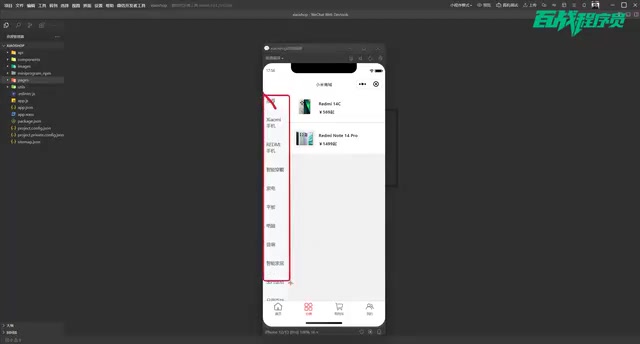
This sidebar linkage layout is an extremely common design pattern in e-commerce Mini Programs — major apps like JD.com, Taobao, and Meituan all use this approach. Its implementation involves several key technical points: first, state management for the left navigation, which requires maintaining a currentIndex variable to track the currently selected category and applying highlight styles through conditional rendering; second, dynamic loading of right-side content, which requires fetching corresponding product data from the backend based on the category ID and re-rendering the list when users switch categories; and finally, scroll position handling — the right-side list should automatically scroll back to the top after switching categories. In Mini Programs, this layout is typically implemented using the scroll-view component for independent scrolling on both sides, combined with data binding and the setData method for view updates. This implementation process is very helpful for understanding Mini Program data binding and component communication.
Shopping Cart Module: Add, Remove, and Interact
The shopping cart page displays all products the user has added. In terms of interaction design, it supports swipe-left to delete — swiping a product item to the left reveals a delete button, and tapping it removes the product from the cart. Swipe-left to delete is a classic interaction pattern in mobile applications, originally introduced by iOS's Mail app and widely adopted since. Implementing this effect in WeChat Mini Programs typically requires listening to three touch events — touchstart, touchmove, and touchend — and calculating the horizontal distance and direction of the finger swipe to determine whether to trigger the delete button display. The core implementation idea is to divide each list item into a content layer and an action layer. The action layer (containing the delete button) is hidden on the right by default. When a leftward swipe exceeding a certain threshold is detected, the content layer is shifted left via CSS transform to reveal the action layer. Some developers also choose to use the movable-view component to simplify the implementation.
After tapping "Add to Cart" on the product detail page, the system displays an "Added successfully" notification, and the cart data updates in real time. Shopping cart data persistence is handled through backend APIs, meaning the user's cart state won't be lost due to page refreshes.
User Module: WeChat Authorization Login
The "My" page defaults to a logged-out state. Tapping the login button triggers the WeChat authorization flow. The WeChat Mini Program login mechanism has undergone several adjustments. In earlier versions, developers could directly obtain user avatars and nicknames through the wx.getUserInfo API. However, since 2022, WeChat has tightened its privacy policies, requiring users to actively trigger authorization through a button component. The complete login flow typically involves: the frontend calling wx.login to obtain a temporary login credential (code), sending the code to the backend server, which then exchanges it with WeChat's server for an openid and session_key, and finally generating a custom login state to return to the frontend. The openid is the user's unique identifier within the current Mini Program, while the session_key is used to decrypt sensitive user data. Understanding this flow is crucial for mastering OAuth authorization mechanisms and frontend-backend authentication systems.
After successful authorization, the page displays the user's WeChat avatar and nickname. A feature list entry is also provided at the bottom. Note that the "Buy Now" feature in this project is only simulated — it doesn't connect to a real payment interface. Order submission is merely a frontend-level flow demonstration.
Technical Architecture and Environment Setup
The project's tech stack is clean and straightforward:
| Layer | Technology |
|---|---|
| Frontend | WeChat Mini Program (native development) |
| Backend | Node.js |
| Database | MySQL |
| Server Port | 3001 |
About WeChat Mini Program Native Development: Native development means building applications directly using the official development framework and toolchain provided by WeChat, without relying on third-party cross-platform frameworks like uni-app or Taro. Native development uses WXML (an HTML-like template language), WXSS (a CSS-like styling language), JavaScript, and JSON configuration files to compose pages. Its advantages include deep integration with the WeChat ecosystem, direct access to native capabilities like WeChat login, payment, and sharing, and better performance compared to cross-platform solutions. For learners, mastering native development helps build a deep understanding of Mini Program lifecycles, data binding mechanisms, and component-based thinking, laying a solid foundation for later use of cross-platform frameworks.
About the Node.js + MySQL Backend Stack: Node.js is a JavaScript runtime environment built on Chrome's V8 engine, enabling developers to write server-side code in JavaScript and achieve language unification across frontend and backend. In this project, Node.js is typically paired with web frameworks like Express or Koa to quickly build RESTful API services. MySQL is one of the world's most popular open-source relational databases, widely used in small to medium-sized projects for its stability and mature community ecosystem. Node.js interacts with MySQL through libraries like mysql2 or Sequelize to perform CRUD operations. This tech stack has a relatively gentle learning curve, making it particularly suitable for frontend developers looking to expand into full-stack development.
The backend service runs on local port 3001, with all data stored in a local MySQL database. The project provides complete server-side code and database files, ready to run out of the box. For database management, the tutorial uses browser-based visual tools (such as phpMyAdmin), which lowers the barrier to environment setup and is very beginner-friendly. Of course, developers can also use database management tools they're familiar with, such as Navicat or DBeaver.
Project Highlights and Learning Value
Ideal for Course Projects or Graduation Theses
This project covers the complete frontend-to-backend pipeline with rich functional modules that closely mirror real business scenarios, making it an excellent foundation for course projects or graduation theses. If certain views or data don't meet specific requirements, they can be customized and modified on top of the existing codebase.
Comprehensive Coverage of Core Skills
Through this project, developers can systematically practice the following skills:
- Mini Program page layout: Flex layout, carousels, waterfall flow lists
- Page navigation and parameter passing: Multi-page navigation, parameter transfer
- Frontend-backend data interaction: API integration, JSON data rendering
- Shopping cart state management: CRUD operations on product data
- User experience optimization: Pull-up loading, swipe-to-delete, search suggestions
- Node.js backend development: Server setup, RESTful API design, MySQL database operations
Among these, RESTful (Representational State Transfer) is a widely adopted Web API design style and architectural constraint. Its core concept is to abstract backend data and functionality as "resources" and operate on them through standard HTTP methods: GET for querying, POST for creating, PUT for updating, and DELETE for deleting. For example, in this e-commerce project, GET /api/products retrieves the product list, POST /api/cart adds a product to the cart, and DELETE /api/cart/:id removes a specific item from the cart. RESTful-style APIs are semantically clear, easy to understand and maintain, and have become the de facto standard in frontend-backend separation architectures. Learning RESTful design principles helps developers write well-structured, highly extensible backend services.
Complete Tutorial from Scratch
The tutorial starts from environment setup and guides learners step by step through every module of the project, including server setup and configuration. This "from zero to one" teaching approach ensures that even beginners with limited development experience can follow along.
Conclusion
The Xiaomi Mall Mini Program project is a structurally complete and practically useful full-stack case study. It not only covers the core business logic of e-commerce applications but also provides complete frontend and backend code along with database resources, significantly reducing the learning cost. For students learning WeChat Mini Program development or preparing for course projects and graduation theses, this is a high-quality project worth getting hands-on with. After completing the basic features by following the tutorial, it's recommended to further try adding extended features like order management, shipping addresses, and product reviews to deepen your understanding of full-stack development.
Related articles
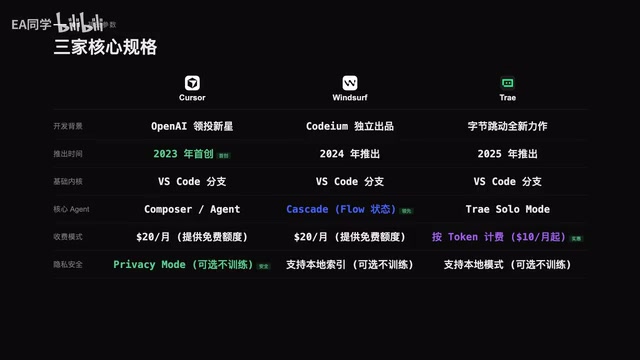
Cursor vs Windsurf vs Trae: An In-Depth Comparison of Three Major AI IDEs
A comprehensive comparison of Cursor, Windsurf, and Trae across five dimensions including coding, Agent autonomy, and pricing, with detailed scores and recommendations.

AI API Relay Startup's First Month: Open Books Reveal Just ¥16K Profit on ¥290K Revenue
A 3-person team shares their AI API relay startup's first month: ¥290K revenue, 95% spent on API costs, only ¥16.7K book profit. A deep dive into adjusted margins, cost structure, and competition.
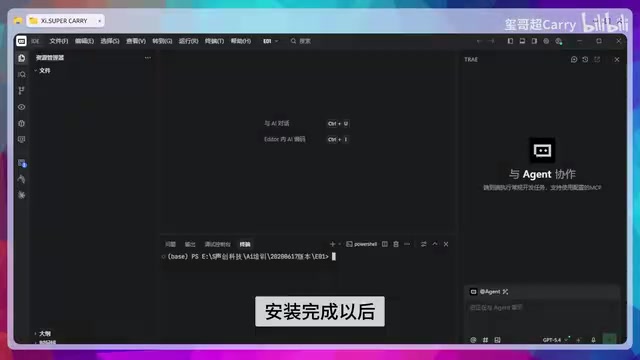
Trae Hands-On Tutorial: Build a Full-Stack Website with Just 3 Prompts
Learn how to use ByteDance's AI coding tool Trae to build a full-stack website with just 3 prompts—covering frontend, backend API, and admin panel.