Claude Code's Hidden Advantages Explained: Design Choices Every AI Coding Tool Should Copy
Analyzing Claude Code's pioneering features that every AI coding tool should replicate.
Developer Theo (t3.gg) breaks down Claude Code's standout design choices in agentic coding: executable scripts in skills, CLAUDE.md's import mechanism and local overrides, deep links with remote control, and dynamic multi-agent workflows where the AI writes its own orchestration code. While costly, these features represent a design philosophy where code serves as the most flexible intermediate layer between model runs — an approach worth adopting across the entire AI coding ecosystem.
Well-known developer Theo (t3.gg) has been using Claude Code extensively for his daily development work recently. Despite having plenty of gripes with Anthropic, he has to admit that Claude Code has introduced several pioneering design choices in the agentic coding space. His purpose in making this video was clear: not to hype up Claude Code, but to encourage every other competing tool to copy these strengths.
Script Execution in Skills: An Underrated Killer Feature
Nearly every AI coding tool supports "Skills" — essentially Markdown files. In the current AI coding tool ecosystem, these skill files represent a structured prompt engineering approach — developers write common workflows, coding standards, and operational procedures as Markdown files, which AI agents load as contextual instructions when executing tasks. Cursor calls them Rules, GitHub Copilot uses Instructions files — different names across platforms but fundamentally the same concept. However, Claude Code has one critical difference: it supports executing scripts within skills.
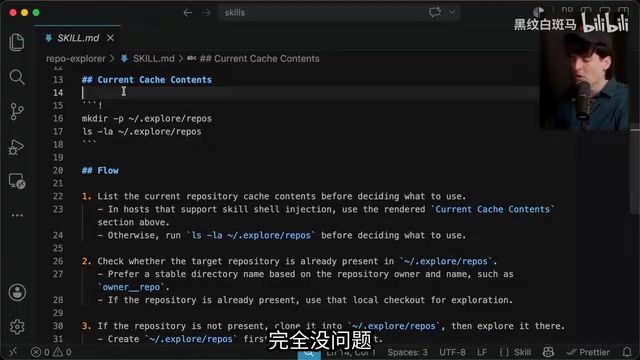
Theo demonstrated a skill he created called "Reboot" (a repository browser), designed to let the AI agent explore external dependency library implementations. The core logic: clone an open-source repository to a designated directory, then have the model explore that repository's contents without disrupting the current workspace.
The key is that Claude Code supports executing scripts to gather information at the moment a skill is loaded — for example, listing repositories already present in the cache directory. Traditional static skill files can only provide fixed text instructions, requiring the AI to execute commands on its own to understand the environment state. Executable skills, however, can dynamically retrieve real-time information during the loading phase — current Git branch status, installed dependency versions, local cache contents — and inject it directly into the AI's context. This eliminates a step the model would otherwise need to perform separately, cutting skill length in half while dramatically improving reliability and fault tolerance.
Regarding security concerns, Theo's stance is straightforward: "We've been facing the exact same problem with NPM forever. The code is right there, and you can even have the LLM audit it — that's safer than half the stuff we do with NPM."
Currently, the Pi extension and Open Code have started introducing similar features, but Claude Code remains the most mature implementation.
CLAUDE.md's Clever Design: Import Mechanism and Local Overrides
Two competing configuration standards exist in the industry: AGENTS.md and CLAUDE.md. AGENTS.md was originally proposed by OpenAI when launching Codex CLI, intended to provide a unified project-level instruction file for all AI coding agents — similar to what .editorconfig is for code editors. Placed in the project root, it describes project architecture, coding standards, testing requirements, and more. Mainstream tools like Cursor, Windsurf, and Cline quickly followed suit with support. Anthropic, however, insists on using its own proprietary file, CLAUDE.md, which has sparked "standards fragmentation" controversy in the community. Theo was initially critical of this, but gradually discovered CLAUDE.md's unique strengths.
File Import Mechanism
CLAUDE.md supports importing additional files using @import syntax. Imported files are expanded and loaded into context at startup. It supports both relative and absolute paths, with recursive imports up to four levels deep.
This enables an extremely practical operation: simply import AGENTS.md within CLAUDE.md, and you get the full contents of both configurations plus any Claude-specific settings. This design elegantly resolves the standards fragmentation dilemma — it maintains compatibility with the industry-wide standard while layering on Claude-exclusive advanced configurations, achieving backward compatibility rather than adversarial competition. No symlinks needed, no maintaining two separate files — clean and elegant.
Local Override Files
CLAUDE.local.md is another highlight. Add this file to your global .gitignore, and you can include personal work instructions that don't affect any other team members. This solves a common pain point in team collaboration: conflicts when different developers want different configurations. For example, a developer who prefers detailed comments and one who prefers minimal code can each maintain their own local file, while the shared CLAUDE.md contains only the baseline standards everyone agrees on.
Deep Links and Remote Control: Bridging the Last Mile of Workflows
Claude Code supports a custom protocol format claude-cli:// that can launch sessions directly via links. This custom URI protocol (also known as Deep Links) works the same way as the mailto://, slack://, vscode:// protocols we use daily — operating systems allow applications to register custom protocol handlers, and when a user clicks a link containing that protocol, the system automatically launches the corresponding application and passes parameters. Theo envisions integrating this into HTML planning pages, where clicking a link automatically opens a terminal to execute the corresponding task.
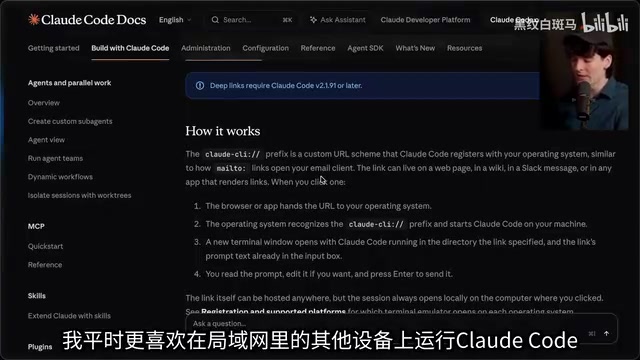
There is one limitation though: the work computer must be the same machine running Claude Code, since the protocol handler must be registered locally and cannot be triggered across devices. This isn't ideal for users who prefer running things on other devices within their local network.
The remote control feature (/remote-control) partially compensates — through the claude.ai website or the Claude mobile app, you can directly control a Claude Code instance running on your local machine. Theo says he'll frequently use this feature when running heavy tasks while away from his desk.
Dynamic Workflows: Letting the Agent Write Code to Orchestrate Tasks
This is what Theo considers the coolest feature. Workflows aren't simply about spinning up multiple tasks in parallel — they're phased dynamic workflows containing different steps and sub-agents with different roles.
This is essentially an implementation of a Multi-Agent System. In this architecture, an "Orchestrator" agent analyzes the task, breaks it into subtasks, assigns roles, then launches multiple "Worker" agents to execute in parallel or sequentially. This aligns with the concepts behind academic multi-agent frameworks like AutoGen and CrewAI, but Claude Code's unique twist is that the orchestration logic itself is AI-generated code rather than a predefined directed acyclic graph (DAG).
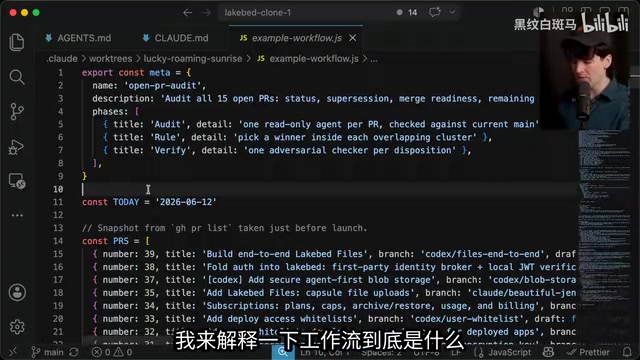
Theo demonstrated a real-world case: auditing all open PRs in a project. The workflow automatically split into three phases:
- Audit Phase: Each PR gets assigned a read-only agent
- Adjudication Phase: Among PR groups with overlapping functionality, the best solution is selected
- Verification Phase: Adversarial checking agents are assigned for validation
Each sub-agent can be given different permission levels — read-only for auditing, write access for code modifications — this application of the Principle of Least Privilege effectively reduces risks in multi-agent collaboration. The adversarial review borrows from red team testing methodology, having one agent specifically challenge another agent's conclusions to improve output quality.
Most impressively, workflows are entirely code-based. The model writes its own JavaScript code to orchestrate the entire process — including functions that dynamically generate prompts, ternary expressions that insert different context based on PR history, and pipeline calls that define all subtasks.
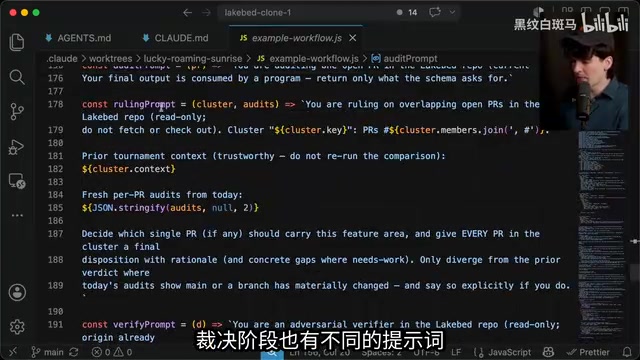
Theo marveled: "It wrote 40 lines of completely disposable code that will only ever execute once in its lifetime, just to run this workflow." The model even writes prompts for itself, preemptively warning other models about common mistakes — Fable performs particularly well in this regard.
However, workflows are extremely expensive. According to Theo's testing, running an 8-parallel-thread workflow costs approximately $100 every 10 minutes. The token economics behind this number are worth understanding: 8 parallel threads means 8 independent AI sessions running simultaneously, each needing to load the full context (project files, PR contents, skill files, etc.) and perform multiple rounds of reasoning. Taking Claude Sonnet 4 as an example, input tokens cost $3 per million and output costs $15 per million. In a complex PR audit task, each sub-agent may need to process tens of thousands of lines of code diffs, and 8 parallel tasks can easily accumulate over a million tokens within 10 minutes. During his video recording, he went from 9% to 24% of his monthly quota in just a few minutes. This cost structure means dynamic workflows are better suited for high-value scenarios like large-scale code audits and security reviews, rather than everyday coding tasks.
Other Noteworthy Practical Details
/btwcommand: Opens an independent sub-conversation within the current dialogue to quickly ask side questions without interrupting the main task. This is similar to a "Quick Look" feature in IDEs, but applied at the AI conversation level — the main conversation's context and state are fully preserved, and you seamlessly return to the original task after the sub-conversation ends.- Branching and rollback: The
/branchcommand lets you try a different direction based on existing conversation history. This borrows the branching concept from version control — when a developer is uncertain about the AI's current solution direction, they can create a branch to explore alternatives without losing existing conversation progress. - Worktree parameter:
--worktreequickly creates a Git worktree, ideal for temporary tasks. Git Worktree, introduced in Git 2.5, allows creating multiple working directories from the same repository, each checking out a different branch. Unlike a traditionalgit clone, worktrees share the same.gitdirectory and object database, making creation extremely fast with virtually no additional disk space usage. When an AI agent needs to make extensive modifications on an experimental branch, using a worktree completely isolates changes without affecting the developer's current main branch work. If the AI's modifications aren't satisfactory, simply delete the worktree directory. - Fullscreen mode: Renders using the terminal's Alternate Screen Buffer, avoiding flickering and scroll buffer issues. This is a standard technique for terminal applications — tools like vim and htop use the same mechanism, ensuring the terminal restores to its original state after exiting the application.
- Multi-account switching: When quota is running low, you can seamlessly switch accounts without interrupting running tasks.
Conclusion: Code Is the Most Flexible Intermediate Layer
Theo's core insight deserves consideration from every AI coding tool developer: code is the most flexible intermediate layer. When an agent can write its own code to orchestrate tasks, each workflow run effectively builds customized functionality for itself. This is far more flexible than predefined tool-calling interfaces (such as Function Calling or fixed tool sets in the MCP protocol) — predefined interfaces can only invoke functionality that developers designed in advance, while dynamic code generation lets AI create unprecedented processing logic on the fly based on each task's unique requirements.
As he put it: "Letting the model write code to do additional sub-prompting is what truly unlocks the model's extraordinary capabilities. In this paradigm, code isn't just the model's output — it's the intermediate step between multiple model runs."
Most of these features aren't impossible to replicate — the key lies in the forward-thinking design philosophy. Hopefully tools like Cursor, Codex, and Pi will catch up quickly, so the entire AI coding ecosystem can benefit.
Related articles
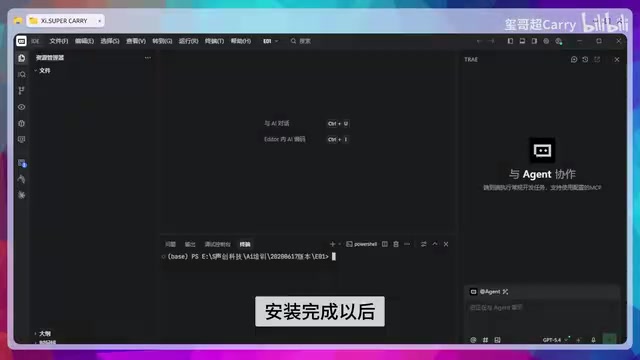
Trae Hands-On Tutorial: Build a Full-Stack Website with Just 3 Prompts
Learn how to use ByteDance's AI coding tool Trae to build a full-stack website with just 3 prompts—covering frontend, backend API, and admin panel.
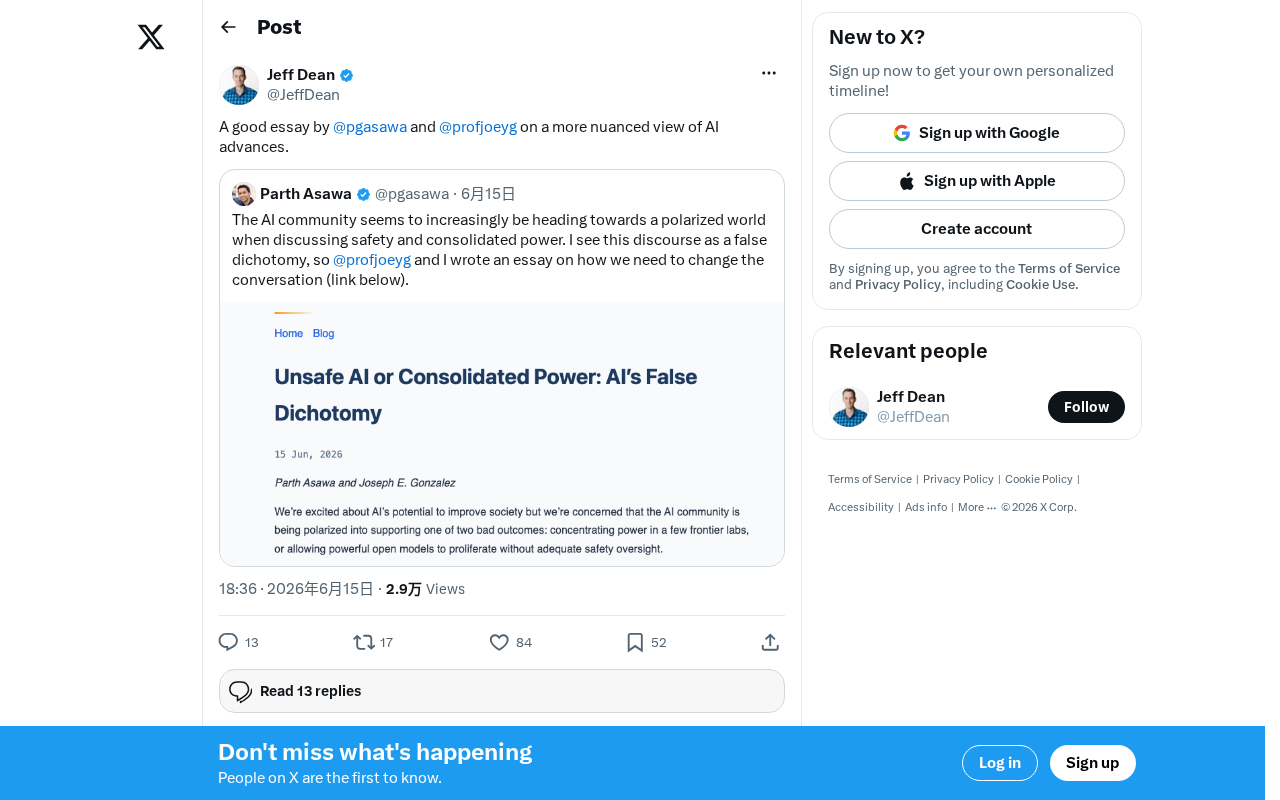
AI Progress Demands a More Nuanced Examination: A Rational Framework Beyond Hype and Panic
Current AI discourse is trapped in polarization. This article explores how to rationally assess AI's real progress, analyzes the gap between benchmarks and actual capabilities, and offers a pragmatic evaluation framework.
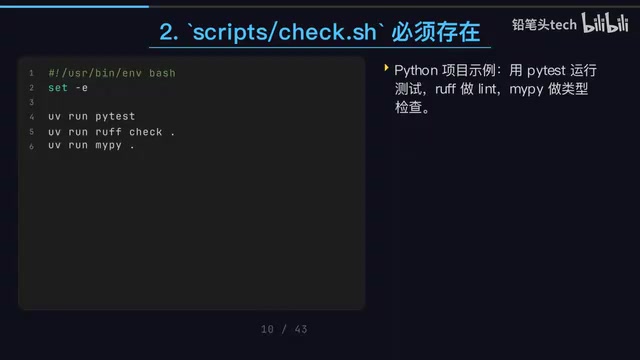
Codex + Claude Code Dual-AI Collaboration: An Engineering Approach to Write-and-Review
A detailed guide to Codex CLI and Claude Code collaboration: write-and-review pattern, file-driven workflows, unified check scripts, and Git Worktree parallelism.