Claude Code Source Leak Revealed: The 5-Step AI Coding Agent Mechanism & Practical Pitfall Guide
Claude Code's leaked source reveals a 5-step AI Agent mechanism and practical tips to master it.
Claude Code's leaked source code reveals it operates as a full ReAct-loop Agent, not a simple code completion tool. This article breaks down its 5-step mechanism — progressive disclosure, precise grep-based indexing, surgical search-and-replace edits, automated test verification, and graceful context termination — along with practical tips like configuring CLAUDE.md, setting Max Turns, and using Git checkpoints to keep AI coding controllable.
Introduction: Why AI Coding Always Causes a Chain Reaction
Many developers have had this painful experience with AI coding tools: you ask the AI to tweak a button style, and it rewrites the entire component library; you fix a minor bug, and the context window explodes. The root cause is that you're still using a "code completion" mindset to interact with it.
Recently, the source code of Claude Code v2.1.88 was leaked, and reverse engineering revealed a critical fact: it's not a completion tool at all — it's an Agent with autonomous planning capabilities. The leaked source code shows that under the hood, it runs a rigorous ReAct loop — not a linear receive-and-output process, but an infinite iteration of "think-act-observe."
ReAct (Reasoning + Acting) is a large language model reasoning framework jointly proposed by Google Research and Princeton University in 2022. Traditional Chain-of-Thought only lets the model reason internally, while the ReAct framework enables the model to interact with external environments while reasoning — it first "Reasons" about what to do, then "Acts" by calling external tools, and finally "Observes" the results returned by those tools before deciding the next step. This loop iterates continuously until the task is complete. This architecture is the core paradigm of current AI Agents and the fundamental difference between Claude Code and traditional code completion tools (like early Copilot).
Once you understand this mechanism, you can go from "being driven crazy by AI" to "precisely commanding it."
The 5-Step Mechanism of an AI Coding Agent: See, Index, Modify, Verify, Terminate
Step 1: See — Progressive Disclosure, Avoiding Token Catastrophe
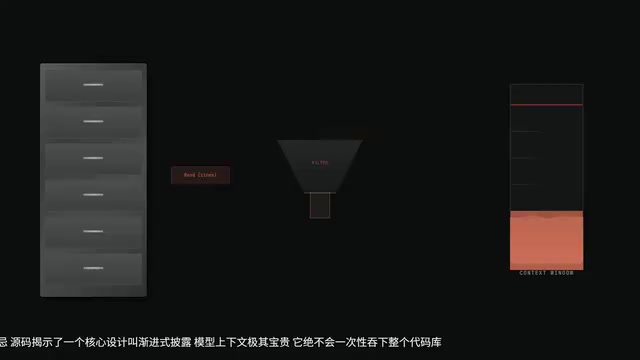
Many people assume the AI's first step is to dump all relevant files into the context at once. Dead wrong. The source code reveals a core design philosophy called the Progressive Disclosure Model.
To appreciate the elegance of this design, you first need to understand Tokens and context windows. A Token is the basic unit that large language models use to process text — one English word corresponds to roughly 1-2 Tokens, and one Chinese character corresponds to roughly 1.5-2 Tokens. Every model has a context window limit (e.g., Claude 3.5's 200K Tokens), meaning the total amount of information it can "see" at once is finite. When a codebase has hundreds of thousands of lines, stuffing everything into the context not only exhausts the window capacity quickly but also causes the model's attention to scatter and reasoning quality to degrade — this is the so-called "Token Catastrophe." Therefore, fine-grained context management strategy is the key bottleneck for Agent performance.
The context window is extremely precious, and an advanced Agent never swallows the entire codebase at once. It's like a veteran detective surveying a crime scene: first using ls to view the directory structure, then using Read to precisely read specific lines of specific files. Refusing Token Catastrophe is the first discipline of an advanced Agent.
Step 2: Index — No Vector Database, Back to Basic Search
You might assume that to find code among tens of thousands of files, it must use some fancy RAG vector database. Quite the opposite — the leaked source code shows it's extremely restrained, barely using heavy vector indexing.
It's worth explaining RAG's limitations in code scenarios here. RAG (Retrieval-Augmented Generation) is the mainstream architecture for current AI applications. It works by slicing documents, converting them into vectors using Embedding models, storing them in vector databases (like Pinecone or Chroma), and retrieving relevant snippets via semantic similarity during queries. This approach excels in natural language Q&A scenarios but has inherent shortcomings in code scenarios: the core need in code is precise symbol matching (function names, variable names, class names), not semantic similarity. For example, when searching for the handleUserLogin function, you need exact location, not code snippets that are semantically "similar to login handling."
The reason is simple: code requires exact matching, not semantic similarity. It falls back to the most basic Grep regex search, combined with lightweight AST (Abstract Syntax Tree) parsing.
AST is a core concept in compiler theory that parses source code into a tree structure according to grammar rules. Each node represents a syntactic structure in the code, such as function declarations, variable assignments, conditional statements, etc. Through AST, the Agent can understand the structural hierarchy of code — knowing which function belongs to which class, which variable is referenced in which scope — rather than just doing string matching at the text level. Modern IDE refactoring features, ESLint code checking, and Prettier formatting all rely on AST parsing under the hood. Claude Code uses lightweight AST parsing to quickly understand code structure without loading a full semantic model.
No fancy radar — just "legwork and intuition" for precise investigation. Simple, but extremely efficient.
Step 3: Modify — Surgical Precision Operations
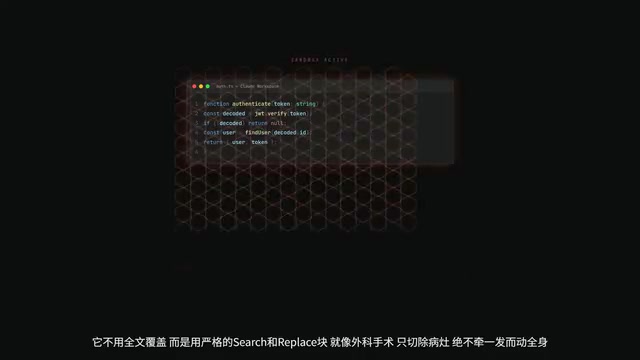
This step is what separates a "good Agent" from a "bad Agent." Claude Code doesn't use full-file overwrites — instead, it uses a strict Search and Replace pattern. Like surgery, it only removes the lesion and never causes a chain reaction.
But what if it hallucinates and deletes core logic? This is where the most brilliant safety design comes in — the Permission Hook. Any write operation is intercepted in a sandbox and requires human confirmation. Only after you press "allow" does it actually execute the file write. This is the last line of defense against AI "dropping the database and running."
Permission Hook is a classic security design pattern rooted in operating system permission control philosophy. In AI Agent scenarios, its core principle is the "Principle of Least Privilege" — the Agent has no file system write permissions by default, and every write operation triggers an interception hook that pauses the operation in a Sandbox environment awaiting human approval. A Sandbox is an isolated execution environment where code runs without affecting the external real system. This "Human-in-the-Loop" design is the core consensus in current AI safety — during the phase of rapidly growing AI capabilities, retaining human final decision-making authority is crucial.
Step 4: Verify — Automatically Run Tests, No Passing Means No Delivery
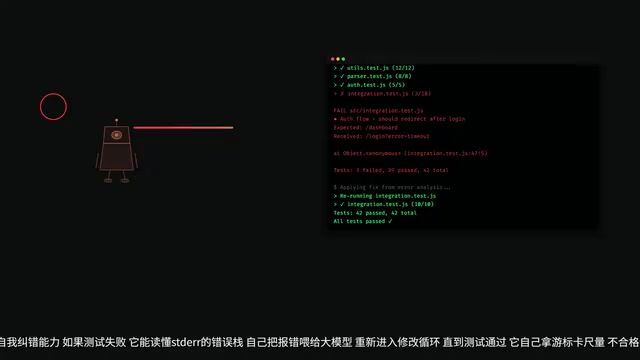
This is the essential difference between ordinary tools and Agents. After modifying code, Claude Code proactively invokes Bash tools to run unit tests and Lint checks.
Even more powerful is its self-correction capability: if tests fail, it can read the Stack Trace, feed the error information back to the large model, and re-enter the modification loop until tests pass.
Stack Trace is a call chain record automatically generated by the runtime environment when a program crashes or throws an exception. Starting from where the error occurred, it traces back layer by layer to the original call entry, clearly showing "how the error happened step by step." For human developers, reading Stack Traces is a fundamental debugging skill. Claude Code's breakthrough is that it can feed the Stack Trace as structured information back into the reasoning loop, allowing the large model to locate the root cause like an experienced developer rather than blindly retrying. This "fail-analyze-retry" closed-loop capability is the essential characteristic that distinguishes Agents from one-shot code generation tools.
It measures with its own calipers — no passing means absolutely no delivery.
Step 5: Terminate — Clean Up Context, Distill Experience into CLAUDE.md
An elegant Agent knows when to terminate and forget. When Tokens approach the limit, it performs context compression, clearing out useless intermediate reasoning processes to prevent subsequent conversations from being polluted or memory from overflowing.
At the same time, it distills the core experience and project specifications from the current task into the CLAUDE.md file. This is the secret to why long tasks don't spiral into chaos.
Practical Pitfall Avoidance: Three Key Configurations for More Controllable AI Coding
Master CLAUDE.md: Write an "Employee Handbook" for Your AI Agent
CLAUDE.md is your system-level instruction file for the Agent — it gets injected into the System Prompt at the start of every conversation.
System Prompt is a special role message in the large language model conversation architecture. It's injected before user messages to set the model's behavioral boundaries, role definitions, and global rules. Unlike regular user messages, System Prompt has higher instruction priority, and the model treats it as "constitutional-level" constraints. The clever design of the CLAUDE.md file is that it persists project-level specifications as a file that automatically loads with each conversation, eliminating the hassle of developers repeatedly explaining project context every time. This is essentially "engineering of prompt engineering" — turning one-off Prompts into version-controllable, team-shareable configuration files.
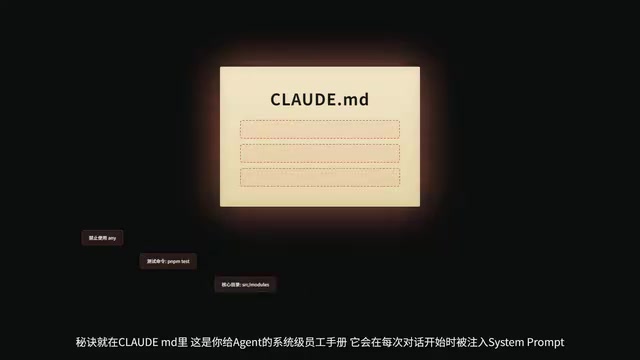
Don't write long-winded nonsense — clearly tell it:
- What the project's build commands are (e.g.,
npm run build) - Code style preferences (e.g., use functional components, prohibit
anytypes) - Where the core directory structure is
The clearer the boundaries you set, the steadier its scalpel, and the fewer hallucinations.
Set Max Turns: Prevent AI Death Loops That Burn Tokens
A common nightmare in practice: the AI falls into a "modify-error-modify again" death loop and burns through all your Tokens. You must set Max Turns to limit its maximum reasoning iterations. Once the limit is reached, it's forced to stop, letting you intervene to decide whether to continue or try a different approach.
This problem is known as the "Infinite Loop Trap" in the AI Agent field. It's essentially because the Agent's self-correction mechanism lacks global judgment — it can see the local error at each step but can't determine whether it's been spinning in the same rut repeatedly. Max Turns is a simple but extremely effective circuit-breaking mechanism, similar to the Circuit Breaker pattern in distributed systems, which forcibly interrupts upon detecting abnormal loops and returns control to humans.
Use Git as Checkpoints: Always Keep a Safety Net
This is the most important practical tip: use Git as save points. Before letting the AI make large-scale changes, first git commit a snapshot. If it breaks things, just git reset to roll back.
Git's version control capabilities have gained entirely new strategic significance in the AI coding era. In the past, Git was primarily used for team collaboration and code history tracking; in scenarios where AI Agents participate in development, it becomes a "safety net" — because AI modifications are unpredictable, and you can't fully anticipate results the way you'd review a human colleague's PR. Building the habit of "commit before changes" is essentially buying insurance against AI's uncertainty. A more advanced approach is to use git stash or create temporary branches, letting the AI experiment in an isolated environment and merging to the main branch only after confirmation.
Never let AI walk a tightrope without a safety net.
The Ultimate Principle: Intent Alignment, Not Code Replacement
Once you see Claude Code's cards, you'll understand the ultimate form of AI coding — it's not about having it write every line of code for you, but achieving Intent Alignment:
- You define: what to do and where the boundaries are
- AI executes: efficiently solving "how to do it" within those boundaries
"Intent Alignment" originates from the broader "Alignment Problem" in AI safety — how to ensure AI systems' behavior matches humans' true intentions. In coding scenarios, it specifically means: developers need to transform from "people who write code" to "people who define intent and constraints." You don't need to tell the AI which API to use or how many loops to write — instead, you need to clearly express business objectives, performance requirements, code standards, and untouchable boundaries. This role shift requires developers to have stronger system design and requirements articulation abilities — ironically, the more powerful AI becomes, the higher the demand on humans' ability to "clearly articulate what they want."
The essential insight from this "5-Step Mechanism" is: no matter how powerful the tool, it's just an extension. You are the one dealing the cards. Set clear boundaries for AI, and it won't go off the rails.
Related articles

Ponytail Plugin for Claude Code Tested: Dramatically Less Code, 50% Lower Costs
Real-world testing of Claude Code plugin Ponytail: YAGNI decision ladder dramatically reduces AI-generated code, cutting costs 47%-77% with weather dashboard comparison and benchmark analysis.
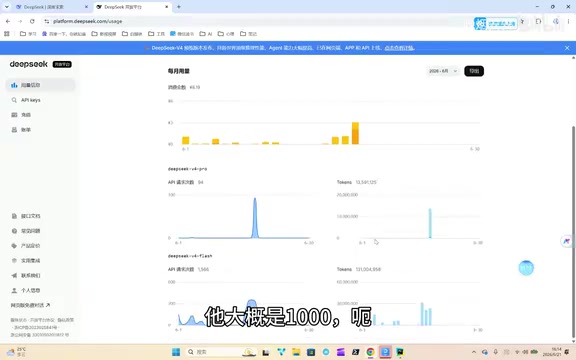
DeepSeek + Resonix: A Low-Cost AI Coding Solution — 150 Million Tokens for Just $1.10
Real-world test: DeepSeek API + Resonix coding tool consumed 150M tokens for just $1.10. Deep dive into DeepSeek pricing, Resonix's 95% cache hit rate, and honest comparison with GPT models.
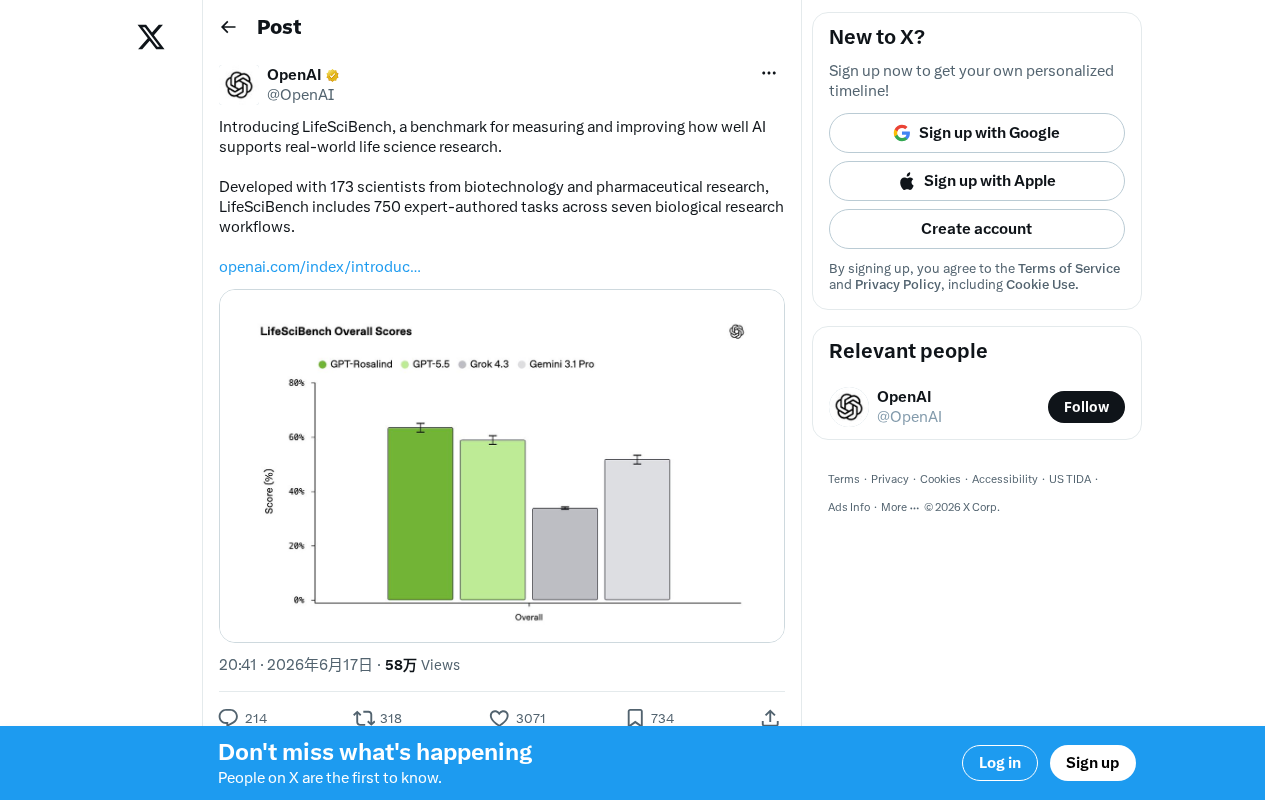
LifeSciBench: A Life Science AI Benchmark Built by 173 Scientists
LifeSciBench is a life science AI benchmark developed by 173 biotech and pharma scientists, featuring 750 expert tasks across seven research workflows.