Claude Generates 10 Web Games from One-Line Prompts: Zero-Code AI Programming in Action
Claude Code generates 10 playable web games from single-line prompts with zero manual coding.
A content creator used Claude Code to generate 10 classic web games — including 2048, Gomoku, Tetris, and Flappy Bird — using only one-line natural language prompts, with zero manual coding. All games were deployed to GitHub Pages automatically. The demonstration highlights how AI programming shifts the core skill from writing code to directing AI through architecture design, requirement decomposition, and iterative refinement.
One-Line Prompts, AI Writes the Entire Game
While we're still debating which programming language to learn, AI coding tools can already generate a fully playable web game from a single natural language instruction in just a few minutes. A Chinese Bilibili content creator live-streamed the process of using Claude Code (command-line mode) to consecutively generate 10 classic web-based mini-games, ultimately deploying them to GitHub Pages for anyone to play online. Not a single line of code was written by hand throughout the entire process — all development work was completed entirely by AI.
Claude Code is a command-line AI programming tool developed by Anthropic that allows developers to interact with AI directly in the terminal using natural language to generate code, debug, refactor, and more. Unlike traditional IDE plugins, Claude Code uses the command line as its primary interface, where the AI can directly read project files, execute commands, and modify code, forming a complete "AI agent" workflow. The core advantage of this approach is that the AI has awareness of the entire project context, rather than just processing individual code snippets.
The real point of this hands-on demonstration isn't about the games themselves — it's that it clearly illustrates a fact: AI programming capabilities have far exceeded most people's expectations, and what we need to do is shift from being "code executors" to "architecture directors."
The Hands-On Process: Generating 10 Games One by One
2048: A Classic Puzzle Game in One Sentence
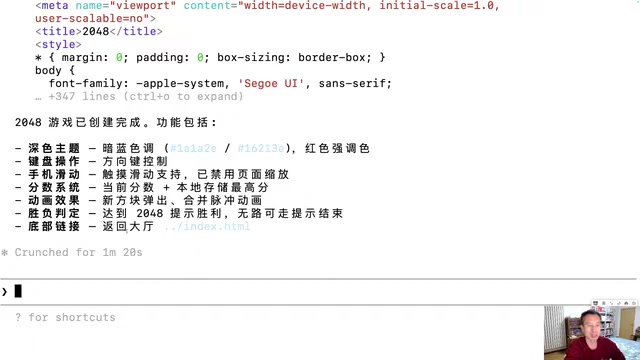
The first demo was the classic 2048 game. The creator typed a single Chinese prompt into Claude Code's command line, roughly saying: "Create a 2048 game in the 01-2048 directory, web-based, dark theme, supporting keyboard arrow keys and mobile swipe controls, with a link back to the lobby at the bottom."
No technical jargon, no mention of using a 2D array for data storage, no specification of the merging algorithm — just a plain requirement description that anyone could articulate. Claude completed all the code within 1 to 3 minutes, generating a single-file HTML containing the HTML structure, CSS styling, and JS game logic. Testing confirmed: the 4×4 board, number sliding, collision merging, and score calculation all worked correctly with no obvious bugs.
It's worth noting that the core data structure of 2048 is a 4×4 two-dimensional array, where each cell stores a numeric value (0 for empty). On each player action, all non-zero numbers slide in the direction of the move, and adjacent identical numbers merge into double their value. This seemingly simple logic actually involves multiple algorithmic details: sliding requires handling number compression (removing gaps), merging (adding identical numbers), and re-compression, with each direction's processing logic needing to be unified through matrix transposition or reversal. Additionally, a new number must be randomly generated after each move (90% chance of 2, 10% chance of 4), and the game must detect whether it's over (no empty cells and no possible merges). Claude handled all of these details autonomously without any manual specification.
Gomoku: AI Independently Chooses the Battle Algorithm
The second game was a human-vs-AI Gomoku (Five in a Row). The prompt requested a Canvas-drawn board where the player plays black, AI plays white, and the AI should have basic offensive and defensive strategies. You might not have noticed, but the creator never specified which algorithm the AI should use (such as Minimax search, Alpha-Beta pruning, etc.) — these technical decisions were made entirely by Claude on its own.
Two key technical points are involved here. First is HTML5 Canvas — a bitmap drawing API provided by browsers that allows developers to draw graphics, animations, and game visuals on web pages using JavaScript. Unlike DOM manipulation, Canvas operates at the pixel level, offering higher performance and making it ideal for game development. Second is the algorithm choice for the Gomoku AI: Minimax search recursively simulates both players' optimal decisions to select the best move, while Alpha-Beta pruning optimizes this by cutting branches that can't possibly affect the final decision, dramatically reducing the search space. A simpler implementation uses a scoring function — evaluating each empty position on the board for offensive value (own consecutive pieces) and defensive value (opponent's consecutive pieces), then choosing the position with the highest combined score.
Testing showed that the AI opponent "wasn't too dumb" — if the player placed pieces carelessly, the AI would quickly win, demonstrating that the generated AI did possess basic offensive and defensive logic.
Tetris and Flappy Bird: Complex Game Logic Handled with Ease
Tetris required Canvas rendering, seven classic block shapes, arrow key controls, line clearing, score display, and next-block preview. Flappy Bird (pixel-style) involved physics engine simulation — gravity falling, tap-to-jump, collision detection, pipe generation, and more.
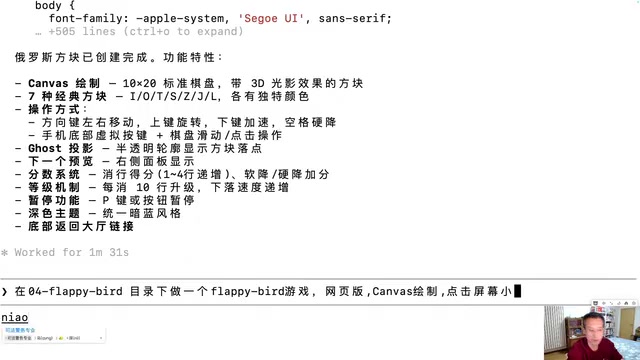
The creator specifically analyzed the technical highlights of Flappy Bird: each frame applies a downward velocity to the bird to simulate gravity, tapping the screen gives an upward instantaneous velocity, and the two combine to create a parabolic trajectory. Claude implemented all of this physics simulation logic autonomously without any manual intervention.
From a technical perspective, the physics simulation in Flappy Bird-style games is based on classical kinematics formulas. The game runs at 60 frames per second (via the browser's requestAnimationFrame API), updating the bird's position and velocity each frame. The core of gravity simulation is adding a fixed value (e.g., 0.5 pixels/frame) to the bird's vertical velocity each frame, simulating gravitational acceleration. On tap, the vertical velocity is set to a negative value (upward), after which gravity gradually pulls the velocity back to positive (downward), naturally forming a parabolic trajectory. Collision detection uses the AABB (Axis-Aligned Bounding Box) algorithm, checking whether the bird's rectangular boundary overlaps with pipe or ground boundaries. Pipe generation uses an object pool pattern, creating upper and lower pipe pairs at fixed intervals with randomized gap positions. Claude implemented all of these seemingly complex game mechanics from just a single prompt.
The Remaining 6 Games and Game Lobby Integration
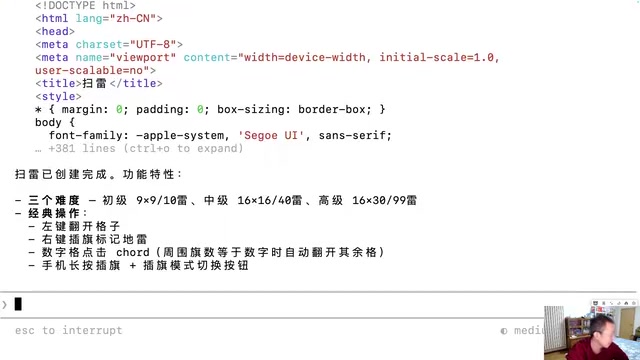
Subsequently, Minesweeper, Snake, and other games were rapidly generated, totaling 10 games. Finally, the creator used a slightly longer prompt to have Claude generate a game lobby page integrating all 10 games, featuring a dark tech-style theme, statistics at the top, and clickable entries for each game.
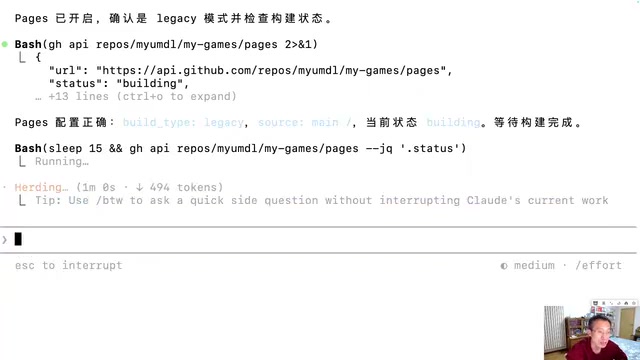
The entire project was ultimately deployed to the public internet through Claude automatically initializing a Git repository, pushing to GitHub, and enabling Pages service, allowing viewers to access and play directly from their mobile browsers. GitHub Pages is a free static website hosting service provided by GitHub — users simply push static files like HTML, CSS, and JavaScript to a GitHub repository, and a publicly accessible website is automatically generated. The deployment process includes initializing a Git repository, adding files, committing, linking a remote repository, and pushing code, then enabling Pages service in the repository settings. Claude Code completed this entire process automatically by executing Shell commands, which also demonstrates the unique advantage of command-line AI tools — they can not only write code but also directly manipulate the file system and execute deployment commands, achieving full-process automation from development to launch.
Tool Selection and Cost Considerations
The creator used the Claude Code command-line tool with the top-tier $200/month subscription. He considers this investment worthwhile because he "basically uses it as an employee." However, he also emphasized that for beginners, domestic Chinese LLMs are more than sufficient, and free options can meet learning needs. Only when you have clear product development or commercial monetization needs should you consider paying for more powerful models.
Regarding whether tools like Cursor are necessary, his view is: Claude Code alone can handle everything, with no need for additional visual IDEs. The command-line interface may look "intimidating," but the actual interaction is entirely in natural language with zero technical barriers.
It's worth noting that all games in the demo used a single-file HTML architecture, meaning the HTML structure, CSS styling, and JavaScript logic were all written in a single .html file. The advantage of this architecture is extremely simple deployment (just one file), no build tools required, and fast loading — ideal for small projects and prototype validation. However, in real product development, this architecture has obvious limitations: code is hard to maintain, components can't be reused, modular development isn't supported, and modern toolchains like TypeScript can't be used. Real commercial projects typically use frontend frameworks like React or Vue, paired with build tools like Webpack or Vite, splitting code into multiple modules for management. This is the technical context behind the creator's emphasis that "one sentence gets it working, but building a good product requires iterative refinement."
The Core Mindset Shift: From Code Executor to Architecture Director
The most important takeaway from this demonstration isn't the technical showcase — it's cognitive alignment. The creator repeatedly emphasized several key points:
AI isn't omnipotent, but it's already an extremely powerful tool. You can't ask AI to build a Bilibili or WeChat with a single sentence. Real-world products involve frontend-backend separation architecture, user authentication systems, relational and non-relational databases, payment gateway integration, CDN distribution, load balancing, and other complex modules. The coordination and integration between these modules is far beyond what a single prompt can cover. But AI can already handle a massive amount of concrete coding work — the key is how humans decompose requirements, design architecture, and iterate on optimizations.
One sentence gets it working, but building a good product requires iterative refinement. The games in the demo all had rough UIs and imperfect adaptations because only a single prompt was used. Building a real product requires repeated communication, modification, and refinement. This process used to involve programmers writing and debugging code themselves; now it's about directing AI to do it. This iterative process is known as "Prompt Engineering" in AI programming, requiring users to precisely describe problems, provide context, and progressively refine requirements — essentially a new form of human-AI collaboration capability.
The bar for humans hasn't been lowered — it's been raised. Previously, knowing one programming language was enough. Now you need to understand frontend, backend, databases, AI, and business logic — you don't necessarily write it yourself, but you need to be able to read AI-generated code, judge its correctness, and design the architecture. You need to understand business requirements because AI doesn't understand business. You need to evaluate whether AI's output meets standards because AI can't self-assess. This effectively requires practitioners to have a "T-shaped skill set" — deep expertise in one area combined with broad awareness across multiple technical domains — to effectively direct AI in coordinating work across different technology stacks.
Conclusion: The Right Way to Embrace AI Programming
The takeaway from this live demonstration is clear: AI programming has evolved from a "concept" to a "productivity tool." Ten games were completed and deployed during a single livestream — something unimaginable just two years ago.
But more importantly, we need to understand the essence of AI programming — it doesn't make programming "extremely easy"; it changes the way programming is done. The core competitive advantage has shifted from "being able to write code" to "being able to direct AI to write code," from "technical execution" to "requirement understanding, architecture design, and quality control." Everyone has the potential to become an architect, provided you're willing to understand AI's capability boundaries, learn to express requirements precisely in natural language, and continuously iterate and optimize based on AI's output.
Tools will keep evolving — today's Claude may be replaced by a more powerful model tomorrow — but the methodology and mindset for harnessing AI is the most worthwhile investment of our era.
Related articles
Claude Fable 5 Hands-On: Is Doubling the Tokens Worth It? A Rust Programming Comparison with Opus 4.8
Hands-on Rust project comparison of Claude Fable 5 vs Opus 4.8. Fable 5 uses 2x tokens for only marginal quality gains and has stability issues.

Compile First: Using AI to Revive the Dormant Files on Your Hard Drive
Explore how the open-source LLM Wiki project uses a compile-first paradigm to turn dormant local files into a searchable AI knowledge base, compared with traditional RAG approaches.

Replicating Slay the Spire with AI and Zero Code: A Complete Walkthrough from Architecture to Art
A Bilibili creator used Godot and AI tools to replicate Slay the Spire with zero hand-written code. Full walkthrough of architecture-first AI coding and batch art generation.