Five Key Differences Between Claude Code and Regular AI Chatbots
Five key dimensions that set Claude Code apart from regular AI chat tools for developers.
This article breaks down five core differences between Claude Code and traditional AI chatbots like ChatGPT: interaction model, context understanding, execution power, memory persistence, and tool integration via MCP. It explains how Claude Code's Agent architecture enables it to work directly in your project, understand your codebase, execute real tasks, remember your preferences, and connect to external services — transforming AI from a passive advisor into an active programming partner.
Introduction: Why Claude Code Suddenly Took Off
Recently, Claude Code has been rapidly gaining popularity among developers. As an AI programming assistant from Anthropic, it's fundamentally different from familiar AI chat tools like ChatGPT and DeepSeek — it doesn't just chat; it can actually get things done for you.
Anthropic was founded in 2021 by siblings Dario Amodei and Daniela Amodei, former OpenAI research VP and colleagues, as an AI safety company. Their core mission is to build reliable, interpretable, and controllable AI systems. Claude is Anthropic's large language model series, and Claude Code is a command-line programming agent tool (CLI Agent) built on Claude's model capabilities. Unlike traditional AI chat products, Claude Code uses an Agent architecture — meaning the AI can not only generate text responses but also autonomously plan task steps, invoke tools, execute operations, and iterate based on feedback. This Agent paradigm is considered a critical turning point in AI applications moving from "assistance" to "autonomy."
Put simply, if regular AI chat is like "calling a remote consultant on the phone," then Claude Code is like "having an assistant sitting right next to you who can browse through your folders and modify your code on their own." This fundamental difference in positioning is what gives it such a massive advantage in real-world development scenarios.
Five Dimensions: Claude Code vs. Regular AI Chat
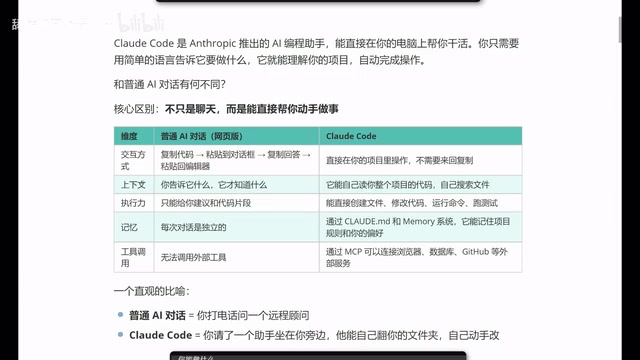
To truly understand Claude Code's value, we need to systematically compare it across five key dimensions. Before diving in, it's important to understand a core concept: traditional conversational AI is essentially a "request-response" model — the user inputs a prompt, the model returns text, and the entire process is a stateless single-turn or multi-turn conversation. An AI Agent (intelligent agent), on the other hand, introduces a "perceive-plan-act-feedback" loop mechanism that can sense the environment, formulate execution plans, invoke external tools to perform operations, and adjust subsequent strategies based on results. This architectural difference is the foundation for understanding the five dimensions below.
1. Interaction Model: Goodbye to the Copy-Paste Grind
When using traditional AI chat tools (like ChatGPT or DeepSeek) for programming assistance, the workflow typically looks like this: copy code → paste into the chat box → wait for a response → copy the answer → paste it back into your editor. While not overly complex, this process becomes extremely tedious with repetition.
Claude Code completely changes this. It runs directly inside your project directory, and all operations happen within your project — completely eliminating the back-and-forth copy-paste cycle. You simply tell it what to do in natural language, and it executes directly in your project.
2. Context Understanding: From "It Only Knows What You Tell It" to "Automatic Global Awareness"
A significant limitation of regular AI chat is: it only knows what you tell it. You need to manually provide code snippets, file structures, project background, and other information before the AI can offer targeted advice. Miss any key details, and the response quality drops dramatically.
Claude Code is entirely different. It can automatically read your entire project's code, independently search for relevant files, and understand the project's overall architecture and contextual relationships. This means you don't need to spend significant time "feeding" information to the AI — it figures out the full picture on its own.
From a technical standpoint, a large language model's "Context Window" refers to the maximum number of tokens the model can process in a single inference. Claude 3.5 Sonnet supports a 200K token context window, roughly equivalent to 150,000 words of text processing capacity. But even so, the codebase of a medium-to-large project often far exceeds this limit. Claude Code solves this through an intelligent retrieval mechanism: rather than loading all files at once, it automatically searches and locates relevant files based on the user's instructions and task requirements, dynamically constructing the most relevant context. This RAG-like (Retrieval-Augmented Generation) strategy enables Claude Code to achieve "global understanding" of an entire project within a limited context window.
3. Execution Power: From "Giving Suggestions" to "Getting It Done"
This is one of the most critical differences between Claude Code and regular AI chat. Regular AI can only give you suggestions or code snippets, but a real project consists of numerous files and complex code structures — code snippets alone are far from sufficient.
Claude Code has genuine execution power. It can:
- Create files: Automatically generate new code files based on requirements
- Modify code: Make changes directly in existing files
- Run commands: Execute terminal commands, install dependencies
- Run tests: Automatically run test cases to verify code correctness
This role shift from "advisor" to "executor" is Claude Code's most revolutionary feature. It embodies the core advantage of the Agent architecture: AI is no longer passively answering questions but actively interacting with the environment — reading the file system for information, executing Shell commands to complete operations, and deciding the next step based on execution results. The entire process forms an autonomous "think-act-observe" loop, dramatically reducing the need for manual intervention.
4. Memory: Persistent Project Rules and Coding Style
A frustrating problem with regular AI chat is that once you close the conversation window, all context is lost. Every new conversation starts from scratch, and you have to repeatedly explain the project background and requirements.
Claude Code solves this through a configuration file mechanism. It can remember your project rules and personal preferences, including your coding style, naming conventions, tech stack choices, and more. Specifically, Claude Code supports creating a CLAUDE.md configuration file in your project's root directory, where you can define the project's tech stack, code standards, commonly used commands, architectural conventions, and other information. Every time Claude Code starts, it automatically reads these configurations to ensure the output code consistently meets project standards. This means that over time, Claude Code becomes increasingly "attuned" to you, and the code it produces aligns more and more with your habits.
5. Tool Integration: MCP Protocol Unlocks the External Service Ecosystem
Regular web-based AI chat has limited tool-calling capabilities. While some products already support certain external tools, configuration is complex and some features require paid access.
Claude Code uses MCP (Model Context Protocol) to directly connect to browsers, databases, GitHub, and other external services, dramatically expanding the AI assistant's capability boundaries.
MCP is a standardized protocol open-sourced by Anthropic in late 2024, designed to establish a unified communication standard between AI models and external data sources and tools. Think of MCP as the "USB port" of the AI world — just as USB enables various peripherals to plug-and-play with computers, MCP lets AI assistants connect to various external services in a standardized way. MCP uses a client-server architecture: AI applications act as MCP clients to initiate requests, while various tools and data sources serve as MCP servers providing capabilities. There are already numerous community-developed MCP servers covering scenarios like GitHub, PostgreSQL, Slack, and browser automation (Puppeteer). The significance of this open protocol is that it breaks down the "walled garden" of AI tools, allowing developers to freely combine and extend the capabilities of their AI assistants.
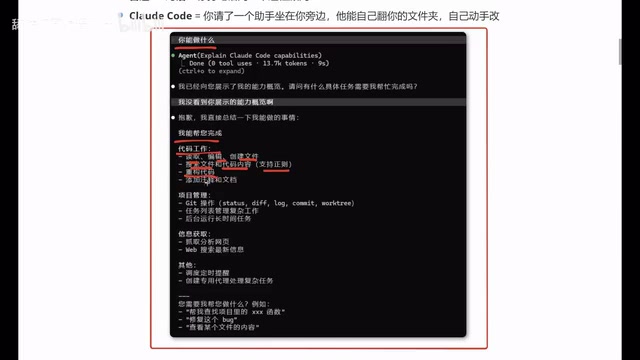
Claude Code's Actual Capability List
Once you've installed Claude Code, the range of tasks it can handle is far richer than you might expect:
Code Work:
- Read, edit, and create files
- Search files and code content
- Refactor code, add comments and documentation
Project Management:
- Git operations (commits, branch management, etc.)
- Task list management
- Run long-running tasks in the background
Information Retrieval:
- Scrape and analyze web content
- Web search for the latest information
Advanced Features:
- Schedule timed reminders
- Create dedicated agents for complex tasks
Claude Code vs. Cursor: How to Choose?
Many developers face a practical question: if they're already using Cursor, is it worth switching to Claude Code?
First, you need to understand the positioning difference. Cursor is an AI-integrated development environment (IDE) deeply customized on top of VS Code. It embeds AI capabilities directly into the code editor, offering code completion, inline editing, conversational programming, and more. Its core advantage lies in its graphical interface and deep editor integration, making it very friendly for developers who prefer GUI workflows. Claude Code, on the other hand, is a pure command-line tool that runs in the terminal and is better suited for developers comfortable with CLI workflows. The two aren't mutually exclusive: Cursor actually supports calling Claude models as a backend, while Claude Code can be used alongside any editor. In terms of trends, Cursor represents the "AI-enhanced IDE" approach, while Claude Code represents the "AI-native Agent" approach.
From a practical usage perspective, both have their strengths, but Claude Code stands out in the following areas:
- Lower token consumption: Compared to Cursor, Claude Code uses fewer tokens to complete equivalent tasks, making long-term costs more manageable. For context on costs: a token is the basic unit of text processing for large language models — roughly 1-2 tokens per English word and 1-2 tokens per Chinese character. Claude Code reduces unnecessary token consumption through more precise file retrieval and context construction, while Cursor may send large amounts of code as context in certain scenarios, leading to higher token usage. Claude Code offers pay-per-use pricing (via the Anthropic API) and a Max subscription plan (approximately $100-200/month), while Cursor Pro costs $20/month but includes a limited number of fast requests.
- Output quality closer to expectations: Especially in front-end development scenarios, the code Claude Code generates tends to better match developers' expectations and style.
- Broader feature coverage: Tasks that Cursor can handle, Claude Code can generally accomplish as well.
Of course, if you're already very comfortable with Cursor's workflow, there's no need to force a switch. Choosing the tool that works best for you is always the most efficient strategy.
Conclusion
Claude Code represents an important evolutionary direction for AI programming tools: moving from "conversational suggestions" to "embedded execution." It's no longer just a clever Q&A chatbot — it's a true programming partner that can understand your project, remember your preferences, and roll up its sleeves to get work done.
From a broader perspective, the AI Agent paradigm that Claude Code represents is reshaping the entire software development workflow. The traditional development model was "humans think + humans execute." Early AI-assisted tools upgraded this to "AI-assisted thinking + human execution." Agent tools like Claude Code are now driving a shift toward "humans decide + AI executes." The developer's role is gradually evolving from "code writer" to "intent communicator" and "quality gatekeeper."
For developers — whether you're a seasoned veteran or a newcomer just starting out — Claude Code is worth trying. What it reduces isn't just the barrier to coding, but the friction cost between having an idea and bringing it to life.
Key Takeaways
Related articles
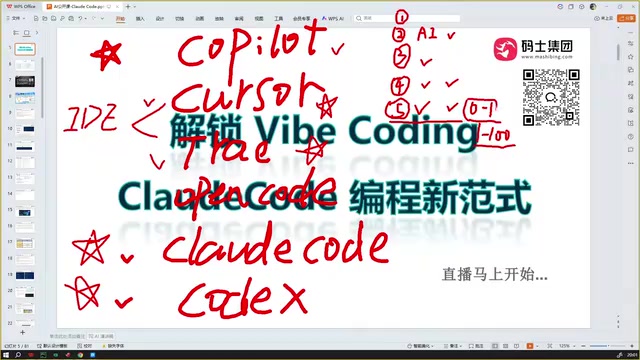
Claude Code Installation Guide & The Five Stages of AI Programming Tools Explained
Complete Claude Code installation guide with the five stages of AI programming tools, from manual coding to agents. Learn 0-to-1 project building and 1-to-100 iteration challenges.

Enterprise-Level AI Project Rules Files: 5 Hard Rules + 6 Writing Techniques
AI keeps messing up your code? Learn 5 hard rules and 6 writing techniques for enterprise-level Rules files in Claude Code, Cursor & more, with templates.
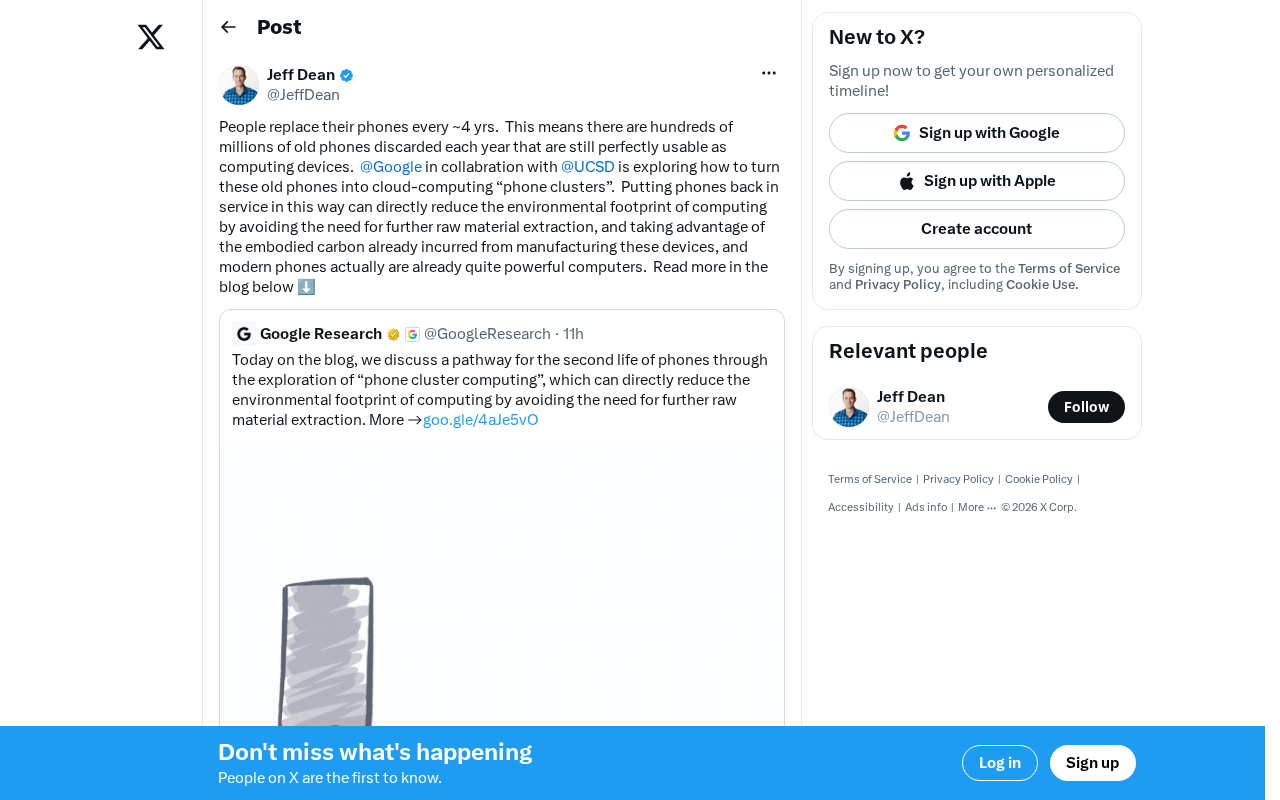
Building Cloud Computing Clusters from Old Phones: Google and UCSD Explore a New Path to Sustainable Computing
Google and UCSD explore building cloud clusters from old phones, leveraging ARM chip efficiency to cut e-waste and data center carbon footprints.