How to Polish AI-Generated Auth Systems to Production-Ready Quality
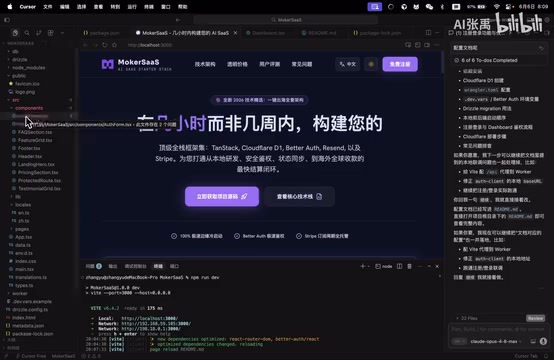
A practical guide to polishing AI-generated Auth code from buggy draft to production-ready quality.
This article documents the real-world process of taking a Copilot-generated Auth authentication system from a half-finished, error-prone state to production-ready quality. It covers diagnosing common AI code defects, using precise prompts to guide AI self-correction, replacing hardcoded text with i18n translation keys, and shares practical tips for efficient collaboration with AI programming tools.
Why AI-Generated Code Can't Be Used Directly
The rise of AI programming tools has been a boon for many developers—a few prompts can generate a complete registration and login system. But reality is often less rosy: the generated code has errors, doesn't conform to project standards, lacks internationalization support... Without solving these problems, AI-generated code remains nothing more than a "half-finished product."
This article is based on a practical demonstration by a Bilibili content creator, documenting the complete process of polishing a Copilot-generated Auth system from "it runs" to "it's usable," with a focus on fixing code errors and replacing hardcoded text with i18n translation keys.
GitHub Copilot is one of the most mainstream AI programming assistants today, built on large language models (primarily using OpenAI's Codex series and GPT-4 series models). It generates code suggestions by analyzing context information such as current file content, open tabs, and project structure. Its Agent mode (Copilot Chat) allows developers to describe requirements in natural language, and the AI will automatically read relevant files, generate code, and even execute terminal commands. However, its essence remains probability-based text generation without true "understanding" capability, so adherence to project-specific conventions requires developers to guide it through explicit instructions.
Diagnosing Common Defects in AI-Generated Auth Code
In the previous episode, the creator had already used Copilot to write the registration and login functionality. Auth (Authentication & Authorization) systems are foundational components of virtually all web applications, covering user registration, login, password reset, session management, token refresh, permission control, and many other aspects. A production-grade Auth system also needs to consider encrypted password storage (e.g., bcrypt), brute-force protection (rate limiting), CSRF protection, XSS protection, and secure JWT or Session configuration. AI-generated Auth code can typically cover basic functional flows, but tends to have gaps in security details and integration with project-specific middleware.
But upon opening the project, problems were immediately apparent.
After clicking into the code files, the editor showed multiple errors. After investigation, the core issues were concentrated in two areas:
- Syntax or logic errors in the code itself: When generating longer code segments, AI tends to produce variable reference errors, type mismatches, and similar issues. This is closely related to the AI's Context Window limitation—the context window determines how much information the model can "see" at once, including your prompts, existing code, project structure, etc. When the project is large, the AI may not be able to simultaneously perceive all architectural conventions, existing utility functions, and configuration files, causing the generated code to be inconsistent with existing project standards, or even reference non-existent variables or functions.
- Not using translation keys (i18n): The AI hardcoded Chinese or English text directly in the code, while project standards require using internationalization translation keys to manage multilingual text.
i18n is an abbreviation for internationalization (because there are 18 letters between 'i' and 'n'), and is the standardized approach for implementing multilingual support in software engineering. Its core idea is to separate all visible text in the user interface from the code logic, storing it in independent language pack files (typically in JSON or YAML format). The code references corresponding key-values through translation functions (e.g., t('login.title')), and loads different language packs at runtime based on the user's language selection. This architecture means adding a new language only requires creating a new translation file without modifying business code. Common frontend i18n libraries include react-i18next, vue-i18n, and others.
This is a very typical scenario in AI programming—AI can understand what functionality you want, but has difficulty automatically adapting to existing architectural conventions and technical standards in the project. The AI may not have "seen" the existing i18n configuration and language pack files in the project at all, and naturally won't follow this convention.
The Fix: Using Precise Instructions to Let AI Self-Correct
Clearly Stating Modification Requirements
After discovering the issues, the creator didn't manually fix things line by line, but continued leveraging AI's capabilities to complete the repairs. The key was giving clear, specific instructions:
Have the AI replace hardcoded text with translation key format, while checking for and fixing any functional errors.
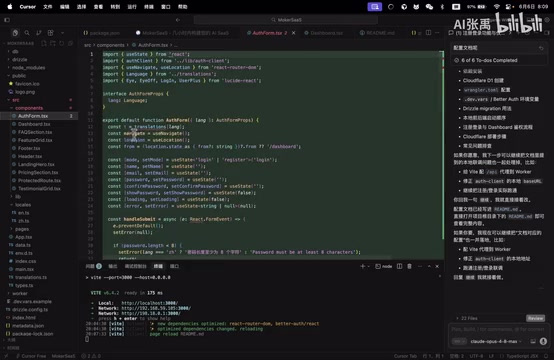
This instruction contains two clear task objectives: one is standardization (using i18n translation keys), and the other is quality assurance (fixing errors). This approach of "solving multiple problems with one instruction" is more efficient than addressing each issue separately.
In AI programming collaboration, the quality of prompts directly determines output quality. Effective programming prompts typically contain three elements: a clear goal (what to do), specific constraints (what standards to follow), and expected output format (how to organize the code structure). For example, "replace hardcoded text with translation keys" is far more precise than "optimize the code" because it specifies the exact operation method and target state. The industry calls this kind of instruction optimization for AI programming tools "Developer Prompt Engineering," which has become one of the core skills for modern developers.
AI Reading Code and Executing Translation Key Replacement
After receiving the instruction, Copilot began automatically reading the existing code, identifying where hardcoded text was used, and replacing them one by one with translation function calls.
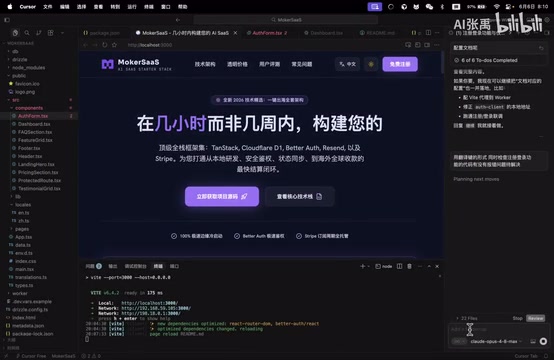
During this process, the AI completed the following tasks:
- Traversed all relevant files to find hardcoded text strings
- Created or updated translation files, extracting Chinese and English text into independent language packs (e.g., generating
zh-CN.jsonanden-US.jsoncontaining key-value pairs like{"auth.login.title": "登录"}) - Replaced references in the code, changing directly hardcoded text to translation function calls (e.g., changing
<h1>登录</h1>to<h1>{t('auth.login.title')}</h1>) - Fixed existing errors, including type errors, missing references, and other issues
This process demonstrates the core capability of AI programming tools in Agent mode—not only generating new code, but also understanding the structure of existing codebases and performing batch refactoring.
Completion and Functional Verification
After one round of automated modifications, the AI completed all tasks and provided a modification summary.
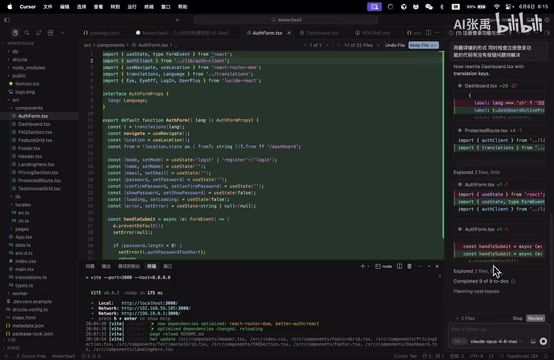
From the summary, we can see that the AI not only completed the translation key replacement but also simultaneously fixed the previously existing code errors. Next comes the most critical verification step—switching languages to test whether internationalization works correctly.
Actual test results: switching to the English interface displayed correctly, and switching back to Chinese also worked without issues. The translation keys functioned properly, and all errors were eliminated.
Practical Tips for Efficient Collaboration with AI Programming Tools
From this case study, several practical tips for collaborating with AI programming tools can be distilled:
Don't blindly trust AI's first output. Whether it's Copilot, Cursor, or other AI programming tools, the first-generated code almost certainly needs adjustment. Treat AI as a "junior developer who quickly produces first drafts" rather than a "senior engineer who gets it right the first time." According to multiple industry surveys, AI-generated code typically has a "directly usable rate" of 30%-60% on first output, depending on task complexity and the adequacy of context information.
Use precise instructions to guide AI self-repair. Rather than manually fixing code, describe the problem clearly and let the AI fix it itself. Instructions should be specific—"replace hardcoded text with translation keys" is far more effective than "optimize the code a bit." Good instructions should include: what the problem is, what the expected solution approach is, and what constraints need to be followed.
A single instruction can include multiple related tasks. Like in this example, simultaneously requesting "replace translation keys + fix errors"—the AI can understand the relationship between these tasks, and handling them together is actually more coherent than executing them separately. This is because these tasks share the same code context; when the AI processes translation key replacement, it naturally encounters the error-prone code areas, and the cost of fixing them in passing is far lower than running another separate round.
The verification step cannot be skipped. AI indicating "completed" doesn't mean there are truly no issues—you must actually run the code, test across different scenarios, and confirm functionality meets expectations. Especially for security-related modules like Auth, beyond functional verification, you should also pay attention to whether edge cases (such as empty passwords, excessively long inputs, concurrent requests, etc.) are handled properly.
Conclusion: What's Still Missing Between AI-Generated and Production-Ready
AI programming tools are evolving rapidly, but a gap still exists between "generated code" and "production-ready code." This gap requires developers' experience and judgment to bridge—knowing where problems will occur, knowing what project standards are, and knowing how to give AI effective instructions.
The essence of this gap is AI's lack of complete understanding of "project context." Project context includes not only the code itself, but also the team's coding standards, historical reasons for technology choices, implicit constraints of business logic, and special requirements of the deployment environment. This information is difficult to fully convey to AI through a single prompt, requiring developers to gradually supplement and correct through multiple rounds of interaction.
Rejecting half-finished products doesn't mean rejecting AI—it means going one step further on AI's foundation, polishing code to a truly usable state. This is the correct approach to AI programming today.
Related articles
Claude Code's Hidden Advantages Explained: Design Choices Every AI Coding Tool Should Copy
Deep dive into Claude Code's leading design in agentic coding: skill script execution, CLAUDE.md imports, remote control, dynamic workflow orchestration, and why Cursor, Codex and others should adopt these features.

Agent Harness: The Paradigm Leap from Prompt Engineering to Harness Engineering
Deep dive into Agent Harness: tracing the paradigm evolution from Prompt Engineering to Context Engineering to Harness Engineering, and how loop-based architectures solve context loss in AI coding agents.
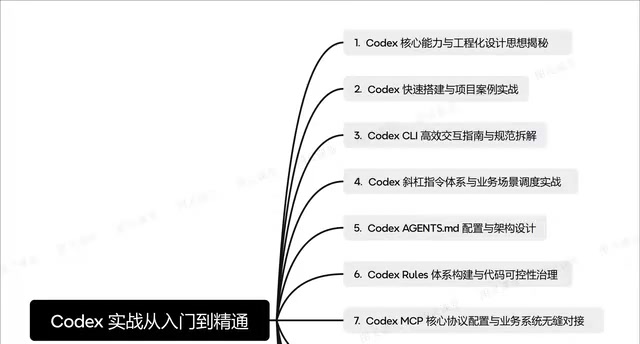
OpenAI Codex CLI Practical Guide: From Installation and Configuration to Enterprise-Level Development
A deep dive into OpenAI Codex CLI's core capabilities and practical usage, covering setup, agents.md configuration, slash commands, MCP protocol, multi-agent collaboration, and RAG system development.