The Complete AI Programming Workflow: An Efficiency Revolution from Codex to Ghost
A complete breakdown of an indie developer's AI-powered coding workflow from Codex to Ghost.
This article dissects an indie developer's full AI programming workflow, covering the Codex desktop app, Ghost for safe database testing, Create Skills with MCP servers for context management, and custom AI skills for tasks beyond coding. It reveals how these tools work together and highlights key trends: tools are now designed for AI agents first, context engineering is overtaking prompt engineering, and developers are becoming AI agent orchestrators.
Introduction: As AI Programming Tools Rapidly Evolve, Is Your Workflow Keeping Up?
In the AI programming space, tools are updating at a dizzying pace. An indie developer recently shared his complete AI programming workflow — from coding agents to database management, from terminal tools to custom skills. His entire system has undergone massive upgrades in just a few months. This article provides a deep dive into his tech stack selection logic and how these tools work together to maximize development efficiency.
Core Project: Create Skills — A Context Management System for AI Agents
From Browser Extension to MCP Server
This developer is building a tool called "Create Skills," which is essentially a browser extension that converts any valuable content found online (YouTube videos, Instagram Reels, X posts, blog articles) into clean Markdown files for AI agents to use as working context.
Taking it a step further, he built an MCP (Model Context Protocol) server that allows AI agents like Claude Code and Codex to directly access saved resources. MCP is an open protocol standard introduced by Anthropic in late 2024, designed to establish a unified communication interface between AI models and external data sources or tools. Before MCP, every AI application needed custom integration code for different data sources, resulting in massive duplication of effort and a fragmented ecosystem. MCP's design philosophy is similar to the USB-C connector — providing a universal standard that allows any compatible AI agent to access various external resources through the same protocol. It uses a client-server architecture where AI agents act as clients making requests, while MCP servers handle connections to specific data sources or tools.
This means developers no longer need to switch between tools or copy-paste content into prompts — AI agents can autonomously fetch the context they need. Build the MCP server once, and multiple different AI agents can share the same resource access capabilities.
Solving Information Overload: Two Core Features
As saved resources grew, the library became cluttered and disorganized. To address this, he built two core features for the MCP server:
- Source Organization: AI agents automatically review all saved resources, creating folders and grouping them based on content and similarity
- Source Retrieval: Through natural language queries (e.g., "find the best resources about social media growth"), AI agents score and rank each resource in the background, returning the most relevant result set
The combination of these two features upgrades the tool from a simple "content capturer" to a "fully customized context system" for AI agents. This design philosophy reflects a key insight in current AI programming: a model's capability ceiling often depends not on the model itself, but on the quality of context you can provide it. The widespread adoption of RAG (Retrieval-Augmented Generation) technology confirms this — rather than expecting a model to "know everything," it's better to precisely provide relevant information when needed.
Ghost: A Free Tool for AI Agents to Safely Operate Databases
Why Do You Need the Ghost Database Management Tool?
Developing new features requires testing with real data, but directly operating on production databases is obviously unwise. Ghost solves this pain point — it lets AI agents autonomously create, fork, and discard temporary databases.
"Forking" here is a technique for creating an independent copy from an existing database, similar to the branching concept in Git. Traditional database testing methods typically require manually creating test environments, importing data, running tests, and then cleaning up — a time-consuming and error-prone process. Ghost's instant forking technology leverages a Copy-on-Write mechanism — forking doesn't actually copy all the data but shares the underlying storage, creating new copies only when data is modified. This allows creating a complete database replica in seconds rather than the minutes or even hours required by traditional methods.
While handing database management authority to AI sounds unsettling (after all, the database is one of the most critical parts of any application), Ghost's design philosophy is "safe and controllable." Developers can let agents experiment freely on temporary databases, iterating and fixing issues without affecting the production environment.
Installation and Usage Flow
The installation process is extremely streamlined:
- Install Ghost CLI via Homebrew
- Run
ghost loginto log in with your GitHub account - Run
ghost mcp installto install the MCP server to all coding agents
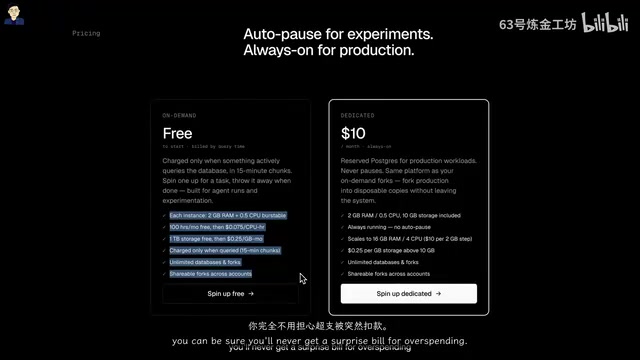
Once installed, coding agents can use Ghost directly through the MCP server — developers don't need to learn a new UI. This "MCP-first" product design strategy is becoming a new trend in AI development tools — tools no longer design graphical interfaces for humans but instead provide programmatic access interfaces for AI agents, with human developers using these tools indirectly through AI agents.
Practical Use Cases
Ghost's power lies in this: developers can spin up 10, 20, or even 50 databases simultaneously, test different approaches, and keep the one that works best. Throughout the entire testing cycle, developers barely need to intervene manually — AI agents can autonomously manage database lifecycles and iteratively fix issues. This parallel testing capability is especially important for AI-driven development workflows, as AI agents may need to rapidly try multiple database change strategies, each requiring an isolated environment to verify results.
Ghost offers a free tier with 100 hours of compute time and 1TB of storage, with a hard spending cap enabled by default to ensure bills don't exceed $10.
Complete AI Programming Tech Stack Breakdown
Coding Agents: The Shift from Claude Code to Codex
The biggest change was a complete switch from Claude Code in the terminal to the Codex desktop app. The core reasons were dissatisfaction with the Opus 4.7 model:
- Over-engineering: Unnecessarily complex implementations for simple features
- Poor context management: The model's own context window management capabilities declined, creating a vicious cycle
- Usage limit controversy: Frustration with usage restrictions Anthropic recently imposed on users behind the scenes
Opus 4.7 is the flagship reasoning model in Anthropic's Claude series, known for deep thinking and complex task processing capabilities. However, in actual coding scenarios, its tendency to over-analyze and over-complicate implementation approaches became a liability. "Over-engineering" is a classic anti-pattern in software development — solving simple problems with complex architectures, increasing maintenance costs without delivering proportional value. When the model's context window management degrades, it loses its grasp of the project's overall structure, causing generated code to be inconsistent with the existing codebase's style, which then requires more corrections, consuming more context space, and creating a vicious cycle.
By contrast, GPT 5.5 has proven more robust and reliable. GPT 5.5 is a model released by OpenAI in 2025, positioned as a general-purpose model emphasizing practicality and reliability. In Plan Mode, it proactively asks multiple rounds of clarifying questions, uses various tools, and even spawns multiple sub-agents for research before delivering a solid execution plan. This "plan first, execute second" workflow paradigm means the model creates a detailed execution plan before writing any code — including which files need modification, what technical approach to use, potential risks, and more — and only begins actual coding after the developer confirms, significantly reducing rework rates.
The Codex desktop app itself also provides a complete development environment: terminal, project file browsing, diff review, and even a built-in browser to observe agent execution and test applications.
Terminal Workspace: Ghostty + Productivity Tool Combo
The terminal workspace uses Ghostty, primarily for running local development servers. Ghostty is a high-performance terminal emulator developed by Mitchell Hashimoto (founder of HashiCorp), written in Zig, and known for its extremely low latency and GPU-accelerated rendering. Compared to traditional terminal emulators, Ghostty excels particularly when handling large volumes of log output and complex rendering scenarios.
It's paired with two TUI (Terminal User Interface) applications:
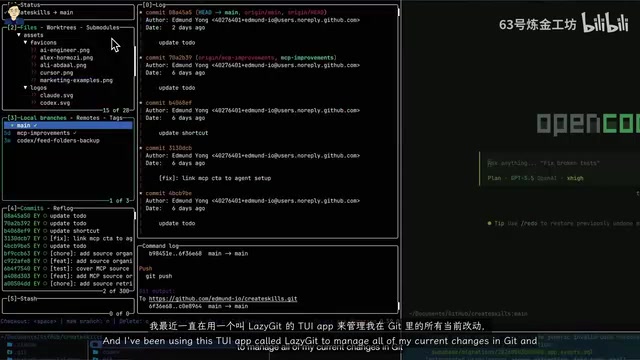
- Lazy Git: A terminal interface for managing Git changes that abstracts Git's complex commands into intuitive keyboard shortcuts, allowing developers to stage, commit, rebase, and more with just a few keystrokes
- Yazi: A terminal file manager written in Rust, supporting image previews, batch renaming, and other features for navigating and managing project files
TUI applications are a category of tools that run in command-line terminals but provide graphical interactive experiences. Unlike traditional pure-text command lines, TUI apps support mouse interaction, window splitting, syntax highlighting, and other visual features while retaining the lightweight efficiency of the terminal environment. These tools share a common trait: they deliver an experience close to GUI applications without leaving the terminal, making them ideal for development scenarios that require frequent switching between coding and version management.
For simple tasks or research, he runs additional sessions in OpenCode — an open-source coding agent that can use a Codex subscription and is much more stable than Claude Code in the terminal.
IDE Choice: Cursor Remains the Go-To for Lightweight Editing
Cursor is used for lightweight manual editing. Its newly released Composer 2.5 model performs excellently in coding — fast and accurate. As a fork of VS Code, Cursor retains full IDE functionality while deeply integrating AI capabilities. Its Tab completion and inline editing features have become indispensable productivity tools in many developers' daily coding workflows.
Custom AI Skills: Beyond Code Generation
Coding agents' capabilities now extend far beyond code generation itself. Custom AI skills are essentially combinations of predefined system prompts and tool call chains that encode domain-specific expertise into capability modules that AI agents can invoke repeatedly. Here are several frequently used custom skills:
- Copywriting: Writing high-conversion copy for landing pages, incorporating classic principles of Direct Response Marketing such as the AIDA framework (Attention-Interest-Desire-Action)
- GrillMe: Transforming vague ideas into clear, actionable plans through structured questioning that helps developers clarify requirement boundaries and technical approaches
- SEO Audit: Ensuring technical SEO configuration is correct, including structured data markup, canonical tag configuration, robots.txt optimization, and more — making web pages crawlable, indexable, and visible in AI suggestions. Notably, with the rise of AI search engines (such as Perplexity and Google AI Overview), traditional SEO is evolving toward AEO (Answer Engine Optimization) — websites need not only to be indexed by search engines but also to organize content in ways that AI can understand and cite
- UI UX Pro Max: Making interfaces more intuitive and designing UI that doesn't look AI-generated. This skill likely incorporates design system specifications, accessibility standards, and user psychology principles
The existence of these skills illustrates an important trend: the value of AI programming tools is expanding from "writing code" to the entire chain of "building products."
Workflow Summary and Trend Insights
The current tech stack can be summarized as:
| Purpose | Tool |
|---|---|
| Building and testing new features | Codex desktop app |
| Terminal workspace | Ghostty |
| Lightweight editing | Cursor |
| Database testing | Ghost |
| Context management | Create Skills + MCP |
| Quality enhancement | Custom AI skills |
A noteworthy trend: coding agents are evolving from "code generators" to "product builders." When given the right tools and data, they can independently handle the complete cycle of product building and testing. This means developers can devote more energy to product decisions and marketing rather than the details of code implementation.
From a broader perspective, this workflow reflects three structural shifts in the AI programming landscape: First, the interaction target of tools is shifting from humans to AI agents — both Ghost and Create Skills prioritize designing interfaces for AI agents, with humans controlling them indirectly through natural language. Second, Context Engineering is replacing Prompt Engineering as the core competitive advantage — how you build and manage high-quality context for AI agents determines the upper bound of output quality. Third, the developer's role is transforming from "code implementer" to "AI agent orchestrator" — core skills are shifting from writing code to designing workflows, selecting tool combinations, and formulating product strategies.
Of course, as this developer himself noted, this tool stack will likely change again when the next "big thing" arrives. In the AI programming space, the only constant is change itself.
Related articles
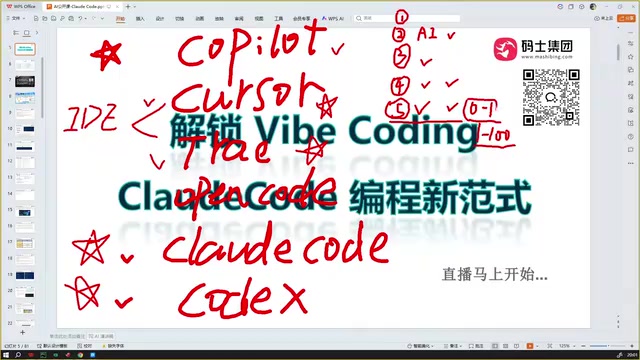
Claude Code Installation Guide & The Five Stages of AI Programming Tools Explained
Complete Claude Code installation guide with the five stages of AI programming tools, from manual coding to agents. Learn 0-to-1 project building and 1-to-100 iteration challenges.

Enterprise-Level AI Project Rules Files: 5 Hard Rules + 6 Writing Techniques
AI keeps messing up your code? Learn 5 hard rules and 6 writing techniques for enterprise-level Rules files in Claude Code, Cursor & more, with templates.
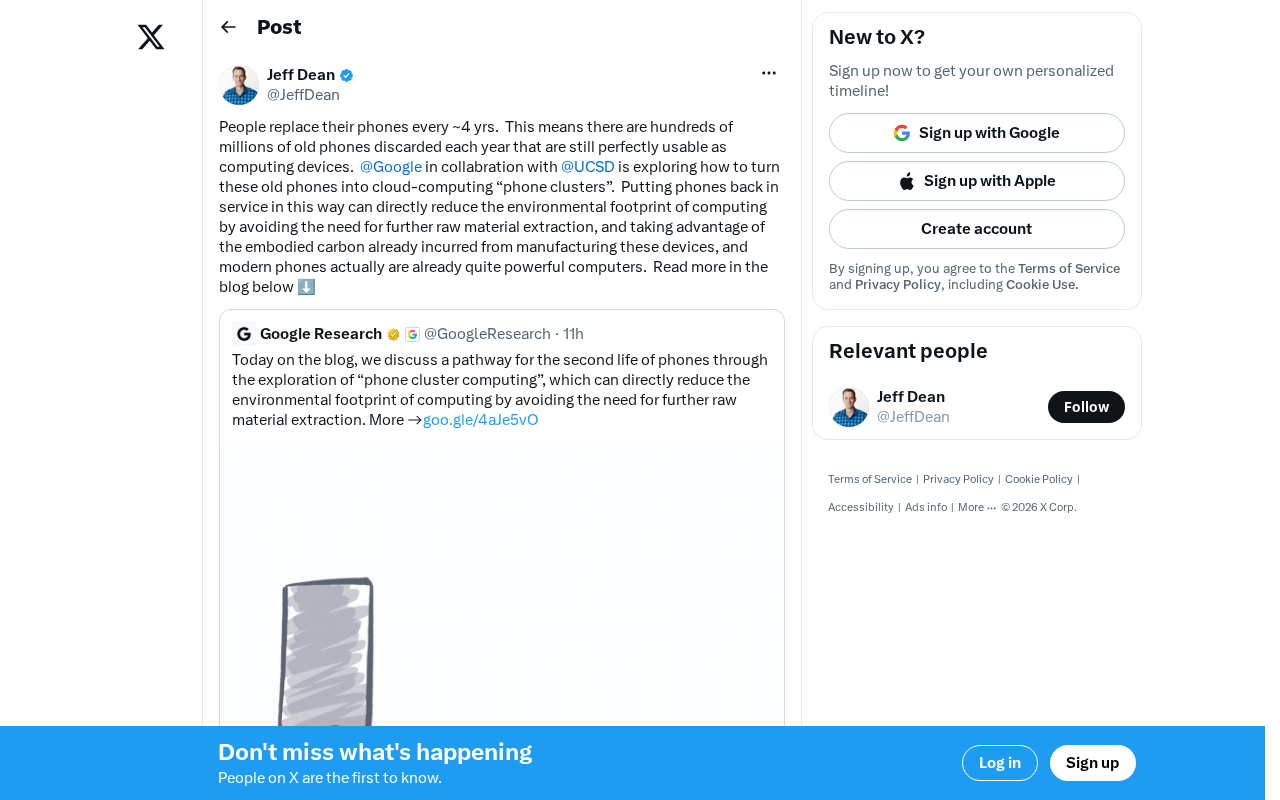
Building Cloud Computing Clusters from Old Phones: Google and UCSD Explore a New Path to Sustainable Computing
Google and UCSD explore building cloud clusters from old phones, leveraging ARM chip efficiency to cut e-waste and data center carbon footprints.