Two MCP Plugins Combined: Solving Claude Code's Memory Loss Problem in Large Projects

Two MCP plugins combine to solve Claude Code's context memory loss problem in large projects
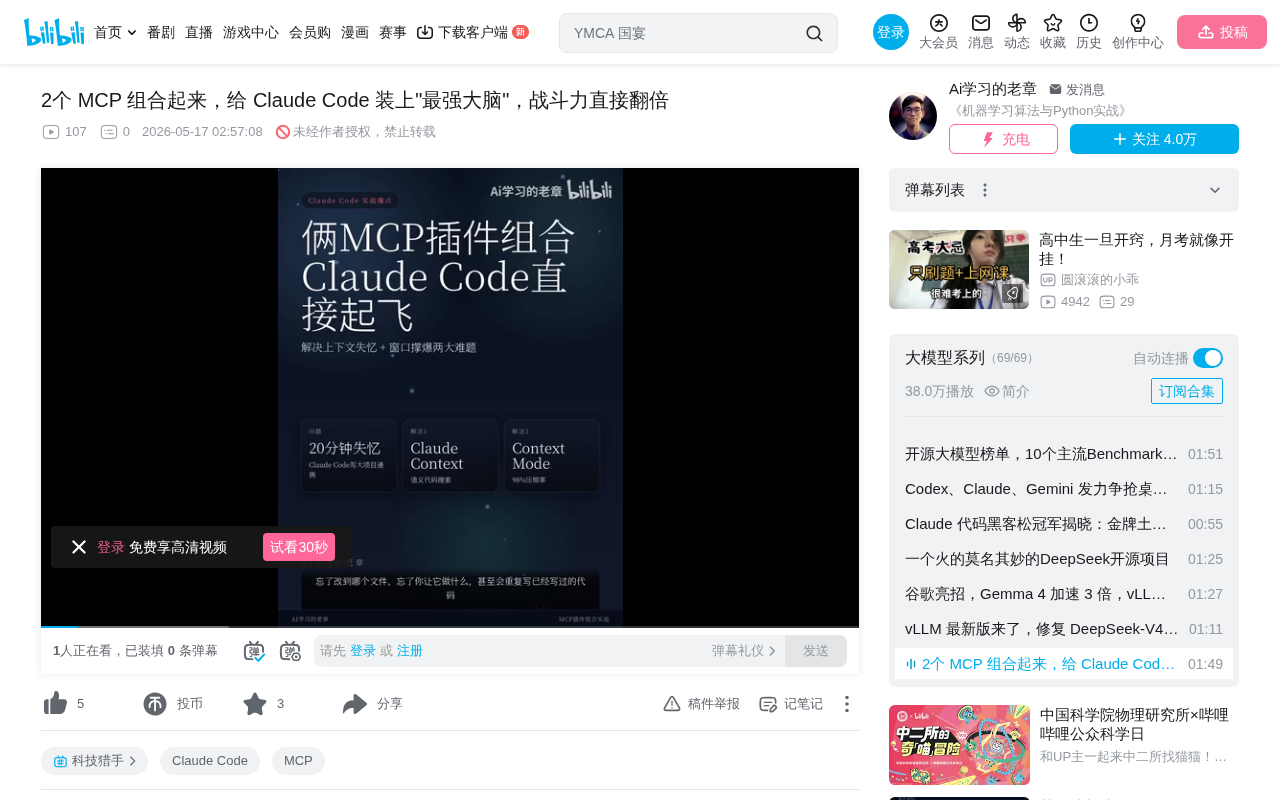
Claude Code loses memory during large project development as the context window fills up. This article introduces two complementary MCP plugins: Cloud Context indexes codebases via vector databases for on-demand retrieval, reducing token consumption by 40%; Context Mode stores tool call data in local SQLite while retaining summaries, achieving 98% compression, with a snapshot mechanism that restores task state after context compression. Together they build a layered memory system that significantly improves the large project development experience.
The Problem: Why Claude Code "Loses Memory" on Large Projects
When developing large projects with Claude Code, many developers encounter this frustrating situation: after about 20 minutes of work, the AI starts forgetting which files it modified, loses track of your requirements, and even rewrites code that already exists.
This isn't Claude getting dumber—it's the context window being filled to capacity. The context window is the maximum amount of text a large language model can process at once, typically measured in tokens. Claude's context window is 200K tokens (approximately 150,000 words). While that sounds generous, in real coding scenarios, every MCP tool call that reads code or runs commands dumps raw data directly into the context. A single Literate snapshot takes up 56KB, and after half an hour, 40% of the context is already filled with junk data. When the context approaches its limit, the model either refuses to continue processing or is forced to compress earlier conversations, causing critical information loss—this is the technical essence of the so-called "memory loss" phenomenon.
Let me explain MCP (Model Context Protocol)—this is an open protocol released by Anthropic in late 2024, designed to provide AI models with standardized external tool-calling interfaces. Through MCP, Claude Code can read and write files, execute terminal commands, access databases, and more. However, the return results from each tool call are written verbatim into the context window—this is an inherent limitation of the current architecture.
What makes things worse is that Claude needs to read files one by one to understand your project. Facing a million-line codebase, it simply can't read everything. This creates a dilemma: read too little and understanding is insufficient; read too much and the context explodes.
Cloud Context: On-Demand Retrieval Instead of Reading Everything
The first MCP plugin comes from the Zelis team and has already earned 1.2K Stars. Its core approach is elegantly simple: index the codebase using a vector database, and retrieve what's needed on demand, rather than stuffing all the code into the context.
This essentially applies RAG (Retrieval-Augmented Generation) technology to code comprehension scenarios. RAG's core philosophy is: instead of making the model memorize all information, precisely retrieve relevant content when needed and provide it to the model. This both saves context space and covers a knowledge range far exceeding the context window's capacity.
Technical Highlights
-
AST-Based Smart Chunking: AST (Abstract Syntax Tree) is a tree-structured data representation generated when a compiler parses source code, precisely representing the syntactic hierarchy of the code. Traditional text chunking methods split by fixed character counts or line numbers, often cutting a function in half and resulting in incomplete semantics. Cloud Context uses syntax tree node boundaries to split code, ensuring each chunk is a complete semantic unit (such as a function definition, class declaration, or module). This results in higher quality vectorization and retrieval, with greatly improved semantic integrity.
-
BM25 + Vector Hybrid Search: This is the mainstream architecture choice for current RAG systems. BM25 is a classic keyword matching algorithm in information retrieval, calculating relevance scores based on term frequency and document length—excellent at precisely matching specific function names, variable names, and other identifiers. Vector retrieval converts text into high-dimensional vectors through embedding models and finds semantically similar content by calculating cosine similarity between vectors—it excels at understanding "intent" rather than literal matching. For example, if you search for "user authentication logic," it can find a function named
validateToken. Combining both (Hybrid Search) covers both exact matching and semantic understanding scenarios, making code discovery both fast and accurate. -
Significantly Reduced Token Consumption: Official data shows a 40% reduction in token consumption at equivalent retrieval quality. This means within the same context budget, Claude can process more useful information.
This plugin solves the "understanding the project" problem. Claude no longer needs to read the entire codebase file by file—instead, it works like an experienced developer who knows exactly where to find the information needed.
Context Mode: Context Management with 98% Compression Rate
Context Mode is the second critical plugin, currently with 14.8K Stars and ranked #1 on Happynews. It solves the context overflow problem with a more aggressive approach.
Core Mechanism
Raw return data from MCP tool calls doesn't enter the context directly. Instead, it's stored in a local SQLite database, with only refined summaries retained in the context. Context Mode chose SQLite over Redis or PostgreSQL primarily for zero-configuration and local operation—developers don't need to set up additional database services; the plugin works immediately after installation. Local storage also means sensitive code data never leaves the developer's machine, offering inherent privacy and security advantages. Real-world measurements: 315KB of raw data compressed to 5.4KB, achieving a 98% compression rate.
Planning Continuity—The Standout Feature
This feature addresses the pain point of Claude losing state when compressing conversations. When Claude Code's conversation length approaches the context window limit, the system triggers auto-compact, condensing earlier conversation content into summaries to free up space. During this process, structured information like task plans, completed steps, and to-do items can easily be lost or blurred during compression.
Context Mode's snapshot mechanism essentially serializes and saves the current task state (including the planning tree, file modification records, and decision context) before compression occurs, then injects these structured states into the new context after compression—achieving "lossy compression but lossless recovery." This means you'll never experience the "losing memory mid-conversation" situation again; the AI always remembers the complete plan and progress of the current task.
Combined Usage: A 1+1>2 Effect
The two plugins have complementary positioning, forming a complete Claude Code context management solution when used together:
| Problem | Solution |
|---|---|
| Project too large to read completely | Cloud Context vector indexing + on-demand retrieval |
| Context overflow | Context Mode compressed storage + summary retention |
| Memory loss after compression | Context Mode snapshot recovery mechanism |
Put simply: Cloud Context lets Claude understand the entire project, while Context Mode ensures it doesn't forget things from reading too much.
From a technical architecture perspective, this combination actually builds a layered memory system: Cloud Context serves as "long-term memory" (the index of the entire codebase), Context Mode's SQLite storage serves as "medium-term memory" (complete data from the current session), and Claude's context window is the "working memory" (refined information currently being processed). This layered design closely mirrors the memory hierarchy of human cognitive systems and represents the mainstream approach in current AI Agent architecture design.
Installation and Configuration Guide
Both plugins have low installation barriers:
-
Cloud Context: Requires an OpenAI API Key and a Zelis Cloud account for vectorizing and indexing the codebase. The OpenAI API Key is used to generate embedding vectors for code snippets (converting code text into mathematical vector representations), while Zelis Cloud provides hosted vector database services responsible for storing and retrieving these vectors. Initial indexing of a large codebase may take a few minutes to over ten minutes, but incremental updates afterward are very fast.
-
Context Mode: A single command gets it done—ready to use out of the box. Since it uses local SQLite storage, there are no external service dependencies and no network requirements.
Summary and Usage Recommendations
If you frequently use Claude Code for large project development (especially codebases exceeding 10,000 lines), this combination of two MCP plugins can significantly improve the development experience. They optimize the core bottlenecks of AI programming assistants from two dimensions: information retrieval efficiency and context management capability.
However, note that Cloud Context relies on external API services, incurring additional API call costs (primarily embedding generation fees, typically a few cents per million tokens, with monthly costs in the single-digit dollar range for medium-sized projects). While Context Mode's compression is highly efficient, in extreme cases summaries may lose certain details—particularly subtle differences between highly similar code snippets that may get merged in summaries. It's recommended to introduce these gradually in actual projects and observe the results before full adoption.
From a broader perspective, these two plugins represent an important direction in AI programming tool development: breaking through the model's inherent context limitations through external memory systems. As codebases continue to grow and AI programming scenarios become increasingly complex, similar "memory augmentation" solutions will become standard capabilities in AI development tools.
Related articles
 Tutorials
Cursor + Codex Dual-IDE Collaboration: A Practical Methodology for Open-Source Project Customization
A complete methodology for open-source project customization based on real-world experience, detailing the Cursor+Codex dual-IDE workflow, seven-stage process, MVP validation, and AI source code reading techniques.
 Tutorials
Cursor Multi-Agent in Practice: Building a Full-Stack Next.js Blog in 50 Minutes
Build a full-stack blog in 50 minutes using Cursor IDE's multi-Agent mode with Next.js, Clerk auth, and Supabase. Learn the 4-phase AI Agent workflow and key integration pitfalls.
 Tutorials
Building an AI Software Factory from Scratch: A Cursor Engineer's Hands-On Experience with Multi-Agent Collaboration
Cursor engineer Eric shares practical insights on building an AI software factory: automation levels, guardrail design, parallel Agent management, and scaling to 1000+ Agents for 24/7 development.