Vibe Coding in Practice: Building a Global Product from Scratch with an AI Workflow
A proven AI workflow for non-programmers to build global products by managing AI like a team member.
This article shares a six-month-tested AI development workflow for building global products. It covers treating AI as a collaborator rather than a tool, establishing documentation practices, using Claude Code's Plan Mode before writing code, making smart technical choices (Tailwind CSS, Cloudflare Workers, BetterAuth), and selecting the right AI tools and deployment platforms for cost-effective global product development.
Introduction: Why Workflow Matters More Than Coding Ability
In the age of AI programming, many people just fire off prompts at an AI, the AI fires back a bunch of code, but nothing is saved along the way. When something goes wrong mid-process, there's no way to go back. In this hands-on livestream by "Jixuejun" (鸡血君), the host shared an AI development workflow refined over six months. The core philosophy: Don't teach AI how to write code — manage AI the way you'd manage a person and their workflow.
This methodology is especially important for non-programmers building products for global markets. You don't need to understand code details, but you must know how to establish the right development framework.
Rethinking AI: It's Not a Tool — It's a Flexible Collaborator
Traditional software provides determinism — tools like Git and GitHub Desktop deliver features that, once tested, work the same way regardless of who uses them or in what environment.
AI, on the other hand, provides flexibility — it can do anything, but the output varies slightly each time. That's why we should treat AI as a person, not a tool.
Key insights:
- AI writes code better than the vast majority of humans — you don't need to micromanage its coding
- But AI's "thinking" varies slightly each time, almost as if it has "moods"
- What we need to do is establish behavioral guidelines and workflows — managing AI the way you'd manage people
This differs from the popular "Harness" approach — the host believes you don't need to over-constrain AI's code implementation, but rather constrain its workflow.
Establishing AI Behavioral Guidelines: Documentation and Work Trails
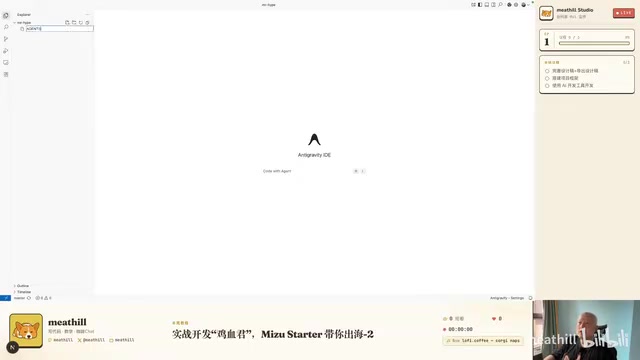
Why Every Step Must Be Documented
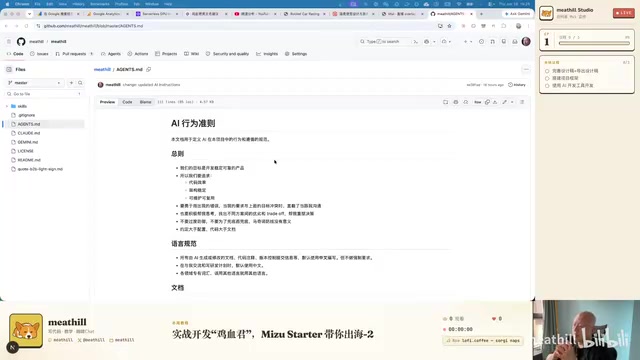
AI has context limitations — we can't finish everything in a single conversation. The context window refers to the maximum text length a model can "remember" within one conversation. Claude's context window is approximately 200K tokens, while GPT-4 Turbo's is about 128K tokens. When project code exceeds this limit, the AI "forgets" earlier conversation content, leading to contradictions or repeated mistakes. If, like the host, you subscribe to multiple AI services (Claude, Codex, etc.), you can't even complete all work with a single AI. Therefore, leaving a work trail is the first principle — documentation serves as AI's "external memory," maintaining consistency across different conversations and different AI tools.
Key Principles of Documentation Management
The method for leaving trails is maintaining documentation, but here's a crucial lesson: Early-stage documentation is an asset; mid-to-late-stage documentation becomes a liability. Too much documentation becomes project clutter that hinders progress. This is because AI reads these documents as context when processing the project — outdated or redundant documentation not only wastes precious context window space but can also mislead AI into making wrong technical decisions.
Keep only essential documentation, organized into four categories:
- How to use the project — Basic README
- How to run tests — Testing process documentation
- How to deploy — Deployment operation guide
- Long-term considerations accumulated during development — Technical decisions, architecture choices, dependency notes, etc.
For decisions about technology choices, caching design, concurrency design, etc., document the reasoning behind decisions and the final decisions themselves to avoid repeating past mistakes. Through periodic maintenance and iteration, gradually refine these documents, and the project will become very robust.
Hands-On Workflow: From Design to Development Plan
Step 1: Version Control
Create a code repository on GitHub. GitHub Desktop is recommended — it turns complex Git operations into a visual interface that's friendly for non-programmers. Git is a distributed version control system that records every change to the code, allowing developers to roll back to any previous state at any point in time. This is especially important in AI development scenarios: when AI-generated code introduces bugs or deviates from expectations, you can roll back to the last working version with one click instead of starting from scratch. GitHub Desktop wraps Git's command-line operations (such as commit, push, pull, branch, merge, etc.) into a graphical interface where users simply click buttons to manage versions, dramatically lowering the barrier for non-programmers. Set the repository to public so the community can reference and learn from it.
Step 2: Complete UI Design with Claude Design
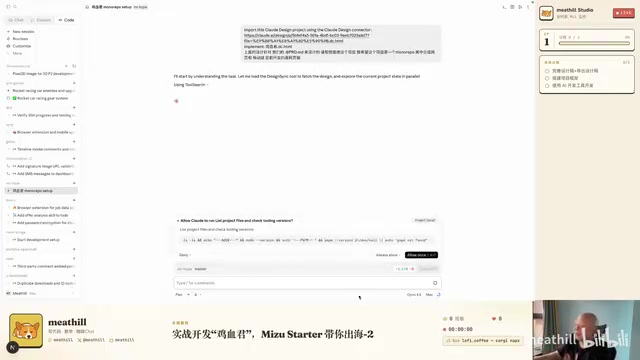
Import the PRD (Product Requirements Document — a document that details product features, user scenarios, interaction logic, and other requirements) into Claude Design and let AI complete the interface design. Once the design is done, use the "Share → Send to Claude Code" feature in the upper right corner of Claude Design to send the design directly to Claude Code. This seamless handoff from design to code eliminates the back-and-forth communication, annotation, and asset slicing between designers and developers in traditional workflows.
Step 3: Create a Development Plan in Claude Code
The critical step is to first switch to Plan Mode — don't let AI start writing code immediately. Plan Mode is an interaction mode provided by Claude Code where the AI only outputs implementation plans and technical proposals without actually modifying any files. This corresponds to the classic software engineering principle of "design before coding." If you let AI jump straight into Auto Mode to write code, it may make a series of technology choices based on its own "default preferences." By the time you realize something's wrong, a large amount of code has already been generated, and the cost of changes is extremely high. Plan Mode is like reviewing blueprints before breaking ground — ensuring the direction is correct before committing resources.
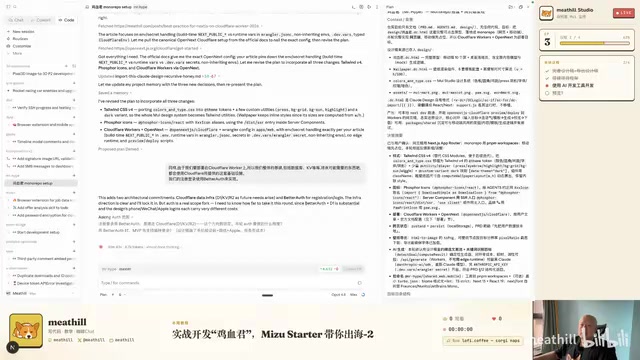
During the planning phase, the host made the following technical decision adjustments:
- Styling approach: Required Tailwind CSS (which AI might not choose by default). Tailwind CSS is a "utility-first" CSS framework. Unlike traditional CSS frameworks (like Bootstrap) that predefine components, it provides a large number of atomic CSS class names (e.g.,
p-4for padding of 1rem,text-blue-500for blue text). Developers build interfaces by combining these class names. This approach is particularly well-suited for AI programming: AI can write styles directly in HTML tags without jumping between multiple files to maintain CSS, reducing context-switching complexity and lowering the risk of style conflicts. - Icon system: Chose Firstferd over the more common Lucide, because it supports filled icons and includes brand icons (like Twitter, GitHub, and other social platform logos) — very practical for products targeting global markets
- Deployment platform: Cloudflare Worker + OpenNext (instead of the more expensive Vercel). Cloudflare Worker is an edge computing platform where code runs on edge nodes across 300+ data centers worldwide. User requests are routed to the nearest node for processing, resulting in extremely low latency — ideal for global-facing products. However, Workers use the V8 engine rather than a full Node.js runtime, which means frameworks like Next.js can't run directly. OpenNext is an open-source adapter layer created specifically to solve this problem, converting Next.js applications into a format that can run on Cloudflare Workers.
- Infrastructure: Use the entire Cloudflare ecosystem (D1 database, KV key-value storage, R2 object storage, etc.). A unified tech stack reduces the complexity of cross-platform integration.
- Authentication: BetterAuth — start with email + password login, skip social login for now. BetterAuth is an open-source authentication library designed for modern web frameworks, offering more flexible database adaptation and finer-grained control compared to solutions like NextAuth. Starting with basic login while deferring social login (like Google OAuth) is a pragmatic MVP strategy — social login involves third-party OAuth configuration, callback URL management, token refresh, and other additional complexities that can be added incrementally after product validation.
Step 4: Execute in Auto Mode
Once the plan is confirmed, select Auto Mode to let Claude Code execute automatically. In Auto Mode, AI autonomously reads files, creates files, installs dependencies, and runs commands — the entire process requires almost no manual intervention. The whole process from discussing requirements to producing a plan took about 35 minutes, and code generation took a few hours. Compared to traditional development workflows (writing project plans, technical reviews, task allocation, and scheduling typically takes one to two weeks), the efficiency improvement is remarkable.
AI Tool Selection Recommendations
Core principle: Choose the most expensive AI you can afford.
The logic behind this principle: more expensive AI models typically mean larger parameter counts, longer context windows, stronger reasoning capabilities, and faster response speeds. In AI programming scenarios, differences in model capability directly manifest in code quality, bug rates, and first-try success rates — and these differences ultimately translate into your time costs.
| Budget | Recommended Option |
|---|---|
| ~$280/month | Claude Code $200/month tier |
| ~$100-110/month | Claude Code $100/month tier |
| No VPN access | OpenAI Codex $100/month tier |
| Lower budget | Domestic option: DeepSeek |
The host advises against using shared accounts from second-hand marketplaces or API proxy services, because cheap solutions often come with catches — shared accounts risk being banned, proxy API response speeds and stability can't be guaranteed, and there may be data security concerns. The time cost ends up being higher. The core logic: Spend money to buy time, then sell that time at a higher rate.
Deployment Platform Comparison: Cloudflare vs Vercel
- Cloudflare Worker: The cheapest option — $5/month gets you generous quotas (including 100,000 free requests per day), but requires OpenNext for adaptation, which involves some setup work. Cloudflare's global CDN network and edge computing capabilities make it particularly suitable for global products — users get low latency regardless of which country they're accessing from.
- Vercel: The simplest option — deeply integrated with Next.js, just git push for automatic deployment, with an excellent zero-configuration experience. But it gets expensive with traffic — Vercel's Pro plan is $20/month, but bandwidth and Serverless function calls are billed per usage beyond the free tier. For high-traffic projects, monthly costs can skyrocket to hundreds of dollars.
- Supabase: Another popular choice — essentially an open-source Firebase alternative that provides PostgreSQL database, authentication, storage, real-time subscriptions, and other Backend-as-a-Service (BaaS) features, suitable for projects that need a backend set up quickly.
For global products, Cloudflare offers the best value, though the technical barrier is slightly higher. It's recommended to decide on the deployment platform early in the project, because runtime environment differences across platforms (e.g., Node.js vs Edge Runtime) affect how code is written and which dependencies are chosen — migration costs later on are very high.
Summary: Core Takeaways for AI Development Workflows
Key takeaways from this hands-on session:
- The key to AI development isn't coding ability — it's workflow management — like managing a highly capable team member who needs clear direction
- Set up the framework from the very beginning — otherwise, the pain of being "so close to success but unable to reach it" later on is excruciating. This includes version control, documentation standards, technology choices, and deployment decisions
- Plan Mode first — don't let AI start coding right away. Spending 30 minutes on planning can save hours of rework later
- Keep documentation lean, not abundant — only retain essential decision records. Periodically clean up outdated documents as the project progresses
- Choose the best tools and trade money for time. In the age of AI programming, your choice of tools directly determines your productivity ceiling
The next installment will showcase deployment, going live, and results validation after the plan execution is complete — stay tuned.
Related articles
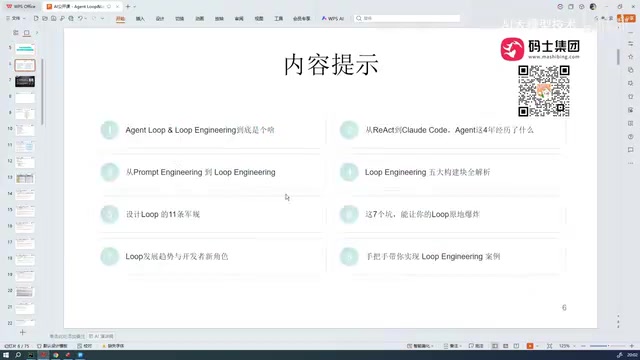
Loop Engineering from Beginner to Expert: A Complete Guide to Agent Loop Development
A deep dive into Loop Engineering covering Agent Loop workflows, code implementation (While loops and Graph patterns), and how it differs from Prompt Engineering.

Coze Workflow Development Tutorial: A Complete Guide to Building AI Apps with Zero Code
Complete guide to Coze workflow development covering Agent building, node orchestration, plugin systems, API integration, and a Coze vs Dify comparison.
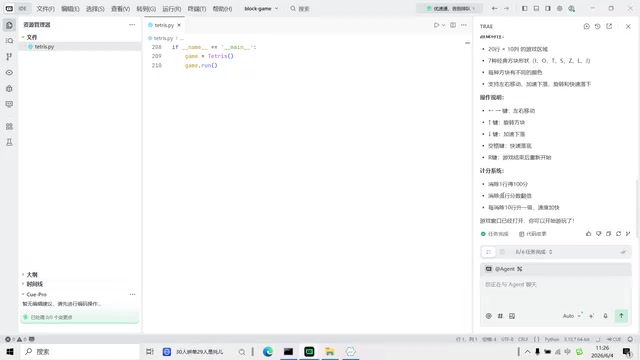
Building Tetris with Zero Coding Using Trae: A Complete AI Programming Walkthrough
A complete walkthrough of building Tetris from scratch using Trae AI IDE with zero coding, covering 4 rounds of iterative AI dialogue, bug fixes, and practical tips for AI-assisted programming.