Zero-Code Mini Program Development with Codex: Building 7 Features in 5 Days — A Hands-On Story

A non-coder built a 7-feature image editing mini program in 5 days using OpenAI Codex.
A Bilibili creator used OpenAI Codex to build a fully functional image editing mini program in just 5 days without writing any code. The app includes watermarking, nine-grid splitting, collage, compression, and PDF conversion features. The article explores how Codex enables zero-code development, its advantages over traditional low-code platforms, and practical advice for beginners looking to start AI-assisted programming.
Has the Zero-Code Development Era Really Arrived?
A content creator on Bilibili shared their experience using OpenAI Codex to independently build a fully functional image editing mini program in just 5 days — without writing a single line of code. This case once again confirms that AI programming tools are dramatically lowering the barrier to software development. Even if you have zero coding knowledge, it's now possible to build a usable product.
Mini Program Feature Overview: 7 Practical Image Processing Capabilities
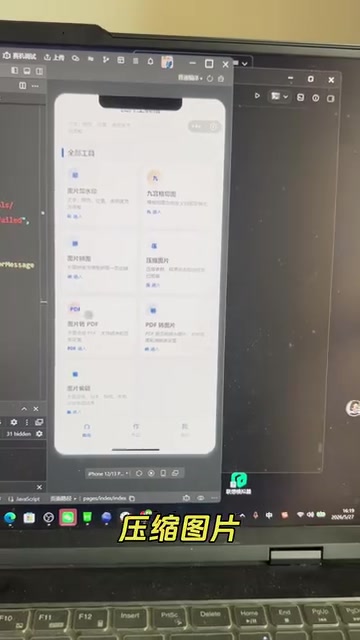
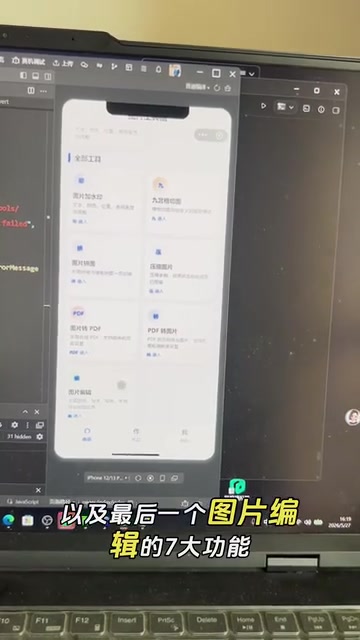
This image editing mini program covers 7 core features, addressing most everyday image processing needs:
- Image Watermarking — Batch-add text or image watermarks to photos
- Nine-Grid Splitting — Split an image into a 3×3 grid, ideal for social media posts
- Image Collage — Freely combine and stitch multiple images together
- Image Compression — Reduce file size while maintaining visual quality
- Image to PDF — Merge multiple images and export as a PDF document
- PDF to Image — Convert each page of a PDF file into image format
- Image Editing — Basic editing features like cropping and adjustments
From a technical implementation perspective, these features primarily rely on the Canvas API and file system APIs on the mini program side. For example, the core principle behind image watermarking and nine-grid splitting involves pixel-level operations on images through the Canvas — drawing the original image onto the Canvas, then overlaying watermark elements or cropping it into multiple regions by coordinates. Image compression involves adjusting JPEG/PNG encoding parameters, reducing file size by lowering the quality coefficient or shrinking the resolution. WeChat's mini program platform provides the wx.compressImage interface to handle this directly. Converting between images and PDFs typically requires third-party JavaScript libraries (such as jsPDF and pdf.js) to generate and parse documents on the frontend. While these technical details are transparent to end users, they represent the core logic that AI programming tools must automatically handle behind the scenes.
According to the creator, the core code logic for every single feature has been fully implemented and tested, meaning the entire mini program has achieved basic usability — it's not just a UI prototype.
What Is Codex? Why Can It Enable Zero-Code Development?
The Capability Boundaries of AI Programming Assistants
OpenAI Codex is an AI programming tool built on large language models that can automatically generate code from natural language descriptions. Codex first debuted in 2021 as the underlying engine powering GitHub Copilot. Built on top of GPT models, it was specifically trained on massive open-source code repositories, enabling it to understand the syntax and logic of dozens of programming languages. In 2025, OpenAI released a completely upgraded agent version of Codex. It's no longer just a simple code completion tool — it can independently execute complete programming tasks in a cloud sandbox environment, including reading code repositories, writing new features, running tests, and committing code. In essence, it has evolved from a "programming assistant" into an "AI software engineer."
Unlike traditional low-code/no-code platforms, Codex's advantage lies in its extreme flexibility — you're not constrained by preset templates and components. Instead, you can describe any feature you want in natural language, and the AI handles the code implementation. Traditional low-code platforms (such as WeChat Cloud Development, OutSystems, Mendix, etc.) typically use visual drag-and-drop interfaces to build applications. While they lower the development barrier, users can only operate within the platform's preset components and logic frameworks. Once requirements exceed the platform's capabilities, you hit a ceiling. AI programming tools like Codex are fundamentally "code generators" — theoretically capable of implementing anything that a programming language can achieve. Their flexibility is virtually equivalent to hand-written code; the only difference is replacing "humans writing code" with "AI writing code."
For scenarios like mini program development, Codex can handle the complete pipeline from frontend page layout and interaction logic to backend data processing. The tech stack used by WeChat mini programs (WXML template language, WXSS styling, JavaScript logic layer) is highly similar to web frontend technologies — and web frontend happens to be one of the areas where AI programming tools have the richest training data and produce the best results. This explains why mini programs have become an ideal testing ground for zero-code development: the AI model's "understanding" of this tech stack is deep enough that the generated code is relatively reliable. Developers only need to play the role of "product manager," clearly describing requirements, and the AI outputs runnable code.
What Does Completing Development in 5 Days Really Mean?
Using traditional development methods, a mini program with 7 feature modules would typically take even an experienced developer 1–2 weeks from design through development to debugging. For someone with absolutely no coding knowledge to accomplish this in 5 days using Codex represents a significant efficiency boost.
That said, it's important to maintain a realistic perspective:
- "Core code working" doesn't equal "production-ready": Between a functional prototype and a published product, there's still a massive amount of detail polishing, error handling, and performance optimization. For WeChat mini programs specifically, you still need to pass WeChat's review process and handle various edge cases (such as processing oversized files, network errors, compatibility across different device models, etc.). This "last mile" of work often accounts for 30%–50% of the entire development cycle.
- Prompt engineering is itself a skill: While you're not writing code, learning how to accurately describe requirements and debug AI-generated code still has a learning curve. Prompt Engineering has developed into an independent technical discipline, centered on how to guide AI toward high-quality outputs through structured, precise natural language instructions. In programming contexts, this means you need to learn how to break down a vague product idea into specific technical requirements — for example, instead of just saying "I want an image compression feature," you'd describe "after the user uploads an image, use Canvas on the frontend to proportionally scale the image to a maximum width of 1080 pixels, set the quality parameter to 0.7, and output in JPEG format." The precision of your description directly determines the usability of the AI-generated code.
- Complex business logic remains challenging: For simple utility applications, AI programming performs excellently. But when complex business logic is involved, human intervention may still be necessary. For scenarios involving multi-role permission management, complex state machine transitions, distributed transaction processing, and similar challenges, AI-generated code often requires extensive manual review and correction.
Implications for Everyday People: How to Get Started with AI Programming
Utility Mini Programs Are the Best Starting Point
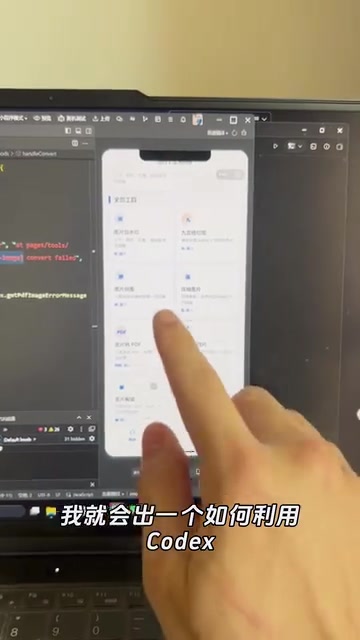
As this case demonstrates, utility applications like image processing and file conversion are the easiest domains for getting started with AI programming. These applications share key characteristics: clearly defined feature boundaries, well-defined inputs and outputs, and no complex user systems or business processes. If you want to try zero-code development with Codex, starting with similar utility projects is highly recommended.
From "Knowing How to Code" to "Knowing How to Use AI Tools"
This case reflects a deeper trend: the core competitive advantage of the future is no longer "knowing how to code" but rather "knowing how to define requirements" and "knowing how to use AI tools." The ability to clearly decompose problems, accurately describe requirements, and effectively collaborate with AI is becoming increasingly important.
In fact, the competitive landscape for AI programming tools is evolving rapidly. Beyond OpenAI Codex, products like GitHub Copilot (built on OpenAI technology), Google Gemini Code Assist, Anthropic Claude's programming capabilities, the Cursor editor, and Windsurf (formerly Codeium) are all competing in this space. Each is differentiating in its own way: some focus on real-time code completion within the IDE, others emphasize contextual understanding of entire code repositories, and others — like the new version of Codex — take the "autonomous agent" approach. This intense competition is accelerating the capability iteration of AI programming tools. For everyday users, this means the tools will keep getting better, and the feasibility of zero-code development will continue to improve.
The creator announced that their next video will share a complete end-to-end tutorial on building this mini program with Codex. For anyone looking to get started with AI programming, this will be an extremely valuable hands-on reference.
Conclusion
Zero-code development isn't just a gimmick — it's an inevitable outcome of AI programming tools reaching a certain level of maturity. While it's currently best suited for utility applications with relatively simple functionality, as AI capabilities continue to evolve, the range of applications that can be covered by "zero-code" approaches will only keep expanding. For everyday people, now is the perfect time to learn and embrace AI programming.
Related articles

AITS Hands-On Review: API + Web + App Automated Testing All in One Platform
In-depth review of AITS: an AI testing platform covering API automation, Web automation, App real-device cloud testing, and performance testing end-to-end.
Codex vs Claude Code vs Cursor: How to Choose the Right AI Coding Tool
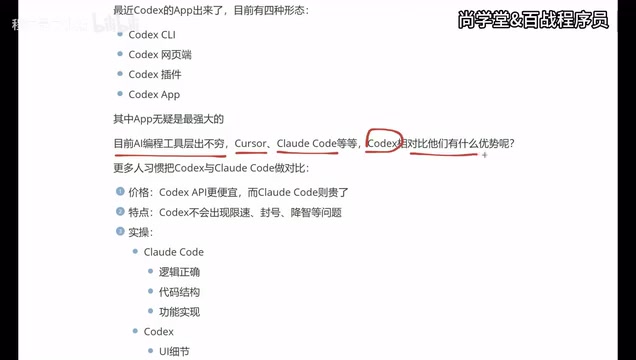
In-depth comparison of Codex, Claude Code, and Cursor: pricing, stability, and capabilities. Codex excels at frontend UI, Claude Code at backend logic, Cursor remains a stable veteran. Find your best AI coding tool.
Hermes Jarvis Deep Dive: The Voice-Driven All-in-One AI Assistant
Deep dive into Hermes Jarvis voice AI assistant: its core features, five-layer architecture, multi-model integration, system-level control, and the future of voice-driven AI development.