Deep Dive into How Claude Code Works: Prompt Assembly, Permission Control, and the Skills Mechanism
Deep Dive into How Claude Code Works: …
A deep dive into Claude Code's internal architecture: prompt assembly, Agentic Loop, permissions, and Skills.
This article provides a comprehensive analysis of Claude Code's internal mechanisms, covering the stateless nature of the model, the four-layer prompt assembly architecture (Tool Schemas, System Prompts, Environment, Messages Array), the Agentic Loop execution flow, three-tier permission control, and the Skills system for reusable workflow templates. It highlights the paradigm shift from writing code to designing AI workflows.
Anthropic team engineer Lydia, who works on Claude Code, released a free course that systematically explains the internal workings of Claude Code. This course reveals many underlying principles that developers often overlook in daily use, helping users truly master the essence of agentic engineering.
Core Concept: The Model is Stateless
The most critical thing to understand about Claude Code is that the model itself is stateless. It has no in-session memory, and every call starts from scratch. All context, file contents, conversation history, and environment information are assembled and provided by Claude Code's harness (runtime framework).
"Stateless" is a classic concept from computer science, originally widely applied in HTTP protocol and RESTful API design—the server retains no session information from the client, and every request must carry complete context. The inference process of large language models is essentially the same: each API call is an independent forward propagation computation, model weights are fixed, and they don't change because of the previous conversation turn. The so-called "memory" and "continuous conversation" rely entirely on external systems re-concatenating historical messages and sending them together. The harness (runtime framework) is precisely the middleware layer that takes on this responsibility—it sits between the user interface and the model API, handling state management, tool scheduling, permission verification, prompt assembly, and all other "stateful" work.
This means that every time you press Enter, Claude Code assembles a complete request behind the scenes—far richer than what you see in the CLI.
Prompt Assembly Mechanism: What the Model Actually Sees
When a request is sent, Claude Code assembles four layers of information. This is the core of understanding how it works:
Tool Schemas
These are JSON Schemas defining the operations Claude Code can perform, including bash, edit, read, agent, web fetch, and more. Each tool has a name, description, and input format. After reading these Schemas, the model knows which operations it can request the harness to execute—but the model itself cannot execute directly; it can only return instructions to the harness for processing.
JSON Schema is a standard specification for describing JSON data structures (currently at Draft 2020-12), defining data types, required fields, value ranges, and other constraints. In AI tool calling (Function Calling / Tool Use) scenarios, JSON Schema plays the role of an "interface contract": the model reads the Schema to understand what parameters each tool accepts and what format it returns, then generates JSON output that conforms to the specification. This design completely decouples "decision-making" (the model's responsibility) from "execution" (the harness's responsibility), ensuring both security (the model cannot directly operate the system) and flexibility (adding new tools only requires adding Schema definitions, without retraining the model).
System Prompts
This part is hardcoded by Anthropic into Claude Code, defining the model's identity, tone, coding standards, and safety rules. Developers cannot directly modify this layer but can supplement context through CLAUDE.md and similar mechanisms.
Environment Information
This includes the operating system, shell type, currently running model, Git branch, and other runtime data. Claude Code automatically captures this information at the start of each session, ensuring the model understands the current development environment.
Messages Array
This is the most critical part of prompt assembly, containing user prompts, CLAUDE.md file contents, and a list of available Skills with their names and descriptions. This employs a Progressive Disclosure strategy—initially only showing Skills' names and brief descriptions rather than their full content, thereby conserving the context window.
Progressive Disclosure is a classic principle in user interface design, proposed by IBM researcher Shneiderman in the 1980s. The core idea is "only show complex information when the user needs it." In Claude Code's context, this principle is cleverly applied to context management: while current mainstream models have expanded context windows to 128K or even 200K tokens, longer contexts mean higher inference costs (computational complexity scales quadratically with sequence length), and the model's attention to information in middle positions degrades (the "Lost in the Middle" phenomenon). Therefore, Claude Code only places Skills' index information in the messages array, and when the model determines it needs a particular Skill, it retrieves the full content through a tool call. This "load on demand" strategy significantly improves inference efficiency and accuracy while maintaining functional completeness.
Agentic Loop: The Iterative Execution Workflow
With the prompt assembly mechanism understood, let's look at Claude Code's actual execution flow. Using the example of a user requesting "add tests for calc":
- The model receives the request and discovers: the prompt doesn't contain the target file's content
- The model finds the read tool in the Tool Schema and issues a tool call to read the file
- The harness performs the actual file read operation (e.g.,
fs.readFile) - The file content is returned to the model as a tool result
- Claude Code reassembles the complete prompt (including the new assistant message and tool result) and sends it to the model again
- The model continues reasoning until the task is complete
In each iteration, the model sees the complete context anew. This is why it's called an "Agentic Loop"—an autonomous decision-making, continuously iterating execution cycle.
Agentic AI is one of the most important paradigm shifts in the AI field during 2024-2025. Unlike the traditional "single input-single output" pattern, Agentic systems possess capabilities for autonomous planning, tool use, environment awareness, and iterative correction. The theoretical foundation of this concept can be traced back to the OODA loop (Observe-Orient-Decide-Act) in cognitive science and feedback loops in cybernetics. In practical engineering, the key challenges of the Agentic Loop are: how to let the model know "when to stop" (avoiding infinite loops), how to handle tool call failures (error recovery), and how to maintain goal consistency across multi-step reasoning (avoiding goal drift). Claude Code addresses this by appending each round's tool call results to the message history, allowing the model to review the complete execution trace at each iteration and make more accurate next-step decisions.
Permission Control: Fine-Grained Security Management
Three Permission Levels
Claude Code provides three permission levels for fine-grained control over tool calls:
- Allow: Execute directly without confirmation (e.g.,
npm run,git commit) - Ask: Request user confirmation before each execution (e.g.,
rmdelete operations) - Deny: Completely prohibit execution (e.g.,
git push, editing specific files)
This three-tier permission design embodies the Principle of Least Privilege from information security—any subject should only be granted the minimum set of permissions needed to complete its task. In the context of AI Agents, this principle is particularly important: since large language model outputs are inherently uncertain (they may hallucinate or misinterpret instructions), granting them unrestricted system access poses significant security risks. Claude Code's permission model is essentially a "human-machine collaborative security boundary"—automating low-risk repetitive operations (Allow), retaining human approval for high-risk operations (Ask), and completely blocking irreversible or unauthorized operations (Deny). This aligns with the role-based permission design philosophy of IAM (Identity and Access Management) in cloud computing.
Permission Configuration Methods
Permissions can be configured manually through .claude/settings.json or interactively added using the built-in /permissions slash command.
The course demonstrates a practical feature: the fewer permission prompts command. It analyzes your session history, identifies tool calls you frequently allow, and automatically adds them to the permission whitelist. It's also very conservative—if an operation is risky or already auto-allowed, it won't be redundantly added.
Permission Priority Rules
When global settings conflict with project settings, a top-down priority is applied: Enterprise admin settings > User global settings > Project settings. This ensures personal configurations cannot override team or company-level security policies.
Plan Mode: Plan Without Executing
Plan Mode is similar to a special permission mode—it tells the model "don't write code, don't touch anything," and only perform analysis and planning. This is particularly useful before starting complex tasks, letting you review the model's execution plan and confirm the direction is correct before entering the actual coding phase.
This "plan first, execute later" pattern has deep theoretical support in software engineering. Database "dry runs," Terraform's plan command (previewing infrastructure changes), and military "tabletop exercises" are all manifestations of the same idea. For AI Agents, Plan Mode has an additional value: it allows human developers to intervene before the model performs irreversible operations, forming a "Human-in-the-Loop" safety checkpoint. This is especially critical when handling large-scale refactoring, database migrations, or production environment deployments.
Skills: Reusable Workflow Templates
Skills are Markdown files stored in the project that define specific multi-step processes. They're suitable for standardized tasks that need to be executed repeatedly, such as deployment, code review, and integration testing.
From a broader perspective, Skills represent a declarative workflow definition paradigm. Unlike imperative programming (telling the computer step-by-step "how to do it"), the declarative approach only describes "what goal to achieve" and "what constraints to follow," with specific execution details determined by the runtime (in this case, the AI model). This is highly similar to the Infrastructure as Code (IaC) philosophy in DevOps—Terraform's .tf files, Kubernetes YAML manifests, and GitHub Actions workflow files all use declarative text to define complex automation processes. Skills bring this paradigm into AI-assisted development: developers define workflow steps and constraints in natural language Markdown, and the AI is responsible for understanding the semantics and executing specific operations. This dramatically lowers the barrier to creating workflows while maintaining version control and team sharing capabilities.
Advanced Skills Configuration Options
- Specify model: Set which model a Skill uses in the front matter (e.g., using Sonnet instead of Opus for code review to save costs)
- Disable model invocation: Setting
disable model invocation: truemeans the Skill can only be triggered manually via slash commands; the model cannot invoke it on its own - Model-only invocation: Setting
user invocable: falsemeans only the model can automatically invoke it at appropriate times; users cannot trigger it manually - Parameter passing: Supports arguments syntax, e.g.,
/deploy stagingpasses parameters into the deployment process
Quickly Creating Skills
The built-in skill creator command can interactively generate Skills files without manually writing Markdown. You simply describe the workflow you want, and Claude Code will generate the complete Skill definition file for you.
The Mindset Shift: From Writing Code to Designing Workflows
An important idea conveyed by the course is: before writing code, first consider whether Claude Code has already automated this process. Many routine development tasks—permission management, code review, deployment processes—can be accomplished through Claude Code's built-in features or custom Skills.
This isn't just a tool usage tip; it's a fundamental shift in how we work: from "I write the code" to "I design the AI's workflow." Mastering Claude Code's underlying principles is what truly unlocks the productivity of agentic engineering.
This shift is consistent with the historical evolution of software engineering. From assembly language to high-level languages, from manual deployment to CI/CD, from imperative operations to declarative infrastructure—each elevation in abstraction level frees engineers from "how to implement details" to focus on "what problem to solve." Agentic engineering represents the latest stage of this trend: an engineer's core value is no longer writing every line of code, but designing the AI's working boundaries, defining quality standards, building reusable automation workflows, and applying human judgment at critical decision points. Understanding Claude Code's underlying architecture—stateless models, prompt assembly, Agentic Loop, permission systems—is the foundation for mastering this new way of working.
Key Takeaways
Related articles
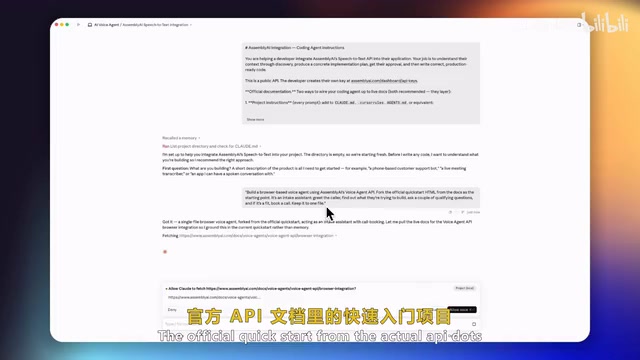
Claude Code + AssemblyAI in Practice: A Complete Tutorial for Building a Voice Agent in One Afternoon
Learn how to build a Voice Agent with speech recognition, conversation understanding, and calendar booking using Claude Code and AssemblyAI in one afternoon.
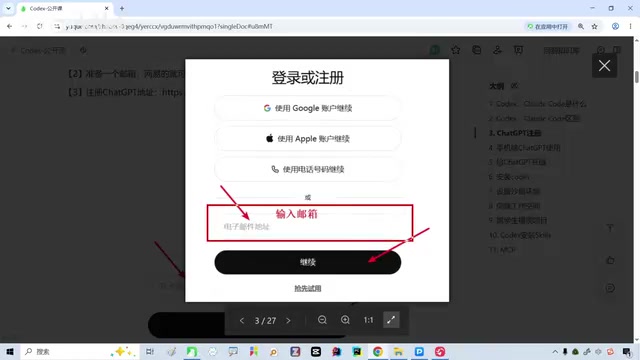
Getting Started with Codex from Scratch: Complete Guide from Registration to Setup
Complete guide to getting started with Codex: GPT registration, SMS verification, US Apple ID setup, ChatGPT app installation, and subscription plan selection for beginners.
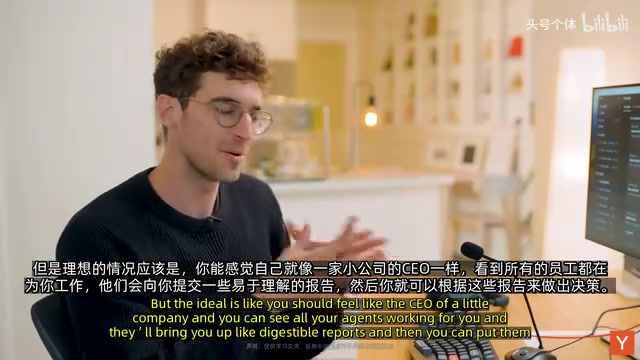
Conductor CEO Demo: Multi-AI Agent Programming Workflow Explained
Conductor co-founder Charlie Holtz demos his AI coding workflow, showing how to orchestrate multiple AI agents in parallel with insights on model selection and human-AI collaboration.