Getting Started with Vibe Coding: Master the Basics to Effectively Direct AI Programming
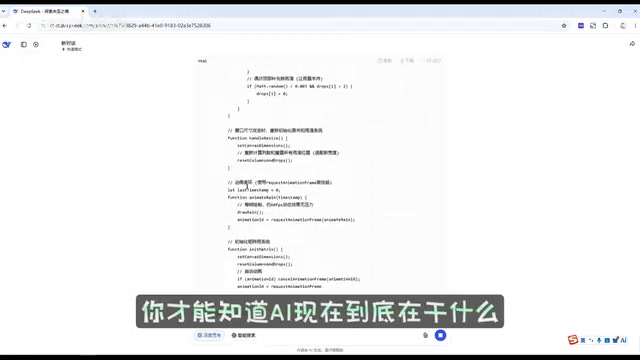
Master programming fundamentals to effectively direct AI coding with tools like DeepSeek and Cline.
This article introduces Vibe Coding — the practice of directing AI to write code using natural language. It explains why HTML, CSS, and JavaScript fundamentals are essential for effective AI programming, then walks through two practical methods: using the DeepSeek web interface for quick experiments, and the VSCode plugin Cline for an efficient integrated workflow. Hands-on demos cover adding visual effects and debugging with AI assistance.
AI can accomplish in 10 seconds what would take you 2 hours to code by hand — so does that mean learning programming fundamentals is a waste of time? Quite the opposite. Only by mastering HTML, CSS, and JavaScript can you truly harness AI programming tools. This article provides a systematic introduction to getting started with Vibe Coding, from the web-based DeepSeek to the VSCode plugin Cline, walking you through the complete AI programming workflow.
What Is Vibe Coding
Vibe Coding is a concept introduced by OpenAI co-founder Andrej Karpathy in early 2025. He described this approach to programming as: "You fully embrace the vibes, embrace exponential growth, and forget that code even exists." The core idea is that developers no longer write code line by line — instead, they describe their intent in natural language and let AI generate and modify the code. The rise of Vibe Coding marks an important paradigm shift in software development — from "writing code" to "directing AI to write code." But as this article will explain, this shift doesn't mean programming fundamentals become less important. In fact, it places even higher demands on a developer's comprehension and judgment.
Why Programming Fundamentals Are a Prerequisite for AI Programming
Many people see what AI programming can do and wonder: if AI is this powerful, do I still need to learn programming? The answer is a definitive yes. The essence of AI programming is "you direct, AI executes." If you don't understand that HTML is the skeleton of a webpage, CSS is its skin, and JavaScript handles its interactive logic, you won't be able to accurately describe your requirements to AI, nor will you be able to judge whether the code AI outputs is correct.
It's worth taking a deeper look at the technical division of labor among the front-end development "big three." HTML (HyperText Markup Language) defines the structure and content of a webpage, similar to the steel framework of a building. It uses tags (such as <div>, <h1>, <p>, etc.) to organize page elements. CSS (Cascading Style Sheets) controls the visual presentation of a webpage, including colors, fonts, layout, and animations — think of it as the building's exterior design. It uses selectors and properties to precisely control the appearance of each element. JavaScript handles user interaction and dynamic behavior, such as button click responses, data validation, and animation effects. It's the key programming language that brings a webpage to life. Understanding the roles of these three technologies is the foundational skill for evaluating the quality of AI-generated code.
As a practical example, when DeepSeek generates a Matrix-style code rain effect, a developer with solid fundamentals can immediately see that the CSS handles styling, the HTML skeleton remains unchanged, and JavaScript is the core that implements the code rain animation. This kind of judgment comes from foundational knowledge built through hands-on coding. Without these fundamentals, you'd just stare blankly at hundreds of lines of AI-generated code.
Method 1: Web-Based DeepSeek — A Zero-Barrier Entry to AI Programming
The lowest-barrier approach to AI programming is using the DeepSeek web interface directly. The steps are straightforward:
- Open the DeepSeek web interface
- Upload your existing code files as attachments
- Enable "Deep Thinking" mode (since it's your own project, you don't need web search)
- Enter your specific modification request, such as "Please add a Matrix-style code rain background effect to my personal website"
Regarding "Deep Thinking" mode — it's based on Chain-of-Thought reasoning technology. Unlike standard conversation mode, Deep Thinking mode has the model perform a series of intermediate reasoning steps before generating the final answer, similar to how humans think through complex problems. This mode is particularly well-suited for code generation tasks, since programming requires considering logical consistency, variable scope, function call relationships, and many other dimensions. DeepSeek V3 uses a Mixture of Experts (MoE) architecture with a total of 671B parameters, but only activates 37B parameters per inference, maintaining high performance while controlling computational costs.
DeepSeek will first think through the problem, then output the complete modified code. The newer version of DeepSeek also offers a "Run" feature that lets you preview the result directly in the browser. However, this approach has an obvious limitation: local resources (like profile images) can't be loaded, so you still need to copy the code to your local files to see the full result.
What's even more cumbersome is that when you discover issues with the AI-generated code — such as the layout not being centered, or unwanted Japanese characters appearing in the code rain — you have to repeatedly copy and paste between the web interface and your local editor, which isn't very efficient.
Method 2: VSCode + Cline Plugin — An Efficient AI Programming Workflow
To solve the copy-paste pain point of the web interface, you can use an AI programming plugin directly in VSCode. The recommended choice here is Cline, a popular VSCode plugin that has been installed over 4.2 million times.
Installing and Configuring Cline
In the VSCode sidebar, click "Extensions," search for "Cline," and install it. Once installed, a robot icon will appear on the left sidebar — click it to open the AI conversation panel.
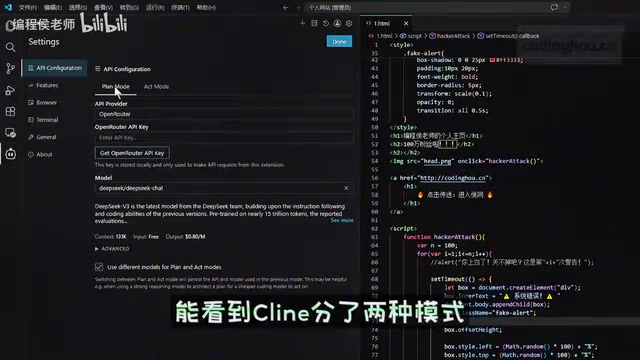
Cline's core capability is deep integration of AI conversation with the code editing environment. It can read file contents in your project, understand code structure, and directly perform create, delete, and modify operations on local files. Cline communicates with VSCode through LSP (Language Server Protocol), accessing the code's syntax tree and contextual information to achieve precise code modifications.
Cline offers two working modes:
- Plan mode: AI first analyzes the code and formulates a modification plan; you confirm before execution
- Act mode: AI directly modifies the code, suitable for simple and clear-cut tasks
This Plan/Act dual-mode design draws from the software engineering best practice of "design first, implement second." Plan mode is equivalent to the code review and solution design phase, while Act mode is the actual code implementation phase. This separation gives developers the opportunity to review the plan's soundness before AI modifies the code.
For model selection, Cline officially provides free models (defaulting to DeepSeek V3/V4) that work out of the box with no payment required. First-time use requires login — you can register with a Microsoft account, and the process is fairly simple.
Hands-On Demo: Adding a Code Rain Background Effect
Once configured, we first use Plan mode to have AI analyze the existing code. AI can not only accurately describe the code structure but also identify potential bugs — such as an empty H2 tag with no content.
Next, enter the requirement: "Add a Matrix-style code rain background effect for me." After thinking, AI will generate a detailed implementation plan, including the CSS styles to add, new HTML tags, and JavaScript animation code.
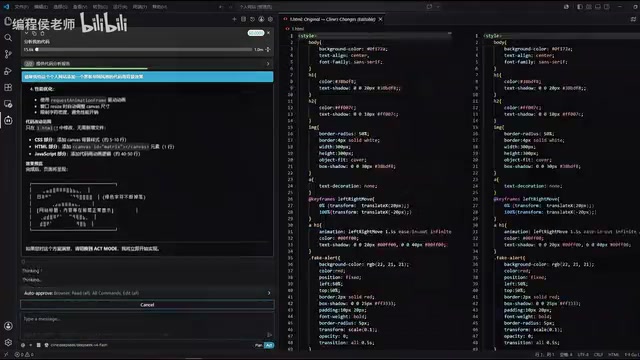
After switching to Act mode for execution, AI will directly modify your code files at remarkable speed. Unlike the web version, Cline operates directly on local files, so there are no issues with layout structure being altered, and local resources like profile images display normally.
If you're not satisfied with the result, you can continue making modification requests in the conversation, such as "Avoid Chinese characters in the code rain — use only English letters and numbers." AI will precisely locate the character set definition in the JavaScript and quickly complete the modification.
Hands-On Demo: Adding a Typewriter Effect and Bug Fixing
The second hands-on demo involves adding a typewriter effect. Here's an important lesson: the more detailed your prompt, the more accurately AI understands your intent.
Prompt engineering refers to the technique of carefully designing input prompts to guide AI toward generating high-quality output. In AI programming scenarios, prompt quality directly determines the accuracy of code generation. A good programming prompt typically includes the following elements: a clear functional description, the expected technical implementation approach, specific parameters or constraints, and the desired code style. For example, "add a typewriter effect" is a vague prompt, while "add a typewriter effect below the page title that displays the text 'Hello, I am a developer' character by character with a 100-millisecond interval between each character, pausing for 2 seconds after completion before restarting, using a green monospace font" is a high-quality prompt. You can simply say "add a typewriter effect," but if you can clearly describe the content, speed, style, and other details, the result will be much better.
AI completed the modification in under 10 seconds, adding CSS animation styles, a new P tag, and the typewriter effect's JavaScript code — all of which are fundamentals covered when learning to write code by hand.
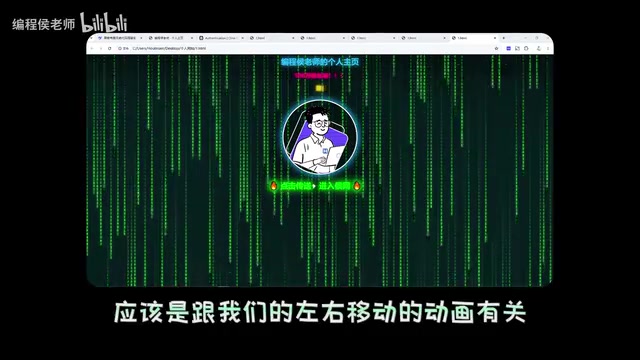
The bug-fixing segment is even more interesting. A scrollbar kept appearing intermittently at the bottom of the page, and the developer wasn't sure why. Using Plan mode, they had AI analyze the issue first. AI accurately pinpointed that the problem was related to a side-to-side swinging CSS animation and provided a solution. After switching to Act mode for execution, the issue was fixed instantly. This scenario perfectly demonstrates AI programming's powerful debugging capabilities.
Cline Free Quota and Other AI Programming Tool Recommendations
It's worth noting that Cline's free models come with certain usage limits. If you want to use other models (such as DeepSeek's official API), you'll need to configure an API Key, which involves understanding model API integration.
An API Key (Application Programming Interface Key) is an identity credential for accessing AI model services, similar to a digital key. When using model APIs from companies like DeepSeek or OpenAI, you first need to register an account on their open platform, add funds, and then obtain a unique API Key. Model APIs typically charge by Token — the basic unit of text processing for models. One Chinese character corresponds to roughly 1-2 tokens, while one English word corresponds to roughly 1-4 tokens. Taking DeepSeek as an example, its API pricing is significantly lower than comparable competitors, which is one reason it has rapidly gained popularity in the developer community. After configuring an API Key in Cline, you can freely choose different model providers and model versions for a more flexible experience.
Besides Cline, other AI programming tools worth keeping an eye on include:
- ByteDance's Trae: Developed by a Chinese team with strong Chinese language support
- Claude Code: A command-line AI programming tool from Anthropic
- OpenAI Codex: OpenAI's code generation tool
Each of these tools has its own strengths — it's recommended to explore them gradually after mastering the basics.
Conclusion: The Core of Vibe Coding Is Human-AI Collaboration
The core philosophy of Vibe Coding isn't "let AI write code for you" — it's "you think and make decisions, AI executes and accelerates." The two methods introduced in this article — web-based DeepSeek and VSCode + Cline plugin — are suited for different scenarios: the former has zero barrier to entry and is great for quick experimentation, while the latter is more efficient and suited for ongoing development.
Regardless of which tool you use, programming fundamentals are your core competency for directing AI. Understanding the roles of HTML, CSS, and JavaScript enables you to accurately describe requirements, evaluate output quality, and locate and fix problems. AI programming doesn't make learning obsolete — it amplifies the value of what you've learned.
Related articles
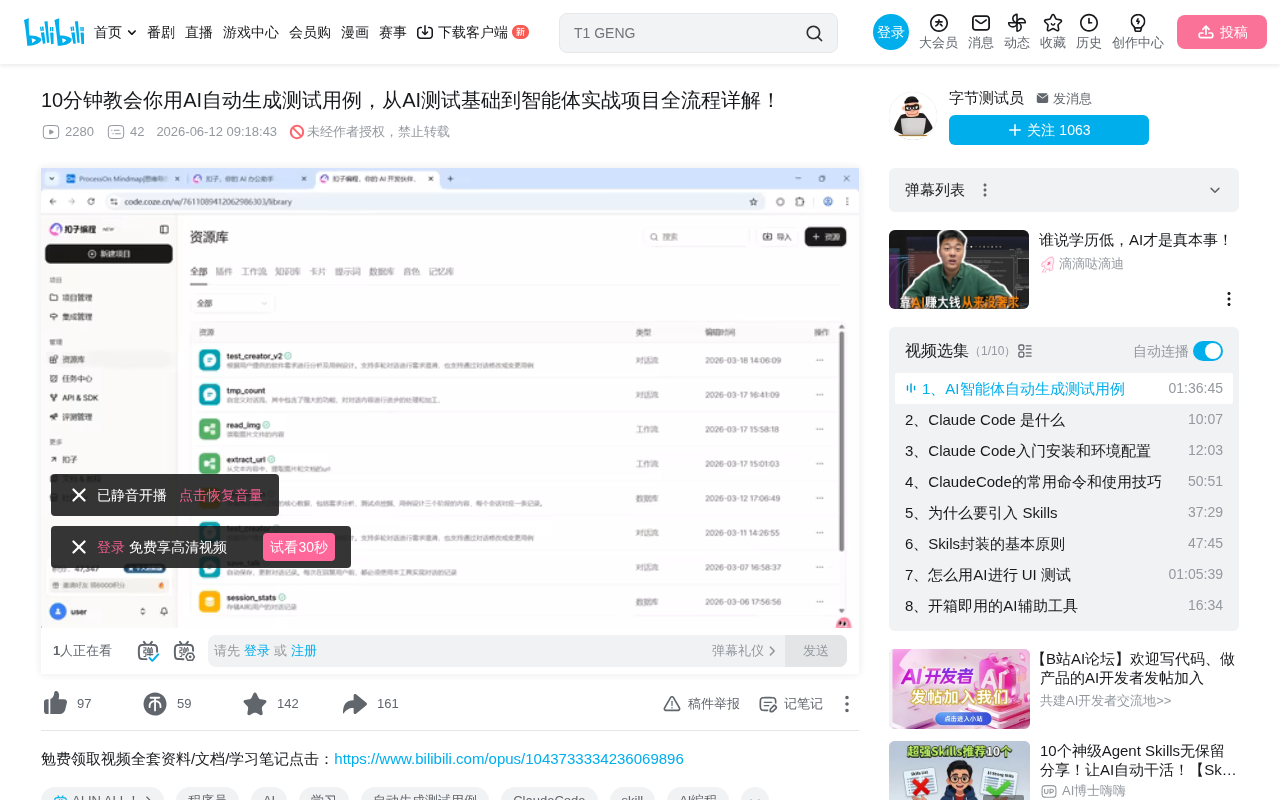
Coze Agent in Practice: Building an AI Test Case Generation Workflow from Scratch
Learn how to build an AI test case generation agent on Coze, covering agent vs. LLM differences, workflow orchestration, model selection, and prompt engineering tips.
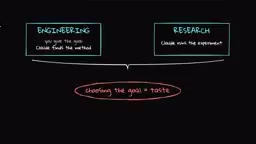
Anthropic's Latest Research: AI Recursive Self-Improvement Is Rapidly Approaching Human-Level Capability
Anthropic's new research reveals AI recursive self-improvement progress: Claude writes 80%+ of code, achieves 52x training speedup, and outperforms humans at 64% of research decision points.
Complete Guide to Trae's Chat Features: Four Modes for Efficient AI Programming
A detailed breakdown of Trae AI IDE's four chat modes: Sidebar Chat, Inline Chat, Image Input, and Voice Input, with shortcuts, use cases, and practical tips.